How to get your first 75 users with $30
Hi guys,
As a side project, I started https://fotosconai.com, an AI photo generation software focused on LATAM/Spain, inspired by levels.io software (The IH god).
As my original background is in marketing, I have a lot of experience running ads on platforms like Meta Ads, Google Ads, etc.
If you are starting a product, I strongly recommend checking search levels for the group of keywords that users might search to find your product.
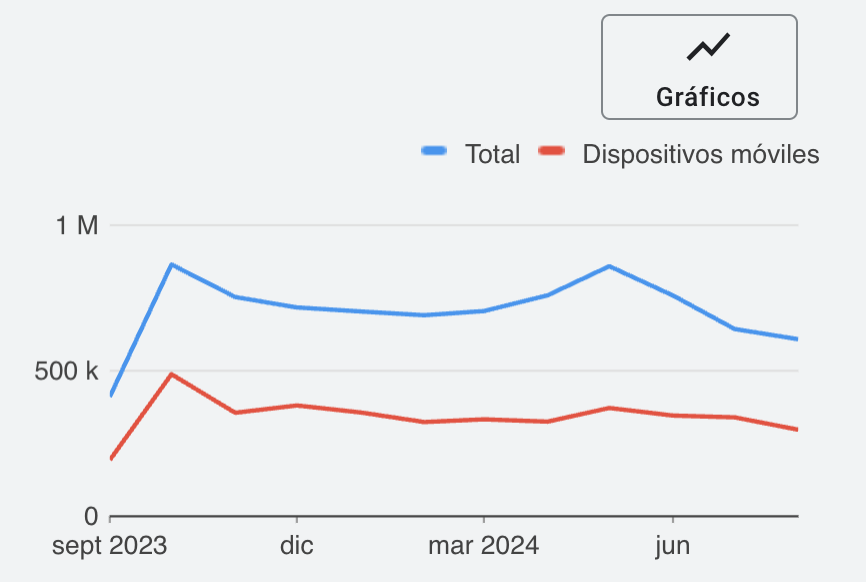
If there are >10K monthly searches for your topic, there is a big chance you could get cheap traffic to validate your MVP very fast. It depends on competition, of course, but this is my blueprint to validate a product quickly:
Go to Google Ads -> Keyword Planner (to use this tool with full detail, you need to be a user running ads on Google Ads. I recommend investing 1 USD per day and waiting a couple of days to be able to use it properly).
Add 5 keywords related to your product. For my case:
"Hacer fotos con AI"
"Hacer fotos inteligencia artificial"
"Hacer imágenes con IA"
"Fotos con IA"
"Crear fotos con IA"
Total volume:
Relevant keyword volume:
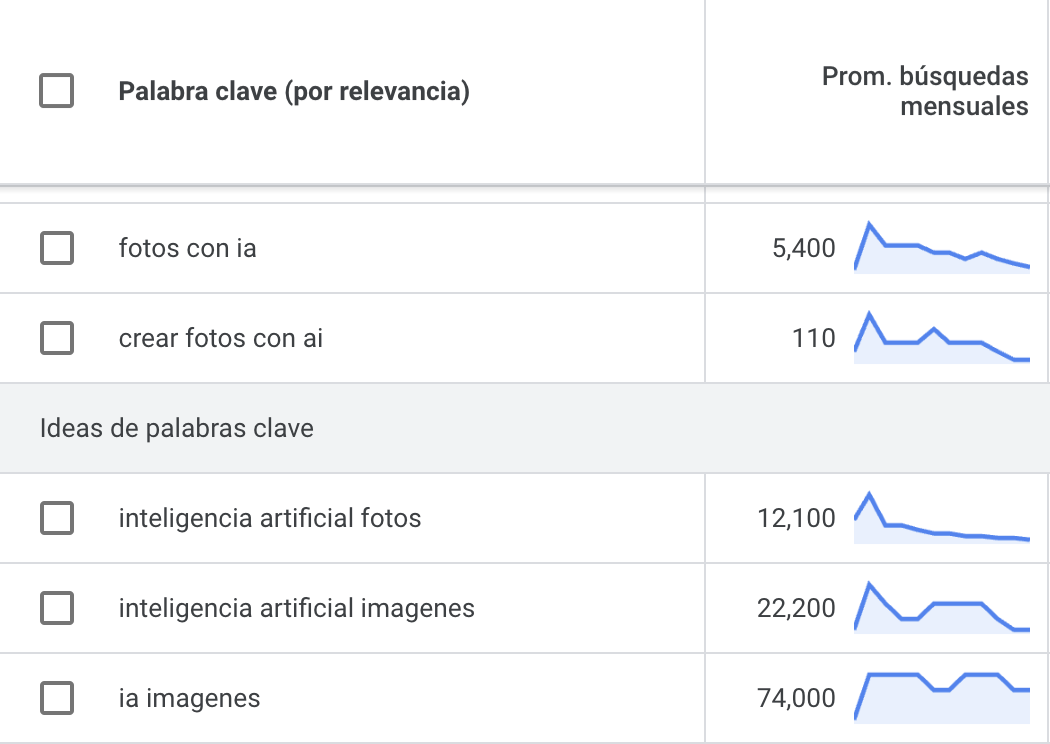
Great! There seems to be room for quick validation and getting some users on my product!
Before launching Google Ads, make sure to:
- Install Google Analytics on your website.
- Install https://posthog.com on your product (Posthog is the best ❤️).
- Make sure everything works on your site!
The next step is creating the campaign – setting up a campaign in Google Ads is easy, you just have to follow the steps once you log in.
My tips:
-
Add as many related keywords as you can – at least 100, aim for 500.
-
Create them with https://www.searchbloom.com/tools/keyword-mixer-tool/
-
Include short direct examples (i.e. "crear fotos con AI") and long specific ones (i.e. "how do I create an AI photo for my dating profile?").
-
Your bidding per click should start at 0.10 USD; on the second day after start getting impressions, lower it to 0.05 USD. Bid for the maximum amount of clicks.
-
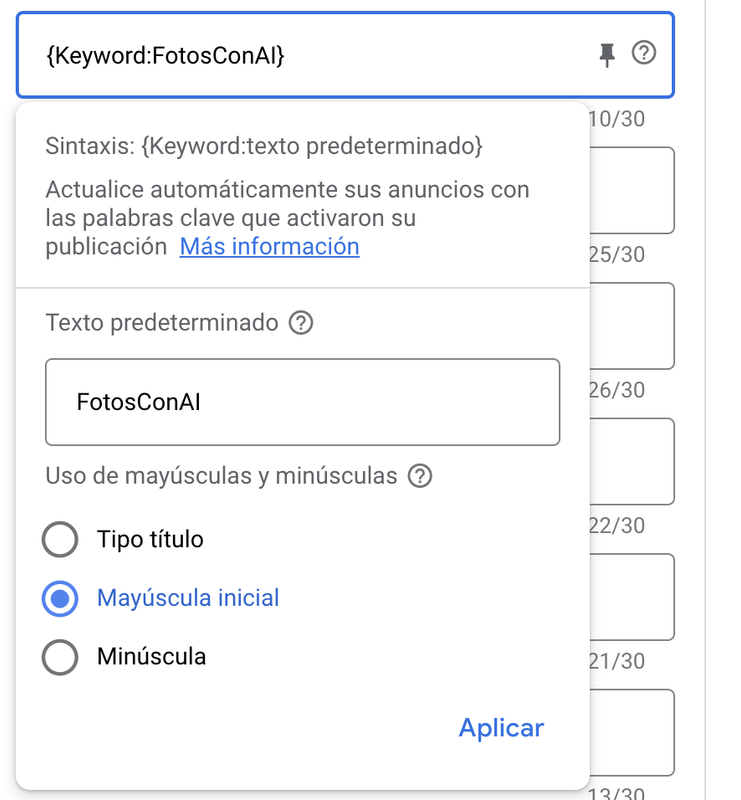
Insert dynamic keywords in titles.
- Make sure your ad is excellent.
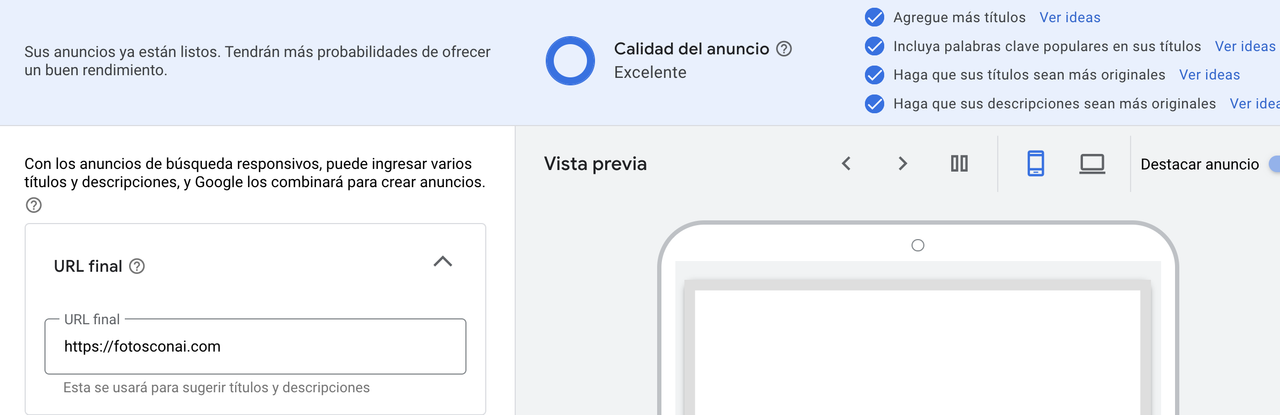
- Publish the campaign, ideally with 3 ads.
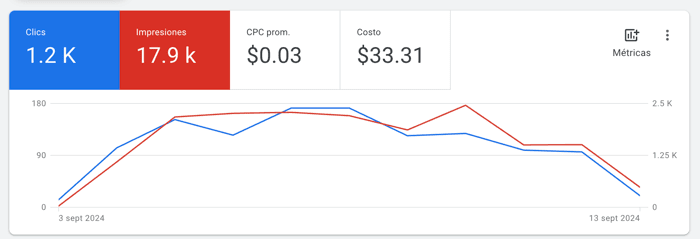
If everything goes right, some keywords will start getting traction, and those clicks will be really cheap. Here is a screenshot of my first campaign:
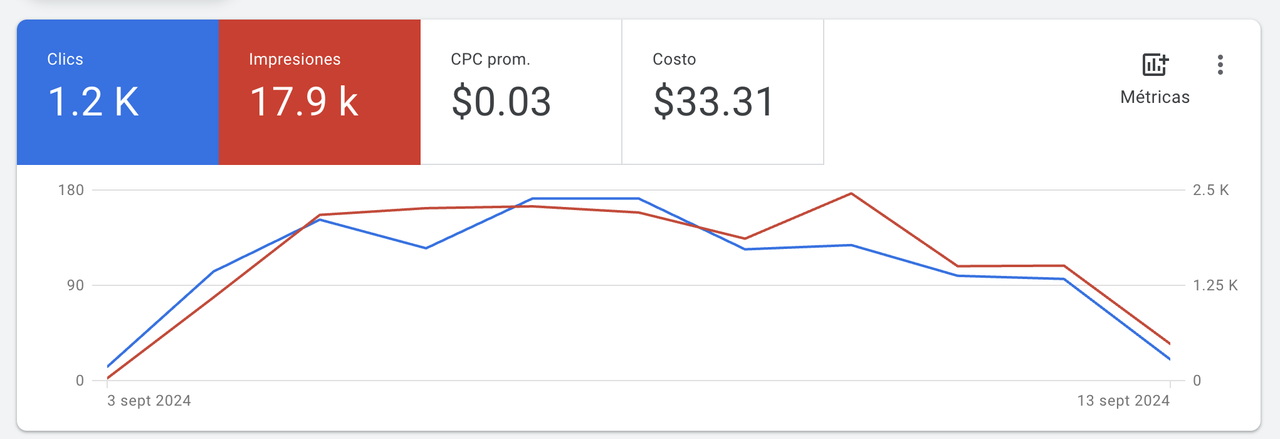
1.2K clicks for 0.03 USD each, not bad!
Less than 10 days from launch, this generated:
- 1K users on my website.
- 76 sign-ups.
- Probably around 100 image generations (didn't track them all).
Getting this level of activity for a project that is less than 2 weeks old for 30 USD seems like a great deal.
I am tracking sessions in Posthog, checking recordings from time to time, and improving it on weekends. I now know that I need to improve the conversion rate of my landing page and the usability of my app on mobile.
If anyone needs a brief keyword research, feel free to drop 5 keywords in the comments, and I’ll check them on Google Ads Keyword Planner!

Hey Gonzalo! Thanks a lot for this detailed guide. I believe it to be extremely helpful. I'm saving it for later. Hope it goes well with the app, looks nice! :)
Irene! Thank you so much for your comment.
Loved your profile, will reach out for email advice soon!
Un saludo hasta España desde Uruguay