How to Implement Search and Filtering in APIs🦉
How to Implement Search and Filtering in APIs🦉
When you build an API, one of the most useful features you can add is search and filtering. Imagine you’re building an API for a library of books — users might want to find books by a specific author, books published after a certain year, or books that contain a keyword in the title. Implementing search and filtering makes your API much more powerful and flexible.

In this article, we’ll cover how to:
- Implement simple keyword search.
- Filter results based on specific fields.
- Combine search and filtering to make your API even more useful.
Let’s dive in!
Implementing Simple Keyword Search
One of the most common ways users interact with an API is through a search bar. The user might type a word or phrase, and your API should return results that match that search query.
Example: Searching for a Book by Title
Let’s say you have a list of books like this:
books = [
    {"id": 1, "title": "The Great Gatsby", "author": "F. Scott Fitzgerald", "year": 1925},
    {"id": 2, "title": "1984", "author": "George Orwell", "year": 1949},
    {"id": 3, "title": "The Grapes of Wrath", "author": "John Steinbeck", "year": 1939}
]
We want to let users search for books by title. For example, if they search for the word "great," the API should return "The Great Gatsby."
Here’s how we can implement a simple search using Flask:
from flask import Flask, request, jsonify

app = Flask(__name__)

# Sample books data
books = [
    {"id": 1, "title": "The Great Gatsby", "author": "F. Scott Fitzgerald", "year": 1925},
    {"id": 2, "title": "1984", "author": "George Orwell", "year": 1949},
    {"id": 3, "title": "The Grapes of Wrath", "author": "John Steinbeck", "year": 1939}
]

# GET: Search for books by title
@app.route('/books', methods=['GET'])
def search_books():
    search_query = request.args.get('search')  # Get the 'search' query parameter from the request
    if search_query:
        # Filter books that contain the search term (case-insensitive) in the title
        result = [book for book in books if search_query.lower() in book['title'].lower()]
        return jsonify(result)

    # If no search query is provided, return all books
    return jsonify(books)

if __name__ == '__main__':
    app.run(debug=True)
How It Works:
- The user can search for books by title using the search query parameter.
For example:
GET /books?search=great
This will return the book "The Great Gatsby" because the word "great" is in the title.
Example Response:
[
    {"id": 1, "title": "The Great Gatsby", "author": "F. Scott Fitzgerald", "year": 1925}
]
Implementing Filtering by Specific Fields
Search is useful, but sometimes users want to filter results based on specific fields. For example, they might want books published after 1950 or books written by a specific author.
Example: Filtering by Author and Year
Let’s say users want to filter books by author and year. We can add two query parameters to handle this: author and year.
@app.route('/books', methods=['GET'])
def filter_books():
    author = request.args.get('author')  # Get 'author' query parameter
    year = request.args.get('year')  # Get 'year' query parameter

    # Filter books by author and/or year
    result = books
    if author:
        result = [book for book in result if book['author'].lower() == author.lower()]
    if year:
        result = [book for book in result if book['year'] >= int(year)]

    return jsonify(result)
How It Works:
- Users can filter by author (case-insensitive) and/or year.
- If only the author parameter is provided, it will return books by that author.
- If only the year parameter is provided, it will return books published after (or in) that year.
- If both are provided, it will filter by both criteria.
Example Request:
GET /books?author=george%20orwell&year=1940
Example Response:
[
    {"id": 2, "title": "1984", "author": "George Orwell", "year": 1949}
]
In this case, we are filtering for books written by George Orwell and published after 1940, so it returns "1984."
Combining Search and Filtering
Now let’s put it all together! We’ll allow users to search by title and filter by author and year, all in the same API request.
@app.route('/books', methods=['GET'])

def search_and_filter_books():
    search_query = request.args.get('search')  # Search by title
    author = request.args.get('author')  # Filter by author
    year = request.args.get('year')  # Filter by year

    # Start with all books
    result = books

    # If a search query is provided, filter by title (case-insensitive)
    if search_query:
        result = [book for book in result if search_query.lower() in book['title'].lower()]

    # If an author is provided, filter by author (case-insensitive)
    if author:
        result = [book for book in result if book['author'].lower() == author.lower()]

    # If a year is provided, filter by books published after or in that year
    if year:
        result = [book for book in result if book['year'] >= int(year)]

    return jsonify(result)
How It Works:
- The user can combine the search and filtering options.
- The search query parameter filters by title.
- The author and year parameters filter by author and publication year, respectively.
Example Request:
GET /books?search=great&author=f.%20scott%20fitzgerald
Example Response:
[
    {"id": 1, "title": "The Great Gatsby", "author": "F. Scott Fitzgerald", "year": 1925}
]
In this request, the user is searching for books with "great" in the title, written by "F. Scott Fitzgerald."
Best Practices for Search and Filtering
Here are a few tips to keep in mind when implementing search and filtering in your API:
- Be flexible with filters: Allow users to combine multiple filters, but don’t require all filters to be present. If the user doesn’t specify a filter, return all results for that field.
- Make searches case-insensitive: Users shouldn’t have to worry about matching exact letter cases.
- Paginate large results: If you have a lot of data, consider adding pagination to your API to avoid overwhelming users with too many results at once.
- Validate user input: If the user provides invalid data (e.g., a string for a year filter), return a helpful error message.
Implementing search and filtering in your API makes it much more powerful and user-friendly. Whether users want to search by keywords, filter by specific fields, or combine both, these features give them more control over the data they receive. EchoAPI takes this functionality to the next level, offering a comprehensive suite of tools that streamline every aspect of API development.
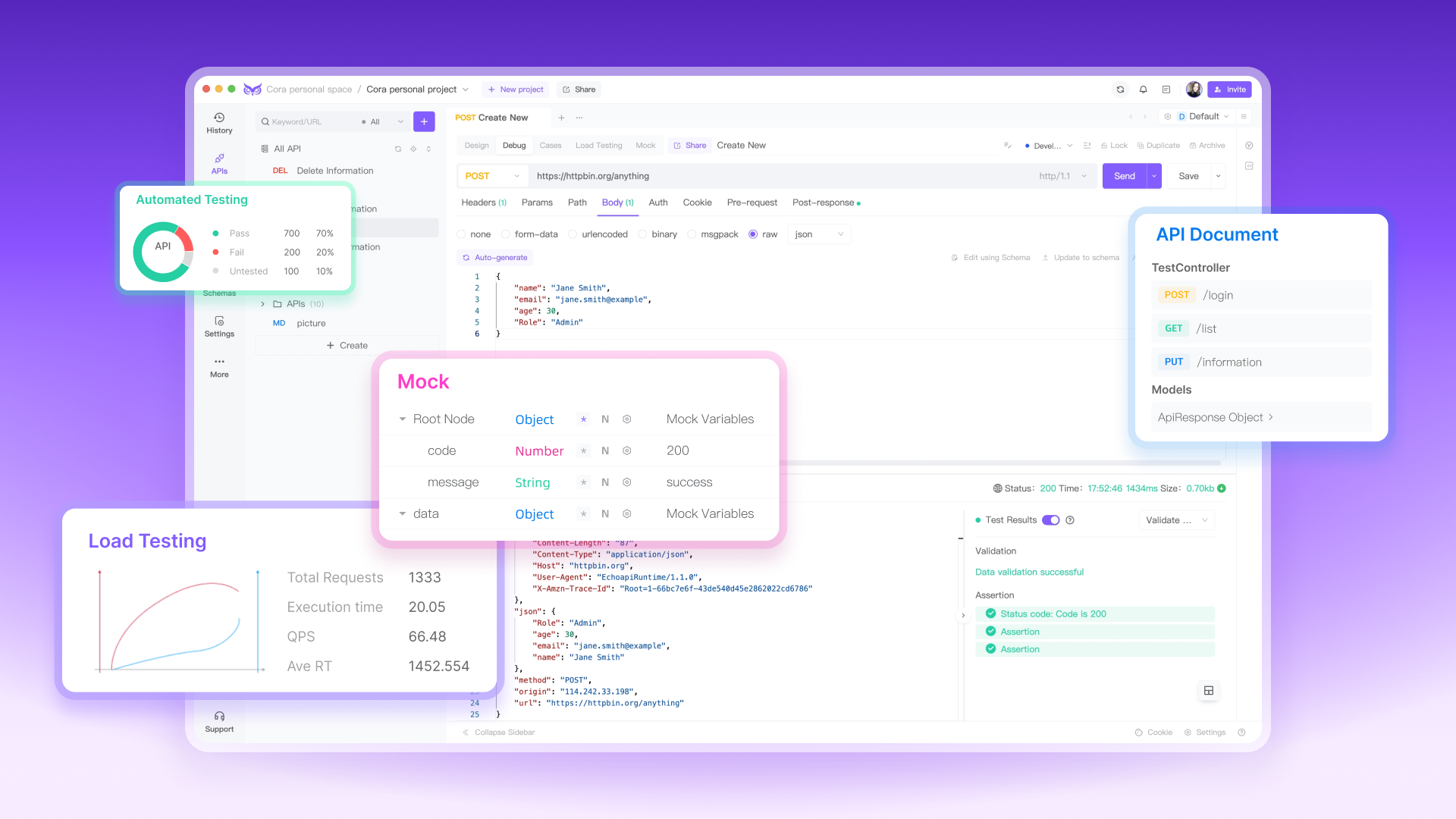
From API Debugging and Load Testing to Documentation and Mock Servers, EchoAPI simplifies the entire process. You can jump right into testing without the hassle of creating an account or signing in, thanks to its user-friendly interface. With a built-in Scratch Pad for quick notes, an affordable pricing structure for both individual developers and teams, and a lightweight native client that doesn’t slow down your system, EchoAPI is the ideal solution for fast, efficient, and cost-effective API development.
Conclusion
Whether you're improving your API with advanced search and filtering or handling complex tasks like load testing and debugging, EchoAPI provides everything you need in one versatile tool.
Happy coding! 😊
