How to Use Push Notifications to Improve Engagement on Your Site
As someone who focuses on conversion rate optimization, I'm always looking for ways to build engagement and get leads.
One of the most interesting strategies that caught my attention was the use of push notifications to build an audience.
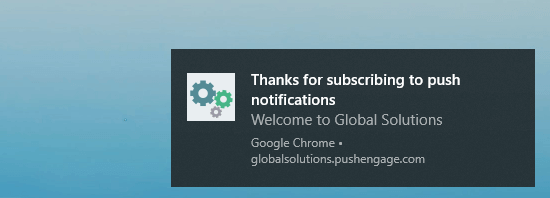
Push notifications are small popup bubbles or notifications that provide users with short and engaging messages. What makes push notifications work is that, unlike other marketing methods where you have to wait for users to be present on a platform, your push messages can appear even when users aren't on your website.
For your email marketing to work, your audience needs to check their email regularly. And you have to make sure that your emails don't go to spam or otherwise get blocked by email service providers.
If you want to reach social media users, they have to be on the app or website and actively scroll through content to come across your post. While your audience does get notifications on their phone to browse social media content, it's the platform's algorithm that decides whether your post is featured or even visible to people.
If you'd like to see a significant boost in your engagement and conversion levels, then using push notifications can be a game-changer.
How to set up push notifications
The easiest way you can add push notifications to your website is by using a plugin. Use PushEngage, a user-friendly tool that helps you engage users via a desktop or mobile browser.
If you have a WordPress site, then download the PushEngage plugin, add your website and logo to your profile on the PushEngage dashboard, and then follow the steps to get started on your first push notification.
The plugin automatically inserts the necessary JavaScript code to your site and your visitors will start getting notifications when they opt in to receive messages from you.
Optimizing your push messages for engagement
Your push notification tool's success will depend on how strategically you use it. To help you get your push marketing off to a good start, here are some ways you can optimize push notifications to get more engagement.
Create a drip campaign for new subscribers
When a person agrees to receive your push messages, you can trigger an automatic drip campaign that sends them a series of spaced-out messages.
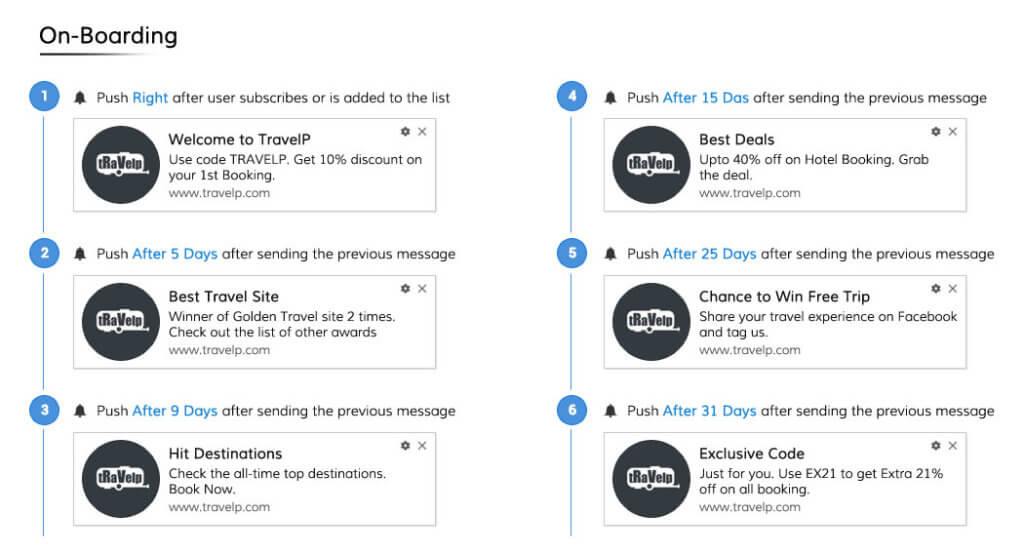
You can also automatically send them a welcome email with a drip campaign. Working with a drip feature means that your users will get timely offers and messages over the following weeks. You'll keep people engaged and you'll be able to manage any number of new users this way.
Leverage FOMO
Push notifications are a great way for eCommerce websites to use the Fear of Missing Out to drive engagement and sales.
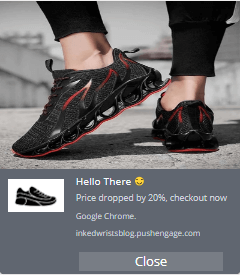
You can trigger notifications to come up when a price drop happens or if your inventory starts to go down. Your audience will automatically get a message letting them know that a product they're interested in is on sale or running out even if they're not on your website.
Re-engage users who have abandoned their carts
People who have put something in their shopping carts and forgotten about it can be easily re-engaged with a push notification.
Just sending a message saying that their product is waiting for them or offering a discount will bring the user back and have them complete their purchase.
Send out timely alerts
There's an interesting case study where Australian garment brand Wicked Weasel used PushEngage's tool to bring users back to an event when there was a technical failure.
The company was hosting a Facebook live stream event when they had internet issues and the live stream failed twice.
They were able to get the majority of their viewers back to their websites instantly by sending a push notification with a quick message and a link. The company made between $2K-$4K sales per week with push notifications and carried out other communication tasks.
Create personalized messages
Just like in email marketing, it's important that you segment your push notification subscribers. A good push notification plugin will automatically do this based on a few factors:
-
The page they subscribed from
-
Their device location
-
The kind of device they use
-
The pages they've visited on your website
-
Their purchasing history and interactions with your brand
The more personalized your content is, the better the response will be from your users. Make use of any personalization options you have and you'll be certain to see higher engagement.
Back to you
There's one concern that you may be thinking about with regards to push notifications. Aren't they annoying and disruptive of people's experiences on your website?
That's a valid concern but it ultimately depends on how you use this marketing tool. According to PushEngage's own research, most people don't mind notifications as long as they are helpful.
Don't overuse push messages, personalize your content, and make your notifications relevant. You'll help customers and keep re-engaging them to grow your business.

looks good. I want to try this script for my goth harness product store.