I built a no-prompt ghibli AI generator (It's free & no login!) - Meet YouPhoto.ai
Hey Indie Hackers! 👋
Excited (and a little nervous!) to share what I've been working on: YouPhoto.ai.
Like many of you, I've been playing around with AI image generation tools for a while now. The potential is absolutely mind-blowing. But I kept running into a specific frustration: getting AI to replicate a particular aesthetic consistently, especially on existing photos, often means diving deep into the rabbit hole of prompt engineering.
I saw tons of people online asking how to get that dreamy, painterly Ghibli style for their profile pics or photos. While powerful models can do it, crafting the perfect prompt like "ethereal landscape, Studio Ghibli style, pastel palette, volumetric lighting..." etc., is often a barrier for most people. They just want the look, applied to their picture, without the complex setup.
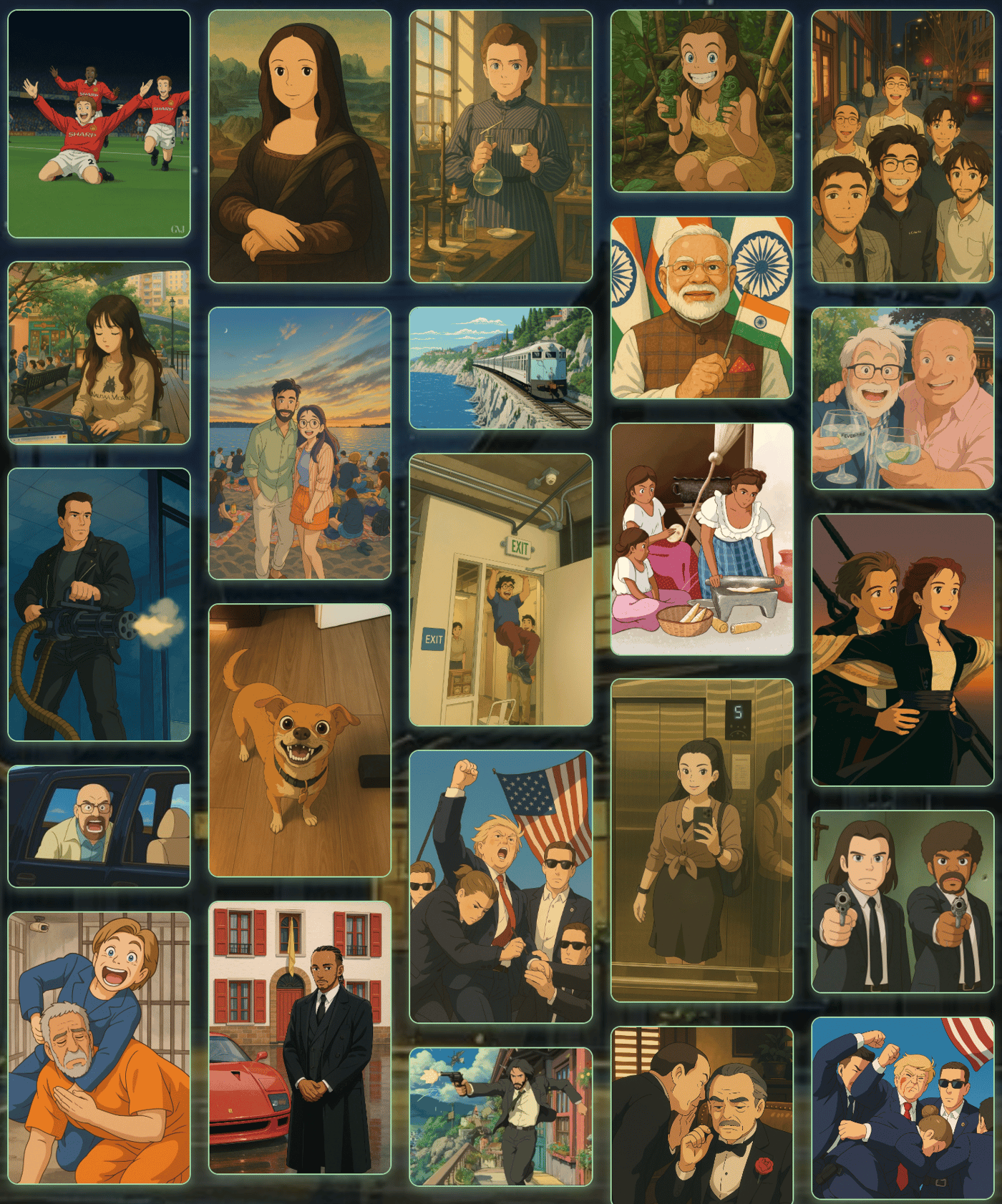
That's the core problem I wanted to solve with YouPhoto.ai. Why should powerful AI creativity be locked behind complex commands?
So, I built the Ghibli AI Generator as the first main feature. The goal was radical simplicity:
You upload your photo.
You click one button.
You get a Ghibli-style transformation back.
No prompts needed for the basic conversion.
To make it as easy as possible for people to try it out and see the value, I decided to launch it completely free and without requiring any login or signup. Just pure, simple photo transformation.
You can try it here: https://youphoto.ai/
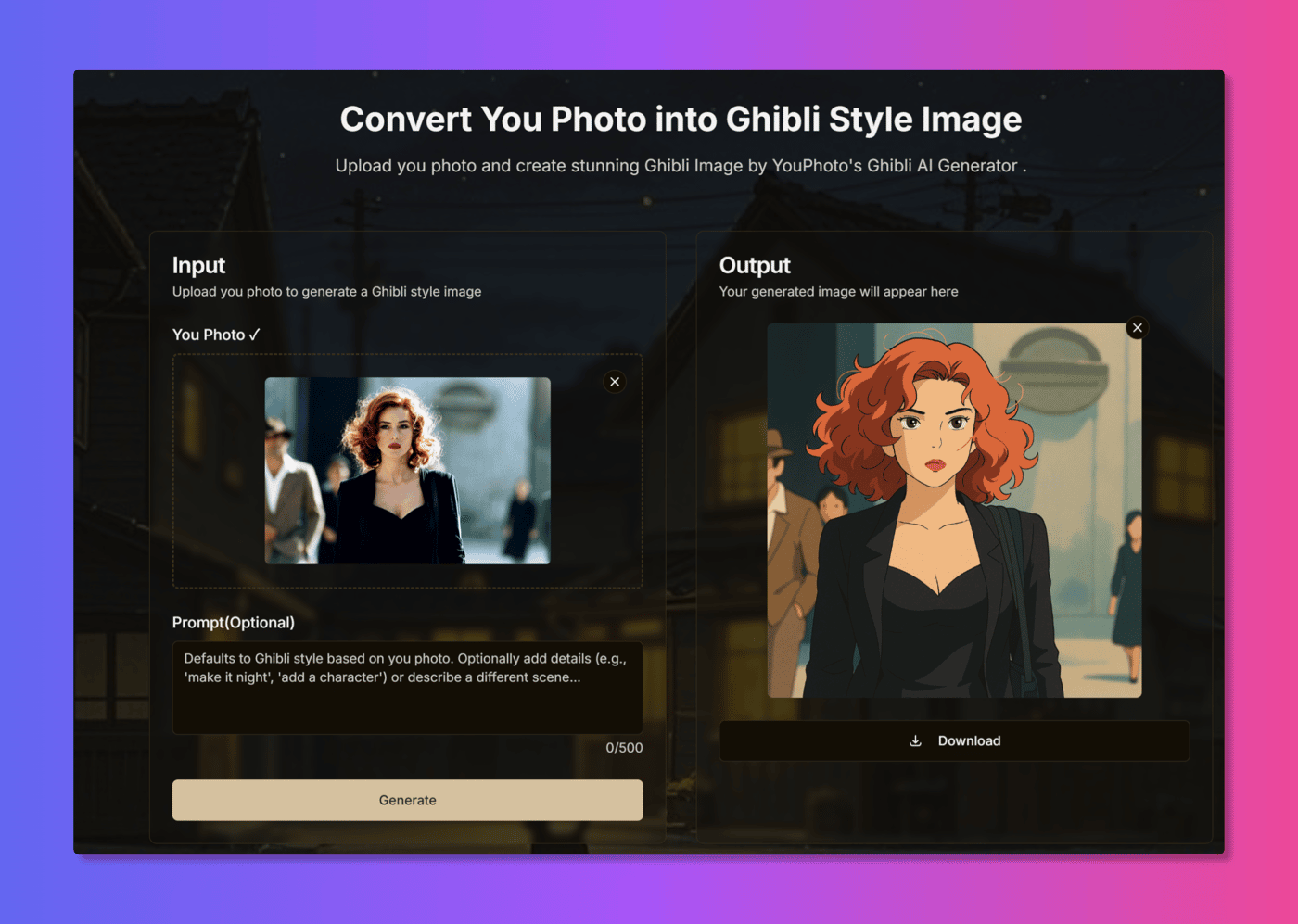
This is definitely version 1.0 (or maybe even 0.9!). The Ghibli style generator is the starting point, but the bigger vision for YouPhoto.ai is to become a go-to place for various easy-to-use, one-click AI photo processing tools.
I'm launching here on IH because I'd love to get feedback from fellow builders, designers, and creators.
Does this "no-prompt" approach for specific styles resonate?
How was your experience using the tool? Any bugs or friction points?
What other popular styles or simple AI photo functions would you love to see made this accessible?
Really appreciate you taking the time to check it out. Looking forward to hearing your thoughts!
Cheers!


Really love this
How can you offer this for free? Don't you have a lot of costs?
Tooooooooooooooooooooooooooooooooooooooo slow.
that's amazing, love to see it!!!
Thanks Sid! Really appreciate your enthusiasm! Any suggestions on how I could improve YouPhoto AI to reach more users? Your feedback would be super helpful!
refreshingly good. You should watermark them. These are being made to be shared a lot of the time so if you watermark the images people will know where to go. (even just int he bottom right, not an annoying getty images watermark.
Thanks for the excellent suggestion, Bryce! I've already implemented a subtle watermark in the bottom right corner of the generated images, just as you recommended. Really appreciate your feedback! Feel free to check it out and let me know what you think of the implementation.
By the way, I'm currently working on adding social media sharing functionality using the react-share library. So far, I can share links and text, but I'm having trouble with automatically including the user-generated images in the shares. Would you happen to have any suggestions on how to tackle this issue?
Thank you Bryce, that's a really great suggestion! I hadn't thought about adding watermarks, but you're absolutely right. I'll start implementing a subtle watermark in the bottom right corner of my images. YouPhoto AI hasn't gained widespread traction on social networks yet, but hopefully this approach will help with attribution as more people share the content. Really appreciate the feedback!
Nice stuff. I saw you started charging as well. How has that been working out for you?
YouPhoto.ai is an innovative, free, no-login AI generator that brings the magic of Ghibli-inspired art to life! Create stunning, personalized artwork effortlessly and let your imagination soar with just a few clicks.
Hi I am unable to open this. It blocked me why is it so??
It works now,try it again
Hi, can you tell me which API or model you are using, or if you're planning to release an API of your own or explore any partnerships?
Hi Nishant,
Thanks for your interest! We're currently in the process of gradually opening our API services to our business partners.
If you have any commercial needs or would like to explore potential collaboration opportunities, please feel free to contact us for detailed discussions at: business@youphoto.ai
We're looking forward to hearing about your specific requirements and how we might work together.
Best regards,
This is an excellent example of identifying a pain point and coming up with a solution. Most ppl can't quite articulate what they want in artistic term and this tool hides all of that complexity.
Thanks Kevia! Exactly - my goal is to make AI-powered art accessible even if you're not an art expert (or a prompt engineer!). I hope YouPhoto AI can help a lot of people create amazing things.
Does the photos the users upload gets saved to the server or they expire right after use ?
Hey Zaid, great question! Privacy is super important to us.
To answer directly: No, we do not save any images on our server – neither the original photos you upload nor the Ghibli-style images that are generated. They are processed and exist only for your current session.
This means it's crucial not to refresh the page while the generation is happening, as the image data will be lost. We designed it this way specifically to maximize user privacy, especially since there's no login required. Honestly, at this stage, we don't even have a database set up to store user data or images!
So please make sure to download your generated image right away! Let me know if you have any other questions.
That's great. Thanks
Doesn't work for me just shows a broken image as results and a bunch of error console logs.
Hey Dite, thanks so much for reporting this, and really sorry you ran into that issue! 🙏
We actually experienced a huge surge in traffic shortly after launch, likely fueled by the free access, which seems to have overloaded things temporarily and caused those errors.
I've deployed a fix and monitored the system, and things should be stable and working correctly now. Could you possibly give it another try when you have a moment?
Please let me know if it's working for you now. Also, since you're giving it a go early on, I'd be really grateful for any feedback or suggestions you might have for improving YouPhoto AI! Thanks again for the heads-up!
Hey, first of all, great Project! ;)
I've recently tried to generate some Ghibli Images with your Tool. The Output is a broken Imagefile.
I hope it helps.
Hey Edin, thanks for trying YouPhoto AI and for reporting this! 🙏 Really sorry you ran into a broken image - that's definitely not the experience I want anyone to have. It looks like we're experiencing some temporary server issues because of all the traffic from our free access. I've pushed a fix, so could you please try generating another Ghibli image and let me know if it's working for you now? Any further details or observations you have would be hugely helpful! Thanks again for your patience!
Hey, I tested it again. It crashes somehow when I generate the image in the web browser [DuckDuckgo] on a smartphone.
I also tested it with the Firefox browser on the desktop PC. It works here, but the download button doesn't seem to work properly. It is possible to download the image by moving the mouse pointer over the generated image, right-clicking and saving as a graphic.
Cheers.
Thanks so much for the detailed follow-up, Edin! This feedback is incredibly helpful.
I've investigated the download button issue and found it was indeed an intermittent bug related to some character formatting problems. Happy to report that this has now been fixed! If you get a chance to try it again in Firefox, the download button should work properly now.
Regarding the mobile experience in DuckDuckGo browser - you've highlighted an important area for improvement. We're actively working on optimizing the mobile experience across different browsers, and your specific feedback about the DuckDuckGo crash is particularly valuable for our testing.
I've prioritized these mobile optimizations and we should have improvements rolling out soon. Really appreciate you taking the time to test on multiple platforms and share such specific details - it makes a huge difference in helping us improve!
It's always a pleasure to help a great project.
I'll try again later with the Firefox browser and let you know. I have to go, my client is waiting for me!
good luck,best wishes!
Checked again, it works! I've seen it improved since last time! Great, how are the sells going?
Works now, looks good