I built a thing that lets you implement OAuth Login in <60 seconds.
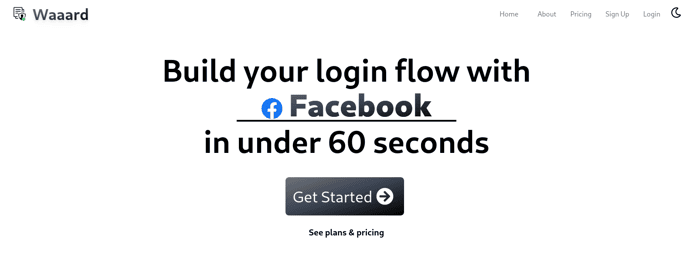
Yep. I don't think the flow can get any simpler -- there are only two steps and I don't think I've seen anyone else do it quite this way.
I also didn't cut any corners security wise (obviously!) either.
It's a bit early but please check it out:
Waaard For Login
If you think it sucks, or is insecure I'd love to hear about it. If you're someone that loves building login/OAuth flows multiple times uhhhh you're gonna hate it.
One awesome thing is that it actually leverages a product I built previously called LoginWithHN
(ok I'm lying a little bit, I actually think I can make the flow EVEN more streamlined, but this is only v1 of the pivot, gimme some time!)

I guess behind the scenes you have to store my app's clientId and clientSecret for each auth provider?
Yep! You register your clientID and clientSecret for the provider on the platform and I use them when users log in.
You can use the platform's credentials in test and staging environments to speed up development. I don't think I can allow using Waaard's credentials for various providers in production (except for LoginWithHN, since I built that) -- there's nothing explicitly against it, but I figure the large providers might dislike that.
Of course, if you do Email (magic link) or Email+Password, you're all good -- no need to use a clientID/Secret for that!
Hey Victor - as a concept, it's great!
The website needs a bit of work though:
You've got a great product here, but the messaging is letting you down. How was that landed with your customers?
Hey Wade,
Thanks for the feedback!
I just put it out today (hours ago) and a bunch of the world is still asleep so feedback is coming in -- people already got back to me about the bad mobile styling for example.
Thanks again for taking a look! 🙇🏾
[EDIT] Just deployed the fix to #1, will keep working on some more awkward page stuff.
You could play around with a few options - "oAuth on your site in 60 seconds", "oAuth in 60 seconds" "oAuth. Two steps. 60 seconds." "Get oAuth on your site in under a minute"
I would expect to scroll down to phase two, unless the button was more clearly labelled (e.g. "try it out")
As a rough landing page flow, what I would do is:
(All three of these could be above the fold)
I don't have enough points on here yet to share links, but if you give me a nudge over Twitter/email I can share more!
Thanks for feedback!
I did implement some of your feedback already! I changed the button text -- it says "create your app" now.
Thanks for the lay out of the page flow, I'm going to do some thinking and see how much closer I can get to that ideal flow!
🙇🏾
and please make sure that you have nav bar everywhere(on every page), so that user can go back easily or navigate to any other link as well
Thanks abu (is that right?), it's so inconsistent. So one of the things is that I'm really torn on whether to just remove the nav bar everywhere, I'm not convinced it's delivering much value for me!
yes, it is correct, my name is Abubakar. so you removed it intentionally? right?
Yeah, so some pages have the top nav and some don't -- I wanted the landing page to have it, but the more focused pages (filing out the form, using the actual product) to not have it... it's a little all over the place, I'll admit!
btw what is meant by Waaard?
Waaard is just the name of the product this spun out of! It is for sharing documents, links, and notes that require Authentication to open.
So you could send a link that requires someone to log in with Facebook to open it.
That's cool. it is my suggestion that you can have an option for a user to go back. what do you say about it?
I'd like to add it! Which pages would you like me to add it to first?
I do think that for most regular navigation people can use their back buttons on their phones, but having a button in the nav could be great as well.
like having an option for login/sign up, home, demo. what do you think about these?
Which page are you referring to? I'll take a look and maybe add those!
somewhere in the form template.
Hmnnn so I don't think I'll add it there -- that page I want to be really focused. I'll give it some thought!
Hi Victor!
That's a great idea and having built-in social logins. wow. I always need to have integrated social logins for my clients. how does it work? can you please guide me? and how to test it on my website?
Hey Abu thanks for checking it out -- did you try the demo? If it didn't look easy to try out, that's a big problem for me, I need to make the site better.
I was hoping that having "get started" lead to the application setup page would be good enough for people to try, but I want to hear more about your experience!
To test it though, here's what you do:
https://waaard.com/for/login/demo/waaard/callbackYou'll get 2 URLs (one for user signup, another for logging in a user) that you can use!
You can try those out immediately. For integrating on your own site, you'll have to register another Application (from the dashboard) after you sign up (the demo doesn't require signup!), but the process is the same -- you get a link you can put on your page!
Send me an email (see profile) and I'll give you a heavy indie hacker discount for all the great feedback you've given me :)
Hi Victor, Thanks for the description related to your project. well, I am interested to try it out and I always face issues integrating Facebook social login with my Django projects. I am planning to try it out in the next 2 or 3 weeks as I am working for my client and I want to try your solution.
NOTE: I have not tried the demo but I already had clicked on "get started" and then didn't click on get your login links.
BTW I am planning to use it.
Hey Abu,
Since you're doing Django I feel like this is something that would be "batteries included". Surely Django has a good plugin for this that is the go-to and free for you. I did some quick searching (I haven't touched Django in like... 8-10+ years):
Of course I think my solution is faster and simpler than any one of those, but I'm much more interested in you finding a solution that works for you, is free, and makes you more productive long term than simply using my thing.
wow. cool. thanks for the suggestions and your willingness to help me. I have used all these packages.
Absolutely no problem! Yeah I should have figured you'd know about all these.
It's kinda weird that Django doesn't make this easier... That's kind of the point of the Rails/Django tier best-in-class frameworks.
yeah, Django makes it a bit complex.