I built a tiny macOS app to prep your screen for meetings & focus instantly - TogglePresent
Hey Indie Hackers 👋
Anand here!
Over the last few months, I kept running into the same small annoyance before every meeting or screen share:
• Desktop clutter everywhere
• Random apps open in the background
• Notifications popping up mid-demo
• Audio accidentally unmuted
macOS already lets you handle all this, but it’s spread across different menus and shortcuts. Doing it manually every time was breaking my flow.
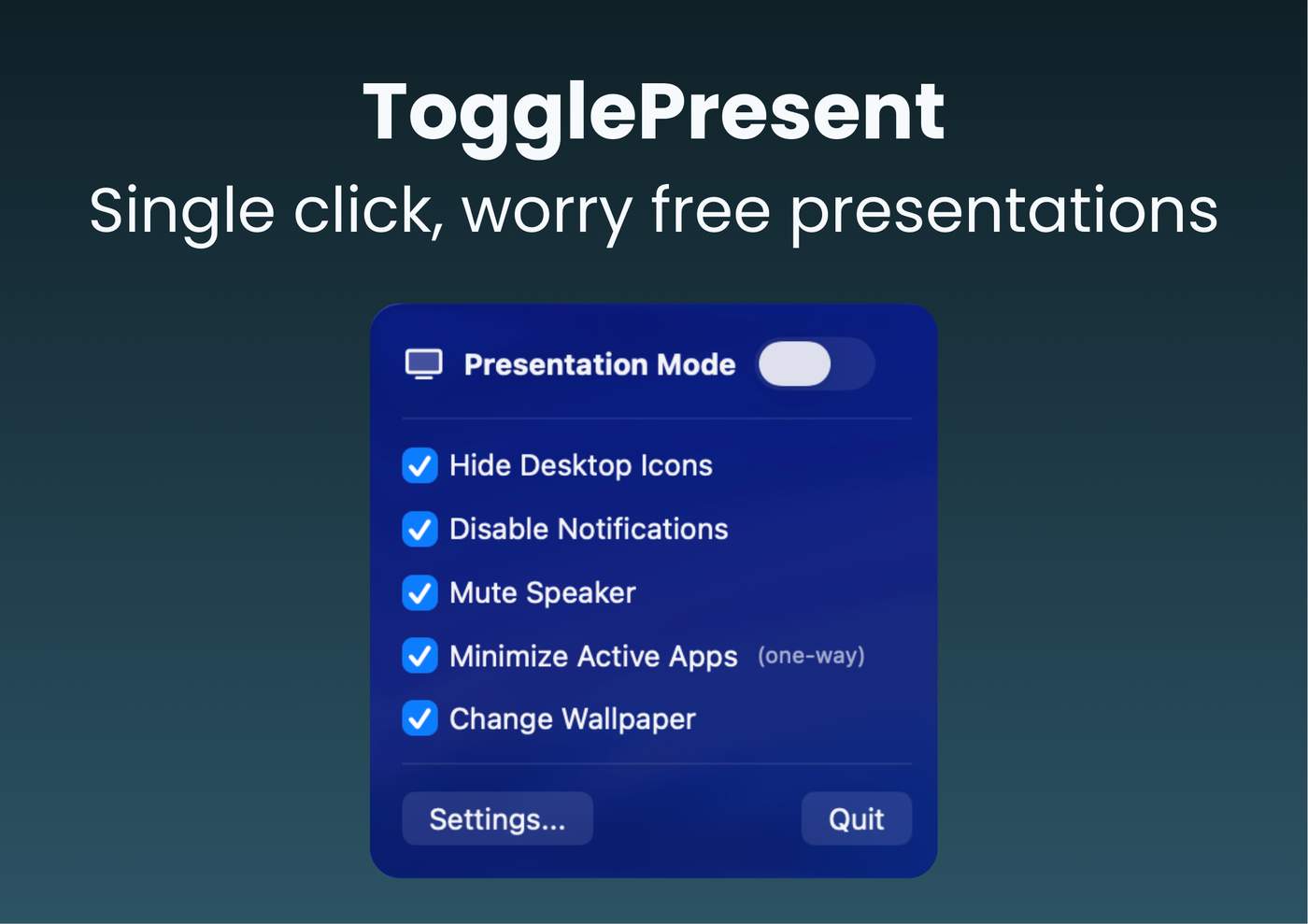
So I built TogglePresent , a tiny menu-bar macOS app that lets you switch into “presentation/focus mode” with a single toggle (or keyboard shortcut).
It currently lets you:
Hide desktop icons
Minimize active apps
Mute speakers
Disable notifications
Change wallpaper
All in one place.
I’m launching it publicly and would love feedback from fellow builders:
Does this solve a real problem for you?
What features would you add?
How do you handle presentation prep today?
Happy to answer any questions about building macOS apps, indie dev, or shipping small tools.
Thanks for reading 🙏


This is a great example of solving a small but real annoyance well. I'm also a solo dev and I think there's a lot of value in building focused tools that do one thing perfectly instead of trying to be everything.
One thing I'd love to see is calendar integration — imagine it automatically switching to presentation mode a minute before your scheduled meetings. That would make it truly zero-effort.
Congrats on shipping!
Oh man this hits close to home. I do a lot of screen sharing for demos and the amount of times I forgot to close Slack before showing my screen... embarrassing. Been using a hacky Shortcuts automation on macOS but it breaks every other update. One click toggle is way better. Curious about the technical side though, how are you handling the notification suppression? The macOS APIs for Do Not Disturb changed a bunch in recent versions and I remember it being a pain when I was building a menubar utility for one of my projects.
I feel this pain deep in my soul. There’s nothing quite like the 10-second panic right before a Zoom call starts where you're frantically dragging "Untitled Folder 5" into a "Misc" folder so your client doesn't see your digital laundry.
I’ve been relying on a messy combo of built-in Focus modes and just hoping nobody notices my wallpaper, but having a "Panic Button" for screen shares is a huge win.
love this- definately makes life easier
love the idea. Such a great product for remote workers but really for anyone. Simple to use, your website does a good job in communicating what it is and love that you're not charging a subscription price.
A quick thought, you know how fancier remote controls have scenes? Meaning you can set different moods/scenes each with different toggled options? Wonder if this could be something to evolve the app into.
Allow users to save presets based on a list of various settings.
Really impressive 👏 Toggle Present looks like a thoughtful solution for making presentations more engaging and interactive.
The minimal interface and straightforward controls make it feel intuitive, which is crucial when people are under pressure while presenting.
I like how the focus seems to be on clarity and flow rather than overwhelming users with too many features. That’s a good UX choice for tools used live in front of audiences.
I’m curious, how are you approaching real-time interactivity and feedback from viewers? Are you planning to add features like polls or live reactions?
Wow. Great work