I built an offline-first POS app for Indonesian small businesses
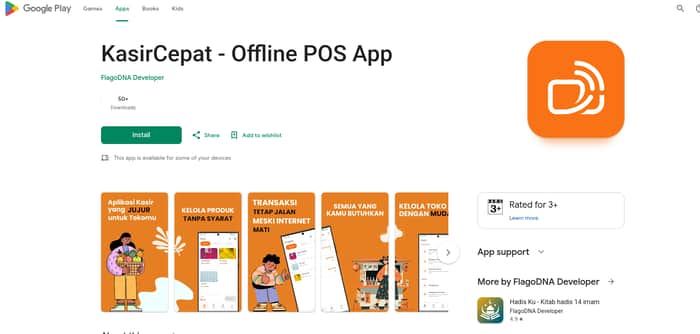
For the last few months, I have been building KasirCepat — a simple POS app for warungs, small shops, and micro businesses in Indonesia.
The idea started from a simple observation:
Small businesses don't always need more features.
They need software they can trust.
Many modern POS applications are built around cloud systems, subscriptions, and business analytics.
That approach works for some companies.
But for a small shop owner, the daily problems are usually much simpler:
- "Can I still sell when the internet is down?"
- "Will my sales data still belong to me?"
- "Do I need to pay every month just to keep using basic features?"
- "Can my employee understand this app without training?"
So I decided to build something different.
Offline-first from day one
KasirCepat is designed to work without internet.
Not as a backup mode.
Not as an emergency feature.
Offline is the default.
A small shop should still be able to:
- add products,
- process transactions,
- calculate payments,
- view sales history,
even when the connection disappears.
Data belongs to the shop owner
One thing I care about is data ownership.
Sales history is not just numbers.
It contains information about:
- best-selling products,
- customer habits,
- business growth,
- daily revenue.
KasirCepat stores transaction data locally on the user's device.
No mandatory cloud account.
No requirement to upload store data.
The owner keeps control.
Free does not mean limited by design
A lot of apps follow this pattern:
Start free → add users → lock important features behind subscriptions.
I understand why companies do this.
But for small businesses, recurring costs can become a burden.
KasirCepat has a free version with:
- unlimited products,
- unlimited transactions,
- local backup and restore,
- basic reports.
The Pro version exists only for users who need additional features:
- multi-device cashier through local WiFi,
- automatic receipt printing,
- hardware barcode scanner support,
- advanced reports.
The goal is not to force upgrades.
The goal is to give users a choice.
Built for real people, not dashboards
The person using a cashier app may not be a technical person.
It could be:
- a shop owner,
- a family member,
- a new employee.
So the workflow is intentionally simple:
- Find product.
- Add to cart.
- Select payment.
- Finish transaction.
No complicated setup.
Current status
KasirCepat is available on:
- Android
- Windows
- Linux
Current numbers:
- ~100+ Android installs
- First paying Pro users
- Built as a solo developer project
It is still early.
There are many things I want to improve:
- better onboarding,
- more printer compatibility,
- more business workflows,
- better reporting.
Why I built this
I believe small businesses deserve good software too.
Not software that makes them dependent.
Not software that treats their data as a product.
Just software that helps them run their business better.
KasirCepat:
"Your shop. Your data. Your control."

The first paying users are the interesting signal here. Do you know what actually triggered those upgrades—multi-device/printer workflows, reporting, or something else? That might tell you whether the current free/Pro boundary matches how small shops value the product.
Good question. I'd bet on reporting being the sneaky one, once an owner sees which products actually move day to day, going back to guessing feels like a downgrade. Multi-device is probably more about shop size than intent to pay, a single cashier doesn't need it yet. Worth just asking the first few Pro users directly why they converted instead of assuming, the answer might reshape what "Pro" even means for a one-person shop vs a warung with staff.
That reporting signal is interesting, especially with real upgrades already happening. If you’re open to it, what’s the best email to reach you on?
Prefer not to post my email publicly, you can reach me on LinkedIn instead: https://www.linkedin.com/in/kaya-abdullah/
I prefer email for this. You can reach me at hello@beryxa.com — send me a quick note there and I’ll reply.