I got tired of constantly checking Square sales on my iPhone, so I tried putting it on Apple Watch
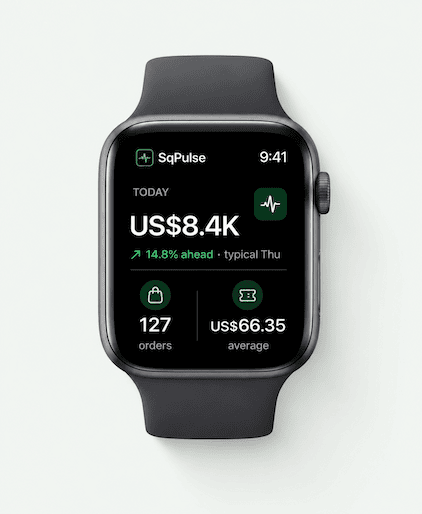
If you use Square for your business, you probably know this feeling.
You’re working, talking to customers, walking around the store, or doing something else — but you still want to know:
How are sales going today?
So you pull out your iPhone.
Then you do it again 20 minutes later.
And again.
Square Dashboard is useful, but sometimes I don’t need a full dashboard. I just want a quick look at sales, recent activity, or an alert when something important happens.
That made me wonder:
Why can’t Square sales data be something you can glance at instead of something you have to stop and check?
I started thinking about Apple Watch
For this kind of information, Apple Watch actually makes a lot of sense.
You don’t need to open a laptop.
You don’t need to take out your phone.
You can just look at your wrist for a few seconds.
That idea eventually became SqPulse, an Apple Watch companion for Square sellers.
It focuses on making Square sales data easier to check throughout the day, especially when you’re away from your computer or don’t want to keep opening the Square app on your iPhone.
You can find it here:
SqPulse: Sales & Alerts
https://apps.apple.com/app/sqpulse-sales-alerts/id6808631305
The bigger question
I’m still curious how other Square sellers handle this.
Do you actively monitor Square sales during the day?
Do you mostly use:
Square Dashboard on your computer
Square on iPhone
notifications
or do you just check everything at the end of the day?
I originally thought this was a pretty small problem, but the more I use Square, the more I feel that “quick access” is very different from having a full dashboard.
Would be interested to hear how other Square merchants monitor sales when they’re away from the counter.

A useful edge case to test is a poor-signal day: sellers may need a last-updated timestamp and an obvious stale-data state so a glance doesn’t create false reassurance. Does SqPulse surface data freshness, or only the latest total?
The glance-first wedge makes sense, but I’d measure the behavior after the glance rather than just fewer phone opens. Does the seller change staffing, reorder, or respond to something? I’d test live alerts against a scheduled digest with an alert cap—otherwise a wearable can turn “checking the phone” into “checking the wrist.” A useful card could show sales since the last glance, the comparison period, and one actionable exception, rather than another mini-dashboard. The strongest signal would be fewer phone opens without more missed decisions.
The compulsive check-your-phone loop for revenue is one of those things that sounds trivial until you've lived inside it. It's not just the time — it's the ambient anxiety between checks that adds up.
The wearable move makes sense as a friction reducer. The real question is whether lowering the friction to check means you check less because you feel in control, or more because the barrier is gone. The data split here is usually psychological — people with higher revenue anxiety tend to check more, not less, as access gets easier.
One thing worth testing: a scheduled daily summary rather than live data. The dopamine from the check often comes from the ritual, not the number. A well-timed daily report on the watch might actually reduce the compulsive checking more than instant access does.
How has the checking frequency changed since you moved it to the watch?
The distinction between a glanceable signal and a full dashboard really resonates. For merchants away from the counter, I’d want configurable thresholds so the watch stays quiet during normal sales but surfaces anomalies, refunds, or an unusually slow day. That feels like a strong fit for a wearable because it preserves attention instead of creating another dashboard to monitor.
The glance-first framing makes sense—especially for merchants who only need a signal that something changed. I’d make the alerts configurable by order value or time window, and surface battery/notification reliability prominently since a missed alert undermines the whole promise. A small daily summary could also help without recreating the full dashboard.
Distribution is what I would worry about more than the UX here, because Square sellers are not browsing the App Store for watch apps, they are inside Square all day. Getting listed in the Square App Marketplace puts you in front of them at the moment they are already thinking about their numbers, and it is a channel almost no indie watch app bothers with. Second thing I would do is charge from day one, because a merchant running a register will pay $5 a month without blinking, and free users will never tell you which alert actually mattered.
The glanceable format is the interesting wedge. Have any Square sellers actually checked sales more often on the Watch than they did on iPhone?
The glanceable format makes sense, although I’d test whether it reduces checking or simply moves the checking habit from phone to wrist.
I reckon the stronger job is not “show me today’s sales faster,” but “tell me whether today is behaving unusually enough that I should act.” Sales pace versus a normal day, a refund spike, or an unexpected quiet period may be more useful than the raw total.
What does a seller actually do differently after looking at SqPulse? That action may reveal which alerts deserve the limited watch screen.