I'm building SaaS and documenting the process. Days 12 & 13: subdomains, separate apps, and user interface
This is the twelve&thirteen episodes in the reality show about the development SaaS app from scratch. The previous episodes:
Open SaaS development from scratch: why and what
Day 1: requirements and UI wireframes
Day 2: admin pages
Day 3: user pages
Day 4: database models, database update, and a couple of new wireframe pages
Day 5: started API and made changes to the database models
Day 6: created the admin board and new problems
Day 7: board settings page
Day 8: board settings page, more details and tabs
Day 9: board settings page, more tabs
Day 10: finished all 4 meta lists for board settings page
Day 11: experimenting with subdomains
I didn't work much for several days - the global hysteria about coronavirus was pretty distracting. But now I came back to the project.
I realized at some moment that I have to separate the whole app into 2 parts: the board admin dashboard should live as its own application and end users' subdomain app is another application. I just forgot that sign-up logic is totally different. For the board admin, it should base on the billing and selected plan, but for end-user it's totally free and don't have any restrictions.
So, I cloned one more application from the SaaS boilerplate (paid version as it has the Google signup). Then I wanted to test how they would live together. I created 2 separate apps on AWS Elastic Beanstalk and configured SSL. Then I added 2 CNAME records at my domain provider's dashboard: one for dashboard subdomain and another one for wildcard subdomains pointing to those separate applications. It didn't go so smooth though and I had to ask the support for the help, the namecheap's support was great as usually.
Then I added one more role (for board admin) and changed the signup process: when a user is registered on the main dashboard he/she is considered as a board admin, and when a user registers on the subdomain I connect the account to this subdomain (board).
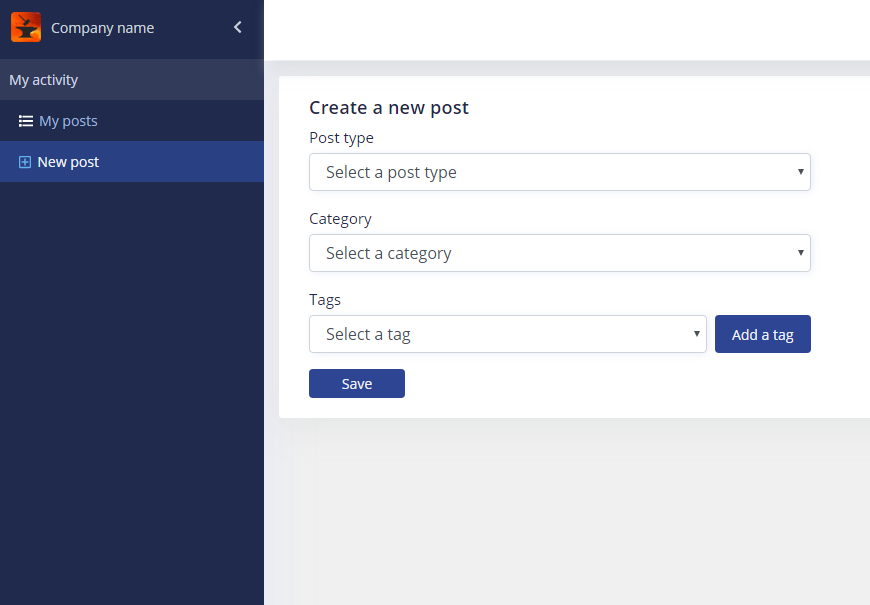
The next step was to start the end-user dashboard. It looks pretty much the same as admin's but I don't care much about styling right now. I removed all stubs from the left menu, added a couple of new elements, and started developing the interface to create new posts. I had to provide fetching metadata (like post type, categories, and tags) from the board settings and using them for a post. Some strange Chrome's bug wasted a half an hour (it crashed debugger on the select's change) - I couldn't get what was going on and thought that I used React state wrong, haha, it's gone after I restarted Chrome.
Anyway, I finish the work with this interface:
Time spent: 7 hours
Total time spent so far: 32 hours
