New Plugin Version 2.0 for Pirsch Analytics
We're thrilled to announce the release of the Pirsch Analytics WordPress Plugin v2.0! This major release brings powerful new features, significant improvements, and important fixes that make website analytics on WordPress using Pirsch easier and more flexible.
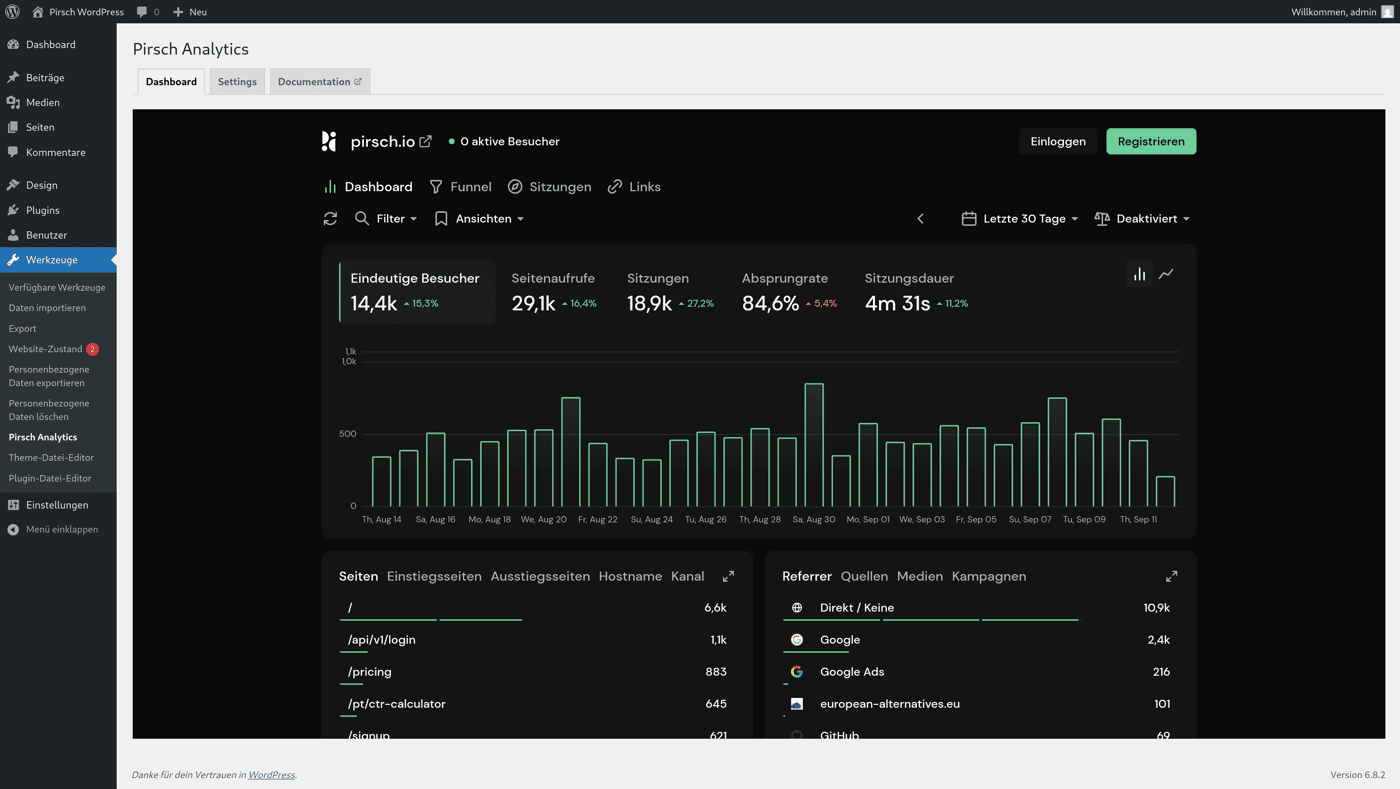
Embedded Dashboard
Access your Pirsch Analytics dashboard directly within your WordPress admin panel. No more switching between tabs – monitor your website's performance without leaving WordPress.
Enhanced Control Options
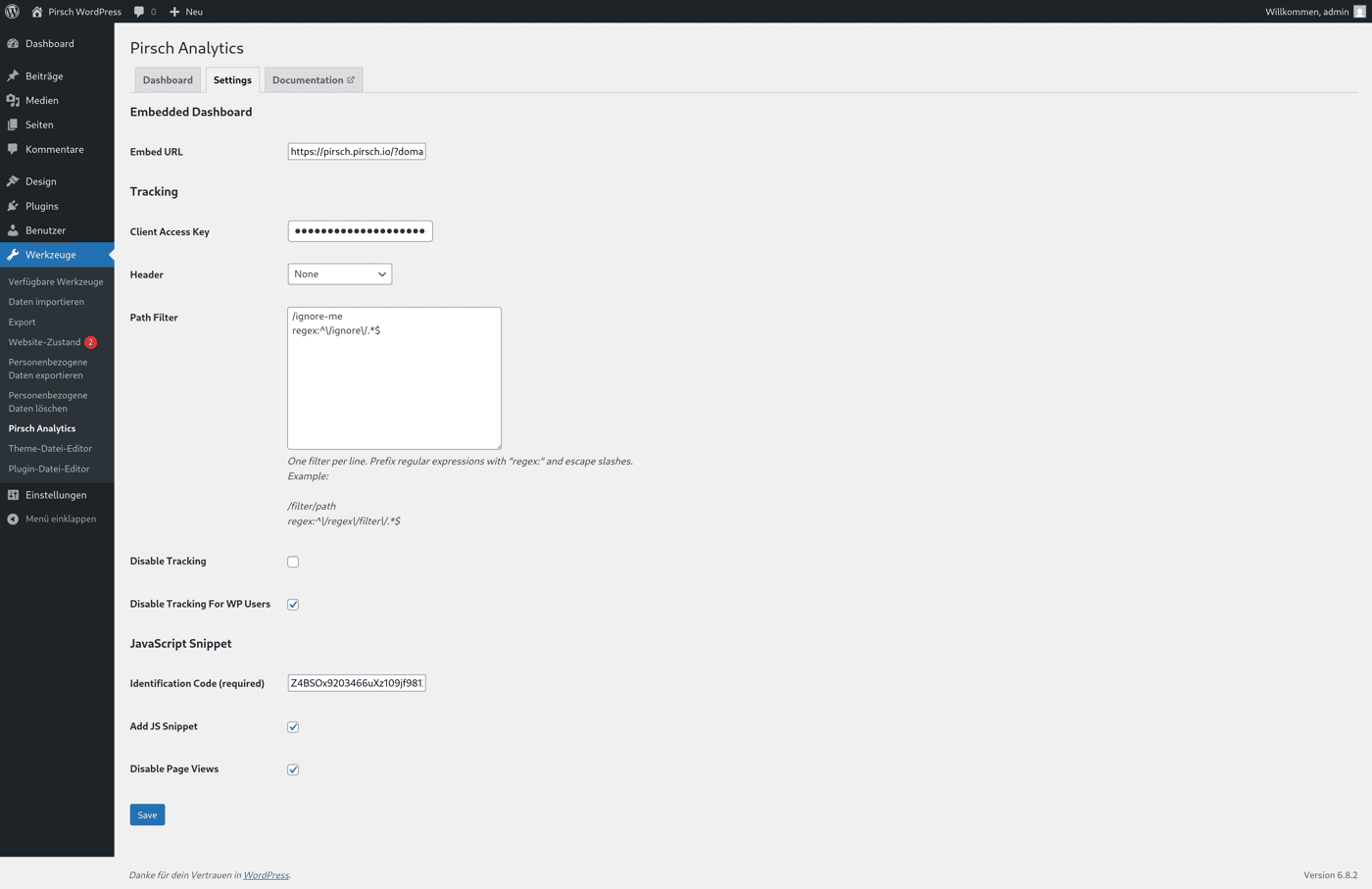
Global Tracking Toggle: Disable tracking entirely with a single click
Logged-in User Toggle: Choose whether to track logged-in users or exclude them from your analytics
JavaScript Snippet Option: Now supports both, server-side and client-side tracking methods, or you can combine both of them
Smart Filtering
Automatic Favicon Filtering: favicon.ico requests are now filtered out by default, giving you cleaner analytics data
Improved Page Path Filter: Enhanced filtering capabilities for more precise tracking control
Redesigned User Interface
We've completely overhauled the plugin interface to be more intuitive and streamlined. The new UI makes configuration faster and more user-friendly.
Simplified Authentication
Breaking Change: We've removed the client ID + secret authentication method in favor of the simpler and easier-to-use access keys system. You now only need to create a client using an access key on the Integration Settings Page instead of a full oAuth client.
Critical Fixes
Caching Plugin Compatibility: we ensured that the plugin now works with caching plugins like WPRocket and others
Proper Cleanup: Fixed an issue where plugin settings were incorrectly removed during deactivation instead of uninstallation, ensuring your configuration is preserved when temporarily disabling the plugin.
Proxy Header Support: Enhanced support for X-Forwarded-For and Forwarded proxy headers, ensuring accurate visitor tracking behind reverse proxies.
Upgrade Instructions
Important: Due to the authentication changes, you'll need to:
Update to version 2.0
Replace your old client ID + secret with a new access key from your Pirsch dashboard
Review your new tracking options and configure them according to your needs
Get Version 2.0 Now
Update through your WordPress admin dashboard or download directly from the WordPress plugin repository.
Also if you like it, feel free to leave us a review :)

