Privacy Browsers vs Anonymous Browsers: What’s the Difference and Why It Matters
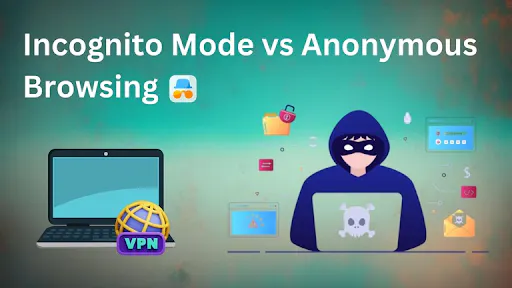
In 2026, online privacy is no longer a niche concern. It is a mainstream expectation driven by growing awareness of data tracking, targeted advertising, and platform-level surveillance. As a result, users and businesses are increasingly turning to specialized browsers to protect their activity.
Yet a key distinction is often misunderstood. Privacy browsers and anonymous browsers are not the same. While both aim to reduce tracking, they operate on fundamentally different principles and serve different use cases.
Understanding that difference is essential for making informed decisions about digital security.
What Privacy Browsers Actually DoReducing Data Exposure, Not Identity
Privacy browsers such as Brave and Mozilla Firefox are designed to limit how much data websites can collect about users.
They block third-party trackers, restrict cookies, and often include built-in features such as ad blocking and HTTPS enforcement. Some go further by disabling fingerprinting techniques or isolating browsing sessions.
The goal is to minimize data leakage.
In practice, this means users can browse with fewer ads, less tracking, and greater control over their information. However, these browsers do not attempt to hide identity entirely. They still operate within a consistent environment, meaning websites can build a profile over time.
Privacy browsers improve confidentiality, but they do not provide anonymity.
What Anonymous Browsers Are Built ForConcealing Identity and Breaking Linkage
Anonymous browsers take a different approach. Instead of simply reducing tracking, they aim to conceal identity and prevent correlation between sessions.
Tools like Tor Browser route traffic through multiple nodes to obscure IP addresses. Anti-detect browsers such as Gologin create entirely separate browsing environments, each with its own fingerprint, IP configuration, and system parameters.
This allows users to operate multiple identities or avoid being tracked across sessions.
The distinction is important. While privacy browsers protect data, anonymous browsers manage identity.
The Technology Behind the DifferenceFingerprints, Not Just Cookies
The gap between these two categories is largely driven by modern tracking techniques.
Traditional tracking relied on cookies and IP addresses. Privacy browsers are effective at blocking these. But today, websites use device fingerprinting, which analyzes dozens of variables from screen resolution and fonts to GPU behavior and time zone.
This creates a unique identifier that persists even without cookies.
Privacy browsers attempt to reduce fingerprinting, but they often do so within a single consistent profile. Anonymous browsers, by contrast, either mask or isolate fingerprints entirely.
This makes them more suitable for scenarios where identity separation is critical.
Why the Confusion ExistsOverlapping Features, Different Goals
Part of the confusion comes from overlapping functionality. Many privacy browsers include features marketed as “anonymous browsing,” while some anonymous tools also block trackers.
But the underlying goals differ.
Privacy browsers focus on user protection within a single identity. Anonymous browsers focus on managing or concealing multiple identities.
For casual users, the difference may not matter. For businesses and advanced users, it is significant.
Business Use Cases: Why It MattersFrom Security to Strategy
The distinction between privacy and anonymity becomes clearer in business contexts.
Marketing teams use privacy browsers to avoid tracking when researching competitors or testing campaigns. Cybersecurity professionals rely on them to reduce exposure during investigations.
Anonymous browsers, on the other hand, are often used for account management, ad verification, and operations that require multiple identities. In these cases, preventing linkage between sessions is critical.
For example, an agency managing multiple client accounts must ensure that those accounts are not connected through shared technical signals. Privacy tools alone are not sufficient.
The Limits of Both ApproachesNo Tool Is Absolute
Despite their benefits, neither category offers complete protection.
Privacy browsers cannot fully prevent fingerprinting or behavioral tracking. Anonymous browsers, while more advanced in identity management, still depend on how they are used. Logging into personal accounts or behaving consistently across profiles can reduce their effectiveness.
In both cases, user behavior plays a central role.
Technology can reduce risk, but it cannot eliminate it entirely.
Choosing the Right ToolContext Determines Value
Selecting between privacy and anonymous browsers depends on the objective.
For general browsing, content consumption, and reducing advertising exposure, privacy browsers are often sufficient. They are easy to use, widely available, and require minimal setup.
For more complex scenarios, such as managing multiple accounts, conducting sensitive research, or avoiding detection anonymous browsers provide additional layers of control.
For readers interested in exploring this topic in greater depth, this list provides a carefully curated overview of privacy focused browsers, describing various approaches to identity protection and session isolation.
The Bottom Line
Privacy browsers and anonymous browsers serve different purposes, even if they appear similar on the surface.
Privacy browsers protect data. Anonymous browsers protect identity.
In a digital environment where tracking extends beyond cookies into behavior and device characteristics, that distinction matters more than ever.
For individuals, it shapes how personal data is exposed. For businesses, it influences how operations are structured and risks are managed.
In 2026, the question is no longer whether to use specialized browsers. It is which type aligns with the level of protection required.

