Rebuilding Focus in Indie Web Design: Lessons from Photocollagemaker io
Introduction
As indie developers, we’re constantly juggling between attracting users and maintaining a quality product. Many independent websites today chase traffic at the cost of usability. Cluttered interfaces, overlooked details, and complicated workflows often frustrate users.
1️⃣ The Problem
- Traffic over quality: Flashy banners, constant content updates, and endless SEO tweaks attract clicks but rarely improve real engagement.
- Ignored details: Small UI/UX elements—button placement, menu structure, or page speed—often get overlooked.
- User frustration: Visitors can’t find what they need quickly, leading to abandonment.
2️⃣ My Approach
A few days ago, following a senior developer’s advice, I decided to rethink Photocollagemaker.io:
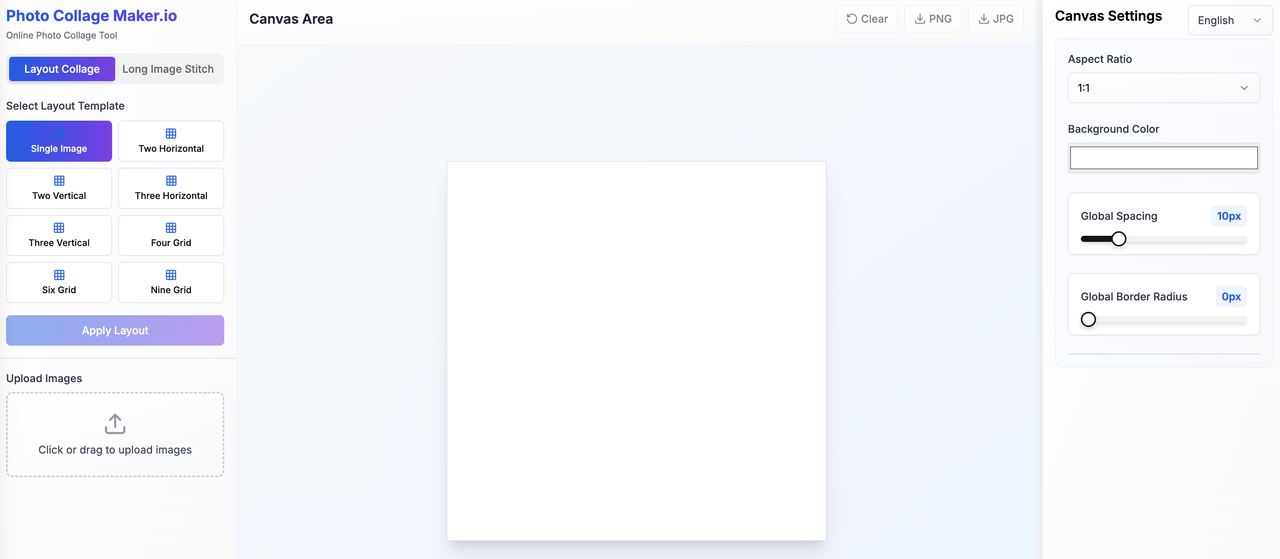
- Simplify the interface: Clean menus, intuitive navigation, fewer distractions.
- Focus on usability: Users can start creating collages immediately without tutorials or confusing steps.
- Prioritize essential features: Only the most useful tools are visible upfront; advanced options are dynamically loaded.
3️⃣ Why It Matters
- Psychological comfort: Users feel in control and confident.
- Reduced friction: Clear, minimal layouts lower the cognitive load.
- Encourages return visits: Simple and responsive sites naturally attract repeat users.
4️⃣ Technical Challenge
Even with simplification, there’s a tricky question:
How can an indie site deliver feature-rich tools without overwhelming users or compromising performance?
We are exploring:
- Dynamic feature loading to reduce initial page weight.
- Optimized image processing for faster collage rendering.
- Balancing simplicity and power to keep advanced users satisfied without scaring new ones.
5️⃣ Conclusion
Building an indie website isn’t just about traffic. It’s about creating an effortless, engaging experience. With Photocollagemaker.io, focusing on clarity, usability, and attention to detail has turned it into a platform where users feel comfortable creating, exploring, and coming back.
💬 I’d love to hear from other indie developers: how do you balance powerful features with simplicity?

Nice post, thanks for sharing! I particularly like the focus on image processing performance.
One thing I realized while doing a lot of product photography: watermarking many images in batch often slows down rendering or export times, especially if the watermark is large or semi-transparent.
Would love to hear how others are optimizing batch watermark + export speed — what resolutions or compression settings you use, or what software seems fastest.