Scraping Product Hunt in under an hour
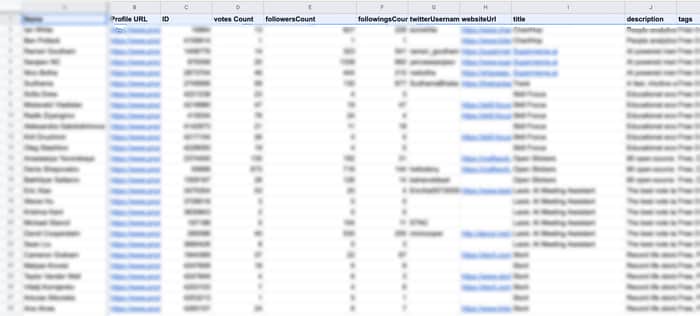
I wanted to get all the makers that launched a product over a specific day from PH, and I wanted all the details I could get.
It was mostly a fun pet project to finish off a day of hard work, and see how long it'd take
After successfully getting to a proof of concept, I reflected on the framework I used, why I set it up this way, and whether or not there could be improvements.
This post is just a list of the steps I took, and why I did.
Where did I go wrong? What would you do differently?
--
The first thing I did was browse on PH to understand where information lies, where it's exposed, and whether or not this is information I wanted to get.
Whenever I do this, I always go in this order:
-
Check the source code to see what the raw HTML looks like (without JS execution). If it does, and I'm looking at small volumes (under 20K rows), I usually scrape with google sheets. UrlFetchApp is amazing 😂
-
If information is missing or unavailable, check the network connections, select Fetch / XHR, and preview received payloads. The good stuff is JSON, and in most cases, there's tons of data the page doesn't need. In some (rare) cases those requests are secured though, and it doesn't work like you'd like.
-
When all else fails, I try booting up puppeteer in node.js locally and see if it's able to access what I want. When using puppeteer, I use the very straightforward
page.evaluate({})and just run console javascript to do everything I need. This allows to test very fast directly in the browser console, without having to run the puppeteer script everytime. Once you have JS that works on your browser, puppeteer executes it for you, takes the output, and throws it back to you. Other tip, I use[@google](/google)-cloud/functions-frameworkto run and deploy scrapers in minutes. All in all, Puppeteer is definitely the clumsiest solution, but with the right stack & habits it literally takes 5mn to setup a scraper.
Homepage: list of products of the day.
A few notes:
- There's a click more button that opens up to the full list. Otherwise you're left with 11 products only (not counting featured products)
- Each day is included in a div with a specific, numbered class
homepage-section-0for the first ones. - Each "item" has a few links to the product details page, title, description, tags, vote & comment counts.
- There is no link to the makers or mention of the makers
- Network connections are graphql, and I wasn't able to get an output on postman when trying to replicate the request that sends the product list.
- Sounds like puppeteer for this one.
Product detail page
A few notes:
- This is where you can find makers and hunters for the product
- There's a short bio, but not much detail.
- There is a link to each maker though, as well as an avatar image, incidentally with the User ID (we'll see why this matters next) in the src URL
- The schema.org syntax is really clean with the meta author attributes filled in nicely with user name, author URL (ph), and avatar URL.
- Cool, simple fetch request will get the job done.
- Although I don't need that image URL, I might need the ID so I'll take it
Profile page
A few notes:
- There is a big beautiful JSON with essentially all of the profile information under a script
<script id="__NEXT_DATA__" type="application/json">tag. - The only limit is that user information is under a User{User_ID} key. For example User128329. So proper JSON parsing requires having the key. Good thing it is in the avatar URL.
- Getting a structured JSON output without having to parse anything is absolute gold, simple fetch request and JSON.parse & I'll have everything
Putting it all together
Volumes aren't going to be massive ( 50 to 100 rows per day basically ) so I'll stick to a google sheets for the "core".
Now I know that I can get the list of products launching today, but I'll need to boot up a puppeteer script (or figure out how to pass those graphql requests...).
I start with this step, make sure puppeteer actually dumps an expected result on gcloud, that there aren't IP restrictions, on anything funny I'll need to bypass.
Start by running js in local on my browser, and once I have everything I need, I set it up on puppeteer, gcloud, and test it.
Works like a charm
Next, I have a list of product URLs, where a simple fetch request gives me a JSON output with a list of makers, their profile URL, and their avatar URL (with an ID internal to PH).
Now I have a list of profile URLs, where a simple fetch request gives me a massive JSON with tons of info. To parse the user object, I need the user ID. And now I have a list of all the makers that launched on a given day, with tons of details on their PH profile and their product.
I also have their name and company name, and running a google CSE query on site:linkedin.com/in gives me approx 30% match rate on linkedin profiles (excluding wrong ones).
