Show IH: A free VSCode theme inspired by Indie Hackers color palette.
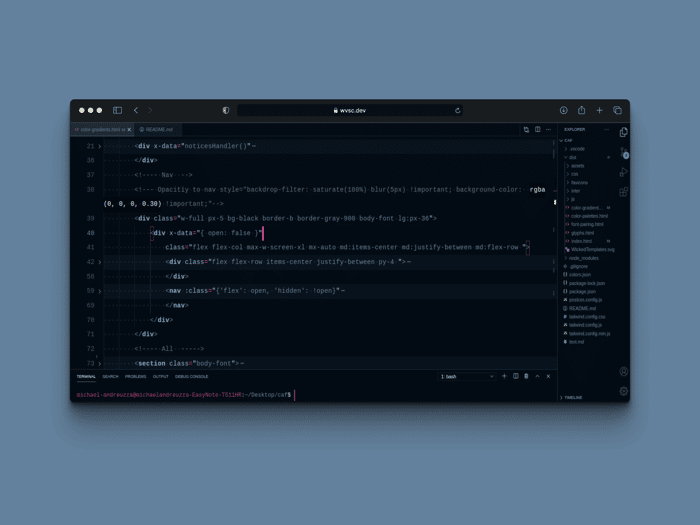
You can grab it here.
https://marketplace.visualstudio.com/items?itemName=wicked-labs.wicked-indiehackers
README
Wicked Indie Hackers Theme for VS Code

Installation
- Open Extensions sidebar panel in VS Code.
View → Extensions - Search for
wicked-indiehackers by michael-andreuzza - Click Install to install it.
- Code > Preferences > Color Theme > wicked-indiehackers
- Optional: Use the recommended settings below for best experience
Recommended Settings
{
  // This is are my personal prefferences
  "workbench.colorTheme": "wicked-indiehackers",
  "editor.fontFamily": "'Cascadia Code' , Consolas, 'Courier New', monospace",
  "editor.fontSize": 18,
  "editor.lineHeight": 38,
  "editor.letterSpacing": 0.5,
  "files.trimTrailingWhitespace": true,
  "editor.fontWeight": "400",
  "prettier.eslintIntegration": true,
  "editor.cursorStyle": "line",
  "editor.cursorWidth": 5,
  "editor.cursorBlinking": "phase",
  "editor.renderWhitespace": "all",
}
Colours
Light Blue: #61afef
Blue: #07131f
Pink: #c70082
Green: #6cad6d
Feedback
Anything you wonder just contact me on twitter. @mike_andreuzza

Nice! How did you make it?
Tjänare!
Well, I just overrided the classes and using.
Yo code
Vsce