Show IH: CheckAPI – API monitoring that catches silent failures, not just HTTP 200
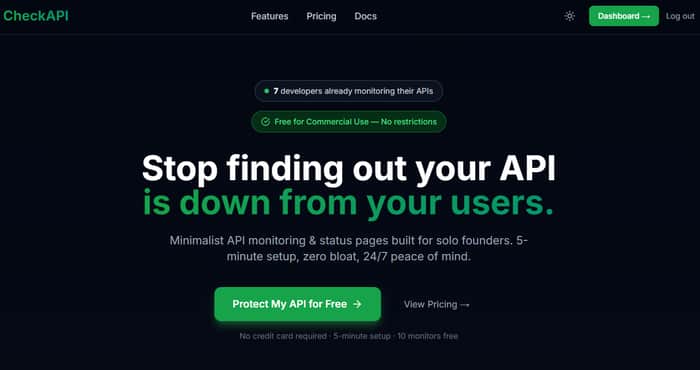
Hey IH 👋
I'm Sewon, a solo developer from Seoul. I just launched CheckAPI — an API monitoring
tool with a specific focus on silent failures.
The problem I kept running into
Standard monitors check HTTP status codes. But what about this scenario:
- Your API returns 200 OK ✅
- But the response body is empty, malformed, or contains {"error": "db_connection_failed"} ❌
Your monitor says everything is fine. Your users are experiencing a broken product.
This is a silent failure — and it's more common than you'd think.
What CheckAPI does differently
Response body validation with three modes:
- Keyword — must be present ("status":"ok") or absent ("error")
- Regex — pattern matching for structured responses
- JSON Path — coming soon
Plus the usual stuff: 5 alert channels (Email, Slack, Telegram, Discord, Webhook),
public status pages, SSL expiry alerts, response time tracking.
Why I built this (beyond the technical reason)
UptimeRobot restricted commercial use on free plans in December 2024. A lot of indie
hackers got caught off guard. CheckAPI's free plan (10 monitors) has zero commercial
restrictions — forever.
##Stack
Open source (MIT): github.com/JEONSEWON/CheckAPI
##Pricing
Free → $5 → $15 → $49/mo
Live at: checkapi.io
Would love feedback from this community — especially around what monitoring features
you actually use vs. what sounds good on paper.

200 = healthy 그치. Cloudflare billing API는 계정이 맛이 가도 200 OK로 응답하더라고. 9시간 동안 locked out 된 후에 알게 됐음
근데 false positive는 어떻게 처리하나요? semantic check는 좋긴 한데, 진짜 schema change 터지면 새벽 3시에 다들 페이지 날아오는 거 아닌가
잠긴 계정에서 Cloudflare 빌링이 200 반환하는 거 —
그게 딱 보이지 않다가 갑자기 보이는 장애 패턴이에요.
9시간은 알게 되기까지 긴 시간이죠.
False positive에 대해서 — 타당한 우려예요, 처리 방식은 이렇습니다:
연속 실패 임계값
단일 실패 체크는 알림을 발생시키지 않아요.
여러 체크에 걸쳐 지속적인 실패만 알림을 트리거해요.
일회성 스키마 히컵으로 새벽 3시에 아무도 안 깨어나요.
상태 변화만
알림은 상태 전환 시에만 발생해요 — 정상 → 다운, 다운 → 정상.
매번 실패한 체크마다가 아니에요. 그래서 회복되는 불안정한 응답이
폰을 스팸하지 않아요.
Maintenance Window
계획된 배포, 스키마 마이그레이션, 의도적인 변경 —
특정 윈도우 동안 모니터링을 뮤트할 수 있어서
예상된 변경이 알림을 트리거하지 않아요.
솔직한 답변은: assertion을 업데이트하지 않고 스키마를 바꾸면
페이지 날아와요. 근데 그건 버그가 아니라 기능이에요 —
assertion은 API와의 계약이에요.
스키마 변경 = 계약 파기 = 누군가 알아야 함.
해결책은 배포 후가 아니라 배포 전에 assertion을 업데이트하는 거예요.
저도 비슷한 패턴인데요. 한번 흔들렸을 때 새벽 알림 보내면 깨지는 게 너무 빨라서요
assertion가 계약이라는 말도 맞죠. 의도적으로 깨지게 하는 게 디시플린 강제하는 메커니즘이고
partial failure는 어떻게 처리하세요? 200 OK인데 필수 필드 일부 누락된 케이스 assertion 안거는 필드가 그냥 통과되면 진짜 최악이라서요
"의도적으로 깨지게 하는 게 디시플린 강제하는 메커니즘" —
정확해요. Assertion은 그냥 체크가 아니라 약속이에요.
Partial failure에 대해서 — 여기서 JSONPath assertion이
키워드 체크보다 훨씬 유용해져요.
키워드: "data" 존재 → data가 null이거나 불완전해도 통과
JSONPath: $.data.userId is not null AND $.data.token is not null →
partial failure를 정확하게 잡아요
예를 들어 로그인 엔드포인트:
$.status equals "ok"
AND $.data.userId is not null
AND $.data.token is not null
AND $.data.expiresAt is not null
세 필드 모두 존재하고 non-null이어야 해요.
하나라도 누락 = assertion 실패 = 알림 발생.
HTTP 상태가 200이라도요.
솔직한 한계:
신경 쓰는 모든 필드를 명시적으로 assertion해야 해요.
assertion 안 건 필드는 조용히 통과돼요.
그게 바로 디시플린 부분이에요 —
assertion은 당신이 체크할 걸 생각한 것만큼만 좋아요.
Hey @JEONSEWON, left a comment on your CheckAPI Show IH post yesterday —
really liked the "200 doesn't mean healthy" angle, that's exactly the kind
of silent failure that burns indie devs.
I'm building in the adjacent lane: StatusPageBuddy, a free status page for
indie SaaS (statuspagebuddy.com). Where CheckAPI catches the issue, SPB is
how you tell your users about it.
Not pitching anything — just wanted to say hi, since we're clearly shipping
to the same people. If you ever want to compare notes on indie SaaS
distribution, I'm around.
Hey! Really appreciate you reaching out.
"Where CheckAPI catches the issue, SPB is how you tell your users about it" —
that's a clean way to put it. Genuinely complementary products.
CheckAPI actually has a built-in Public Status Page too, but the focus is
different — ours is tied directly to monitor results,
yours sounds more polished for user-facing communication.
Would love to compare notes on distribution.
Indie SaaS targeting devs is a tough audience to reach before something breaks.
Let's connect!
Glad it landed!
Re built-in status page, totally fair, lots of monitoring tools bundle one. The split I keep coming back to: who buys for "I want to detect" vs who buys for "I want to communicate". Sometimes same person, often not. Curious how you've seen that buyer split for CheckAPI.
On distribution, I'm two weeks in and hitting the same wall you described. The only channel that's actually worked so far is replying to GitHub issues where someone literally types "how do I set up a status page" meeting them at the moment of need. Cold outreach to indie devs before they have a problem is brutal.
Let's take it to email, easier than IH threads for back-and-forth. Mine is edifierxuhao123@gmail.com. Drop yours and I'll kick off a thread.
Either way, glad we're shipping to the same people.
— Hao
“Catching silent failures beyond the status 200 is critical—so many dev teams miss broken logic because the server is technically 'up.'Nice idea, this could be a good way to test it. There’s a competition where you can submit it — entry is $19 and winner gets a Tokyo trip.Prize pool just opened at $0 so your odds are the best right now.”
Catching semantic failures is the part most API monitors skip, and it's usually where the painful bugs hide. The hard part is letting people express "200 but wrong payload, empty result, stale data" without turning setup into a test framework. Curious how CheckAPI handles assertions and false positives, that's where these tools usually win or lose.
Great question — you nailed the exact pain point most tools miss.
Right now, CheckAPI handles semantic failures through Keyword + Regex validation on the response body.
You define what “good” or “bad” looks like directly in the monitor settings (e.g.
"status":"ok",userIdexists,count > 0, or any regex pattern).It’s deliberately simple so it doesn’t turn into a full test framework. You’re not writing assertions in code — just telling us what string or pattern should (or should not) be present.
On false positives: because it’s keyword/regex based and you control the exact pattern, false positives are actually quite low once set up correctly. We also give you a “test alert” button so you can verify before going live.
JSON Path + more structured assertions are already on the near-term roadmap (we know many people want to check nested fields, array lengths, etc. without regex).
Would love to hear your take — what kind of semantic checks have bitten you the most in the past? (empty arrays, wrong status inside 200, stale timestamps, etc.)
Happy to show you exactly how it works if you want.
This is a really interesting angle — those “everything looks fine but it’s not” failures are the worst to catch.
Curious if most people come to this after something breaks, or if you’re seeing teams actually monitor this proactively?
Thanks for the thoughtful comment!
Right now, the vast majority of people (including our first 7 users) come to CheckAPI after they’ve already been burned by a silent failure.
They usually say something like:
“I thought everything was fine because I was getting 200 OK… until customers started complaining.”
That pain is exactly why I built this.
The goal is to help teams shift from reactive firefighting to proactive monitoring — catching the hidden errors before they reach users.
We’re still very early, but that’s the direction we’re heading.
Would love to hear your take — have you ever had a silent failure sneak past your current monitoring?
Yeah, I’ve seen this a couple of times — especially where everything looks green on dashboards but something subtle breaks in the response.
The tricky part is teams don’t even think to monitor this until it hurts.
Feels like the real challenge is not just detection, but getting people to care about it before something breaks.
Exactly — "it hurts first, then they care" is basically the adoption curve for this whole category.
The dashboard looks green, the monitor says up, and nobody questions it until a user
emails saying their data is wrong or their order didn't go through.
That's actually why I built the free plan the way I did — lower the barrier so people
set it up before the incident, not after. But you're right that the harder problem is
changing the mental model entirely.
Most devs think "monitoring = is it up?"
The shift to "monitoring = is it actually working?" takes a wake-up call.
Congrats on the launch, Sewon.
Silent failures are a nightmare for developers, so catching what's actually inside the response body is a great focus.
I am also building something that solves a "silent" frustration for parents called WordyKid.
It is a tool that lets parents snap a photo of any physical worksheet or book and instantly turns it into a language game.
It is all about making sure the learning actually happens instead of just "completing" the task.
Good luck with the growth!
🙏
Thank you! Really appreciate it.
"Completing the task" vs "actually learning" — that's exactly the same problem
I'm solving on the API side. The surface looks fine, but nothing real is happening underneath.
WordyKid sounds genuinely useful. Snapping a worksheet and turning it into a game
is the kind of thing parents will love. Good luck with it! 🚀