Show IH: How I achieved zero-lag camera switching and added a "Cyberpunk" glow to TimerCamera+ (v1.1.13)
Hi IndieHackers!
Following up on my last post about optimizing for one-handed use, I’ve spent the last few weeks tackling a major "creative killer" in my app: Hardware Re-initialization Lag.
🛠 The Technical Challenge
In previous versions, switching between timestamp styles (like "Warm" to "Cinema") required a full unbindAll() and bindToLifecycle() of the CameraX pipeline. This caused a 1-2 second black screen, which completely broke the user's flow.
The Fix in v1.1.13:
I overhauled the logic to be state-driven. Now, the camera hardware only re-initializes when toggling the watermark effect on or off. Switching between different active styles is now instant. I achieved this by keeping the OverlayEffect pipeline alive and simply updating the drawing logic inside the onDraw callback. No hardware reset, no lag.
🌌 Meet "Amber": A New Aesthetic
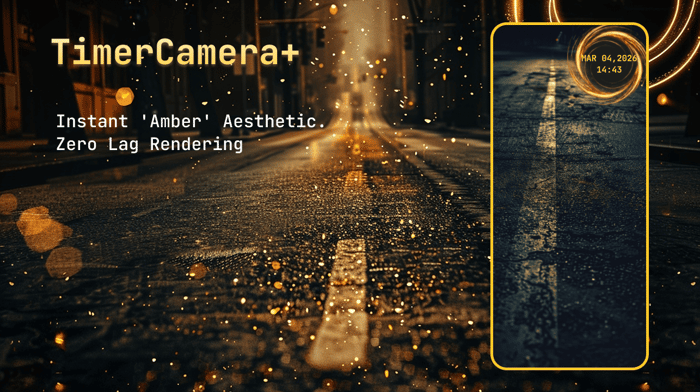
Along with the performance boost, I wanted to push the app's visual boundaries. I designed a new style called "Amber"—it’s my take on a futuristic, glowing time-space vortex.
It’s been a fun challenge to balance high-quality Canvas rendering with real-time camera FPS.
📈 What’s New:
- Zero-Lag Switching: Overhauled rendering pipeline.
- Amber Style: A glowing, cinematic Monospace aesthetic.
- Daily Refined: Improved "ripped-paper" textures and smarter layout padding for a cleaner lifestyle vibe.
💬 Feedback Wanted
I’m trying to see if this "Cyberpunk/Glow" aesthetic helps with user retention. For those using Android CameraX, have you experienced similar lag issues when switching UseCaseGroup?
I’d love for you to give the new engine a spin:
👉 Get TimerCamera+ on Google Play Store
Let me know what you think of the new "Amber" look! 🚀

Zero-lag switching is one of those details users feel immediately, good place to spend time. Curious if you got there by pre-warming both camera pipelines or by masking the swap with a frame buffer, that tradeoff bit me on lower-end machines. Also worth keeping an eye on the Cyberpunk glow on integrated GPUs, post-processing can quietly eat the win from the latency work.
Great insights! To hit that zero-lag feel, I actually pre-warm the camera hardware instance early in the lifecycle, before the actual binding occurs.
For the watermarks, I use an asynchronous rendering path with a memory-cached Bitmap. It only redraws when the timestamp changes, keeping the per-frame overhead extremely low.
To handle the GPU/latency tradeoff on lower-end machines, the app detects the device performance class and dynamically scales down the target resolution (e.g., to 720p) instead of forcing the highest output.
Zero-lag camera switching is genuinely hard to get right — most implementations buffer between sources and the latency kills live use cases. The Cyberpunk glow is a great hook for demos too.
The v1.1.13 cadence signals you’re shipping fast and listening — that’s the best signal to early users that the product is alive. I try to do the same with flompt: frequent small releases keep the momentum visible even when the star count is still climbing.
A ⭐ on github.com/Nyrok/flompt would mean a lot — solo open-source founder here 🙏
"Spot on about the lag—Android hardware can be a beast! Already pushed v1.1.17 to refine it further. Just starred flompt on GitHub—love the cadence. Let’s keep shipping! 🚀
Finally fixed the "leaky bucket"! 🛠️
Switched to a Canvas system in v1.1.13 to achieve zero-lag style swapping. D1 retention immediately climbed to 25%.
I'm looking for feedback on:
The 'Amber' visual style.
Performance/stuttering on different Android models.
Happy to answer any technical questions about the CameraX overhaul! 🍻