Show IH:I built a 0.75 Bias Algorithm to fix camera composition on 20:9 screens
Hi IHers,
I’m the solo developer behind TimerCamera+. Since taking over this project in late 2025, I’ve been obsessed with one thing: making a minimal tool that executes perfectly.
One major pain point I noticed was that modern "long" phones (20:9 or 19.5:9 aspect ratios) handle standard 4:3 camera previews very poorly. They either leave huge, ugly gray bars or feel visually off-balance because the UI ignores the "spatial weight" of the brand header and status bar.
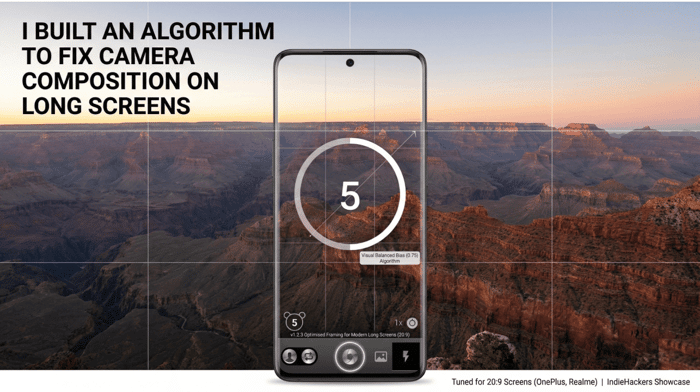
In today’s v1.2.3 update, I’ve introduced what I call the Visual Balanced Bias (0.75) Algorithm.
The Logic:
Instead of a dead-center alignment, the app now uses "Smart Spatial Sensing." It calculates the top brand bar's height dynamically and applies a specific bias to the preview frame. This creates a "Visual Balanced" composition that feels immersive and professional, specifically for devices like OnePlus, Realme, and Oppo.
What’s new in v1.2.3:
⚖️ Visual Balanced Bias: 4:3 previews are now perfectly positioned.
🖼️ Adaptive Brand Header: UI that breathes according to your screen size.
🚀 Performance Boost: Optimized the hardware pipe for faster visual readiness.
I’m curious — for those of you building mobile apps, how do you handle the fragmented aspect ratios of modern Android displays?
Would love some feedback from the community!
Check it out on Google Play: https://play.google.com/store/apps/details?id=com.muxixisoft.android.timercamera

Smart fix for a real mobile UX edge case. Camera composition that looks fine on 16:9 often feels oddly centered on 20:9, so a small framing bias can make the preview feel much more natural. Main tradeoff is scene variance, a 0.75 bias that helps portraits might feel off for landscapes, selfies, or left-handed capture, so per-mode tuning is probably worth testing.
Spot on. The "Compositional Bias" is indeed a double-edged sword.
For v1.2.3, I optimized the 0.75 bias primarily for upright solo portraits, which is the app’s core use case. To handle the landscape tradeoff you mentioned, I've implemented a gravity-sensor-based flip—the bias adjusts its axis when the device rotates, though it's still a "global" setting.
You're absolutely right about the left-handed capture and per-mode tuning. I’m currently looking into a "Smart Toggle" or an "Auto-Scene Detection" (maybe a lightweight ML model) to refine the bias for selfies vs. landscapes in future updates. Thanks for the pro feedback!