Tane Kanban — A Simple Personal Kanban Board
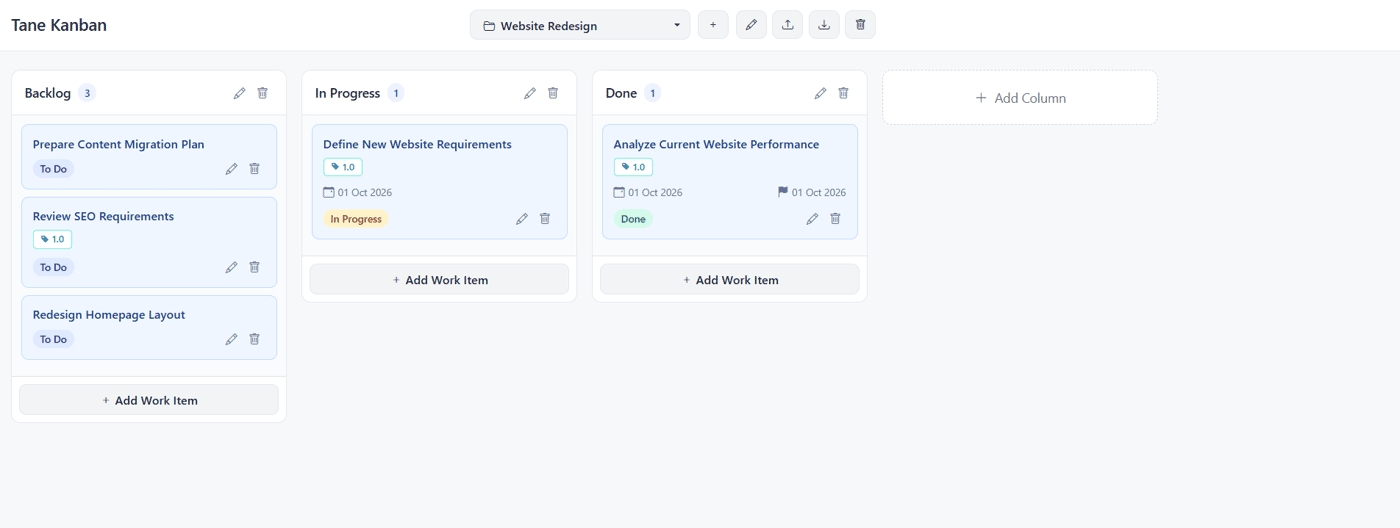
Tane Kanban is a lightweight Personal Kanban board for organizing and managing individual work.
It provides a simple way to:
Create and manage Work Items
Organize work with Columns
Move Work Items using drag and drop
Add Status, Labels, and Descriptions
Export and Import data
Tane Kanban is a lightweight HTML App that runs directly in a web browser — no installation required.
It is now available on Gumroad as a one-time purchase.
Tane Kanban — Personal Kanban for simple, focused work.
👉 Try this tool : https://codohwork.infinityfreeapp.com/minitools/002_tanekanban/index.html
👉 Explore other tools: https://codohwork.infinityfreeapp.com
Would love your feedback 🙏

Say something nice to Jaroenwut…
Post Comment
-
1With Tane Planner already covering tasks and projects, what specific job makes someone choose the Kanban tool instead of using the planner?13 hours ago Reply

-
1Thank you very much for the valuable feedback. - Tane Planner is focused on planning projects with tasks, dates, progress, and timelines. - Tane Kanban is more flexible. It can be used for personal goals, projects, or activities by defining your own steps and moving things forward step by step. For example, you could use it for setting and achieving a goal, upgrading a collection, learning a new skill, or writing a book. Setting and achieving goals — Goal → Working → Achieved Completing a Collection — Must Have → Hunting → Completed Learning something new — To Learn → Learning → Practicing → Certification Writing a book — Idea → Drafting → Editing → Published Travel Planning — Must Visit→ Booking→ Visited The key idea is: Tane Kanban helps you see where things are, what comes next, and move them forward step by step. In a way, it works like a visual reminder that keeps your goals in sight and encourages you to keep moving toward the destination.12 hours ago Reply

-
1Indie Hackers seems to be a little unstable lately, so my posts and replies may not always display or format correctly. Sorry if anything I post is difficult to read or looks a little messy. Thanks for understanding!12 hours ago Reply
-
1That makes the distinction between planning work and open-ended progression much clearer. If you’re open to it, what’s the best email to reach you on?10 hours ago Reply
-
1Thank you for your feedback! I really appreciate it. I'm not comfortable communicating via email, but LinkedIn is the channel I'm most comfortable with. You can find my LinkedIn profile on my profile page here. Thanks again for your interest3 hours ago Reply
-
-
-
-