Teaching Kids how to develop games with AI
Hi all! My name is Zero, and I'm new to this community. I've spent years telling myself I was "preparing" for entrepreneurship. Joined startups. Tried different roles. But in reality, I was procrastinating. A recent conversation made me realize: I don't need more preparation. I need to start. So here I am, posting on IndieHackers for the first time.
The Idea: AI-Powered Game Dev Tools for Kids
Making games requires art, music, coding, and game design. As a software engineer and former indie game dev who published games on the App Store, I've seen firsthand how coding is the biggest barrier for kids. Most can't build real games until high school when they have enough STEM knowledge.
AI coding tools changed everything. Kids can now create actual games without writing code. But here's the key: it's not about AI doing everything. It's about removing friction so kids can focus on creativity and game design.
The Experiments: Building Games with My 8-Year-Old
I have an 8-year-old boy. This year, he and I built two game prototypes together. Here's what I learned:
Experiment 1: "Top vs Dragon" (Early 2025)
When coding agents first became viable, I asked my son: if AI could build any game for you, what would it be? He shared his "top vs dragon" idea with this very abstract drawing 😂
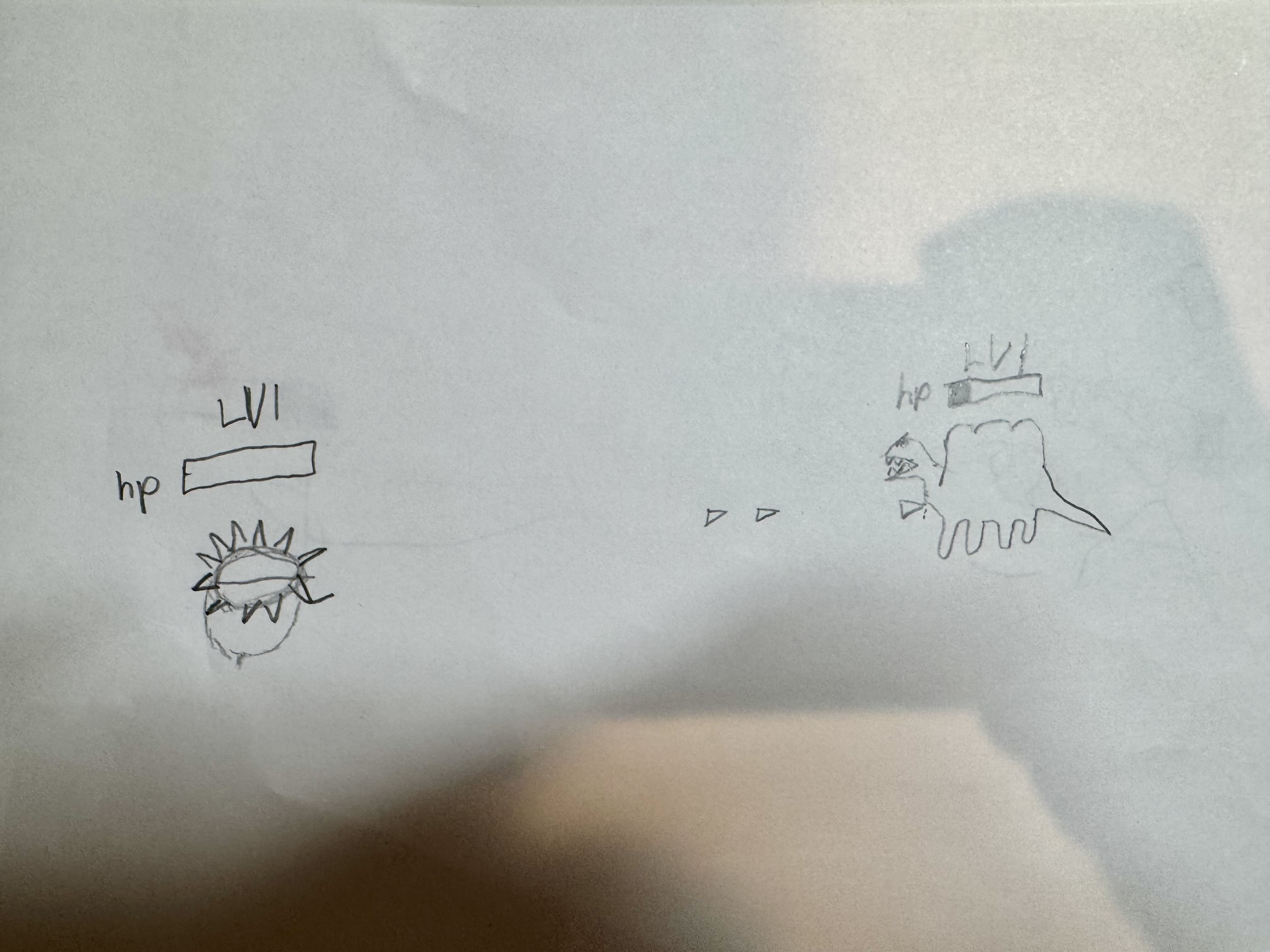
We sat in front of Cursor and asked it to build a browser game from a simple prompt and this screenshot. I showed him how to use AI to generate images and music too.
Within a day, we had a playable prototype: https://top-vs-dragon.netlify.app/

He was excited and proud. But I realized something was missing. He was just feeding me ideas. I was doing all the work.
Experiment 2: "Panther Defense"
By November, coding agents had evolved massively. People also realize the limitation of the one-shot AI product and came up with more sophisticated way to create better software with AI. I decided to build another game with my son. This time, we do it a bit differently.
Instead of just ask him "what do you want to build?", I asked deeper questions:
- What type of game is it?
- How is it different from other games that you have played?
- What's the theme?
- Who are the characters?
- How do you win?
- Is there a story behind this game?
We created a game design doc together first. This process took a while, and I could tell he was really thinking.

Once the doc was solid, I showed him how to use the AI agent to build from his design. We playtested together, found bugs, and I taught him how to spot areas to improve. He was not yet comfortable with typing. Instead of helping him translate his feedback into written prompts, I opened Wispr Flow and invited him to share his ideas directly with the AI agent using his voice. This approach encouraged him to practice clear expression and articulate his thoughts.
We haven't finished the game but the gameplay so far was way more sophisticated:
- 9 unique towers (based on his real classmates!)
- 10 enemy types (letters, numbers, colors)
- 3 playable levels

This time, he genuinely understood the process. Not just "dad made me a game". He grasped game design principles, iteration, and how to work with AI to build something real.
The Vision: A Guided Game Dev Experience for Kids
Game design has a special place in my heart. It's such a fun way to learn problem-solving, systems thinking, and creativity. I want to create a platform that exposes more kids to game development at a younger age, where AI handles implementation and kids handle the thinking, designing, and creative problem-solving.
This isn't about AI one-shotting complete games. It's about creating an environment where kids:
- Learn game design fundamentals
- Interact with an AI agent that removes coding friction
- See their game built incrementally
- Playtest and iterate (the real game dev experience)
- Own their creative decisions
Questions for This Community
- Parents - Would this interest you for your kids?
- Educators - Do you see classroom applications?
- Builders - Has anyone explored this space? What did you learn?
- What's missing? - What would make this compelling enough for you to try with your kid?
What's Next
If there's interest, I'm considering:
- Building a structured tool (beyond just using Cursor/Claude directly)
- Creating a game design curriculum for kids
- Offering workshops or courses
- Building a community of parents doing this with their kids
Does this resonate? Would you try this with your kid?

Saw this old thread and couldn’t resist adding a thought. Have you tried mixing simple AI tools with block‑based engines like Scratch or GDevelop? Kids seem to pick things up faster when they can see quick results. I’m curious how you structure the lessons—do you start with game ideas first or with the AI tools and let them experiment?