The Auto-Reply Feature That Pulled My Product Downstream
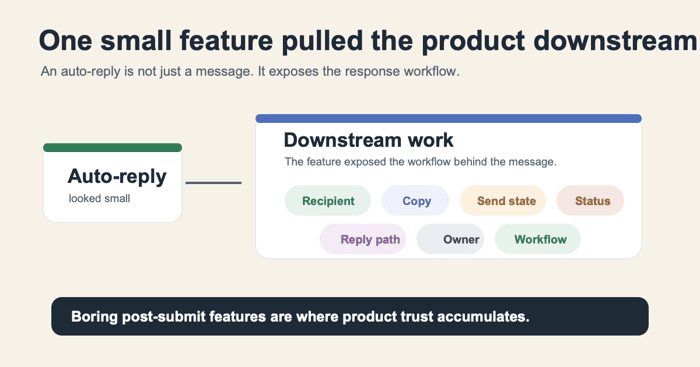
I used to think auto-reply emails were a small feature.
A checkbox.
A subject line.
A body field.
Maybe a few variables like {name} or {email}.
You save the template, send a test, and move on.
But while building FORMLOVA, auto-replies kept pulling the product downstream.
They made me look past the form builder and into the work that starts after someone submits a response.
That was not obvious to me at the beginning.
The first version looked simple
The simple mental model was:
Form submitted
-> send confirmation email
That is how the feature looks from far away.
But as soon as I tried to make it reliable, the feature stopped being one feature.
It became a chain of questions:
- Which submitted field contains the recipient email?
- Is that field required?
- Does this response match the send rule?
- Is the email a receipt, an approval, or a next-step instruction?
- What happens if the provider accepts the message but the respondent says it did not arrive?
- Can the respondent reply to the email?
- Who reads those replies?
- Does the response status change after the email is sent?
None of these questions are really about writing email copy.
They are about the operational state of the response.
"Enabled" was the wrong state to show
The first tempting UI state is simple:
Auto-reply: enabled
That is useful, but it is not enough.
Enabled only means the configuration exists.
It does not mean the respondent had an email address.
It does not mean this specific response matched the rule.
It does not mean the send job was created.
It does not mean the provider accepted the message.
It does not mean the recipient saw it.
This sounds like a technical distinction, but it changes the product.
If a user asks, "Did this person get the confirmation email?" the product cannot honestly answer with "auto-reply is enabled."
It needs to answer with a trace.
That realization moved the feature from settings into operations.
Copy became state
The copy also became more important than I expected.
For example, these two messages look similar:
Your booking is confirmed.
We received your preferred time.
This does not confirm the booking yet.
We will check availability and send the confirmed time by email.
Both are confirmation emails.
But they describe different product states.
The first says the workflow is done.
The second says the workflow is under review.
If the product sends the first email when the team still needs to approve the booking, the problem is not tone. The product is lying about state.
That made me treat auto-reply copy less like marketing copy and more like operational UI.
The email is a screen the respondent sees after submission.
It needs to tell the truth.
Reply-To exposed ownership
Another small detail: Reply-To.
It is easy to write:
If you have questions, reply to this email.
But if replies go nowhere, or nobody owns that inbox, the confirmation email creates a dead end.
That means the auto-reply feature is not just about sending.
It touches ownership.
Who monitors the replies?
Does the form owner see them?
Should replies go to support, sales, recruiting, or an event organizer?
If the answer is unclear, the product can send a technically valid email and still create operational failure.
This is the kind of thing that kept pulling FORMLOVA away from "form builder" and toward "form operations."
The small feature changed the roadmap
Once I saw auto-replies this way, other features started to connect.
Auto-reply emails are connected to:
- response status
- notification rules
- owner assignment
- thank-you page copy
- analytics exclusions
- retry logs
- test submissions
- human approval
- workflow history
That is a lot of product surface for something that initially looked like a settings panel.
The deeper lesson for me was:
The smallest feature after submission can reveal the real product.
For FORMLOVA, the real product is not only creating forms from chat.
It is helping teams operate the response after the form is live.
That includes emails, notifications, status, analytics, workflows, and the trace of what happened.
FORMLOVA exposes these operations through 127 typed MCP tools across 25 categories. The point is not the number itself. The point is that once the product moves downstream, the operational surface gets large quickly.
Why this matters as an indie founder
As an indie founder, it is tempting to optimize for the screenshot feature.
The feature that looks good in a launch post.
The feature that demos in ten seconds.
The feature that makes people say, "That is cool."
Auto-replies are not that feature.
They are boring until they fail.
But boring features are often where product trust accumulates.
If the respondent gets the right message, at the right time, with the right expectation, the workflow feels calm.
If the email is wrong, missing, misleading, or impossible to reply to, the user may not blame "auto-reply settings." They blame the product.
That is why I now pay more attention to these small downstream features.
They are not glamorous.
They reveal whether the product understands the job.
The founder takeaway
If you are building a workflow product, watch the boring features.
The status column.
The confirmation email.
The notification log.
The retry state.
The reply path.
The owner field.
They may look like secondary settings, but they often expose the actual workflow.
For FORMLOVA, auto-replies were one of those features.
I thought I was adding an email setting.
I ended up seeing the shape of the downstream product.
