The Bob Ross app design philosophy (how to overcome blank canvas syndrome)
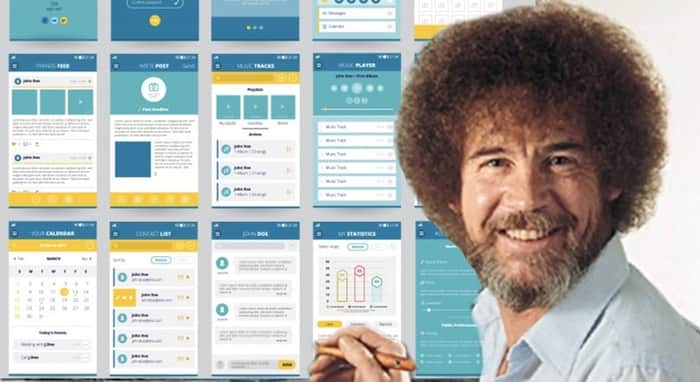
If you've ever had an ambitious vision for a software application but sat staring at a screen trying to decide where to even begin, this is a method I've developed for breaking "blank canvas syndrome" and moving systematically towards a progressively high-fidelity working product.
As a young kid I grew up watching this wacky guy with a huge afro painting landscape paintings and narrating his thought process while doing so. Never had I expected that years later his stream of consciousness design process would influence how I build software. Let me explain.
I've written about this technique in more depth here-> https://grid7.com/2020/07/blank-canvas-syndrome/ but for brevity's sake I'll capture and distill the six steps here to convey the crux of how it works:
Step 1: Crystalize your vision with an aspirational press release
Amazon famously popularized the idea of the PR/FAQ aspirational press release as explained in the book "Working Backwards." The idea is to project forward to the date at which you've launched your envisioned software application and write the press release that you'll run at that time. Doing so forces you to think through all the main variables (stakeholders, value prop, messaging, distribution, etc) and express it concisely in a compelling way. Doing this exercise up front is invaluable for getting clarity.
Step 2: Capture conceptual requirements of the MVP via User Stories
User Stories allow you to express requirements in terms of capabilities by stakeholder independent of how you deliver that capability. It's a conceptual-level summary of the requirements of the app and allows you to think holistically without getting mired in the details of UX/UI at this point. Going through this brainstorm process before you start thinking about screens means you can stay 50k' level and capture all the capabilities in the form of story cards.
Step 3: Create a low-fidelity wireframe
Once you've captured all the User Stories you're ready to move from conceptual requirements to physical design. You could technically skip this step and go directly to a high-fidelity prototype but I find it invaluable to do a low-fi sketch first as it leaves you less attached to whatever you design on the first pass. Low-fi doesn't mean low-tech - there are plenty of tools like Balsamiq and Uizard out there that you can use to sketch though I find a whiteboard to be my tool of choice for this stage.
Step 4: Make a clickable mockup from your wireframe and get user feedback
Your goal at this stage is to get from design concept to something real that you can put in the hands of prospective users with as little friction as possible. I'm a huge fan of MarvelApp for this step. It's a free tool that allows you to use your phone or iPad to convert your design sketches into a fully-clickable prototype. For an example see the clickable prototype I just made for the Benefactor feature I'm adding to Problemattic here: https://marvelapp.com/prototype/2ic644j6/screen/91035426
Step 5: Make a high-fidelity clickable mockup
This is the one step I would say is truly optional and the decision of whether to do it should be dependent on the tool you're using to implement your application. If you're coding your app from scratch using something like Swift or Python then I would highly recommend doing a hi-fi prototype in something like Figma. If you're using a nocode tool like Bubble or Adalo where building is essentially the same level of energy expenditure as designing in Figma, you can skip this step and go directly to implementation. If you do that I advise making a pass through once without implementing the data structures nor wiring up workflows. Just focus on getting all the relevant elements on the page and cheat by linking them to the page they lead to.
Step 6: Wire up the database & UI elements and implement the app
If you did step 5 then now is the time to port your hi-fi prototype to whatever implementation platform you're using. If you performed step 5 in a nocode platform you're intending to deploy on then this is simply a matter of wiring up the database to the elements on the canvas and implementing the workflow logic of the application.
You're likely saying "Sounds great Sean, but what does this all have anything to do with painter afro guy?" Glad you asked.
Go scrub through any of the hundreds of "Joy of Painting" episodes https://www.youtube.com/watch?v=lLWEXRAnQd0&list=PLAEQD0ULngi67rwmhrkNjMZKvyCReqDV4 and you'll see Bob over the course of an hour follow the same design pattern in how he creates his paintings. He first loosely sketches the scene at a high level, then fills in the background in broad brush strokes, then progressively moves to the foreground layering in more and more detail as he goes. This is fundamentally the same app design methodology I use in moving from aspirational press release -> low-fi wireframe -> clickable prototype -> hi-fi prototype -> working application.
This has been a very rapid pass through this process. If you want a more detailed version with links to all the resources and tutorials I've found valuable, visit the link below. I hope you find the Bob Ross design philosophy useful in moving your ideas from concept to completion. Let me know if you have any questions or need clarification on any steps.
