The ultimate comparison: 10 website builders ranked by customization, learning curve & use case
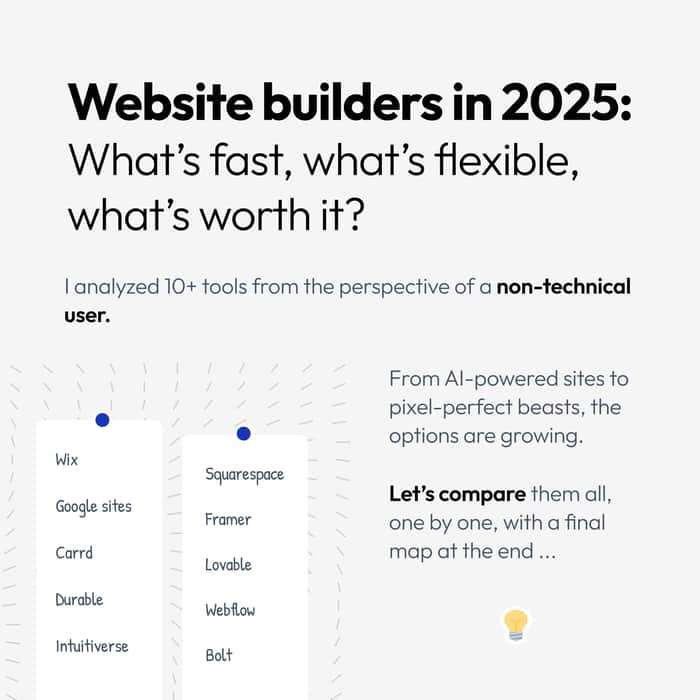
Building a landing page in 2025 should be fast, flexible, and frustration-free… but let’s face it, that’s rarely the case.
Some tools feel like a design bootcamp. Others box you into rigid templates. And even AI-powered builders don’t always deliver the magic they promise.
To help you choose the right tool for your project, we compared 10 popular website builders, using two key criteria:
Learning Curve: how long it takes a non-techie to get comfortable
Customization Potential: how far you can shape your site to match your brand
We grouped tools into 4 categories based on how they work:
🔹 AI-Powered : You describe your project, the AI generates your site.
🔹 Drag-and-Drop : You place and resize elements freely, like in a design tool.
🔹 Template-Based : You fill out pre-designed templates with your content.
🔹 Developer-Oriented : Powerful tools that require technical skills.
⚠️ This isn’t an exhaustive list (yes, we know WordPress exists 😉).
We focused on tools that are popular with indie builders, freelancers, solopreneurs and early-stage founders.
The goal: help you pick the right one, not all of them.
Let’s dive in 👇
- Google Sites
Type: Template-Based
Learning Curve: ❤0 min
Customization Potential: ★☆☆☆☆
📌 Quick, but rigid.
Google Sites offers simplicity above all. It’s built into Google Workspace, and anyone can create a basic site in minutes. But it’s limited: few layout options, no advanced features, and virtually no SEO control. Great for internal pages or temporary projects, but not ideal for real marketing.
🟢 Good for: basic, internal, or academic websites
🔴 Weak on: customization, SEO, brand feel
👉 https://www.newgooglesites.com/
- Carrd
Type: Drag-and-Drop / Template-Based
Learning Curve: ❤0 min
Customization Potential: ★★☆☆☆
📌 The one-pager king.
Carrd is a fan favorite for landing pages and portfolios. It’s lightning fast, intuitive, and dirt cheap ($9/year). You pick a template, tweak sections, and hit publish. But: it’s one page only. Want a blog, a second page, or a CMS? You’ll need to look elsewhere.
🟢 Good for: portfolios, simple landing pages, Link-in-bio
🔴 Weak on: multi-page sites, content scalability
- Durable
Type: Template-Based / AI-Powered
Learning Curve: ❤0 min
Customization Potential: ★★☆☆☆
📌 AI site in 60 seconds.
Durable’s pitch is bold: describe your business, get a site instantly. It’s impressively fast, and ideal for getting something live. But the AI mostly just picks and fills templates — there’s little personality, and limited control. Good for speed, not for uniqueness.
🟢 Good for: fast launches, local services, early experiments
🔴 Weak on: design flexibility, brand uniqueness
- Intuitiverse
Type: AI-Powered
Learning Curve: <1h
Customization Potential: ★★★☆
📌 Built from your words.
With Intuitiverse, you don’t pick a template — you talk to an AI (Cosmo), and it builds a page tailored to your answers. You can refine it via chat, tweak content with a simplified CMS, and publish in minutes. It strikes a rare balance: fast, yet flexible.
Still young, but promising.
🟢 Good for: solopreneurs, coaches, freelancers… fast launches, local services, early experiments
🔴 Weak on: deep layout control, complex structures
👉 https://www.intuitiverse.ai/
- Wix
Type: Drag-and-Drop / AI-Powered
Learning Curve: ~2h
Customization Potential: ★★★☆☆
📌 Freedom and chaos.
Wix is powerful and feature-rich, but its gridless editor can be overwhelming. It offers AI (Wix ADI) for quick starts, but most users end up navigating a vast menu of options. It’s great if you want control — but can get messy fast.
🟢 Good for: SMBs, portfolios, personal brands
🔴 Weak on: consistency, learning curve for full control
- Squarespace
Type: Drag-and-Drop / Template-Based
Learning Curve: 1–3h
Customization Potential: ★★★☆☆
📌 Beautiful, structured, boxed in.
Squarespace offers sleek templates and a tidy, section-based editor. Easier than Wix, less flexible than Framer. It’s excellent for clean, modern sites — but if you want total freedom, you’ll hit layout limits fast.
🟢 Good for: creatives, consultants, bloggers
🔴 Weak on: flexible design, complex custom needs
👉 https://www.squarespace.com/
- Framer
Type: Drag-and-Drop
Learning Curve: 2–5h
Customization Potential: ★★★★★
📌 For design lovers.
Framer feels like Figma with a Publish button. You get full canvas freedom and animation support, but no guide rails. You need a designer’s mindset. Amazing results if you know what you’re doing; confusing if you don’t.
🟢 Good for: designers, interactive sites, custom landing pages
🔴 Weak on: guidance, non-designers, e-commerce
- Lovable
Type: AI-Powered and Developer-Oriented
Learning Curve: 2–4h
Customization Potential: ★★★★☆
📌 Interactive and intuitive, kinda.
Lovable uses “vibe code” to generate beautiful, animated pages from prompts. It’s fast and flashy, but once you want changes, you’ll need some design sense. Not really no-code, not really full-code, sits in the middle.
🟢 Good for: animated one-pagers, designers with ideas
🔴 Weak on: Feels beginner-friendly at first, but one AI mistake and it’s a mess if you can’t code.
- Webflow
Type: Drag-and-Drop
Learning Curve: 5–10h
Customization Potential: ★★★★★
📌 The most powerful, and the steepest.
Webflow is the closest you’ll get to front-end code without writing it. If you know CSS and responsive design, it’s a dream. If you don’t, it’s a wall. It rewards effort with unmatched control, but the learning curve is real.
🟢 Good for: agencies, power users, advanced builds
🔴 Weak on: beginner experience, quick setup
- Bolt
Type: Developer-Oriented and AI-powered
Learning Curve: 5–10h
Customization Potential: ★★★★☆
📌 For devs, by devs.
Bolt is more like a dev toolkit than a site builder. You get a CMS, hosting, and config freedom, but you’ll need to understand how to use it. Not for first-timers. Solid for engineers who want a structured but fast setup.
🟢 Good for: developers, SaaS projects, content-heavy apps
🔴 Weak on: onboarding, accessibility for non-tech users
Visual recap: Customization vs Learning curve
Let’s plot all 10 tools on a simple graph:
X-axis = Learning Curve (in hours)
Y-axis = Customization Potential (0–100%)
Zoom image will be displayed
You’ll notice four natural clusters:
🟢 Instant Tools : Google Sites, Durable, Carrd
🔵 Balanced Builders : Intuitiverse, Wix, Squarespace
🟡 Designer or dev Tools : Framer, Lovable
🔴 Advanced Platforms : Webflow, Bolt
Conclusion: which one should you use?
Here’s a quick guide based on your needs:
| If you want... | Try this:
|--------------------------------|---------------------------
| Fast and simple | Google Sites, Carrd,
| | Durable, Intuitiverse
| Flexible with effort | Wix, Squarespace, Framer
| Powerful but technical | Webflow, Bolt, Lovable
✨ Choosing the right one depends on your skills, goals, and how fast you want to ship.
Final thoughts :
Landing pages are often your first impression. Don’t waste time in the wrong tool, or worse, delay launching because nothing feels “just right.”
Pick based on where you are today, not where you wish you were.
