The Ultimate Guide to Removing Tracking Parameters from Links
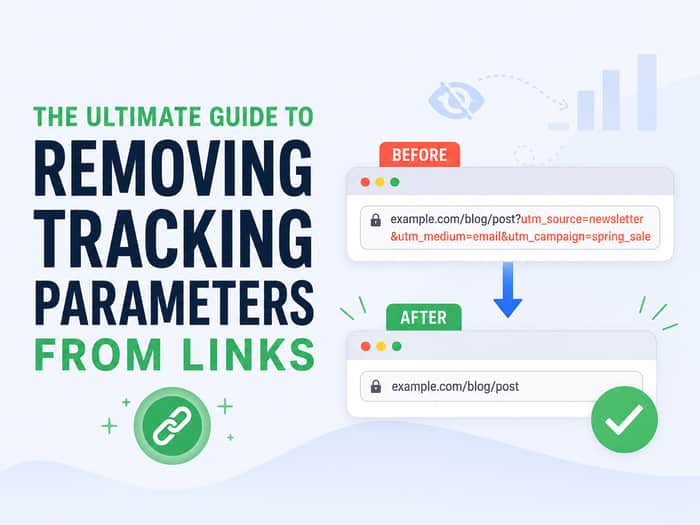
We have all been there. You find a cool product or a fascinating article, click the share button, and paste the link into a group chat. Suddenly, your screen is taken over by a massive block of text. Instead of a simple web address, you are looking at a four-line monster filled with random letters, numbers, and symbols.
That extra baggage at the end of the link is not there by accident. It is designed to track you.
If you are tired of sharing messy links and inadvertently passing along your browsing habits to big tech companies, it is time to understand what URL parameters are and how to strip them away.
The Anatomy of a Link
To understand what we are removing, we first need to look at how a web address is built. Every link you click consists of a few standard parts, but for our purposes, we only care about two main sections: the base URL and the query string.
The base URL is the actual address of the page you want to visit. It includes the domain name and the specific path to the article or product. For example, example.com/blog/cool-post is a complete base URL. This is everything your browser needs to find the content.
The query string is everything that comes after the question mark (?) in a link. This is where the tracking happens. The question mark signals to the server that the following information is just extra data being passed along, not a new page location. When you see things like ?utm_source=facebook attached to the end of a link, that is the query string in action.
What Are Tracking Parameters?
Tracking parameters are snippets of code added to the end of a URL to help website owners identify where their traffic is coming from. Anyone who has ever run an online marketing campaign has encountered these parameters. Because over 60% of the internet relies on URL parameters, they have become incredibly common.
Marketers use them to figure out which ads are working, which emails are getting opened, and which social media posts are driving the most clicks. While this is great for their data analytics, it is a nightmare for your privacy and link aesthetics.
Here are the most common offenders you will see in the wild:
- UTM Tags: These are the most standard tracking codes, originally created by Google Analytics. You will spot them as
utm_source,utm_medium, orutm_campaign. They tell the website exactly which post or ad you clicked to get there. - Facebook Click IDs: Facebook is notorious for appending
fbclidto outbound links. This massive string of characters helps Facebook track your behavior across the web, even after you leave their platform. - Google Click IDs: Similar to Facebook, Google uses
gclidto track ad clicks and measure conversion rates. - Affiliate Tags: You will often see parameters like
ref=ortag=on e-commerce sites. These indicate that someone is earning a commission if you buy a product through that specific link.
Why You Should Get Rid of Them
There are several compelling reasons to start cleaning your links before you share them with others.
First and foremost is privacy. That endless string of characters at the end of a URL is probably tracking your movements. When you share a link that contains a personalized tracking ID, you might accidentally link your browsing session to the person who clicks it next.
Second, long links look terrible. They are clunky, hard to read, and take up entirely too much space in emails and messaging apps. A clean link simply looks more professional.
Finally, cluttered links can actually break formatting. If you are trying to post a link on a platform with character limits or restrictive text formatting, a 300-character URL is going to cause problems.
How to Clean Links Manually
If you only occasionally share links, you can remove these tracking codes yourself. It requires a bit of attention to detail, but the process is straightforward once you know what to look for.
- Paste the link into a text editor or a blank message draft.
- Scan the link from left to right until you spot the question mark (
?). - Highlight everything from the question mark all the way to the end of the link.
- Hit delete.
If the link works perfectly without all that extra code, you have successfully cleaned it. However, this manual method has risks. Sometimes websites use query parameters for essential functions, like site search results or video timestamps. If you delete the wrong thing, the link might break entirely.
The Smarter Way: Automating the Process
Instead of carefully deleting code snippet by snippet and hoping you didn't break the web page, you can automate the process. Using a dedicated Link cleaner is the fastest way to ensure your URLs are stripped of tracking data without losing their actual destination.
These tools are programmed to recognize the difference between a harmless search parameter and an invasive Facebook tracking ID. You just paste your messy link into the tool, and it instantly spits out a clean, privacy-friendly version. It takes the guesswork out of the equation and guarantees that the link will still work when your friend clicks it.
Taking a few seconds to clean your links might seem like a small detail, but it is a massive step forward in reclaiming your digital footprint.
