The Wedge Was After the Form Response
That is the demo surface.
It is visible.
It is easy to compare.
It is also where the category looks most crowded.
There are polished form builders, no-code form tools, AI form generators, template libraries, survey products, and Google Forms sitting in the default position for many teams.
At first, that made the category look like a bad place to build.
Then I noticed that the interesting work was not at the blank-form stage.
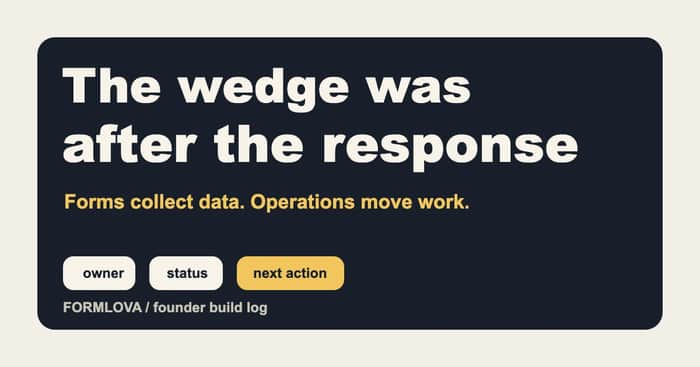
The wedge was after the response.
The obvious wedge was not the real wedge
The obvious wedge would be:
make form creation faster
make the form prettier
make the editor smarter
make the template library better
Those are real product improvements.
I do not want to dismiss them.
But they also pull the product toward the most crowded comparison:
Is this a better form builder?
That question is hard because Google Forms is good enough for many jobs, and specialized tools already cover a lot of the high-design surface.
AI also makes creation easier for everyone to demo.
Prompt goes in.
Form comes out.
It looks like magic for a minute.
But a form that exists is not the same as a workflow that works.
That distinction became the more interesting product question for FORMLOVA.
The response creates the real work
Once a form is live, the questions change.
The team no longer asks only:
What fields should the form have?
They ask:
Who owns this response?
Was the right person notified?
Did the respondent get an email?
Is this still open?
Should this be excluded from reporting?
Did anyone follow up?
What happens if the notification failed?
Can we see unresolved responses this week?
That is a different product surface.
It is less flashy than the builder.
It is also much closer to the repeated work.
The team creates the form once.
The team handles responses again and again.
That is where the wedge started to look real.
Boring columns are not boring when they move work
In a lightweight setup, the operational layer often appears as spreadsheet columns:
owner
status
slack_notified_at
last_error
excluded
next_action
follow_up_date
These look boring.
They do not demo like a beautiful form editor.
But if a team is actually using the form for leads, bookings, applications, support, recruiting, events, or internal requests, those columns decide whether the work moves.
Owner answers:
Who is responsible?
Status answers:
Where is the work now?
Exclusion answers:
Should this count as normal work?
Notification state answers:
Did the alert actually happen?
Next action answers:
What happens after this?
That is product state.
It may be living in a spreadsheet, a dashboard, a chat command, or an operations tool.
But it is no longer just "form data."
Google Forms is not the enemy
One of the healthier positioning choices I made was to stop treating Google Forms as the enemy.
Google Forms is a strong default.
It is familiar.
It connects to Sheets.
It is good enough for a lot of collection work.
Trying to beat it at basic form creation did not feel like a sharp wedge.
The sharper question was:
What does the team do after Google Forms has already collected the response?
That is where the workflow starts to stretch:
Google Form
-> Google Sheet
-> Apps Script
-> Slack notification
-> owner/status columns
-> manual follow-up
-> reports
This stack can work.
But it also turns into a small internal system.
The person who created the script becomes the maintainer.
The Sheet becomes the database.
Slack becomes the handoff layer.
Column names become part of the system contract.
At that point, the problem is no longer form creation.
It is response operations.
The product changed when I stopped optimizing for the first minute
The first minute of the product is exciting:
Describe a form
generate it
preview it
publish it
That matters.
But the product became more interesting when I looked at minute two, day two, and week two.
Minute two:
The first real response arrives.
Day two:
Someone asks whether it was handled.
Week two:
The team wants to know what is still open, what was excluded, and what needs follow-up.
That is where FORMLOVA's product direction became clearer.
The form builder is still part of the product.
But the retention layer is in the operation after publishing.
The AI angle also moved downstream
AI form generation is useful.
But if the only AI moment is:
make me a form
then AI is mostly improving creation speed.
The more durable AI use cases showed up after responses existed:
Show me unanswered pricing inquiries.
Find responses with no owner.
Summarize the event applications that need review.
Draft replies for these three support requests, but do not send yet.
Exclude test submissions from this week's report.
Those requests need product state.
They need permissions.
They need validation.
They need a response record that knows more than "a row exists."
This is why I keep describing FORMLOVA as a form operations product, not only an AI form builder.
The chat interface is useful because it can operate the workflow, not just create the form.
The founder lesson I keep coming back to
The lesson for me was not:
Avoid crowded categories.
It was:
Do not assume the visible surface is where the wedge lives.
In forms, the visible surface is creation.
The repeated work is response operations.
In another category, the visible surface may be a document, a dashboard, a ticket, or a report.
The wedge might be downstream:
who owns it
what state it is in
what changed
what needs action
what should be excluded
what can be safely automated
That is where products become harder to copy.
Not because the UI is complicated.
Because the product understands the operational state behind the UI.
Where I am taking FORMLOVA
The product bet is simple:
Forms collect data.
Operations move work.
FORMLOVA still needs to create and publish forms well.
But the part I care most about is what happens after the form is live:
- response status
- ownership
- Slack and email notifications
- auto-replies
- exclusions
- Sheets/CSV handoff
- reminders
- reporting
- chat/MCP operations
That is where the product has room to become more than a form builder.
It can become the layer that keeps form work from disappearing into a spreadsheet, inbox, or Slack channel.
That is the wedge I did not see at the beginning.
