Tired of stock photos that look like stock? I shipped the solution — looking for beta users
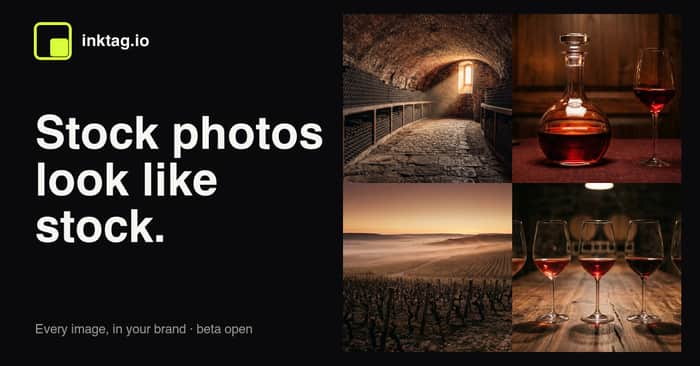
Hey IH 👋
I'm Gautam, solo dev on inktag.io. The beta is officially live and open — no waitlist, no application. Sign in with your email and you get 5 free images to try it.
The one-liner
Set your brand once — palette, render style, and a "never include" list — then describe any image. Every output comes back on-brand. No stock photos, no Photoshop cleanup step, no prompt-wrangling to keep things consistent.
The problem I kept hitting
I run a couple of content sites and burned hours every week hunting for hero images. Stock looks like stock. And generic AI image tools drift — a "wine cellar" in my brand colors today looks nothing like the one I generated last week. I wanted consistency to be the default, not something I have to fight for every single generation.
So the idea isn't "another image generator." It's locking the things that should never change (your palette, style, aspect, the stuff you never want to appear) so the model only varies the subject. You describe the image; your brand rides along automatically.
What's shipping right now (and what isn't)
I'm shipping this UI-first:
- A dashboard where you set + lock your brand
- Type a prompt, pick a size — generate an on-brand image in seconds
- Download the file or copy a hosted CDN URL and drop it anywhere (blog, newsletter, social/OG, docs)
No API or developer embed in this beta — those are on the roadmap. I wanted the core "does this actually keep my brand consistent?" loop to be great before exposing it programmatically.
That said: if API access is the thing you'd actually use, reply here or email me. I'm prioritizing the roadmap by what people ask for, and "I'd integrate this if there were an API" is exactly the signal I'm looking for.
The ask
Two things:
- Try it and tell me where it breaks. 5 free images, no credit card. Set up a brand, generate a few, and tell me if the outputs actually look like you. Honest feedback > polite feedback.
- Want API access? Say so. It's not in the beta yet, but interest moves it up the list.
After the free credits, it's a simple $9.99 pack for 50 more — no subscription. Early folks get founder pricing locked in.
Happy to answer anything in the comments — how the brand-locking works, why I went UI-first instead of API-first, pricing direction, model choices, whatever.

Did you collect testimonials from your testuser?
Gautam, signed up for the beta. The brand-locking concept is the right wedge. Most AI image tools make consistency the user's problem. You're making it the default. That's a real differentiator.
Quick observation on your landing page: the 3-step flow is clear, but the hero is underselling the magic. Show a side-by-side comparison above the fold. Left: 3 random AI-generated images with no brand consistency. Right: 3 inktag images with the same palette/style locked. Label it "Without inktag vs. With inktag." The visitor should understand the problem AND the solution in 3 seconds without scrolling.
The "167/200 seats" scarcity is smart for beta conversion. I'd add one trust signal below it: a single testimonial from an early beta user saying this actually saved them time.
I run an AI landing page studio. If you want a free sample hero section showing the before/after comparison, happy to generate one. 48h turnaround, no strings.
Good luck with the beta launch.
This is a useful angle because you are not just generating images. You are solving the part that usually breaks for small brands: consistency.
Most AI image tools make the user re-explain the brand every time. Your stronger wedge is that the brand system stays fixed while the subject changes. That is much easier to understand for bloggers, newsletters, ecommerce pages, docs, and small teams that need a repeatable visual style without a designer in the loop.
The one thing I’d pressure-test early is the brand frame. inktag is short and usable, but it can read a bit narrow, almost like tagging or labeling rather than a polished visual-brand engine. Since the product is about branded creative output, the name should probably feel more premium and visual from the first impression.
Auryxa .com would fit that direction better if you want this to feel like a serious brand-asset platform, not just another AI image tool. The product itself is trying to make visuals look more intentional and less generic, so the brand around it should carry that same polished feeling before users even generate their first image.
I’d think about this before the beta turns into API access, CDN links, and brand workflows, because once users start building around the current name, the positioning gets harder to move.
Would love to try out the product and be a beta user!!