Top AI Music Generator Tools to Create Music with AI in 2026
A freelancer working on a client project needs a unique soundtrack but faces tight deadlines and limited resources. AI music generators in 2026 offer a smarter way to handle this challenge by creating original tracks in minutes. These tools eliminate the need for complex software or musical expertise, making music production accessible to everyone.
Whether for videos, ads, or social content, users can easily customize mood, tempo, and style. The result is fast, high-quality audio that fits perfectly with any project. In this article, discover the top AI music generator tools that simplify music creation like never before.
Part 1. Create Music with AI: Why AI Music Generators Are the Future
AI music generation is rapidly transforming how creators produce soundtracks, making the process faster, smarter, and more accessible than ever. Instead of relying on traditional composition methods, AI tools use advanced algorithms to generate original music based on simple inputs.
Why AI Music Generators Are the Future
Faster Music Creation: AI song generators generate complete tracks within minutes, saving hours of manual effort. This speed helps creators meet tight deadlines without compromising quality.
No Musical Skills Required: Users can create professional-sounding music without knowing instruments or music theory. Simple prompts and settings make the process beginner-friendly.
Endless Customization Option: Creators can adjust mood, tempo, genre, and length to fit their projects perfectly. This ensures the music aligns with the content’s tone while generating music.
Cost-Effective Solution: AI eliminates the need for hiring composers or purchasing expensive licenses. It provides affordable access to high-quality, original tracks.
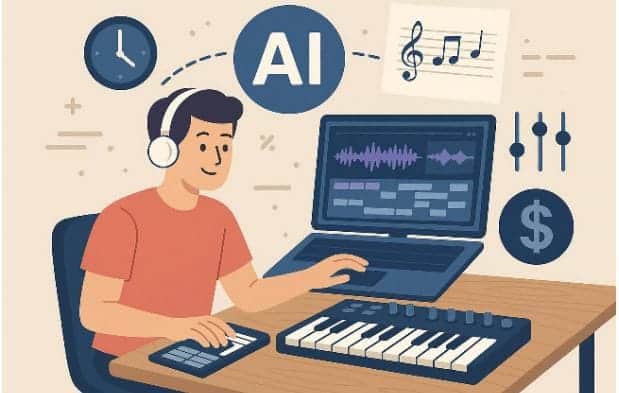
Part 2. Top AI Music Generator and Background Music Generator Apps
With the growing demand for fast, customizable, and high-quality audio, many creators are turning to specialized apps that simplify music production. Let’s explore some of the top AI music and BGM generator apps that create music with AI:
1. Filmora App [iOS/Android]
Filmora App has emerged as a game-changer for music creation, offering an intuitive AI Music Generator that simplifies composing unique tracks for videos and social media. Designed for both iOS and Android, the app allows creators of all skill levels to produce professional-quality music without any technical expertise. Users can select moods, adjust the tempo to match the pacing of their content, and customize the track's length to fit their project perfectly.
Key Features Offered By Filmora App
Music Length Selection: Filmora App lets you customize the duration of your track to perfectly match your video or project.
Apply Beats and Fades: Easily apply beats, fades, and transitions to make your music sound polished and professional.
AI Sound Effect: The app allows you to generate unique sound effects using AI, adding customized audio elements to your projects effortlessly.
Steps for Generating Music with Filmora App
Having learned about this AI background music generator, let us have a look at how to generate music with Filmora App:
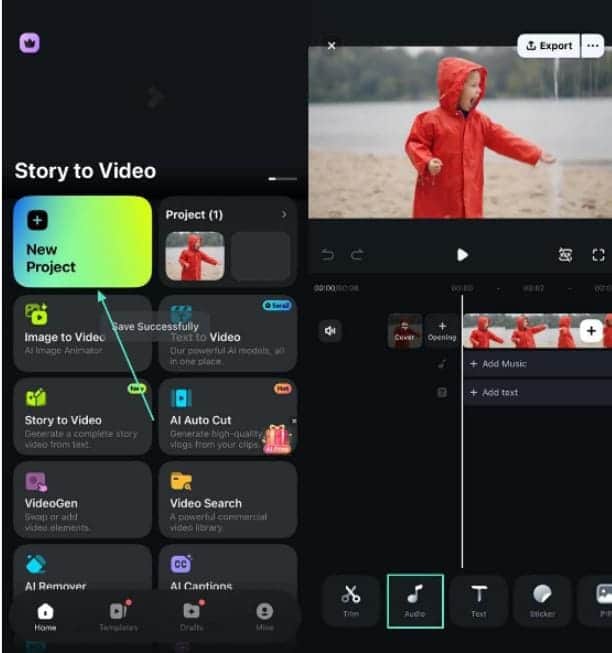
Step 1. Create Project and Import Video
Launch Filmora App on your phone, select “New Project,” and import your video. Then tap the “Audio” option from the toolbar at the bottom.
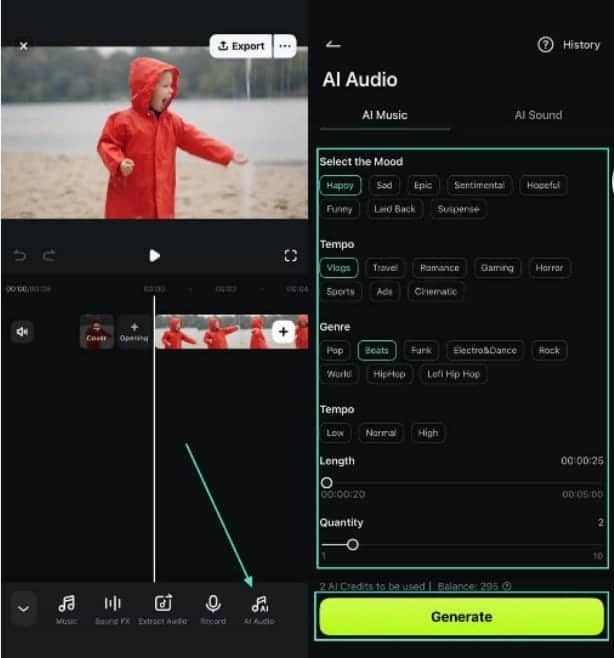
Step 2. Generate AI Music
Select "AI Music," choose the mood, tempo, and length, then press "Generate" to create your track.
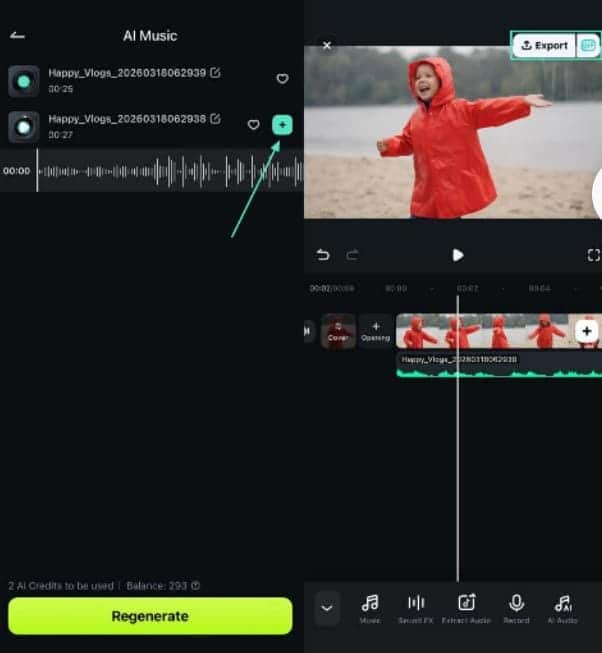
Step 3. Add and Export Audio
Play the generated tracks, tap the “+” icon to add your preferred one, preview it, and tap “Export” to save.
2. Suno AI
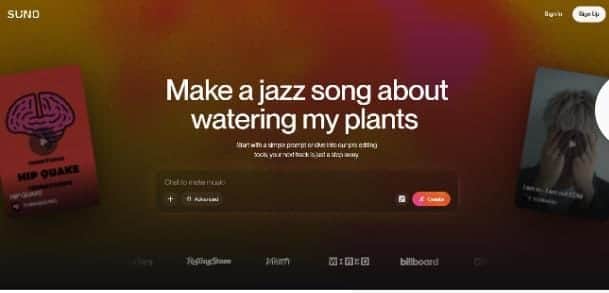
Suno AI is a powerful AI music generator that can create full songs, including vocals and arrangements, based entirely on text prompts. It is designed to help creators produce high-quality music quickly without requiring any prior music training.
Pros
Produces high-quality music across multiple genres with detailed customization options.
User-friendly interface with a free tier for beginners to start generating tracks.
Cons
Customer support can be slow and unresponsive at times on this platform.
Free or limited plans restrict full creative control, requiring paid subscriptions.
3. Udio
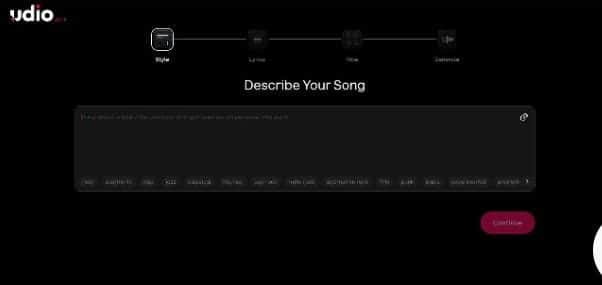
It is a web-based AI song generator that turns text descriptions into complete songs with realistic vocals and instrumentation. The tool allows creators to produce fully arranged tracks directly in their browser without installing software.
Pros
Can generate complete songs with options to remix or extend specific sections.
Supports multilingual music generation, providing creative flexibility for global users.
Cons
Output quality can be inconsistent, and some tracks may feel outdated.
Recent copyright restrictions have limited downloading options for users.
4. Mureka
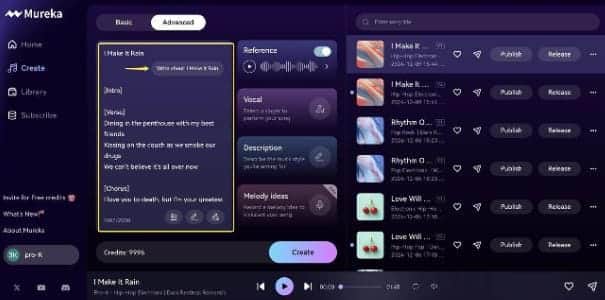
This tool offers advanced music generation features, including stem exports and customizable vocals. It is ideal for creators who want more control over their compositions while creating music with AI.
Pros
Supports multiple languages and advanced features such as stem export and API access.
Accepts various input methods, including text prompts, lyrics, and reference tracks.
Cons
Steeper learning curve compared to simpler AI music tools, which may challenge beginners.
Some users report billing issues and limited customer support responsiveness.
5. Mubert AI
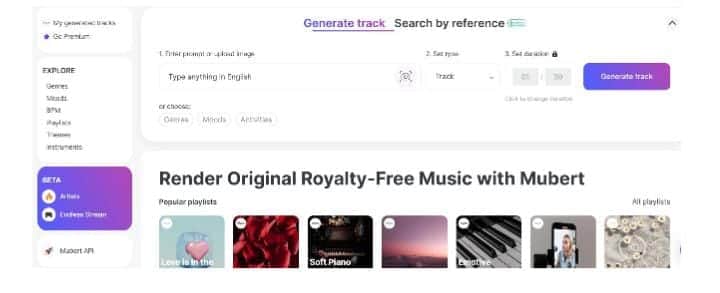
Mubert AI specializes in generating music, loops, and continuous soundscapes, making it perfect for background tracks in videos and digital content. This AI background music generator allows creators to quickly produce music without needing extensive input.
Pros
Generates royalty-free tracks instantly, saving time for content creators.
Offers mood and style selections, making it ideal for background music and app integration.
Cons
It may lack depth and complexity compared to human-composed tracks.
Extended compositions may feel repetitive or generic over time.
Start creating music easily with the Filmora App today and turn your ideas into high quality tracks in minutes. Its AI features and simple interface make it perfect for quick and professional results.
Conclusion
To sum it up, this article highlighted the top AI music generators and their features, pros, and cons. Among them, Filmora App stands out for its intuitive interface, customizable moods, tempo, and AI-generated sound effects. This makes it the easiest and most efficient choice for creators to produce professional-quality music quickly.

