Two-way is not the same as symmetric
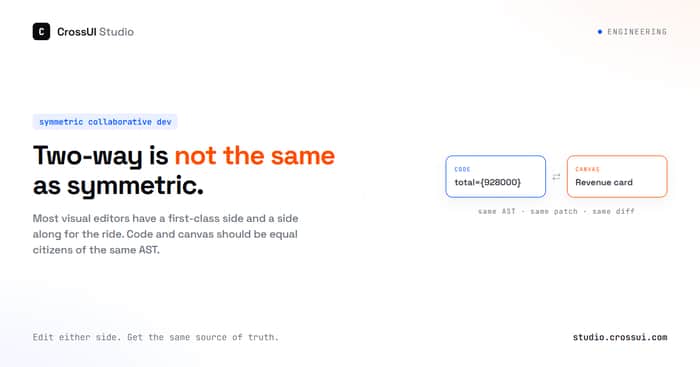
Every visual editor for React says it's "two-way." Click something, see the code. Change the code, see the canvas update. Sounds symmetric. It's usually not.
Look closer at most tools and you'll find one side is doing real work and the other side is just watching. Design tool exports JSX once, and if you touch the code after that, good luck getting back in. Visual panel changes a prop, but it's writing to some in-memory state or a JSON config file, not your actual source. Sandbox previews your code fine, but try clicking on the rendered output to jump back into the file — nothing happens, it doesn't even know what produced that pixel.
Two-way, but not symmetric. There's always a first-class side and a side that's along for the ride. You can sort most of these into three buckets.
Export-once. Design tool spits out JSX one time. Nice for the first commit. Then someone edits the code by hand — which happens on day two, always — and the tool has no way back in. Round trip is a one-way trip wearing a costume.
Runtime-overlay. The visual panel changes something, but it's changing an in-memory prop or a config JSON, not the file. Refresh the page and it's gone, or it lives forever in a second file that now has to stay in sync with the real one by hand. Your code isn't the truth here. Some other file is.
Preview-only. CodeSandbox, StackBlitz, plain Vite HMR. Great at showing you the code running. Click on the rendered thing though — nothing happens. It doesn't know what produced that pixel, because nobody ever built that link.
We built something different for CrossUI Studio. We call it Symmetric Collaborative Development, SCD for short. The idea is simple to say and annoying to build: code and canvas are two views of the same AST. Neither one is the source of truth that the other has to catch up to. Both can read, both can write, and both write to the exact same place.
What "symmetric" actually has to mean
Marketing copy loves the word "two-way." I want to make it testable instead. Three things have to be true, or it's not symmetric, it's just two-way-ish.
Selection has to go both directions, cleanly. Click any element on the canvas, it resolves to exactly one AST node. Click any JSX node in the code, every rendered thing it's responsible for lights up on the canvas. Not "usually works." Both directions, every time.
Editing has to go both directions too, with equal power. If you can change a prop from the code, you can change it from the canvas. If you can restructure something from the canvas, that same change is expressible as a code edit. No "oh that one's canvas-only" or "sorry, edit the code for that."
There's one truth, not two. No hidden config layer, no shadow state that only the visual panel knows about. Every edit, from either side, lands as a real patch to the actual source file. What you get out is a diff you could commit, not an export you have to translate.
Most tools fail at least one of these. Usually the third one — they'll do fine selection and okay editing, but underneath it's writing to some intermediate format that isn't your code.
The pieces underneath
Mechanically, this runs on three things working together. An in-browser TypeScript/JSX compiler, so there's no build step standing between a keystroke and a render. A runtime layer that walks the live component tree as it actually renders, not just the static file tree. And an AST patcher that turns any edit, from either side, into one small diff instead of a full-file rewrite.
None of these three alone gets you symmetry. The compiler without the AST patcher just gives you fast previews. The runtime tree without the compiler gives you introspection but no live editing. It's the three stacked that make either side able to write.
Why this is actually hard to build
If it were easy everyone would have shipped it already. Here's where it gets messy.
The DOM doesn't remember where it came from. By the time React renders something to the screen, the structural info from your source is gone. You need to inject position info at compile time and keep a live index mapping rendered stuff back to AST nodes, and keep that index correct as things re-render.
One line of code, many things on screen. A .map() produces N elements from one JSX node. Click the third card — do you select the JSX expression, or "the third iteration of it"? Both are valid answers depending on what the user is trying to do, and the tool has to pick sensibly.
Some code draws nothing at all, right now. A ternary's other branch exists in the source but isn't on screen. If someone clicks that branch in the code, what does the canvas even show? There's no pixel to point at.
The thing on screen might be defined three files away. A component gets imported through two barrel re-exports before you reach its actual definition. The mapping has to survive that, and still land you on the real file, not a re-export shim.
Formatting and comments can't get mangled. Every patch needs to be small and clean, or nobody's going to want the diff in their PR. This alone rules out "just regenerate the file from a new AST" as a strategy — you have to patch, not rewrite.
The dependency graph is sometimes broken, and that's fine. Real repos have imports that don't resolve — missing packages, aliases nobody configured, whatever. If one broken edge kills the whole feature, you've built something too fragile to use on a real codebase. So it has to keep working around the parts it can't resolve.
None of these are exotic edge cases. They're just... what a real React app looks like on a random Tuesday.
What symmetry buys you
Once selection and editing are actually symmetric, some things stop being separate features and just become normal.
Point at a card buried inside a .map(), inside a conditional, inside a component from another file — and land exactly on the JSX that made it, in one click, no searching. Change a prop from the canvas side, and the diff you get is one clean line, same as if you'd typed it. Change the code, and the canvas updates without you needing to guess which part of the screen you just touched.
It also means you're never locked out. You can start from the canvas because you're thinking visually, switch to code because you need precision on a value, switch back because you want to see six components move together after a theme change. Nothing about that flow required an export step or a "sync now" button.
Walking one, for real
Take a real template, not a toy one — Material Kit React, the MUI admin kit. Click a revenue card on the dashboard. It's not a top-level thing — it's the fourth hop down: main.tsx → DashboardPage → OverviewAnalyticsView → AnalyticsWidgetSummary, and that last one is sitting inside a .map() over a list of stat cards.
One click, and the exact JSX for that card is selected in the code, not the whole map block, not the parent — that one card. Change total={714000} to total={928000} in the code. Canvas updated.
Now go the other way. Select the "New users" card on the canvas. In the Inspector, change its color from the default "secondary" to "success". Code updated. The change lands exactly where you'd expect:
   <AnalyticsWidgetSummary
     title="Weekly sales"
     percent={2.6}
-    total={714000}
+    total={928000}
     ...
   />
   <AnalyticsWidgetSummary
     title="New users"
     percent={-0.1}
     total={1352831}
-    color="secondary"
+    color="success"
     ...
   />
No reformatting. No touched imports. The other cards stay untouched. Real template. Real component. Real source.
Why this matters if you're teaching React, not just shipping it
A side effect I didn't expect going into this: it's a genuinely good teaching tool, maybe better than it is a shipping tool.
Beginners lose a lot of energy just holding the map between "this text" and "that rectangle on screen" in their head. Symmetric selection hands that map to the tool instead. Put a cursor inside a .map(), watch eight things light up at once on the canvas — that explains list rendering better than any slide ever has. Change a theme token and watch six unrelated components move, and context stops being a diagram on a whiteboard and starts being a thing you just saw happen.
It's the same shift devtools gave CSS. Before devtools: edit stylesheet, reload, squint, guess. After: click the element, see exactly which rule applies. Nobody thinks devtools made people worse at CSS. React never really got that moment for itself. This is closer to it.
A quick test for any tool claiming "two-way"
Three questions, works on anything, not just us:
- Can I go from canvas to code and code to canvas, always, not just sometimes?
- Can I do the same kinds of edits from either side?
- And when I'm done, do I get a diff I can commit — or a format I have to translate first?
If the answer to any of those is "well, mostly," it's two-way. Symmetric is a stronger bar, and it's the one that actually matters once you're editing a real app instead of a demo.

The symmetry test should include round-trip stress cases, not only happy-path JSX: conditional rendering, mapped components, fragments, custom hooks, and a manual code edit followed by a canvas edit. The strongest proof would be a clean source diff after alternating between both views ten times. If the AST cannot map an element unambiguously, surfacing that limitation is safer than pretending the link is exact.
Agreed! That’s already in our pipeline—clean diffs on round-trips or we surface the AST limitation.
The three tests are the useful part of this, and I think the second one can't be satisfied as stated, for a reason your own hard-parts list gestures at.
The canvas can only address what rendered. An unrendered ternary branch, a .map() over an empty array, a component behind a viewport condition: all real source, no pixel, so there's nothing to select or edit from the canvas side. Equal power in both directions is only achievable over the rendered subset, and the honest form of the criterion is one-directional: every canvas edit must be expressible as a code edit, not the converse.
Worth naming because it changes the design. If the canvas is a view over one projection of the source, it needs a way to say "this exists but isn't showing under the current data", which is a UI problem rather than an AST one.
The adjacent one I'd watch: what has rendered is time-dependent, not just data-dependent. I run a rendering service and its whole render API is "wait for this selector, wait for this predicate", because network-idle is a guess. Async data arriving after your index is built is the case that will bite.
Yes, that's a very good point, especially the distinction between rendered state and source.
Studio doesn't need to solve all of these cases, though.
Canvas is a projection of what's currently rendered. The key invariant is simply: every canvas edit can be expressed as a code edit.
For things not directly addressable on the canvas, the expression editor can handle some of them.
There will always be source outside the canvas's current editing scope. That's fine.
And the async rendering point is a good one too. It reinforces why Canvas shouldn't try to be a complete representation of the source.
I think the harder test for “symmetric” may start once a third writer enters the system.
In a real repo, the canvas and code editor are not the only things modifying the source. A formatter, codemod, AI coding agent, Git operation, or another developer can change the same file while the canvas still holds a selection derived from an earlier AST.
I’d explicitly test cases like:
The important property seems to be that a stale visual edit must never silently overwrite a newer source change.
I’d probably bind every canvas patch to the source version it was derived from. If that version no longer matches, re-resolve the AST node and either produce a clean rebase or surface an explicit conflict instead of applying the original patch blindly.
That would make “one source of truth” hold even when CrossUI isn’t the only writer.
How does CrossUI currently behave when the underlying file changes outside the Studio between selection and edit?
Code is always the source of truth: Code updates the AST dynamically; the AST updates the canvas; Canvas visual edits write directly back to the code.
The loop is continuous and instant: Canvas → Code → AST → Canvas.
Git repo project: for external file changes ( a new git version), Studio detects the conflict on submit.
Local folder project: when Studio detects that the code was modified externally (e.g. VS Code edits or AI-generated changes), it lets the user choose which version to keep.
That makes sense, and the important part for me is that external changes never get silently overwritten.
The remaining detail I’d be curious about is the conflict granularity.
When a local-folder project detects an external edit, is “choose which version to keep” a whole-file choice, or can Studio preserve unrelated external changes and only surface the AST-level region that actually conflicts with the canvas edit?
For example, if VS Code changes one prop while the canvas changes a different prop on the same component, treating the entire file as conflicting could still make the workflow feel less symmetric than the underlying model really is.
If you can re-resolve the target node and merge the non-overlapping edits, with an explicit conflict only when both sides touched the same semantic region, that would be a pretty strong definition of “code remains the source of truth.”
Yes, that’s a good point.
Right now, conflicts are still handled at the file level.
What you describe is a more fine-grained, collaborative editing model. Studio would need to re-resolve the affected AST nodes and merge non-overlapping changes.
That’s not implemented yet, but it’s the direction I’d take for ‘true symmetric collaboration’.
That makes sense.
File-level conflict handling is a reasonable boundary for now, and it’s good that the limitation is explicit rather than hidden behind the “symmetric” framing.
AST-level merging sounds like the right direction if you eventually want multiple editing surfaces to behave as true collaborators rather than competing writers.
Appreciate the clear answer.
The first-class side problem shows up everywhere, not just in visual editors. Any tool that claims to work "both ways" is hiding which side actually owns the data model. The side that doesn't own it is always in catch-up mode.
The practical test: make a breaking change on each side and see which one survives cleanly. That tells you which direction the tool was actually designed to flow.
This maps onto voice AI the same way. Most tools treat voice as input to a text pipeline that owns the state. You speak, the text changes, the text is what's real. Symmetric would be: the action is the thing, and both voice and text are just surfaces on top of it. Almost no one builds it that way because it requires rethinking what the data model actually is. That's the hard part.
Which bucket is the thing you're building in?
CrossUI Studio is in the second bucket.
Code is the source of truth.
The AST is the model.
Both code and canvas operate on that same model.
This is a really interesting distinction between “two-way” and actually symmetric editing. The part about the DOM not remembering where it came from especially stood out to me — once you think about it, mapping a rendered pixel back to the exact source location is a much harder problem than simply keeping a preview updated.
I’m also curious how you handle ambiguity with repeated renders from the same AST node, like a
.map(). If 20 cards are produced by the same JSX expression, how does CrossUI Studio decide whether an action should modify the shared JSX structure or target something specific to one rendered instance?The other thing I’d love to know is how far you plan to take this across real-world React patterns. Things like higher-order components, dynamic imports, render props, and heavily abstracted design systems seem like they could make source-to-canvas mapping extremely challenging.
Really cool technical direction though. The idea of every canvas edit producing a clean, commit-ready source diff feels like the important difference here rather than just having a visual layer sitting on top of the code.
For
.map(), CrossUI treats the whole expression as an AST node first.Then you can drill down into the JSX inside the
.map()and edit the rendered child UI.For example:
CrossUI parses the
.map()as a child AST node.Then
Ctrl+Clicklets you drill down into:That gives you the UI generated by that JSX block, and you can edit the JSX itself.
So the focus is not on mapping pixels back to the DOM.
It’s AST → JSX block → rendered UI.
The same idea applies to higher-order components, render props, dynamic imports, and heavily abstracted design systems.
The key is keeping the source structure as the primary model, rather than treating the rendered DOM as the source of truth.
You can actually try this in the default snippet at CrossUI Studio ( https://studio.crossui.com/app — no login required ) — there are already three similar .map() examples there.
The interesting positioning risk is that “symmetric” may be a technically precise distinction that still requires the buyer to understand the underlying architecture before they can value it. Your three-part test makes the difference obvious to a developer, but a first-time visitor may still ask, “Why does this change my workflow?” The stronger commercial story seems to be the outcome: no export step, no shadow state, and no mental translation between what you see and what you edit. I’d be curious whether leading with that workflow consequence before introducing SCD makes the differentiation click faster.
Yes, maybe that’s the better way to explain it.
Lead with the workflow:
No export.
No shadow state.
No translation between canvas and code.
Then explain SCD as the architecture behind it.
The “two-way but not symmetric” distinction is really sharp. The
.map()example especially makes the problem obvious — that’s where a lot of visual/code tools seem to hit the limits of what they actually understand.Exactly.
.map() is a good example of where “two-way” starts to break down.
Once the tool understands the AST instead of just the rendered DOM, it can drill into the JSX inside the .map() and edit the actual source structure.
That’s where the symmetric part really matters.
That makes sense. Have you had anyone try it yet who changed how you think about what “symmetric” needs to handle?
Some old CrossUI users have tried it. Some didn’t think it was a big deal. For traditional JS UI, true two-way editing “symmetric” is relatively easy.
But React IDE users get the point much faster — especially those coming from lock-in tools.
That’s useful. It sounds like React developers coming from lock-in tools may be the sharper early audience if they immediately understand what symmetric editing changes for them.
Thanks everyone for joining the discussion. I really appreciate the thoughtful feedback.
If you’re willing to give it a try, I’d really appreciate it. I’ll pay close attention to the feedback.
For anyone who wants to take a deeper look, the Studio is here: https://studio.crossui.com/app
Feel free to reach out if you want a trial code. My email is in my profile.
The video: https://youtu.be/x3Y8Jhz8wCI