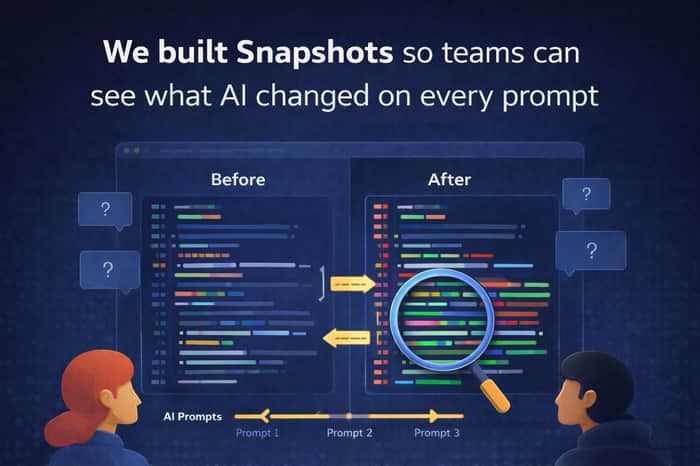
We built Snapshots so teams can see what AI changed on every prompt
One of the most frustrating parts of AI-assisted coding is not the first generation. It’s everything that happens after.
You ask AI to make a “small change.”
It touches five files.
It rewrites logic you didn’t ask for.
It subtly changes behavior.
And now you’re staring at a diff wondering:
What exactly changed?
Which prompt caused it?
Was this intentional, or did the model go off track?
That’s the problem we wanted to solve with Snapshots in Origin.
The idea is simple: after each AI prompt, you should be able to see what changed, compare states, and understand the impact without digging through a messy workflow. The goal is to make AI-generated changes feel reviewable, traceable, and safe instead of opaque.
For us, this matters because AI coding is moving fast, but trust still lags behind. Teams don’t just need better generation. They need better visibility.
A lot of the pain comes from the same pattern:
AI is fast enough to produce changes continuously, but not transparent enough to show its reasoning in a way developers can reliably audit. So people fall back to manual checking, extra caution, and slower reviews. That kills part of the productivity gain.
Snapshots are our attempt to close that gap.
Instead of treating every AI output like a black box, we think developers need a clearer before/after view for every prompt-driven change. Not just “the AI edited some code,” but “here is what changed, here is where it changed, and here is what happened after this prompt.”
That creates a better feedback loop:
less guesswork, easier review, faster rollback, and more confidence using AI in real workflows.
I think this is one of the missing layers in AI dev tools right now.
Not more magic. More accountability.
Curious how others here handle this today.
When AI changes your code, what do you wish you could see immediately?
The exact diff? Prompt-to-change history? Risky file detection? Easier rollback?
Would love feedback from people actively building with AI every day.

I know a couple of software developers building with AI who might be willing to answer your questions for free, happy to forward them if you'd like. It sounds like they're facing similar challenges. Let me know if that helps.
This is a real gap — AI got fast, but debugging what it changed is still painful.
Curious — are teams actually reviewing every change, or mostly relying on trust and fixing things when they break?
I think this issue is currently being discussed, but over time, every team will try to control the AI's actions. We already try it with getorigin.io
Makes sense — but I think “control” is still solving a downstream problem.
Most teams don’t struggle because they can’t control AI…
they struggle because the system itself isn’t clearly defined enough upfront.
And that usually starts way earlier — at the product + positioning layer.
If it’s not crystal clear:
what the tool actually does
what outcome it guarantees
how it should behave in one sentence
then everything after that becomes:
prompts, guardrails, monitoring… trying to compensate for that ambiguity.
Even the name plays into this.
“Snapshots” describes a feature, not a clear outcome —
so teams still have to think to understand what it actually solves.
When that happens, you get exactly this:
more reviewing, less trust, slower adoption.
Curious — have you seen teams “get it” instantly when they see it,
or do they need explanation before it clicks?
I think the best teams usually need a short explanation first - but once it clicks, it clicks fast.
The pain is instantly recognizable because AI moved faster than the team’s ability to see, review, and trust what actually changed.
I also agree that clarity upstream matters a lot. If the product outcome isn’t obvious, teams end up compensating downstream with prompts, guardrails, and extra review.
So in practice it feels like both matter - clear product definition upfront, and clear change visibility afterward.
eah — that matches what I’ve seen.
If it needs explanation, it’s already adding friction.
But if it’s oversimplified, teams don’t trust it.
So it ends up being:
obvious enough to recognize the pain
but specific enough to trust the outcome
That middle is where most tools fail.
“Snapshots” is exactly that — it explains what it shows, not what it solves.
If someone can’t immediately say:
“this will help me trust what AI just changed”
they’ll default back to manual review.
Feels like the real unlock here isn’t control —
it’s reducing the need to verify every step.