What is a REST API and How to Create One?
Introduction
A REST (Representational State Transfer) API is an architectural style used for developing networked applications. It relies on a stateless, client-server, cacheable communication protocol—typically HTTP. REST APIs enable applications to communicate over the internet, often facilitating the integration of third-party services and ensuring flexibility across different platforms.
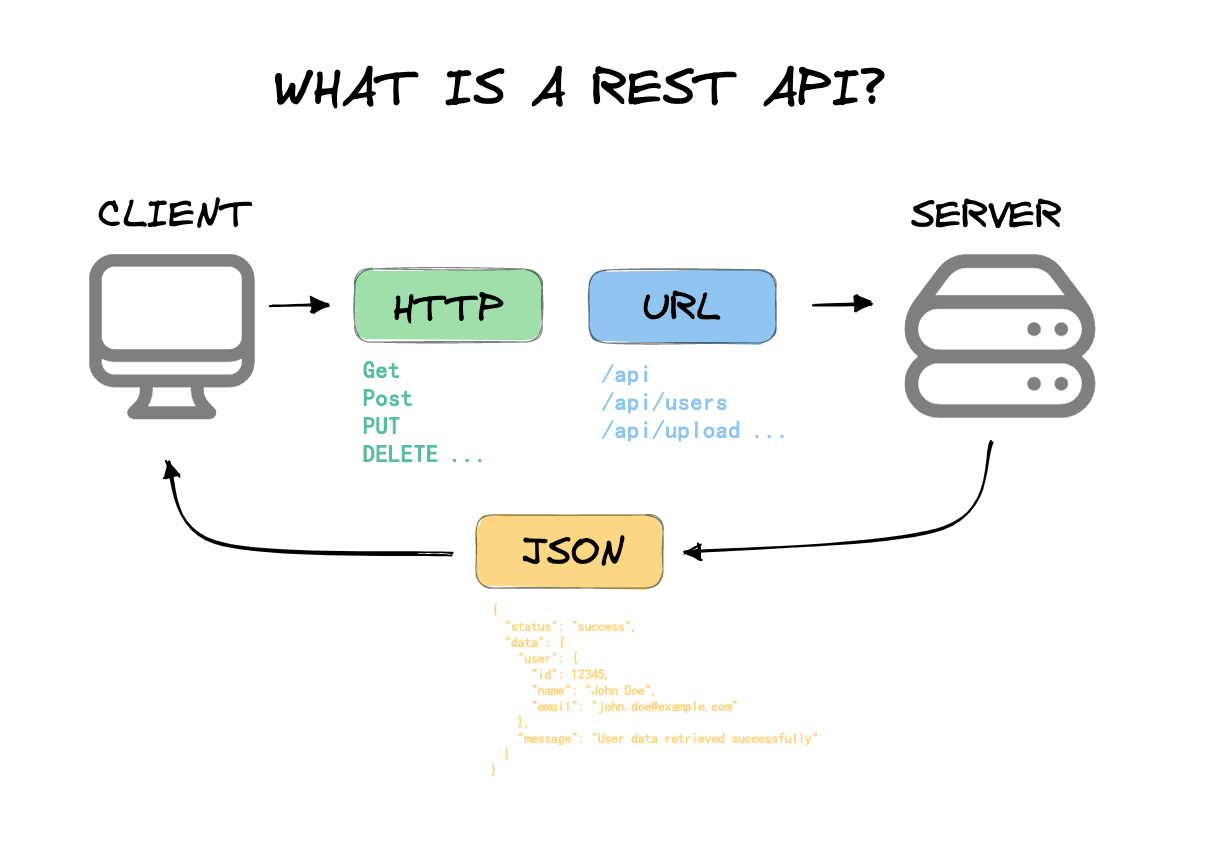
The Significance of REST APIs
- Flexibility: REST APIs are independent of any specific communication method, offering versatility.
- Scalability: With REST’s stateless nature, scaling the server and distributing requests across various servers becomes easier.
- Ease of Integration: REST APIs allow different applications to communicate, thus they are widely used for integrating third-party services.
- Performance: When designed correctly, REST APIs can be highly performant due to their inherent lightweight nature and the use of HTTP caching.
How to Create a REST API
Creating a REST API involves several steps, from design to implementation and deployment. Below is an outline of the process:
1. Designing Your API
- Identify Resources: Determine the objects (resources) you’ll be dealing with, such as users, products, etc.
- Define Endpoints: Establish the appropriate endpoints, e.g., /users, /products.
- HTTP Methods: Assign HTTP methods (GET, POST, PUT, DELETE) to endpoints to handle CRUD operations (Create, Read, Update, Delete).
- Data Format: Use standard data formats like JSON or XML for API requests and responses to ensure consistency.
2. Setting Up the Server
- Select a framework suitable for your programming language (e.g., Express.js for Node.js, Flask for Python, or Spring Boot for Java).
// Express.js Example (Node.js)
const express = require('express');
const app = express();
app.use(express.json());

// Basic Route Example
app.get('/api/users', (req, res) => {
  res.send([{ id: 1, name: 'John Doe' }]);
});

// Start Server
app.listen(3000, () => console.log('Server running on port 3000'));
3. Implement the Endpoints
- Create the logic for each endpoint, handling requests and respondings appropriately.
- Be sure to implement all CRUD operations (Create, Read, Update, Delete).
4. Connect to a Database
- Use a database to store and retrieve data (SQL or NoSQL, depending on your needs).
// Example with MongoDB
const mongoose = require('mongoose');

mongoose.connect('mongodb://localhost/mydb', { useNewUrlParser: true, useUnifiedTopology: true });

const userSchema = new mongoose.Schema({
  name: String,
});

const User = mongoose.model('User', userSchema);

app.get('/api/users', async (req, res) => {
  const users = await User.find();
  res.send(users);
});
5. Testing the API
- Use tools to test your endpoints, ensuring they work as expected.
Debugging a REST API with EchoAPI
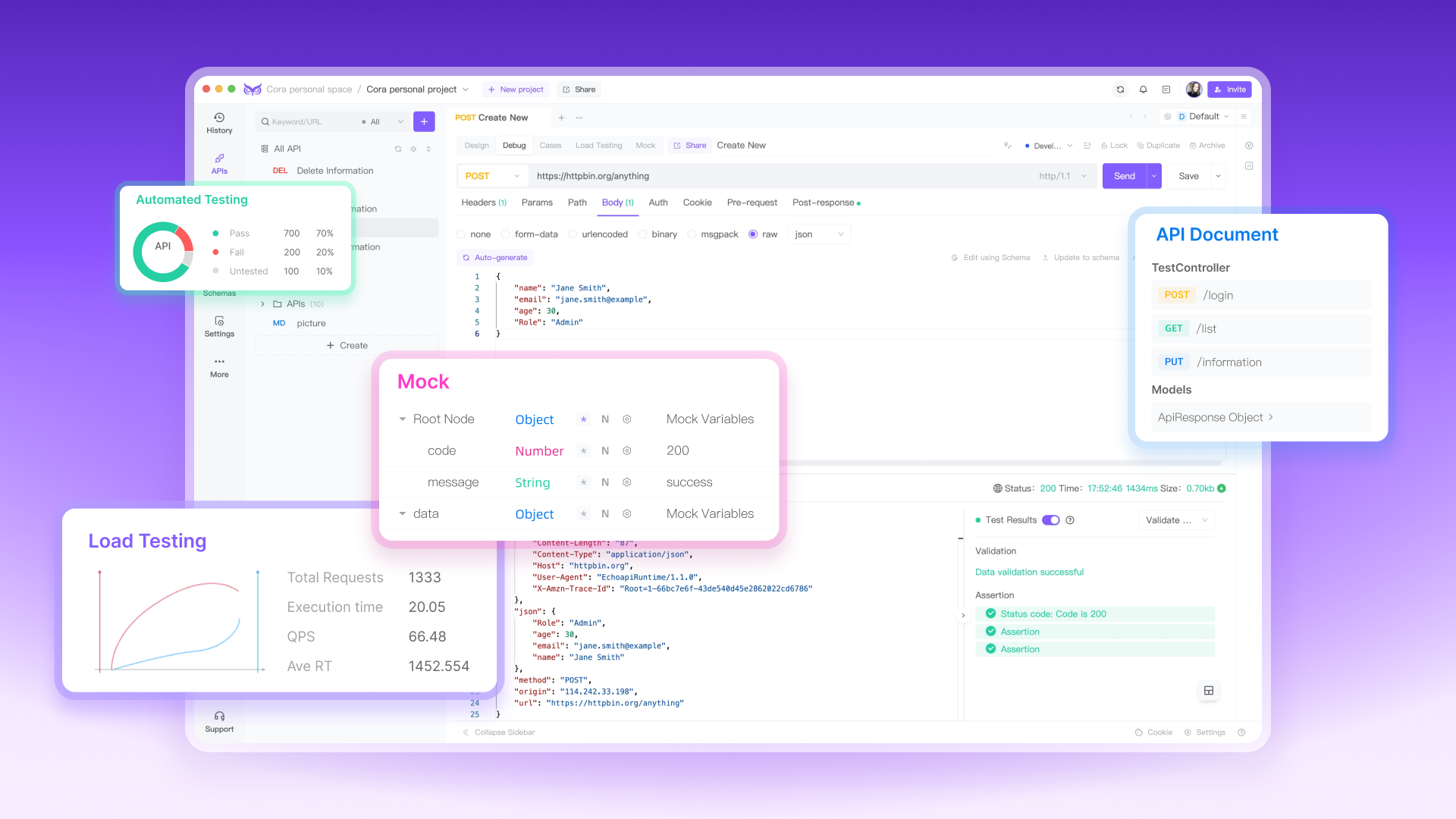
EchoAPI is a powerful tool for debugging and testing REST APIs. Here’s how you can use it:
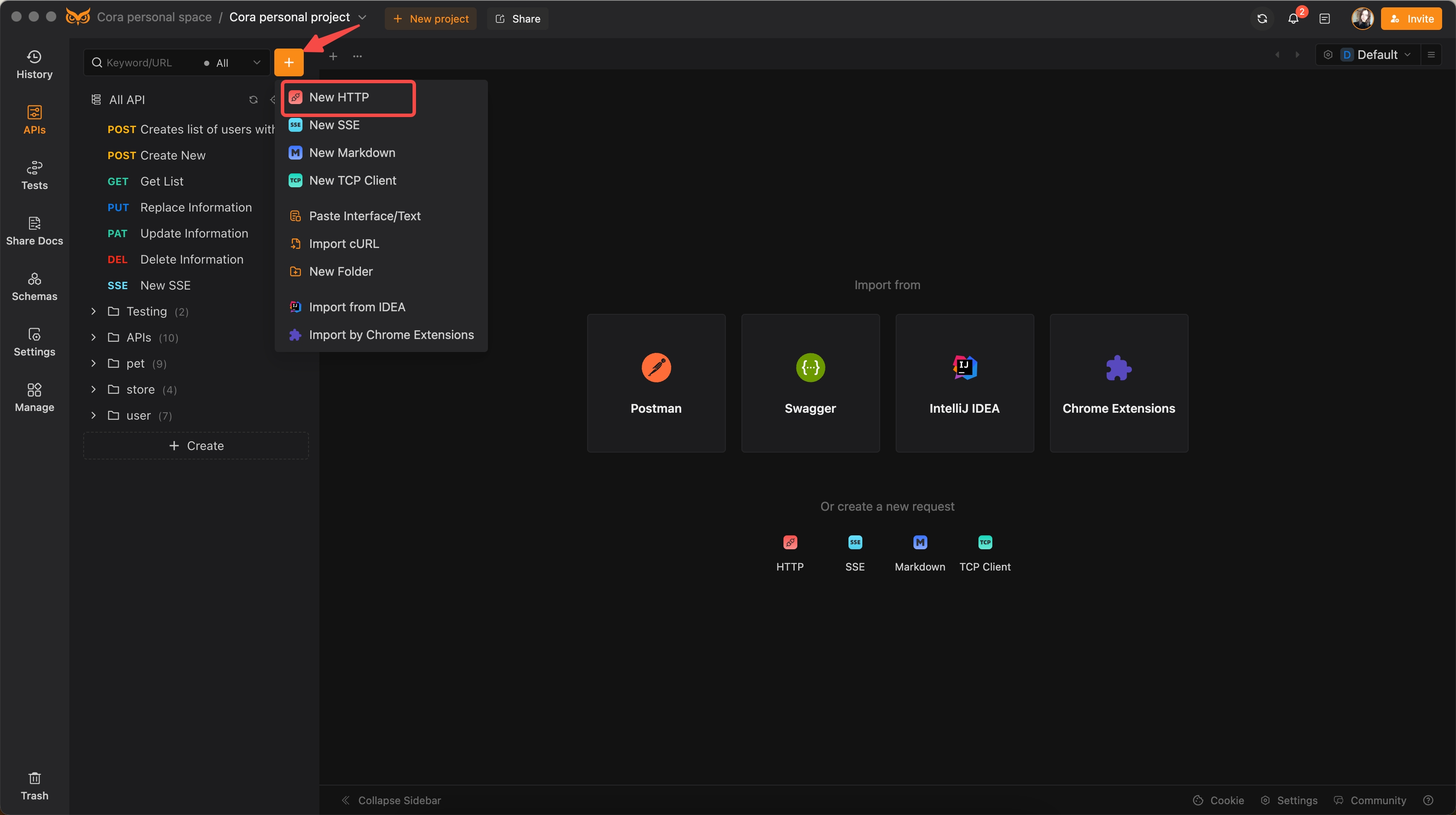
1. Set Up EchoAPI: Install EchoAPI and create a new Http request.
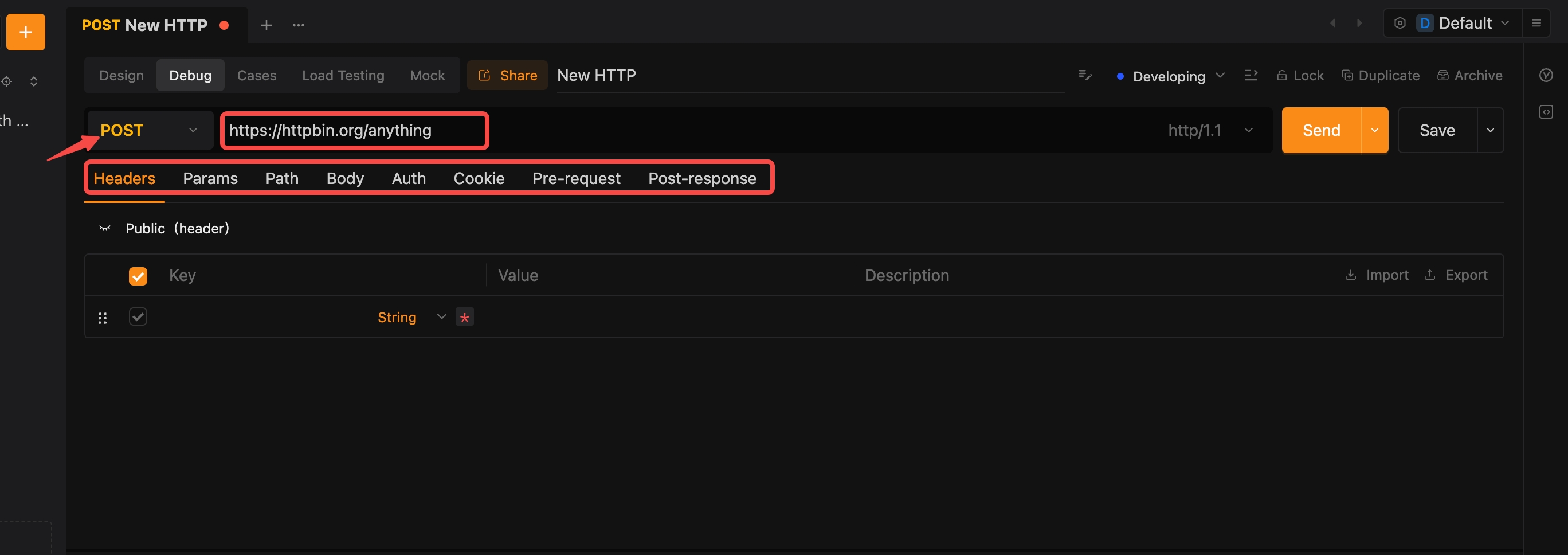
2. Add Requests:
Enter your API endpoints with the corresponding HTTP methods (GET, POST, etc.), including required headers and body parameters.
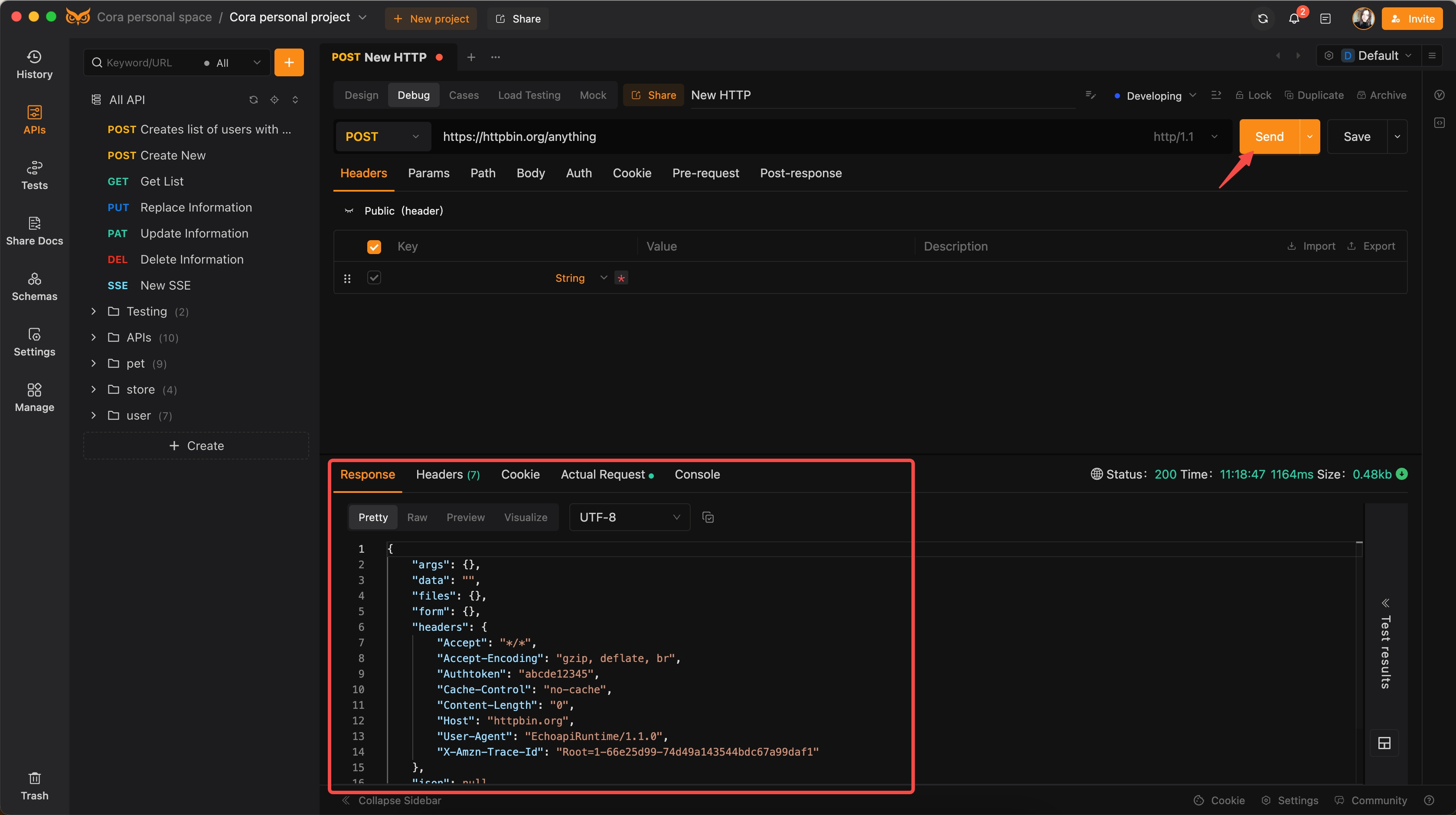
3. Testing and Debuging:
Execute the requests and inspect the responses.
4. Use EchoAPI’s advanced features:
- Automated Testing: Set up test scripts to automate the testing process, ensuring all endpoints function as expected.
- Load Testing: Simulate multiple users to evaluate how your API performs under high traffic or stress conditions.
- Mock Servers: Create and use mock servers to simulate API responses, enabling you to test endpoints even when the actual backend servers are not available.
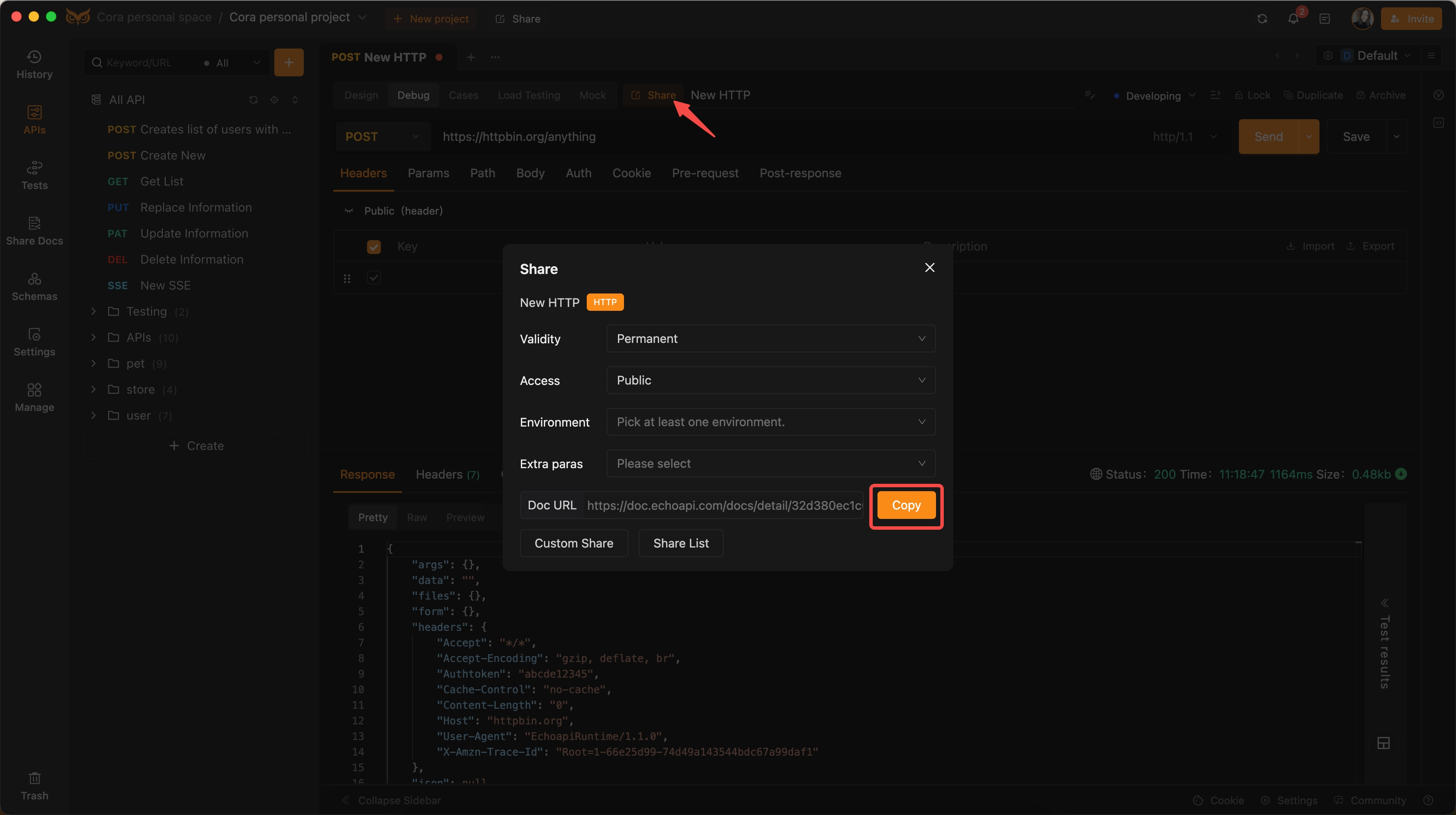
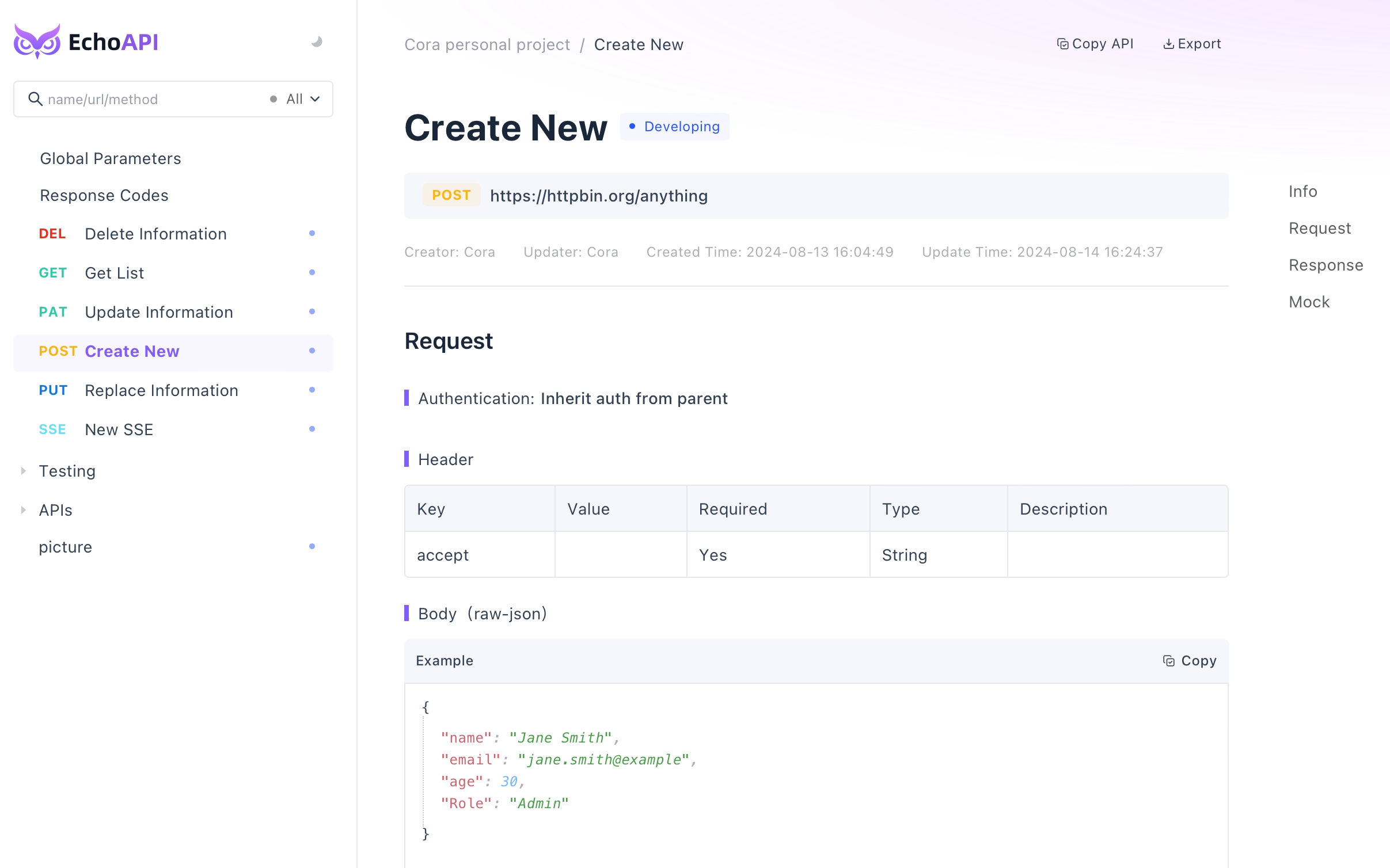
5. Share and view API Document.
Common Issues When Creating REST APIs and Their Solutions
1. CORS Issues: Ensure your server is configured to handle Cross-Origin Resource Sharing (CORS).
- Solution: In Express.js, you can use the
corsmiddleware.
const cors = require('cors');
app.use(cors());
2. Authentication and Security: Always secure your APIs; use token-based authentication (JWT).
- Solution: Implement OAuth or JWT to secure your endpoints.
3. Error Handling: Robust error handling is crucial for maintaining API reliability.
- Solution: Use middleware to catch and handle errors gracefully.
app.use((err, req, res, next) => {
  res.status(500).send({ error: err.message });
});
4. Data Validation: Ensure data integrity by validating user input.
- Solution: Use libraries like Joi for schema validation in Node.js.
const Joi = require('joi');
const schema = Joi.object({ name: Joi.string().min(3).required() });
Conclusion
REST APIs are essential in modern web development, providing flexibility, scalability, and ease of integration. Building a REST API requires thoughtful planning, server setup, endpoint implementation, and database integration. Tools like EchoAPI simplify debugging and testing, ensuring efficient API development. By addressing common issues proactively, you can create more robust and reliable APIs that enhance the overall user experience.
