Why High-Quality Employee Scheduling Is Essential for Modern Teams
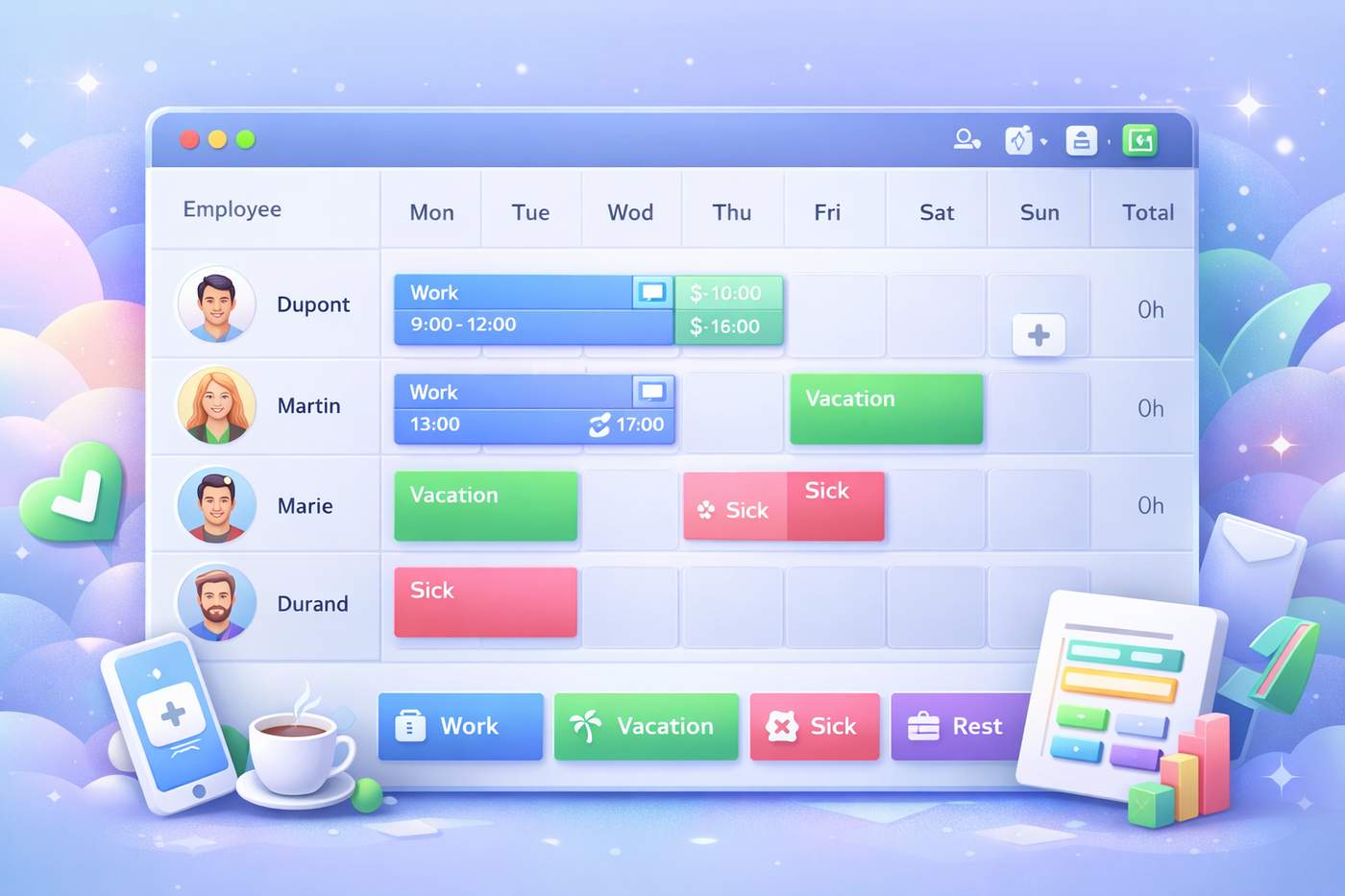
Employee scheduling is often underestimated. Yet in many industries — restaurants, retail stores, offices, call centers, healthcare services, and production teams — a poorly designed schedule can quickly lead to confusion, inefficiency, and frustration.
On the other hand, a clear, structured, and visually intuitive schedule becomes a powerful management tool that improves productivity, communication, and team satisfaction.
Why Employee Scheduling Matters More Than Ever
A work schedule is not just a list of hours. It directly impacts daily operations and team performance.
⏱️ Better Time Management
Accurate schedules make it clear who works, when, and for how long. Automatic hour calculations eliminate manual errors and save administrative time.
👥 Improved Team Coordination
When employees can instantly see their status — work, vacation, sick leave, or rest — misunderstandings are reduced and communication improves.
📊 Compliance and Operational Efficiency
Well-structured schedules help organizations respect labor regulations, manage breaks correctly, and avoid overstaffing or understaffing.
🤝 Higher Employee Satisfaction
Clear and fair schedules reduce stress, improve transparency, and build trust between employees and management.
The Limits of Traditional Scheduling Methods
Many teams still rely on:
complex Excel spreadsheets,
paper-based schedules,
or rigid tools with poor usability.
These methods often lead to:
difficult updates,
lack of visibility,
calculation mistakes,
time-consuming exports for payroll or reporting.
That’s why modern scheduling tools have become essential.
What Makes a Modern Scheduling Tool Effective?
An efficient scheduling tool should be simple, visual, and flexible.
✅ Intuitive User Interface
Adding or editing a shift should take seconds. A clean, modal-based interface makes scheduling accessible to everyone — no training required.
🎨 Color-Coded Statuses
Visual status indicators for Work, Vacation, Sick Leave, and Rest allow managers and employees to understand schedules at a glance.
☕ Breaks and Split Shifts Support
Many industries require split shifts (morning and afternoon). A good tool displays these stacked clearly, with visual separators for breaks.
🧮 Automatic Hour Calculation
Total worked hours are calculated automatically, reducing errors and simplifying payroll preparation.
📤 Professional Exports
Exporting schedules to Excel or PDF is critical for payroll, internal sharing, compliance, and record-keeping.
A Simple Tool to Create Clean and Reliable Schedules
To address these needs, modern online tools now offer an easier way to manage employee schedules.
👉 Employee Schedule Planner – Simple & Visual Planning Tool
https://pdfalltools.com/tools/excel/planning-creator
With this tool, you can:
manage schedules for multiple employees,
assign statuses (Work, Vacation, Sick Leave, Rest),
add breaks and split shifts,
visualize schedules with color codes,
automatically calculate total hours,
export professional Excel and PDF files.
All of this is done through a modern UI/UX design focused on clarity and ease of use.
Real-World Use Cases
This type of scheduling tool is ideal for:
restaurants and cafés,
retail stores,
offices and small businesses,
call centers,
production teams,
healthcare services,
any organization requiring accurate workforce scheduling.
Final Thoughts
Creating a high-quality schedule is not just about organizing hours.
It’s about optimizing time, improving communication, ensuring compliance, and empowering teams.
With the right tools, employee scheduling becomes faster, more reliable, and far less stressful — allowing managers to focus on what really matters.
If you’re looking for a simple and efficient way to create professional employee schedules, explore this online planning tool:
👉 https://pdfalltools.com/tools/excel/planning-creator

