Why I built an AI Video Enhancer when the market seemed already saturated
When we first launched Picsman, the "AI gold rush" was already in full swing. Skeptics told us the world didn’t need another image tool. However, we stayed focused on a single mission: making high-end restoration accessible. Our AI Photo Enhancer quickly gained a loyal following because we nailed three specific pillars: extreme clarity (supporting 2K, 4K, and even 8K resolution), a sophisticated model that didn't look "plastic," and a price point that undercuts the big corporate players.
But as our user base grew, so did a specific, recurring request in our inbox.
Listening to the "Echo" in User Feedback
Our users—ranging from nostalgic family historians to professional e-commerce marketers—started asking the same question: "The photos look amazing, but can you do the same for my videos?"
Initially, I hesitated. The video enhancement market is notoriously resource-heavy and technically saturated. However, as we analyzed the underlying tech, we realized that our core image-processing architecture shared deep DNA with what is required for high-quality video temporal stability. We saw a massive gap: most existing video tools were either too expensive for casual creators or too complex for small business owners.
The value of bringing blurry, low-res footage back to life was too high to ignore. That realization was the "green light" we needed to pivot resources toward building what is now the AI Video Enhancer.
Solving the "Blurry Video" Problem in 2026
Building a video tool is a different beast than images. You aren't just fixing pixels; you're fixing motion. We spent months refining our AI Video Enhancer to ensure it addressed the three biggest pain points we found in the market:
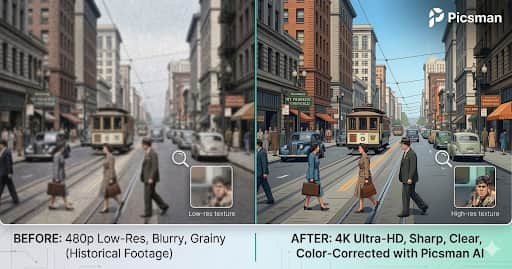
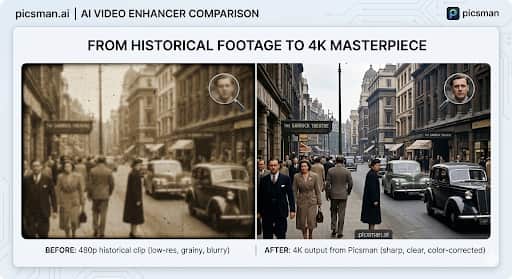
Intelligent Upscaling & De-noising: We didn't just want to stretch the video; we wanted to reconstruct it. Our tool intelligently fills in missing data to transform grainy 360p or 480p footage into crisp 4K masterpieces without losing natural textures or skin tones.
Motion Stability & Blur Removal: Camera shake and motion blur are the enemies of quality. Our models analyze adjacent frames to sharpen moving objects, making it perfect for old home movies or fast-paced social media shots that didn't quite hit the focus.
One-Click Simplicity: Many professional tools require a PhD in video engineering. We built ours for the "Indie" crowd—upload your file, select your resolution, and let the AI do the heavy lifting in the background.
The Lesson for Fellow Founders
The biggest takeaway from this journey? Market "saturation" is often a myth. There is always room for a product that listens more closely to its users than the competition does. By leveraging the success of our AI Photo Enhancer, we were able to bridge the technical gap into video, providing a more comprehensive visual toolkit for our community.
We’re still fine-tuning the models and looking for ways to reduce render times further. If you’re a creator or a dev working with video assets, I’d love for you to give it a spin and tear it apart. What features are we missing? What’s your biggest frustration with AI video right now?


This is such a great example of why "market saturation" is often just a surface-level read. What looks crowded from the outside can still have gaps if you're actually listening to users.
The line that stuck with me: "We didn't just want to stretch the video, we wanted to reconstruct it." That's the difference between a tool and a solution.
I had a similar experience building FontPreview.online . The font space is crowded, but users kept asking the same questions: "Is this font safe for commercial use?" "Can I use this in a logo?" That's why I built the License Checker. Same principle , listen to the echo.
Quick question: how are you handling the rendering time vs quality tradeoff? Video is brutal, and users always want both faster and better. Curious where you're landing.
Video rendering time is relatively long and cannot be shortened under current circumstances, but it can be processed asynchronously. 1. We will try our best to estimate the accurate time. 2. We will notify the user by email when the production is complete.
Cool man!!! Looks great!
Thank u