Why Speechara works for online meetings on desktop, but not on mobile browsers
We ran into a frustrating limitation while testing Speechara on mobile.
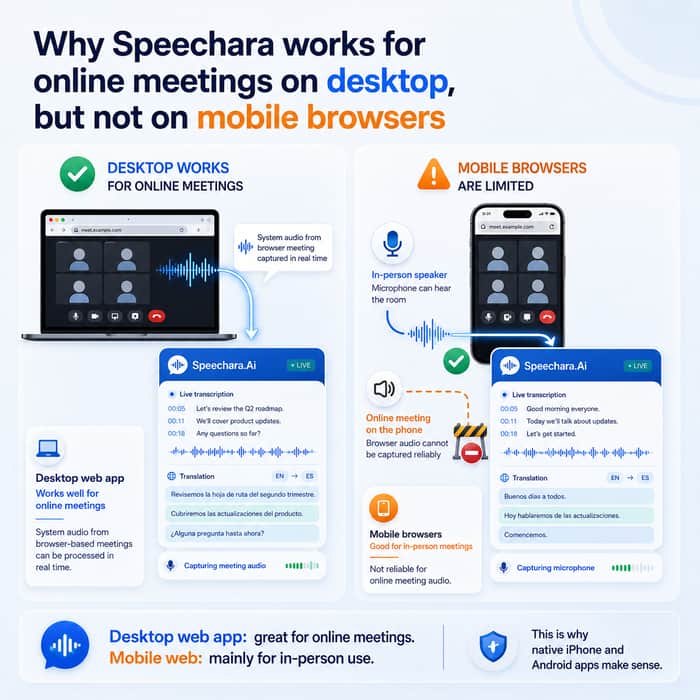
Speechara works well for online meetings on desktop. It can listen to system audio from meetings in Zoom, Google Meet, Webex, and other apps, then transcribe and translate the conversation in real time.
On mobile browsers, the situation is very different.
Both iOS and Android browsers generally allow access to the microphone, but they do not provide the same access to system audio. That means Speechara can listen to an in-person meeting through the microphone, but it cannot reliably capture the audio from an online meeting playing through the phone.
The obvious workaround would be to use the microphone anyway. Unfortunately, mobile operating systems actively reduce or block speaker output from being captured by the microphone. This is intentional, since it prevents echo during phone calls, video conferences, and speakerphone conversations.
So the web version on mobile is mostly useful for in-person meetings, lectures, seminars, and similar situations. That works, but it is not the main use case we had in mind. Most meetings today happen online.
This limitation is one of the reasons we decided to build native apps for iPhone and Android instead of relying only on the mobile web version. It looks like there is no reliable browser-level solution for this problem.
The desktop web app continues to work well for online meetings. Mobile is the part that needs a different technical approach.
Have other founders run into similar platform limitations on mobile? Did you solve them with native apps, or did you find a reliable browser-based workaround?
