Why we built an AI that designs product logic before designing UI
Most AI design tools today still work the same way:
You throw in a prompt → it spits out a few isolated screens → you manually fix the flow so it actually makes sense.
It looks magical, but the moment you try to turn it into a real product, the gaps show up instantly.
At Sketchflow.ai, we decided to flip that workflow completely.
Instead of starting with UI, we start with system logic.
Our AI generates a complete, editable workflow map — page hierarchy, relationships, state transitions, navigation paths, the whole system — before drawing a single screen.
Once the logic map is in place, designers and PMs can refine edge cases, consolidate flows, validate requirements, and then generate UI from that foundation.
(And the UI stays connected to the structure, not just a set of pretty images.)
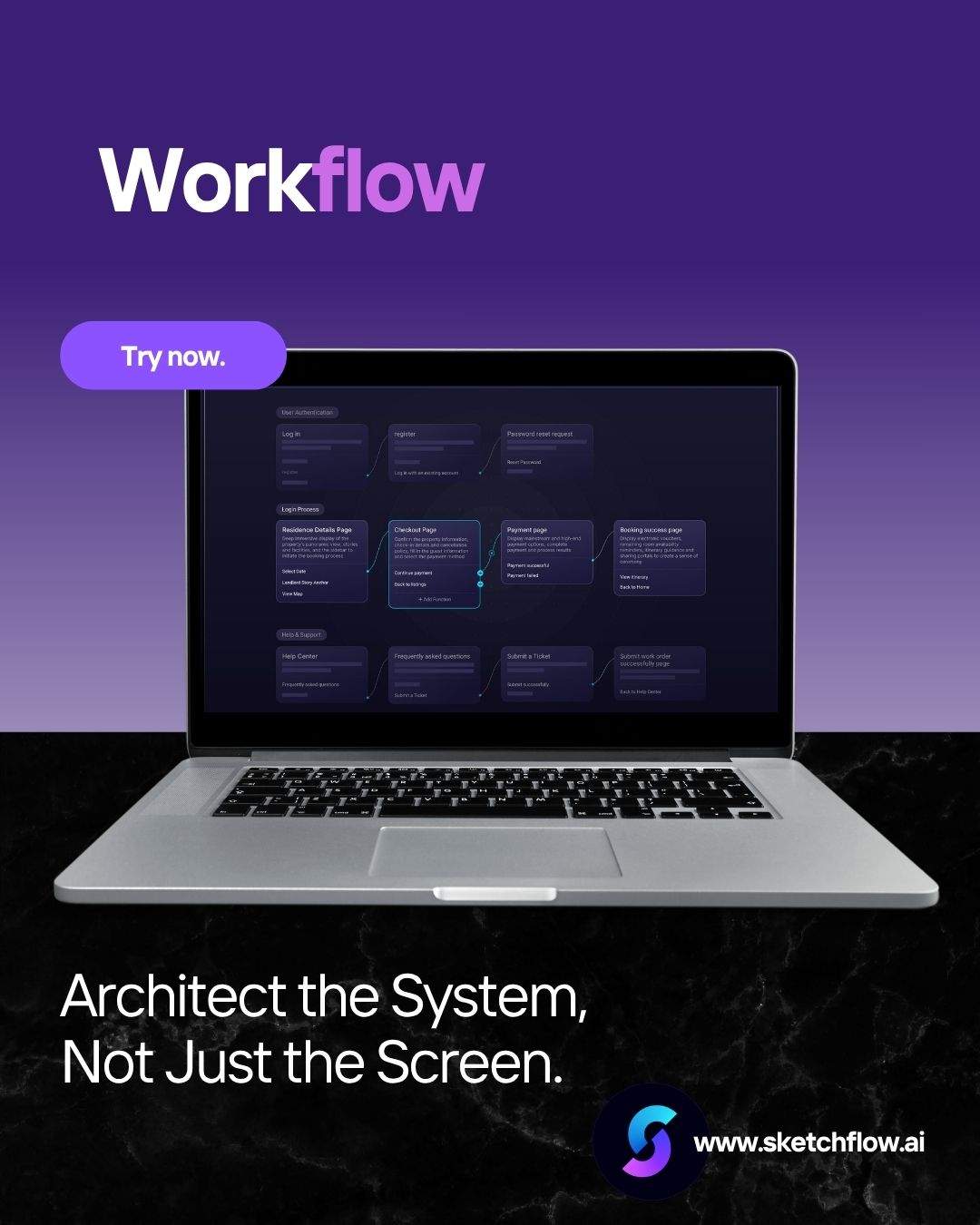
We call this Project-Level Generation. (Workflow feature in Sketchflow.ai)
For us, it’s been a game-changer for three reasons:
your product actually scales, because the logic is coherent from day one
UI stays consistent because it’s built from a shared project structure
iteration becomes faster instead of messier
We're still early, but this approach has been helping teams move from "a bunch of disconnected screens" to "a real product system" in minutes.
Curious if anyone else in here has been frustrated by AI tools generating pretty but unusable screens — and whether a logic-first workflow would help with your process?
Happy to hear thoughts or trial feedback of our Workflow feature.

