Why Your Scraper Keeps Hitting CAPTCHAs (And How Mobile Proxies Fix It)
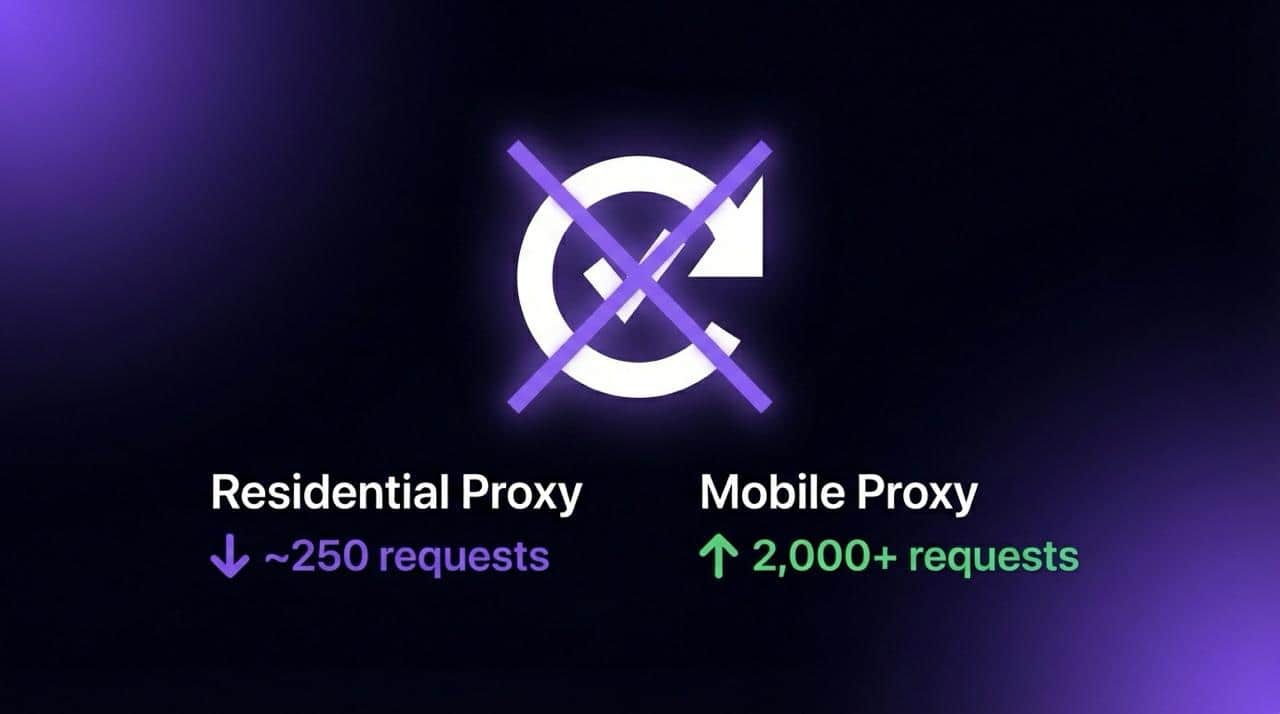
Residential proxies work for a few hundred requests, then reCAPTCHA drops in and kills the session. The 2Captcha bill keeps climbing. The proxy provider promises "clean" IPs. The IPs are not clean, and the approach itself is broken.
Solving CAPTCHAs faster is a losing strategy. The better move is building sessions that never get challenged in the first place.
Why Residential Proxies and VPNs Keep Failing
Google's anti-bot system evaluates far more than IP reputation. It scores a composite signal: ASN classification, connection fingerprint, behavioral cadence, TLS stack, and historical abuse data tied to that subnet. Residential proxies technically carry "residential" ASN labels, but the subnets they operate on are shared across thousands of users. Google knows this.
VPN providers have it worse. Datacenter ASNs get flagged almost immediately. Most scrapers running through a VPN will hit a CAPTCHA wall within 60-100 requests.
The core issue with residential proxies: that "clean" IP was probably used by multiple other scrapers this week. Google assigns cumulative risk to entire IP ranges, not just individual addresses. Once a subnet crosses the abuse threshold, every user on it inherits the penalty.
In practice, residential proxies trigger CAPTCHA challenges between request 250 and 350. Session survival rate after a challenge appears hovers around 40-45%. After the challenge, most sessions die entirely because automated solvers can't keep pace with reCAPTCHA v3's scoring model.
There's another problem that doesn't get discussed enough. Every IP switch resets the session cookie context, and Google reads that as suspicious. Rotating every 5 minutes looks exactly like bot behavior. But staying on one IP for hours burns it out. There's no winning configuration with shared pools.
How Dedicated Mobile Proxies Change the Equation
Mobile IPs sit in a completely different trust tier within Google's classification system. Carriers like AT&T, Verizon, and T-Mobile assign IPs dynamically to millions of real smartphone users through CGNAT (Carrier-Grade NAT). Google can't aggressively block these ranges without locking out legitimate mobile traffic, which represents over 60% of search volume.
A dedicated mobile proxy on a real SIM device is more than something that looks like a phone user. It is phone-level infrastructure, using the same mobile core network architecture as billions of legitimate devices.
Residential vs VPN vs Dedicated Mobile: Side by Side
The key advantage of a dedicated setup is exclusivity. When a mobile proxy runs on a real SIM device assigned to a single user, there's no inherited abuse history from someone else's campaign. Pair that with 24-hour sticky sessions and the same IP persists long enough to maintain cookie continuity and behavioral consistency, two signals that carry more weight than most people realize.
Staying Clean: What Actually Matters in Practice
Even with carrier-trusted IPs, sloppy implementation causes problems. These are the details that make or break a scraping setup.
Fingerprint consistency is critical. A mobile carrier IP paired with a Windows desktop user agent is an immediate red flag. The user agent needs to match a real Android device on the same carrier network. Viewport dimensions should mirror an actual phone screen (412x915 for a Pixel 8, for example). Timezone has to align with the proxy's geographic exit point. Mismatched signals trigger bot detection faster than burned IPs.
Request pacing matters more than people think. Firing 200 requests in 60 seconds triggers rate limits regardless of IP quality. Spacing requests 2-5 seconds apart with randomized jitter keeps things looking natural. Google's system tracks request cadence per session, and consistent intervals are a tell.
Cookie and session persistence. Don't clear cookies between requests on the same IP. Google uses cookie continuity as a trust signal. With 24-hour sticky sessions on a dedicated mobile proxy, maintaining a persistent browser context reduces suspicion significantly.
DNS leaks. If the proxy routes HTTP traffic but DNS resolves locally, Google sees a mismatch between the IP geolocation and DNS resolver location. Route DNS through the proxy or use a resolver in the same region.
If CAPTCHAs do appear (rare on carrier IPs but possible during high-abuse periods), don't solve them programmatically in a loop. Back off for 15-20 minutes, then resume. Aggressive solver loops actually increase the trust penalty on the IP.
CAPTCHA Thresholds Across Google Properties
Google Search, News, and Scholar each have different CAPTCHA thresholds, and the gap between residential and mobile IPs is significant across all three.
Scholar is by far the most aggressive. Dedicated mobile proxies handle all three because trust scoring applies at the carrier ASN level, not per-service. Zero solver costs across the board.
For teams scraping across multiple Google properties simultaneously, running separate sticky sessions per property (each on its own dedicated proxy) provides the cleanest separation. Scholar in particular benefits from slower pacing, 4-6 seconds between requests is the sweet spot.
Choosing the Right Proxy Provider
Most large proxy providers like Bright Data and Oxylabs offer mobile proxy access through shared pools. These pools work for general scraping and data collection, but the IPs rotate frequently and carry cumulative reputation risk from other users on the same pool. For CAPTCHA-sensitive targets like Google, shared mobile pools still trigger challenges, just less often than residential proxies.
Two providers worth looking at for dedicated mobile access are IPRoyal and VoidMob. IPRoyal offers dedicated port access to mobile IPs, which gives exclusivity over shared pools but still runs through pooled carrier infrastructure. VoidMob takes a different approach with full SIM device assignments on real 4G/5G handsets, meaning each proxy runs on its own physical device with its own carrier session. The full SIM setup produces longer session stability and cleaner carrier fingerprints since the connection behaves identically to a real phone on the network, not a port forwarded through shared hardware.
The Takeaway
The entire playbook comes down to infrastructure that never gets challenged. Carrier-trusted IPs, exclusive access, sessions that persist for 24 hours, and fingerprint alignment with the proxy type.
Sessions that look human work because the infrastructure behind them is the same infrastructure humans use. A faster solver will never compete with that.

