Zero Knowledge File Sharing: A Complete Privacy Guide
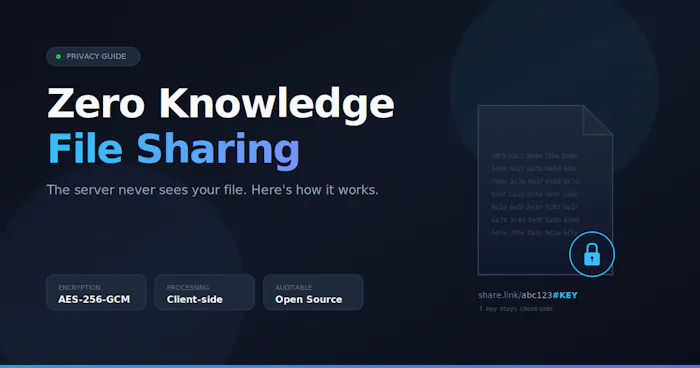
Last month I tried to send a signed contract to a co-founder using a popular cloud drive. Halfway through the upload, I realized the provider's terms gave them the legal right to scan my file. The contract had bank details in it. That was the moment I went deep into zero knowledge file sharing — and what I found changed how I move every sensitive file now.
This guide is a plain-English walkthrough of what zero knowledge file sharing is, exactly how it works under the hood, why it suddenly matters for indie builders shipping products in 2026, and the real mistakes most people make when they first try it.
What is zero knowledge file sharing?
Zero knowledge file sharing is a method of transferring files in which the service hosting the file cannot read it, cannot decrypt it, and has no copy of the password or key needed to open it. Encryption happens entirely on your device before the file leaves it. The server only ever sees scrambled bytes.
The phrase "zero knowledge" is borrowed from cryptography. In this context, it means the provider has zero knowledge of the contents being moved through their infrastructure. Even if their database is leaked, subpoenaed, or sold tomorrow, the files inside it are unreadable noise.
This is the opposite of how most mainstream services work. With Google Drive, Dropbox, or WeTransfer, your file arrives at the server in plaintext. The provider encrypts it on their end, which means they hold the keys — and anyone they share those keys with (employees, law enforcement, attackers who breach them) can too.
True zero knowledge architecture eliminates that middle layer of trust. You are not asked to trust the company's policy, their employees, or their security team. You only trust the math.
How does zero knowledge file sharing actually work?
In a zero knowledge system, your browser or app generates a random encryption key locally, encrypts the file using that key, uploads only the ciphertext to the server, and shares the decryption key with the recipient through a separate channel — usually the part of the URL that browsers never transmit to servers. Here is the flow in five concrete steps.
Step 1: Local key generation. When you hit "upload," your browser uses the Web Crypto API to generate a fresh 256-bit AES key. This happens in your tab, on your machine. The key never touches the network.
Step 2: Client-side encryption. The file is encrypted in your browser using AES-256-GCM, a modern authenticated encryption standard. AES-GCM is hardware-accelerated on most CPUs, so even multi-gigabyte files encrypt quickly. The result is a blob of ciphertext that looks like random data.
Step 3: Upload of ciphertext only. The encrypted blob is sent to the server. The server stores it, gives it an ID, and returns a URL. At no point did the server see the original file or the key.
Step 4: Key delivery via URL fragment. This is the clever part. The share link looks something like example.com/d/abc123#KEYHERE. Everything after the # is called the URL fragment. Browsers, by design, do not send the fragment to servers in HTTP requests, do not log it in access logs, and do not include it in Referer headers. The key rides along with the link but stays purely on the client side.
Step 5: Decryption in the recipient's browser. When the recipient opens the link, their browser fetches the ciphertext from the server, extracts the key from the URL fragment, and decrypts the file locally. The server still sees nothing.
If the server is compelled by a court order, breached by an attacker, or sold to a third party, none of those parties get the file. They get a hard drive full of random-looking bytes. That is the whole point.
A working open-source reference of this pattern is documented in detail on Dev.to by the FileShot.io team, which publishes its source under MIT license so you can audit every line of the encryption code yourself.
Why does zero knowledge file sharing matter in 2026?
Zero knowledge file sharing matters because the cost of a single data breach has climbed to roughly $4.44 million per incident in 2025, and around 46% of breaches now originate in cloud-hosted or hybrid environments. When you upload a sensitive file to a server that can read it, you are adding your file to a target that attackers are already actively trying to crack.
A few specific numbers from my research that stuck with me:
- Roughly 82% of data breaches in 2025 involved cloud-stored data, according to industry reporting compiled by Sprinto.
- About 88% of cloud data breaches trace back to human error — phishing, weak passwords, over-permissive access — meaning the trust model itself is the weakest link.
- 23% of cloud breaches result from misconfigured storage and identity policies, with 70% of those misconfigurations going undetected for weeks or months before exploitation.
For indie founders, the implication is pointed. You may be small, but the platforms you depend on are not. When Dropbox or a similar service is breached, your customer contracts and design files are inside that breach by default — unless the file was encrypted before it ever reached them.
I have shipped four small SaaS products over the last six years. In every one of them, the moment we started handling anything personal — IDs, contracts, financial PDFs — switching to a zero knowledge workflow for the relevant files removed an entire category of liability from my plate. I no longer had to ask "can our storage provider be trusted with this?" because the question no longer applied.
There is a second reason this matters more than it did three years ago. Regulators in the US, EU, and UK have moved decisively toward "privacy by design" expectations. Under GDPR, CCPA, and the patchwork of US state privacy laws now in force, demonstrating that you architecturally cannot read user data is a stronger defense than promising you will not.
Where zero knowledge sharing fits in everyday workflows
Zero knowledge file sharing fits anywhere you would otherwise email an attachment, drop a link in Slack, or upload to a generic cloud drive — but the contents are sensitive enough that you would not want a stranger reading them. Common real-world cases I have used it for, or seen indie hackers use it for, include the following.
Sending signed contracts and NDAs to early collaborators before legal counsel is on retainer. Sharing API keys, .env files, or credentials with a new contractor during onboarding (paired with a separate password channel). Moving design mockups and product screenshots that contain unreleased branding or financial dashboards. Sending tax documents, invoices, and identity verification files to accountants and bookkeepers. Sharing user-submitted media inside a product where the operator deliberately does not want the ability to view it.
That last category is where image-focused tools have grown a real audience. Privacy-first image hosts like thechatpic.org take the same architectural posture — the server is designed not to see what users share — applied specifically to anonymous image transfer with short links and QR codes. The principle is identical to file-side zero knowledge: keep the readable copy on the user's device, ship only the ciphertext, hand the key to the recipient out of band.
In each of these cases, the file is moving from one specific person to another specific person. That is the sweet spot for zero knowledge sharing. It is not designed to be a content distribution platform or a public file host. It is designed to make point-to-point file transfer mathematically private.
Zero knowledge vs traditional file sharing: a direct comparison
The clearest way to understand zero knowledge file sharing is to put it next to the standard cloud-drive model. Both move files. Only one of them keeps the provider blind.
| Feature | Traditional Cloud Sharing | Zero Knowledge File Sharing |
|---|---|---|
| Who holds the encryption key | The provider | Only the sender and recipient |
| Where encryption happens | On the server, after upload | On the client device, before upload |
| Can the provider read your file | Yes, if compelled or breached | No, mathematically |
| Effect of a server breach | Files exposed in plaintext | Files exposed as unreadable ciphertext |
| Account or login required | Usually yes | Often no |
| Password recovery | Provider can reset access | No reset — lose the key, lose the file |
| Typical use case | Team collaboration, public links | Point-to-point private transfer |
| Compliance posture | Provider attests to security | Provider cannot access data at all |
Notice the trade-off in the second-to-last row. Zero knowledge is more private precisely because the provider cannot help you. If you lose the key, the file is gone. There is no support ticket that recovers it. That is a feature, not a bug, but it does change how you handle the key.
# Common mistakes when using zero knowledge file sharing
I have watched smart people do unsafe things with zero knowledge tools, usually because they assume the tool's privacy posture protects them from their own habits. It does not. Here are the four mistakes I see most often, with the fix for each.
Mistake 1: Sending the link and the password in the same email. If both arrive in the same inbox, an attacker who compromises that inbox gets both. The whole point of a separate key channel is that it is separate. Send the link in email and the password in a different medium — a phone call, an SMS, a Signal message, anything that is not the same channel.
Mistake 2: Treating the share link as permanent. Most zero knowledge tools support link expiration, view limits, and download limits. Set them. A link that works forever is a link that can leak forever. I default to 24-hour expiration for anything sensitive and only extend when I have a specific reason.
Mistake 3: Pasting share links into chat tools that preview them. Some chat platforms auto-fetch link previews, which pulls the URL through their servers. If the fragment containing your key gets logged anywhere unexpected, your assumption of zero knowledge breaks. Disable link previews in any tool where you paste these URLs.
Mistake 4: Confusing client-side encryption with anonymity. Zero knowledge protects the contents of the file. It does not automatically hide that the transfer happened, the file size, the IP addresses involved, or the timing. If your threat model includes traffic analysis, you need additional layers — Tor, a VPN you trust, or a service that strips metadata before encryption.
The mental shift that helps me most: treat the encryption key as the only valuable thing in the system. The ciphertext is worthless without it. Protect the key the way you would protect a physical key to your front door.
How to send a file with zero knowledge sharing in under two minutes
Here is the exact workflow I use when I need to move a sensitive file fast. It assumes you are using any reputable zero knowledge tool with browser-side encryption.
- Open the tool's upload page in a fresh browser tab. No need to log in if the tool is account-free.
- Drag the file in. Wait for the local encryption progress bar to complete. This is your device doing the work — confirm it, do not skip it.
- Set an expiration window. For most sensitive sharing, 24 hours is more than enough.
- Set a view or download limit if the tool supports it. One download is usually correct for one-to-one transfers.
- Copy the share link, which will contain the key in the URL fragment after the
#. - Send the link through your primary channel — email, Slack, whatever the recipient uses.
- Send the access password, or simply confirm receipt, through a different channel — phone, SMS, Signal.
- Confirm the recipient opened and downloaded the file, then revoke the link.
Total time once you are used to it: about ninety seconds. The friction is real the first three times. After that, it disappears.
FAQ
Is zero knowledge file sharing legal?
Yes. Zero knowledge file sharing is legal everywhere strong encryption is legal, which includes the US, EU, UK, Canada, and Australia. A few jurisdictions restrict or regulate encryption, so check local law if you operate in one. The technology itself is the same math that underlies HTTPS, banking, and password managers.
Can the government still subpoena my files?
A subpoena can compel the provider to hand over what they have. With a zero knowledge service, what they have is encrypted ciphertext and no key. They can produce the blob, but it is unreadable without the key, which only you and your recipient ever held. A subpoena directed at you personally is a different matter.
What happens if I lose the encryption key or password?
The file becomes permanently inaccessible. This is the core trade-off of zero knowledge architecture. Because the provider never had the key, they cannot reset, recover, or regenerate it. Save your keys in a password manager and treat them with the same care you give your most important passwords.
Is zero knowledge file sharing slower than regular uploads?
Marginally, and only for the encryption step. AES-256-GCM is hardware-accelerated on every modern CPU, so encrypting a 100 MB file takes a second or two on a typical laptop. The actual upload and download speeds are identical to non-encrypted sharing.
Does zero knowledge sharing work for large files?
Yes, but limits depend on the specific service. Many browser-based tools handle files up to several gigabytes comfortably by streaming encryption in chunks. For very large transfers, look for a tool that explicitly advertises chunked or streaming encryption rather than loading the entire file into memory.
Can I use zero knowledge sharing for team collaboration?
It works best for one-to-one or small-group transfers, not ongoing team workspaces. Real-time collaboration on documents requires the server to mediate edits, which usually requires the server to read the content. For team workflows, consider end-to-end encrypted productivity suites like Proton Drive or Tresorit, which apply similar principles but are designed for shared editing.
How do I know a service is truly zero knowledge?
Three signals to look for. First, the source code should be open and auditable, ideally on GitHub. Second, the encryption should be documented as happening client-side in the browser using the Web Crypto API or a comparable library. Third, the service should explicitly state that it does not see passwords or keys, and the technical architecture should make that claim verifiable rather than just promised.
Conclusion
Zero knowledge file sharing is not a niche tool for the paranoid anymore. It is becoming the baseline expectation for anyone moving sensitive files in a year when cloud breaches are routine and the average breach now costs millions. The core idea is small: encrypt before you upload, keep the key off the server, hand the key to your recipient through a separate channel.
The shift is one habit at a time. The next time you are about to attach a contract, a credential, or a private image to an email, pause for ninety seconds and run it through a zero knowledge tool instead. Within a week it will feel automatic. Within a month it will feel strange to do it any other way.
If you are building or shipping a product that touches user files, consider whether you actually need the ability to read them. If you do not, designing your storage layer as zero knowledge from day one is a competitive advantage you can put directly in your marketing — and a category of liability you will never have to clean up later.

Great overview. One of the most interesting aspects of zero-knowledge systems is that they shift the trust model. Instead of asking users to trust a provider with access to their data, the architecture is designed so that the provider cannot access it in the first place. In an era of increasing privacy concerns, that distinction is becoming more important than ever.