Aisa-X
Aisa-X is a conversational AI platform with chat and voice
Modern businesses are under constant pressure to deliver better customer experiences, respond quickly to market changes, and improve productivity without significantly increasing operational costs. As organizations grow, manual processes often become barriers to efficiency. Repetitive tasks, delayed approvals, disconnected systems, and inconsistent communication can slow operations and make it difficult to adapt to new opportunities.
This is where workflow automation for businesses becomes essential.
Workflow automation helps organizations streamline repetitive processes, reduce manual effort, and improve collaboration across teams. Instead of relying on employees to perform routine administrative work, automated workflows ensure that tasks move through the right steps with minimal human intervention.
When combined with Artificial Intelligence (AI), workflow automation becomes even more powerful. AI can analyze information, make intelligent decisions, prioritize tasks, and provide real-time insights that help businesses respond faster to changing customer needs and operational challenges.
The result is greater operational agility—the ability to adapt quickly while maintaining efficiency and delivering consistent service.
In this article, we'll explore how workflow automation improves operational agility, the benefits it offers, practical use cases, and how businesses can begin their automation journey.

What Is Workflow Automation?
Workflow automation is the process of using technology to perform repetitive business tasks automatically based on predefined rules or intelligent decision-making.
Rather than relying on employees to manually complete every step of a process, automation ensures that work moves smoothly from one stage to the next.
A workflow can include activities such as:
Receiving customer enquiries
Assigning tasks to employees
Sending notifications
Updating CRM records
Processing invoices
Managing approvals
Scheduling appointments
Creating reports
Instead of switching between multiple applications and manually tracking progress, automated workflows handle these tasks consistently and accurately.
This allows employees to focus on work that requires creativity, problem-solving, and customer engagement.
Understanding Operational Agility
Operational agility refers to a business's ability to adapt its day-to-day operations quickly without sacrificing productivity or service quality.
An operationally agile organization can:
Respond quickly to customer requests
Adjust workflows when priorities change
Improve collaboration across departments
Reduce delays in business processes
Scale operations efficiently
Maintain consistent service during periods of growth
Operational agility is not simply about working faster. It is about creating flexible systems that support continuous improvement.
Workflow automation plays a central role in achieving this flexibility.
Why Manual Processes Hold Businesses Back
Many organizations continue to depend on manual workflows that consume valuable time and increase the risk of errors.
Common examples include:
Copying information between systems
Sending manual follow-up emails
Routing customer enquiries by hand
Managing spreadsheets
Waiting for approval signatures
Updating customer records individually
While these tasks may seem small, they quickly add up across departments.
Some common challenges caused by manual processes include:
Slow Response Times
Customers expect quick responses.
If enquiries remain unanswered for hours or days, businesses risk losing opportunities and damaging customer relationships.
Increased Human Error
Manual data entry often leads to mistakes such as:
Incorrect customer information
Duplicate records
Missed follow-ups
Delayed invoices
Lost documentation
Automation significantly reduces these risks.
Reduced Employee Productivity
Employees should spend their time solving problems, serving customers, and driving business growth—not repeating administrative tasks throughout the day.
Workflow automation removes much of this repetitive work.
Difficulty Scaling
As businesses grow, manual processes become increasingly difficult to manage.
Hiring additional staff simply to handle repetitive work increases operational costs without necessarily improving efficiency.
Automated workflows allow businesses to scale operations more effectively.
How Workflow Automation Improves Operational Agility
Workflow automation strengthens operational agility by creating faster, more consistent business processes.
Here are some of the most important ways it helps.
1. Eliminates Repetitive Tasks
Many business activities follow the same sequence every time.
Examples include:
Processing customer enquiries
Scheduling appointments
Sending reminders
Updating CRM systems
Creating support tickets
Assigning internal tasks
Automation completes these activities without requiring constant employee involvement.
This reduces workload while improving consistency.
2. Speeds Up Business Processes
Manual approvals often create unnecessary delays.
Workflow automation automatically routes tasks to the appropriate individuals, sends notifications, and tracks progress.
Instead of waiting several hours—or even days—for approvals, businesses can complete processes much faster.
Faster workflows improve customer satisfaction and increase operational efficiency.
3. Improves Team Collaboration
Departments frequently rely on one another to complete work.
Workflow automation ensures that information flows smoothly between teams.
For example:
Sales can automatically notify Finance after closing a deal.
Customer Support can alert Technical Teams when an issue requires escalation.
Marketing can receive updates when new leads are generated.
HR can automate onboarding after a candidate accepts an offer.
This reduces communication gaps and improves coordination across the organization.
4. Standardizes Business Processes
Without standardized workflows, employees may perform the same task in different ways.
Automation creates consistency by ensuring every process follows the same steps.
Benefits include:
Better compliance
Improved quality
Reduced errors
Easier employee training
More predictable outcomes
Standardization becomes especially important for organizations operating across multiple teams or locations.
5. Provides Greater Process Visibility
Many organizations struggle because they cannot easily see where work is delayed.
Workflow automation provides visibility into each stage of a process.
Managers can quickly identify:
Bottlenecks
Delayed approvals
Outstanding customer requests
Team workloads
Process completion rates
These insights support continuous improvement and better decision-making.
How AI Makes Workflow Automation Smarter
Traditional workflow automation follows predefined rules. It performs tasks exactly as it has been programmed to do. While this improves efficiency, it cannot adapt to changing situations or make decisions based on context.
Artificial Intelligence takes workflow automation a step further by making processes more intelligent. AI can analyze data, recognize patterns, understand natural language, and recommend or perform actions based on real-time information.
For example, instead of simply forwarding every customer enquiry to the same department, an AI-powered workflow can:
Identify the customer's intent.
Determine the urgency of the request.
Route the enquiry to the most appropriate team.
Generate an immediate response for common questions.
Notify employees only when human assistance is required.
This creates faster, more accurate, and more efficient business processes.
Businesses no longer automate only repetitive work—they automate intelligent decision-making for routine scenarios.
AI-Powered Workflow Automation in Action
Modern organizations use AI to automate a wide range of operational activities.
Customer Support
Customer service teams receive hundreds or even thousands of enquiries every day.
Instead of manually responding to each request, AI can:
Answer frequently asked questions
Provide order updates
Schedule appointments
Reset passwords
Collect customer information
Escalate complex issues to human agents
Customers receive immediate assistance while support teams can focus on more complex conversations.
Sales Operations
Sales teams spend significant time qualifying leads, following up with prospects, and updating CRM systems.
AI-powered workflows can automatically:
Capture website enquiries
Score leads based on predefined criteria
Assign leads to sales representatives
Schedule follow-up reminders
Update customer records
Generate sales reports
This helps sales teams spend more time building relationships instead of performing administrative tasks.
Human Resources
Recruitment and employee management involve many repetitive processes.
Workflow automation helps HR teams:
Screen job applications
Schedule interviews
Send onboarding documents
Collect employee information
Manage leave requests
Track training completion
These improvements reduce administrative workload while creating a better employee experience.
Finance
Finance departments often process invoices, approvals, and payment requests manually.
AI-powered automation helps by:
Extracting information from invoices
Matching purchase orders
Detecting duplicate payments
Routing approvals
Sending payment reminders
Generating financial reports
This improves accuracy while reducing processing time.
Benefits of Workflow Automation for Businesses
Organizations that automate workflows often experience improvements across multiple areas of the business.
Increased Productivity
Employees spend less time on repetitive administrative work and more time on strategic activities.
Instead of manually moving information between systems, workflows automatically complete these tasks.
Higher productivity allows organizations to accomplish more without increasing headcount.
Faster Decision-Making
Workflow automation ensures that information reaches the right people at the right time.
Managers no longer need to wait for manual updates before making important decisions.
Real-time information supports quicker responses to customer needs and business challenges.
Improved Customer Experience
Customers appreciate businesses that respond quickly and consistently.
Workflow automation helps organizations:
Reduce response times
Provide accurate information
Offer 24/7 assistance through AI agents
Deliver timely updates
Resolve issues faster
These improvements strengthen customer trust and loyalty.
Reduced Operational Costs
Manual processes require significant employee time.
Automation reduces the effort needed to complete routine work, helping organizations lower operational costs without sacrificing quality.
Savings can then be invested in innovation, employee development, or business growth.
Better Accuracy
Human error is a common challenge in repetitive work.
Automation performs tasks consistently, reducing mistakes related to:
Data entry
Document processing
Customer records
Invoice management
Internal approvals
Greater accuracy also improves compliance and reporting.
Industry Examples
Healthcare
Healthcare providers use workflow automation to:
Schedule appointments
Send patient reminders
Manage medical enquiries
Process registration forms
Coordinate internal communication
Administrative staff spend less time on routine work while patients receive faster service.
Retail and E-commerce
Retail businesses automate:
Order confirmations
Inventory updates
Shipping notifications
Customer support
Product recommendations
This creates smoother shopping experiences while improving operational efficiency.
Logistics
Logistics companies automate:
Shipment tracking
Delivery notifications
Driver assignments
Route updates
Customer communication
Automation improves delivery accuracy and reduces operational delays.
Professional Services
Consulting firms, legal practices, and service providers automate:
Client onboarding
Document approvals
Appointment scheduling
Proposal generation
Invoice processing
This allows professionals to spend more time serving clients instead of managing paperwork.
Manufacturing
Manufacturers automate:
Production scheduling
Maintenance requests
Inventory management
Quality inspections
Equipment monitoring
These workflows reduce downtime while improving production efficiency.
Why Workflow Automation Supports Business Growth
Operational agility is not only about improving existing processes—it also prepares businesses for future growth.
As organizations expand, customer enquiries increase, employee workloads grow, and operational complexity becomes more difficult to manage.
Workflow automation provides a scalable foundation.
Instead of hiring additional employees to manage repetitive work, businesses can automate routine processes while allowing teams to focus on higher-value activities.
This creates sustainable growth without significantly increasing operational costs.
Organizations become more responsive, more productive, and better prepared to adapt to changing market conditions.
Key Takeaways
Workflow automation helps businesses:
Reduce repetitive manual work
Improve operational agility
Accelerate business processes
Enhance customer experiences
Increase employee productivity
Lower operational costs
Improve collaboration
Scale more efficiently
When combined with Artificial Intelligence, workflow automation becomes even more powerful by enabling smarter decisions, intelligent routing, predictive insights, and personalized customer interactions.
Best Practices for Implementing Workflow Automation
Implementing workflow automation is not simply about introducing new software. Success comes from understanding existing processes, identifying inefficiencies, and automating tasks that deliver measurable value.
The following best practices can help organizations maximize the benefits of workflow automation.
1. Identify Repetitive Processes
Begin by identifying tasks employees perform repeatedly every day.
These often include:
Customer enquiry management
Appointment scheduling
Lead assignment
Invoice approvals
Employee onboarding
Report generation
Document management
Internal notifications
These processes typically provide the quickest return on investment because they consume significant employee time.
2. Document Existing Workflows
Before introducing automation, map the current process.
Ask questions such as:
What triggers the workflow?
Who is involved?
Where do delays occur?
Which steps require manual intervention?
What systems are used?
Understanding the existing workflow helps avoid automating inefficient processes.
3. Choose the Right Automation Platform
Different businesses have different requirements.
When selecting an automation solution, consider:
Ease of use
Integration with existing software
Scalability
Security
Reporting capabilities
AI features
Customization options
The best solution should support current operations while allowing room for future growth.
4. Integrate Business Systems
Workflow automation becomes more valuable when different business applications work together.
Examples include:
CRM systems
ERP platforms
Helpdesk software
Accounting applications
HR systems
Communication platforms
Email services
Integrated workflows eliminate duplicate data entry and improve information accuracy across departments.
5. Monitor and Improve
Automation should not remain unchanged after implementation.
Review workflow performance regularly by monitoring metrics such as:
Response time
Task completion rate
Error rate
Customer satisfaction
Employee productivity
Processing time
Continuous improvement ensures workflows remain effective as business requirements evolve.
Common Mistakes to Avoid
Many automation projects fail because businesses automate without proper planning.
Avoid these common mistakes.
Automating Inefficient Processes
Automation improves efficiency, but it cannot fix poorly designed workflows.
Simplify and optimize processes before automating them.
Ignoring Employee Input
Employees understand daily workflows better than anyone.
Including them during planning helps identify bottlenecks and encourages successful adoption.
Trying to Automate Everything
Attempting to automate every business process at once often creates unnecessary complexity.
Instead, begin with one or two high-impact workflows, measure results, and gradually expand automation across the organization.
Forgetting the Customer Experience
Automation should improve customer interactions rather than create frustration.
Whenever possible, customers should have an easy way to connect with a human representative if they require additional assistance.
Neglecting Data Quality
AI and automation rely on accurate information.
Duplicate records, outdated customer details, and inconsistent data reduce automation effectiveness.
Maintaining clean, accurate data improves workflow performance and decision-making.
The Future of Workflow Automation
Workflow automation continues to evolve as Artificial Intelligence becomes more advanced.
Modern automation platforms are moving beyond simple rule-based processes toward intelligent systems capable of learning, adapting, and supporting business decisions.
Emerging capabilities include:
Predictive analytics
Intelligent document processing
AI-powered voice assistants
Conversational AI
Workflow recommendations
Automated customer engagement
Real-time business insights
Predictive maintenance
Intelligent scheduling
As these technologies mature, businesses will be able to automate increasingly complex operations while maintaining flexibility and control.
Organizations that embrace intelligent automation today will be better prepared to respond to future challenges and opportunities.
Why Workflow Automation Is Essential for Operational Agility
Operational agility depends on the ability to respond quickly without sacrificing quality or efficiency.
Workflow automation provides the foundation for this adaptability by:
Reducing manual effort
Improving process consistency
Accelerating task completion
Enhancing collaboration
Supporting informed decision-making
Delivering better customer experiences
Combined with Artificial Intelligence, workflow automation enables businesses to move beyond simple efficiency gains and build smarter, more resilient operations.
Whether an organization is looking to improve customer service, streamline internal processes, or support business growth, workflow automation offers practical, measurable benefits.
Conclusion
Operational agility is no longer optional in today's fast-changing business environment. Organizations need efficient processes that allow them to adapt quickly, serve customers effectively, and support sustainable growth.
Workflow automation helps achieve these goals by eliminating repetitive work, improving collaboration, increasing visibility into business processes, and reducing operational delays.
When combined with Artificial Intelligence, automation becomes even more valuable. AI adds intelligence to workflows by analyzing data, making recommendations, and handling routine decisions in real time.
Businesses that invest in workflow automation are better equipped to improve productivity, enhance customer experiences, reduce operational costs, and scale confidently as they grow.
Rather than replacing people, automation empowers teams to focus on innovation, problem-solving, and delivering greater value to customers.
Building agile operations starts with improving everyday workflows—and workflow automation is one of the most effective ways to make that happen.
Learn More
Want to understand why operational agility is becoming a competitive advantage for modern businesses?
Read our in-depth guide: Operational Agility: The Competitive Advantage Every Business Needs
https://aisa-x.ai/blog/operational-agility-competitive-advantage-businesses/
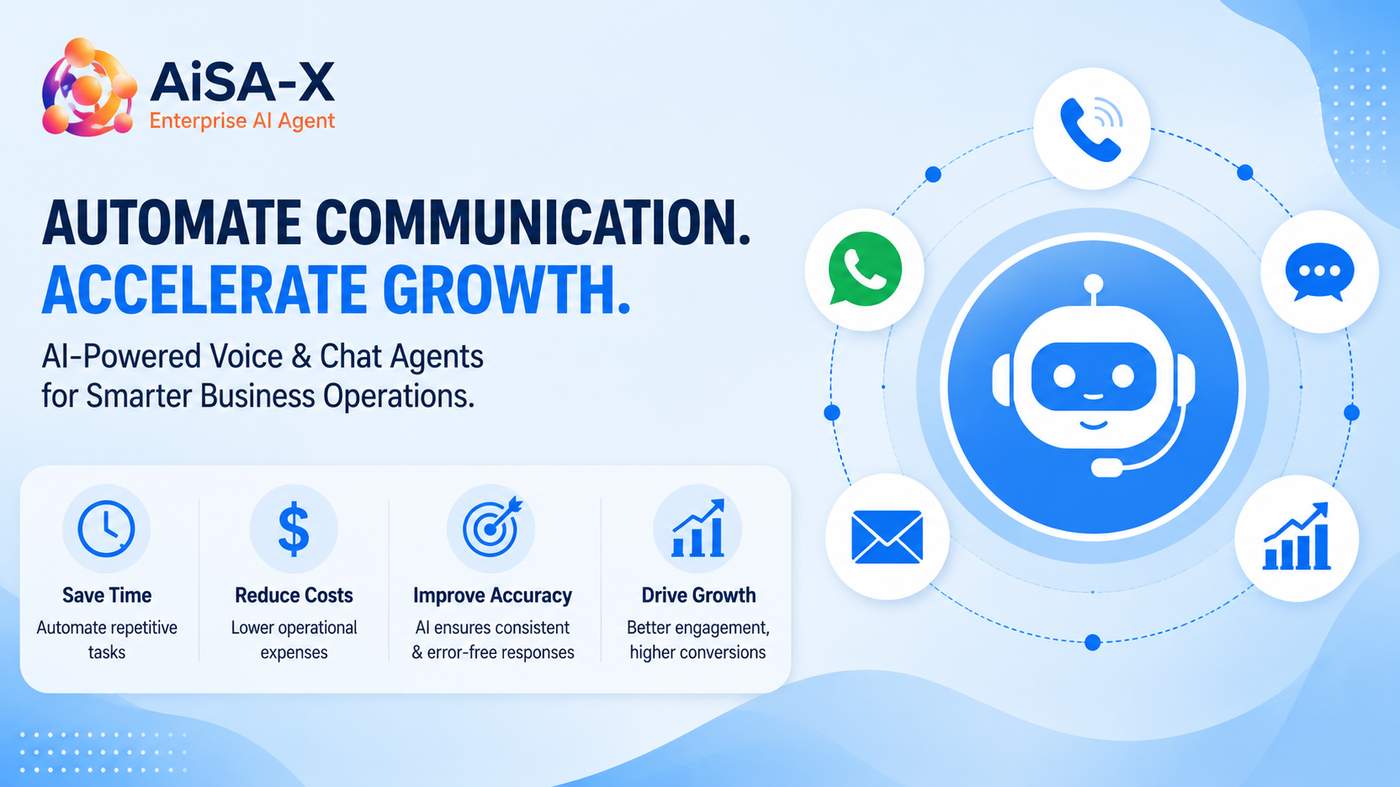
Discover how Aisa-X helps businesses automate customer interactions, streamline operations, and improve productivity with AI-powered Voice Agents and Chat Agents:


AI-powered customer communication is helping startups deliver faster responses, improve customer satisfaction, and scale efficiently without dramatically increasing operational costs.
Every startup reaches a point where customer communication becomes difficult to manage. More website visitors, product inquiries, support requests, demo bookings, and follow-up emails are all positive signs of growth—but they also create new operational challenges.
The traditional solution has been simple: hire more people.
While expanding a team is sometimes necessary, it isn't always the most efficient first step. Many founders are now choosing a different approach by automating repetitive customer interactions before increasing headcount.
This strategy helps businesses maintain excellent customer service while allowing employees to focus on work that directly contributes to growth.
The Hidden Cost of Manual Customer Communication
Every day, businesses answer the same questions repeatedly.
Customers ask about pricing, product features, availability, integrations, support hours, appointments, and order updates. Sales teams spend hours qualifying leads that may never convert, while support teams respond to routine inquiries that could easily be automated.
Although each conversation may only take a few minutes, the combined workload quickly becomes significant.
As the business grows, these repetitive interactions consume valuable time that founders and employees could spend improving products, building partnerships, or acquiring new customers.
Customers Expect Immediate Responses
Modern customers don't like waiting.
Whether someone visits your website during business hours or late at night, they expect quick and accurate answers. Slow responses often result in missed opportunities, abandoned inquiries, and lower customer satisfaction.
Businesses that respond within minutes generally create a stronger first impression than those requiring customers to wait until the next business day.
Providing immediate responses has become an important competitive advantage.
How AI Is Changing Customer Communication
Today's AI assistants are far more capable than the simple chatbots many businesses experimented with a few years ago.
Modern AI solutions can:
Answer frequently asked questions naturally
Schedule meetings and product demonstrations
Qualify leads before routing them to sales
Provide order and appointment updates
Collect customer information
Send reminders and follow-up messages
Escalate complex conversations to human representatives
Because these systems operate continuously, customers receive assistance whenever they need it.
Automation Supports Small Teams
One of the biggest advantages for startups is that automation helps small teams accomplish more without increasing operational complexity.
Instead of spending hours responding to repetitive requests, employees can focus on strategic initiatives such as product development, customer success, partnerships, and business expansion.
Automation doesn't replace people—it removes repetitive work that limits productivity.
This creates a healthier balance where technology handles routine interactions while employees focus on conversations that require empathy, creativity, and decision-making.
Start Small and Expand Gradually
Implementing AI doesn't require transforming every business process overnight.
Many startups begin by automating one or two high-volume activities, including:
Website customer support
Demo scheduling
Lead qualification
Appointment reminders
Customer follow-ups
After seeing measurable improvements, they expand automation into sales, operations, marketing, and customer success.
This gradual approach minimizes disruption while delivering immediate value.
The Future of Startup Growth
The startups growing most efficiently aren't necessarily those with the largest teams.
They're building systems that enable employees to focus on meaningful work while automation handles repetitive customer interactions.
As AI continues to evolve, intelligent customer communication will become a standard part of every growing business rather than a competitive advantage available only to large enterprises.
Founders who begin exploring automation today will be better positioned to improve customer experiences, increase operational efficiency, and scale sustainably.
What repetitive customer conversations take up the most time in your business today?
Continue Reading
If you're exploring how AI is helping businesses work smarter instead of simply working harder, you may also find these resources useful:
The Companies Winning Today Aren't Working Harder—They're Working Smarter
https://aisa-x.ai/blog/companies-winning-through-smarter-business-strategies/
Learn more about Aisa-X AI
https://aisa-x.ai/
Have you ever hosted an event, webinar, networking event, workshop, or local meetup? If so, you’ve probably seen this frustration:
Registration, the first phase.
You get excited, thinking your numbers are solid.
Registration count is high!
Then the day of your event comes. And 20-40% of the people who registered don’t show.
The immediate reaction is: marketing problem. Maybe the audience wasn’t a good fit. Maybe the message wasn’t compelling. Maybe people lost interest.
But in speaking with event organizers in a range of industries, I discovered one constant: The primary reason people don't show up is due to a gap in communication between registration and event day. They're busy. They forget. Calendars get missed, emails go unopened, and phone calls go unanswered, and teams spend hours manually reaching out to registered attendees for information on whether they will be present or not.
That’s why AI voice technology is beginning to turn things around.

The Expensive Truth About No-Shows
Most event managers focus their energies on securing registration. The true metric of success for any event is its attendance. Every single no-show costs businesses:
Lost opportunities to make money
Spent marketing dollars
Empty seats at your event
Lower levels of participation
Missed conversion opportunities
Lower rates of networking
For businesses running recurring events, this really starts to stack up over time. The 1,000 registrations that turned into 400 attendees for a webinar is simply not a 1,000-person event-it’s a 400-person event.
The true event problem is not obtaining registrations; it’s converting them to actual attendees.
Why Traditional Follow-Ups Don't Always Work
Here's why a typical follow-up process isn't cutting it anymore.
Most event organizers are using a well-trodden follow-up process:
Step 1: Registration Confirmation Email
The attendee receives an automated email upon successful registration.
Step 2: Reminder Emails
An email or two are sent before the event.
Step 3: Last-Minute Notification
Occasionally, an additional reminder is sent hours before the event begins.
The challenge?
Engagement continues to plummet.
Attendees are drowning in emails - the average person receives anywhere from dozens to hundreds every day. Important reminders simply get buried among personal messages and newsletters, even for individuals who are highly interested.
Event teams are resorting to making phone calls as an alternative, but this doesn't scale when organizers are managing hundreds or thousands of attendees.
Introducing AI Voice RSVP Agents
AI voice agents are a disruptive technology creating a new dimension to event engagement.
Now, businesses can use automated voice calls managed by an AI system for event confirmations, questions, and to gather the necessary RSVPs instead of relying on emails alone.
Unlike existing robocalls, AI-powered voice systems are built to conduct natural conversations with callers and can handle many important tasks, such as:
Confirming attendance
Rescheduling appointments
Answering frequently asked questions about the event
Gathering feedback from event guests
Sending reminders
Automated CRM record updating
This means, from the attendee’s point of view, the interaction is much more personal than an email while freeing up an organizer's time spent on hours of manual work.
Why Voice Still Works
As far as digital communication goes, voice is still one of the most persuasive. People may not answer their email. They may not respond to texts. A ringing phone, on the other hand, will be answered.
That's because it's instantaneous. A person is more likely to be interested in answering the phone and responding to a confirmation of attending an event than clicking a link deep in their email.
For event planners, that's a real advantage. You are less likely to have to guess how many guests you're actually going to have at your event, and more likely to get real guest counts before the event.
Better Forecasts make Better Events
One benefit that many don't realize is forecasting. Every event planner has that fear.
"How many will show up?"
"How many staff do we need to hire?"
"How much food do we order?"
"How many chairs do we set up?"
Having event guest confirmations over voice from an AI voice agent will help an event planner know with a lot more certainty how many guests will actually show up.
The Scalability Edge
Suppose 5,000 people register for your webinar. Making all those calls would demand a huge support staff. An AI voice agent will handle those conversations for you. Whether the attendees were 50, 500, or 5000, the system can be scaled up without more support staff. This empowers startups and small businesses with the operation of a large enterprise.
How to leverage this in Indie Hackers
Hours mean a lot in the eyes of the indie founder. Many solopreneurs and small teams often hold
product demos,
community events,
online workshops, coaching,
sales webinars, or
networking meetups.
Handling attendee communication by hand quickly becomes a bottleneck. Automating RSVP confirmations enables the founder to focus on building, serving, and growing the business rather than waste hours tracking registrants. It is one of those minor improvements to operations that has a significant impact over time.
The future of managing events
AI is not replacing event planners. It is freeing event planners from the repetitive, time-consuming tasks. The best event teams will integrate AI with automated reminders and human interaction in areas of critical importance. As the sophistication of voice AI increases, so do the intelligence and personalized interaction, leading to greater turnout rates in all types of events, from physical to virtual ones. It's not just about automation. The primary goal is helping planners build better experiences while ensuring higher attendance rates for registrants. This is an important issue to tackle, especially for those who have seen the majority of their registrants skip an event.
How AI Voice Agents Are Transforming Customer Support and Sales
Artificial Intelligence is changing how businesses communicate with their customers. Over the past few years, companies have started moving away from traditional call centers and manual customer support processes toward AI-powered automation. One of the most exciting developments in this space is the rise of AI voice agents.
These AI-powered systems can speak with customers, answer questions, qualify leads, and even schedule meetings — all without human intervention.
But why are so many businesses adopting this technology?
The Problem with Traditional Customer Support
Most companies struggle with the same challenges when it comes to handling customer interactions:
High operational costs for support teams
Slow response times
Missed leads outside business hours
Difficulty scaling support during peak demand
Hiring more agents can solve the problem temporarily, but it also increases operational costs significantly.
This is where AI voice technology is starting to make a real difference.
What Are AI Voice Agents?
AI voice agents are intelligent systems that can handle phone conversations using natural language processing (NLP) and speech recognition technology.
Instead of pressing multiple buttons on a call menu, customers can simply talk to an AI agent just like they would with a human.
These systems can:
Answer customer queries
Provide product information
Qualify potential leads
Schedule appointments
Route complex issues to human agents
The goal is not to replace humans entirely but to automate repetitive interactions so that human teams can focus on more complex tasks.
Real-World Use Cases
AI voice agents are already being used across multiple industries.
Customer Support
Companies are using AI to answer frequently asked questions and resolve common support requests instantly.
Sales Outreach
AI voice agents can call leads, introduce products, collect basic information, and qualify prospects before passing them to a sales team.
Appointment Scheduling
Healthcare providers, service businesses, and consultants use voice AI to schedule and confirm appointments automatically.
Lead Follow-ups
Instead of losing potential customers, AI agents can follow up with leads immediately after a website visit or inquiry.
Why Businesses Are Adopting Voice AI
Several factors are accelerating adoption.
First, AI agents can operate 24/7, ensuring customers always receive a response.
Second, businesses can handle thousands of conversations simultaneously without increasing staffing costs.
Finally, improvements in speech technology mean conversations now feel much more natural compared to older automated systems.
The Future of AI in Customer Communication
Voice AI is still evolving, but its potential is enormous. As models become more advanced, AI agents will be able to understand context better, personalize conversations, and integrate deeply with CRM and business systems.
In the future, businesses may rely on AI agents as the first point of contact for almost every customer interaction.
The companies that adopt this technology early will likely gain a significant advantage in efficiency, customer satisfaction, and scalability.
please Visit : https://aisa-x.ai/
Hi Indie Hackers 👋
I wanted to share something our team has been building — Aisa-X.
Aisa-X is a conversational AI platform designed to help businesses automate customer interactions using AI chat and voice agents. Many companies struggle with handling large volumes of customer queries, lead generation, and support requests. Our goal was to build a platform that allows businesses to deploy AI agents that can manage these interactions automatically.
With Aisa-X, businesses can add AI chat agents to their websites to answer questions, capture leads, and guide users through sales or support workflows. The platform also supports voice AI agents that can automate phone-based customer interactions.
Some key capabilities we are working on include:
• AI chat agents for customer support
• Voice AI agents for automated calls
• Lead capture and qualification
• Appointment scheduling automation
• Workflow automation for business teams
We are currently exploring how conversational AI can improve customer engagement for industries like finance, healthcare, and e-commerce.
If you're interested in conversational AI or building automation tools, I would love to hear your feedback.
You can check out the platform here:
https://aisa-x.ai/
Looking forward to your thoughts!
Comment