
dramapilot
AI Drama
DramaPilot is an AI creation platform for short dramas and cinematic video content. It brings scriptwriting, character and scene design, storyboarding, video generation, and episode export into one workflow—so you can turn a simple idea into a short drama without traditional filming or storyboard skills.
1. Prepare a Clear Story Idea
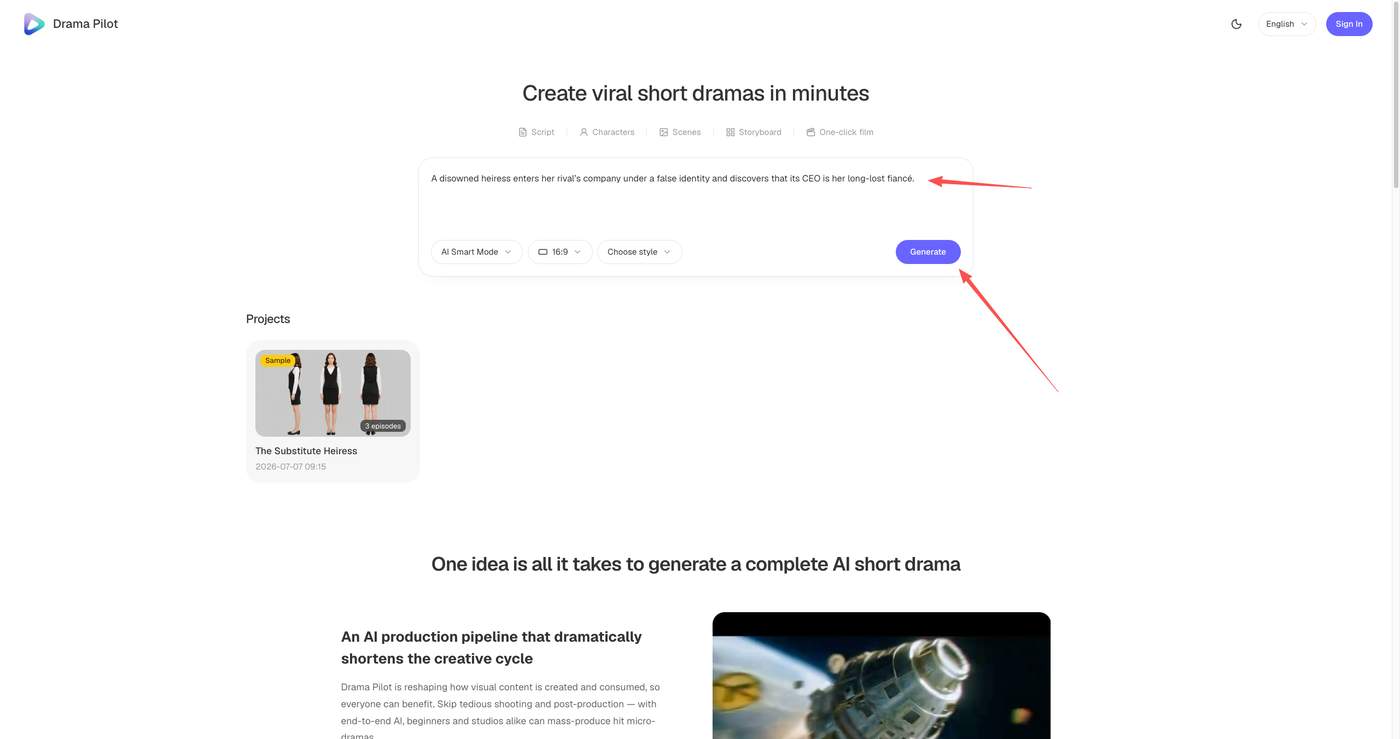
Start with a one-sentence concept that includes a character, a conflict, and a direction for the story.
Example:
A disowned heiress enters her rival’s company under a false identity and discovers that its CEO is her long-lost fiancé.
The more specific your premise is, the easier it is to generate usable results. Before you begin, clarify:
Who is the main character?
What is the central conflict?
What genre and tone do you want—romance, revenge, mystery, historical fantasy, or sci-fi?
2. Create a Project and Generate the Script
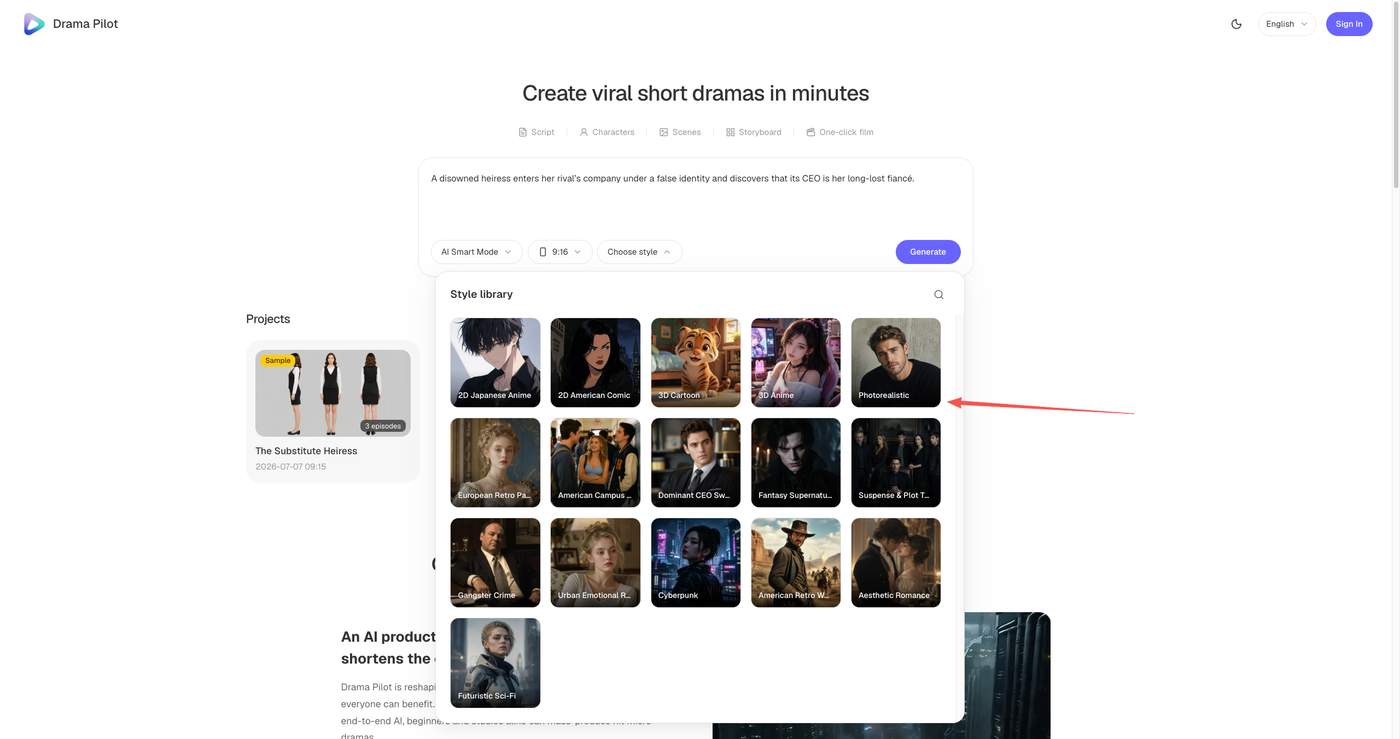
On the DramaPilot homepage, enter your idea, choose a creation mode, select an aspect ratio and visual style, then click Generate.
Choose a vertical format for TikTok, Reels, and other mobile-first platforms. Choose 16:9 if you want a widescreen, cinematic presentation.
DramaPilot can generate:
A story synopsis and background;
Character profiles;
Episode outlines;
A complete script with dialogue and narration.
Before moving on, review the script carefully. Check character motivations, names, story logic, and episode endings. It is much easier to revise the story at this stage than after video generation begins.
3. Define Consistent Characters and Scenes
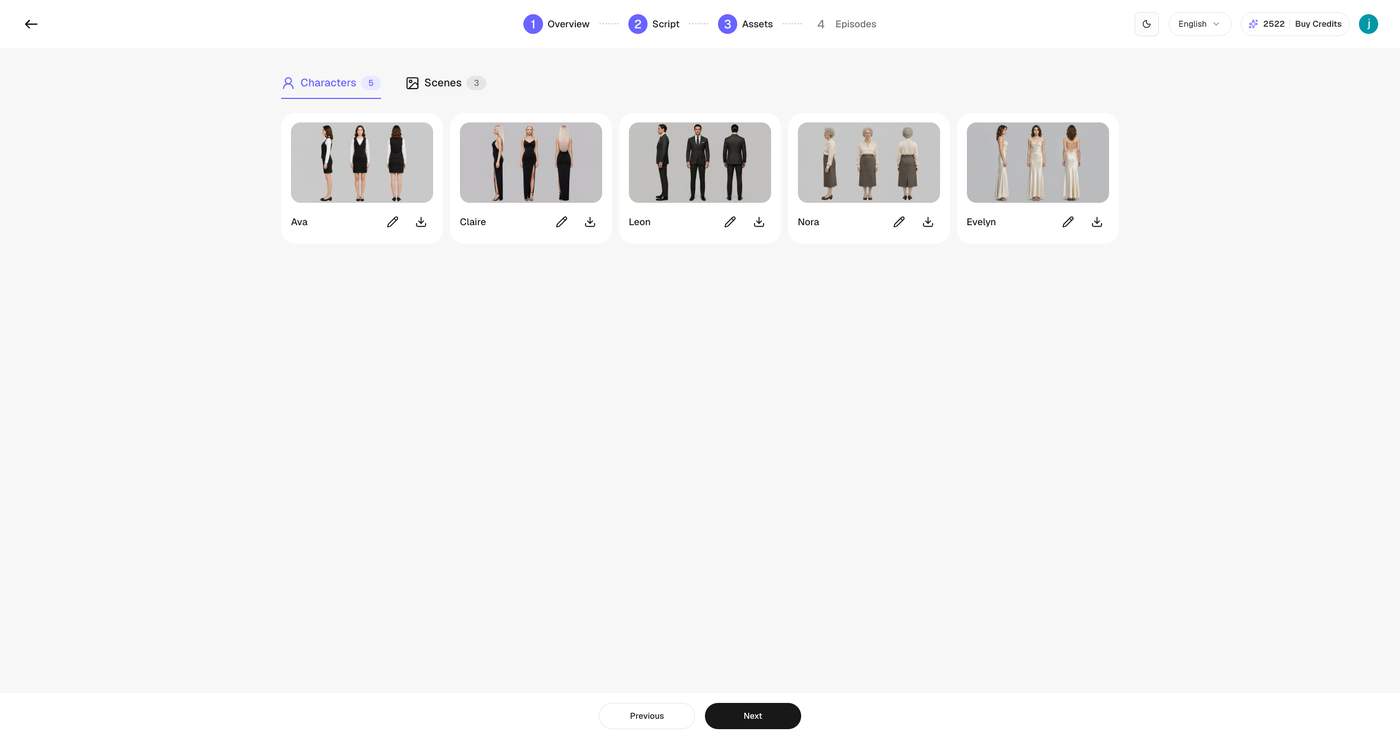
Once the script is ready, create the visual identity of your characters and locations.
For each major character, define details such as age range, personality, hairstyle, outfit, body type, social identity, and emotional tone. For example:
A 27-year-old reserved female lawyer with long black hair, a light-gray suit, thin-frame glasses, and a calm but determined expression.
Specific descriptions help maintain consistency across scenes and episodes.
DramaPilot supports multi-angle character sheets and panoramic scene generation. Review generated assets before creating storyboards. If a character’s face, hairstyle, clothing, or body type does not match the intended design, revise the asset first.
For scenes, keep lighting, time of day, weather, and set design consistent. Instead of writing “an apartment,” try:
A high-rise city apartment at night, warm floor lamps, rain on the windows, and neon reflections outside.
4. Generate and Review Storyboards
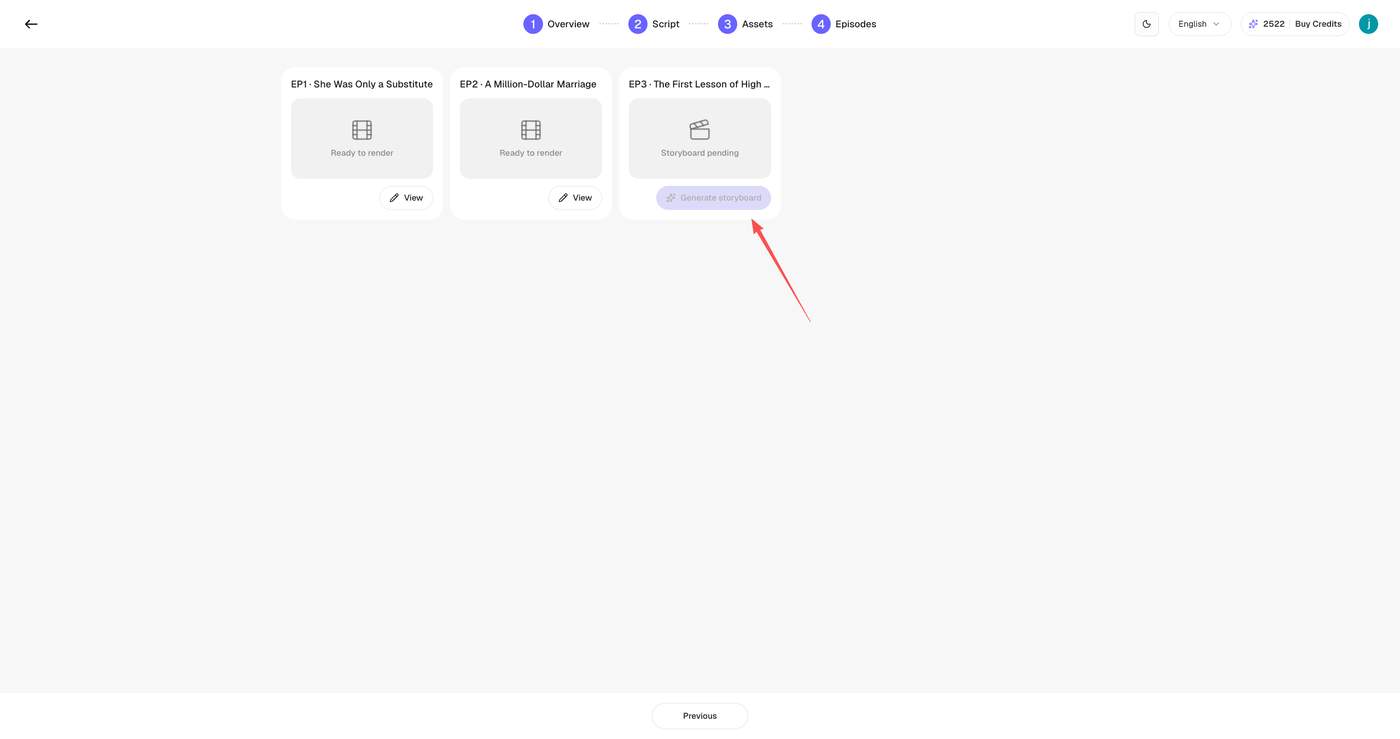
DramaPilot can automatically split an episode into shots. You can then refine each shot with controls for framing, camera movement, lighting, and key visual moments.
A practical approach is:
Use wide shots to establish a location;
Use medium shots for action and dialogue;
Use close-ups for emotion, reactions, and important objects;
Use shot-reverse-shot coverage for conversations;
Use push-ins for reveals or emotional escalation;
Use tracking or panning shots when a character moves through space.
Avoid using the same framing and movement in every shot. Camera choices should support the story, not distract from it.
5. Generate Video Clips in Batches
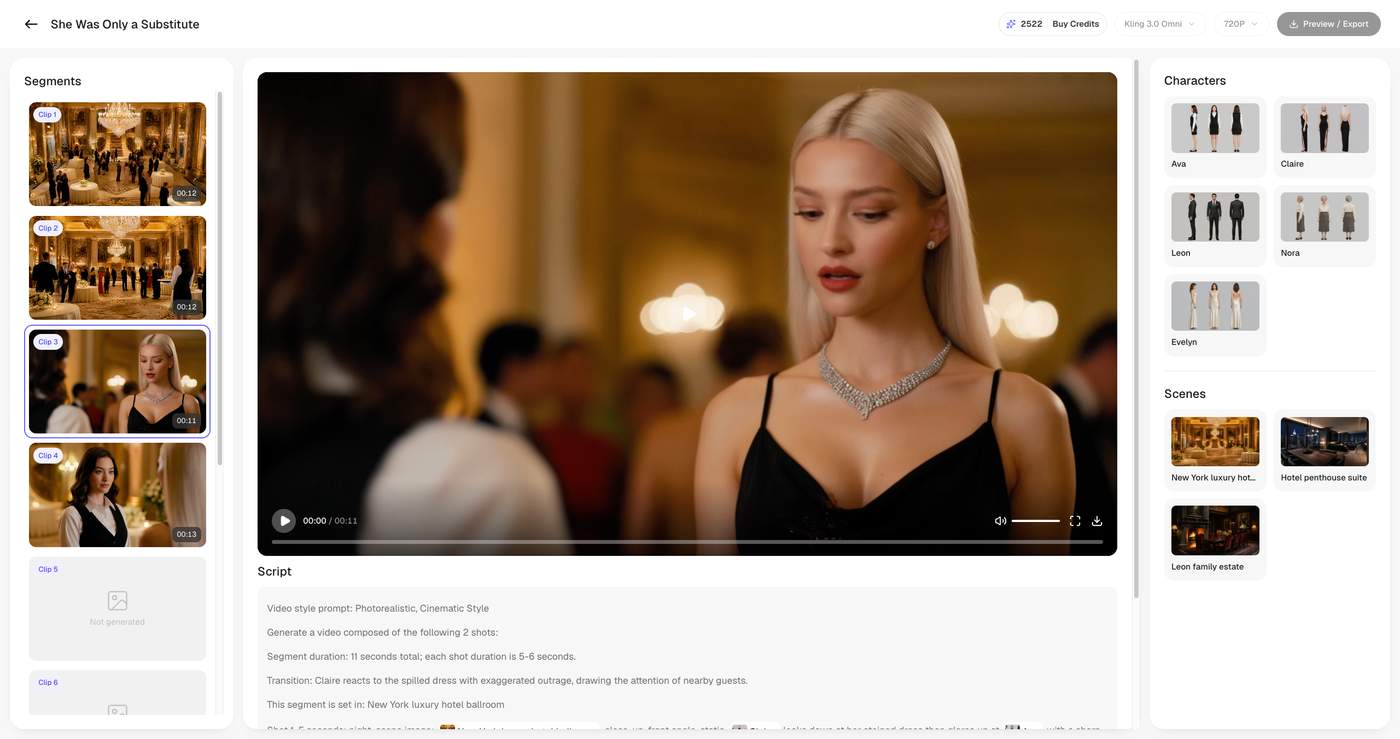
After approving the storyboard, submit the shots for generation. DramaPilot can queue multiple storyboard shots for rendering, allowing you to work efficiently across an episode.
For a new project, test a few key shots first—around three to five clips. Check:
Character consistency;
Motion quality;
Visual style;
Scene continuity;
Whether dialogue or narration needs further editing.
Once the test clips look right, generate the rest of the episode. If a specific shot fails, revise and regenerate that individual shot instead of rebuilding everything.
6. Assemble and Export the Episode
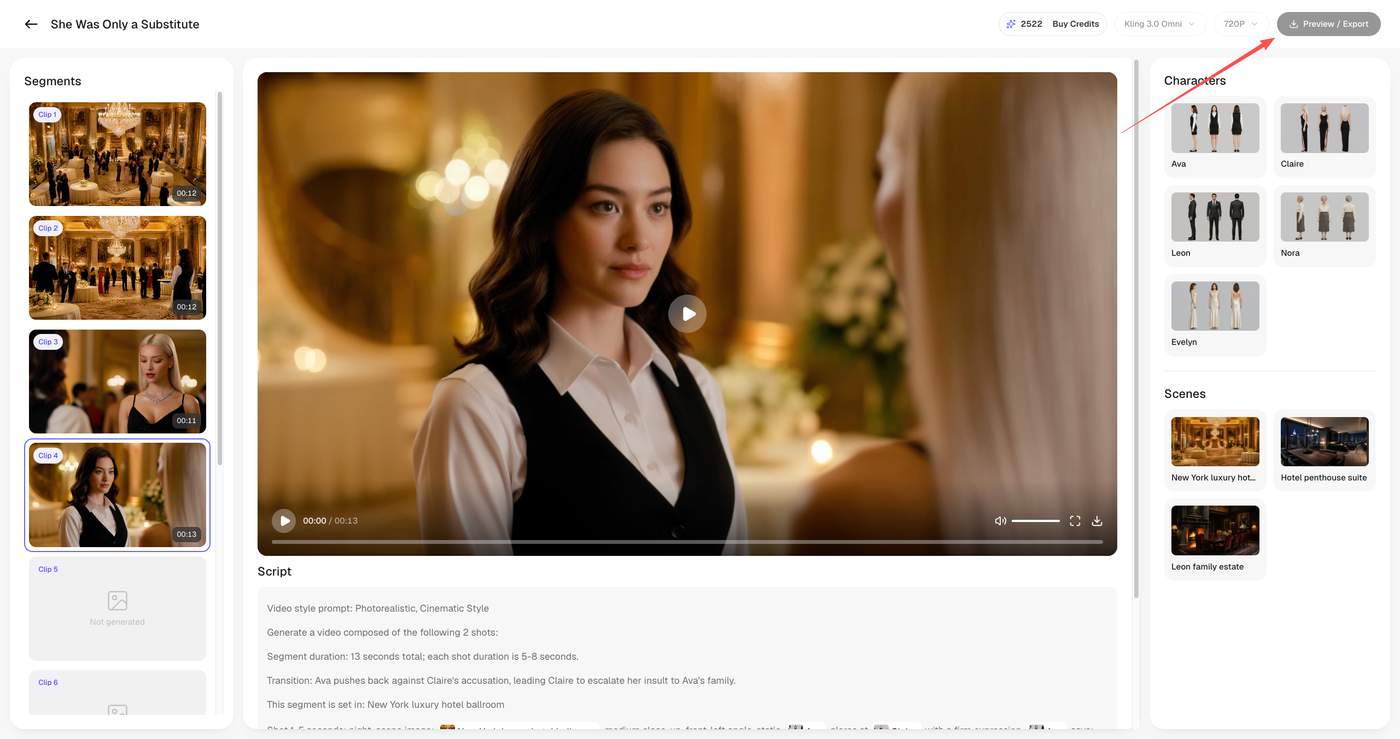
When the clips are ready, arrange them in script order and merge them into a complete episode.
Before exporting, review the final pacing:
Does the opening create interest within the first few seconds?
Are any shots unnecessarily long?
Is the key plot information easy to understand?
Does the ending create enough curiosity for the next episode?
Export the finished video locally, then add platform-specific elements such as captions, cover images, titles, music, and final sound design.
7. Best Practices for Beginners
Start with story, then visuals.
Do not spend too much time perfecting shots before the story structure is stable.
Test before scaling.
Validate your character style and visual direction with a few clips before generating an entire episode.
Keep character descriptions consistent.
Use the same names, appearance details, outfits, and personality traits throughout the project.
Make each shot do one job.
A shot should usually communicate one action, emotion, or piece of information. Simple shots are often more reliable and easier to edit.
Treat AI as a production workflow.
The best results come from reviewing each stage—script, characters, scenes, storyboards, and clips—rather than relying on a single prompt.
DramaPilot’s workflow is designed to take creators from an initial idea to a complete AI-produced short drama through structured, manageable steps. Visit DramaPilot to start creating.

1 Comment
The workflow approach makes sense because AI video quality often breaks down through inconsistency, not just generation quality.
The bigger challenge may be helping creators make stories worth watching repeatedly, not just making production easier.