
ERA
Your Notes, Simplified.

We are happy to announce that the highly-anticipated ERA 2.0 is just around the corner.
After four months of extensive development, we are confident that this version will make a huge impact and taking your note-taking experience to another level.
In this article, we will make a preview at the new features that are coming with ERA 2.0


As we near the end of our public beta, we want to thank each and every one of you for your support.
Over the past few months, we've received tons of suggestions, ideas, and feature requests to make ERA better. Many of your suggestions have been implemented and we will continue to listen to you.
Over 550 users are already using ERA, which is a big milestone for us.
Thank you all for that!
We created a discord server for ERA users to make an open discussion with us easier and give you the opportunity to asks questions anytime.
ERA Launch
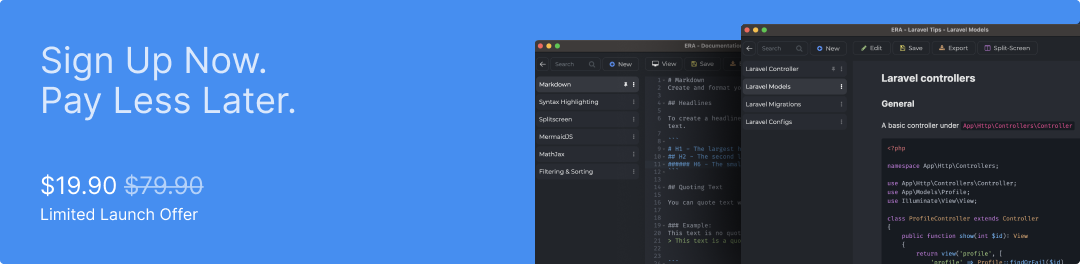
We have a special launch offer for all our beta users. At the start of sales there is the possibility to purchase ERA as a lifetime deal 75% for $19.90.
All you need is an account on era.sh that was created before the official launch. The voucher will be added automatically at checkout.

Today, we have released our new version 1.14 for ERA.
We have put a lot of effort into this sprint and added a lot of new features and improvements to our app.
- Added New UI: We gave the user interface of our app a new look.
- We redesigned the toolbar
- New editor theme
- New editor font
- New screen states (workspace overview + draft space)
- Redesigned the draft-sidebar
- Changed the snack bar colors
- New dialog modals
- Added Backup Manager: On launch, ERA creates a backup of your database, which can be recovered at any time.
- Added Pin Feature: Users can now pin their most important drafts to the top, for easy accessibility.
- Added Go Back Shortcut: We added a new shortcut (cmd/ctrl + backspace) to return back to the workspace overview from your draft space.
- Added Moveable Drafts: You can move now your drafts from one workspace to another.
Besides the new version, we also launched our new landing page.
More informations you will find in our ERA Blog

Over the last couple of months we implemented new features, improved the UI and fixed a lot of bugs.
We added:
- Syntax Highlighting
- Export Manager (Markdown & HTML)
- Splitview Option
and many more things.
We got asked by users for a MacOS version, and after some weeks of development we released the first beta version for MacOS (Intel).

Following the validation of ERA, we started building our MVP.
The first version included the following features:
- Create workspaces
- Create notes
- Supported Github flavored Markdown
The MVP was available for download for Windows and Linux and the first 20 users could be won directly from our interview partners with whom we had connected due to the validation of ERA.
We got useful tips and feedback to improve the UI/UX and received new feature requests.
The first roadmap was created.
However, since we are bootstrapping this project and we depend on our main jobs, development has been slow.
Slowly but steadily.

At first, we decided to build ERA for ourselves, to solve our problem in the first place. Creating a solution the way we always wanted it to be.
At some point, we showed ERA to our co-workers and friends. They also wanted to use it, so we shared it with them. We started to get valuable feedback from them and decided to validate the idea for its business potential.
We talked to other fellow developers about what they use for note-taking and documentation on a professional level.
We had interviews with devs all around the world and came to the conclusion, that there are many developers with the same struggle:
- To find a suitable note-taking solution designed for the needs of developers.
- A tool that is easy to use and supports markdown.
Our first MVP should only portray the basic features, that you need to take notes, and we started to gain the first testers, which provided a lot of feedback, that we used to improve and implement.

For years, we were searching for a good note-taking solution that can be used as a professional software engineer.
We tried many products and methods:
- Storing notes in a simple text file on my computer
- Storing notes in a physical notebook
- Storing notes in Word or Google Docs
- Adapting various commercial and free software products (Evernote, Notion, OneNote, etc.)
We weren’t thrilled with any of these approaches:
- Storing notes in simple text files was too primitive
- Word or Google Docs was “too much”, as these tools have too many options and were not built for our purpose.
On the other hand, using products such as Evernote or Notion wouldn't make us happy either because they are “over-engineered”:
- too many features
- bloated UI
- too much action
- targeted towards a broad range of users
We concluded that none of them would match our needs.
At that moment the idea of ERA was born. Solving our problem that we share with many other developers.

Comment