
Format JSON Online
Fast, secure, and privacy-friendly online JSON formatter
If you are building AI agents or working with Large Language Models (LLMs) like GPT-4 or Claude 3.5 Sonnet, you know the pain: Context windows are expensive.
Every time you feed a massive JSON dataset into a prompt, you are burning tokens on structural "fluff"—quotation marks, repeated keys, and endless curly brackets.
There is a better way. It’s called TOON (Token-Oriented Object Notation).
The Problem: JSON is "Heavy"
JSON is great for APIs, but it is terrible for LLM context windows. Let's look at a standard user object:
[ { "id": 1, "role": "admin", "status": "active" },
{ "id": 2, "role": "user", "status": "inactive" },
{ "id": 3, "role": "user", "status": "active" }]
The Issue: The keys "id", "role", and "status" are repeated for every single object. In a dataset of 1,000 users, you are paying for those words 1,000 times.
The Solution: TOON (Token-Oriented Object Notation)
TOON strips away the redundancy. It defines the keys once and then lists the values, similar to a compressed CSV but designed for object structures.
Here is that same data in TOON:
Plaintext
|id|role|status| 1;admin;active 2;user;inactive 3;user;active
The Result:
JSON: ~160 characters (high token count)
TOON: ~65 characters (~60% reduction)
Why This Matters for Your API Bill
When using models like GPT-4, you pay per million input tokens. If your application processes extensive data (like log analysis, e-commerce product feeds, or user histories), switching the context format from JSON to TOON can literally cut your monthly API bill in half.
The AI model understands TOON perfectly fine because it preserves the relationship between the header (keys) and the rows (values), but creates a much denser information stream.
How to Convert JSON to TOON
You don't need to write a custom script to do this. I’ve built a free, client-side tool that instantly converts your heavy JSON files into token-optimized TOON.
Try the Free JSON to TOON Converter Here
It runs entirely in your browser (so your data stays private) and includes a visual diff checker so you can see exactly how much space you’re saving.

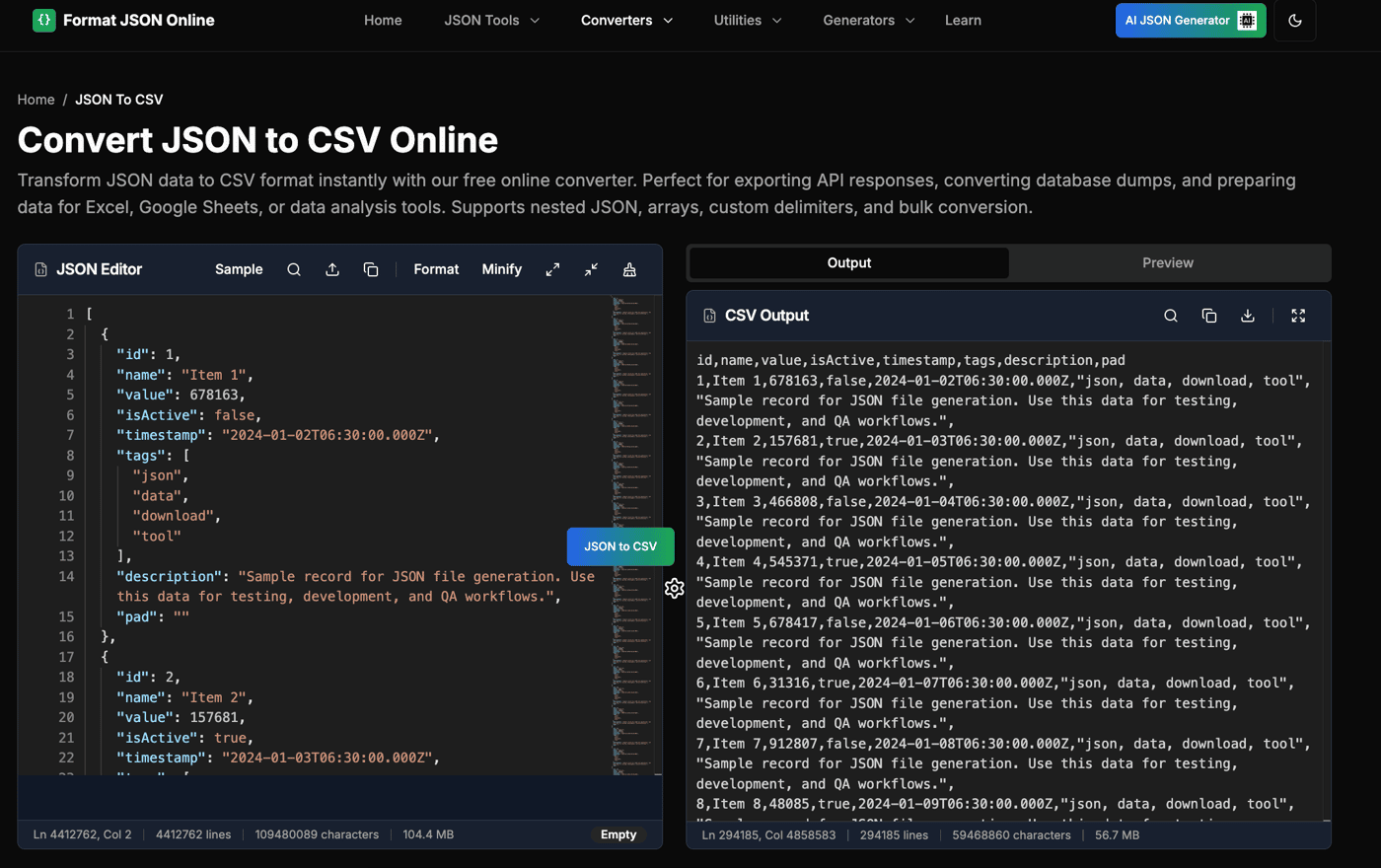
I just rolled out a major update to Format JSON Online. — my all-in-one JSON toolkit built for developers, data analysts, and anyone who works with large JSON files.
🚀 What’s New:
Until now, most online JSON tools crash or freeze with large files. But now, Format JSON Online supports files up to 100 MB — with smooth performance and without freeze.
📂 Convert between JSON ⇄ CSV, Excel, XML
⚙️ Compare & Merge JSON files visually
💬 Create APIs from your own data (super handy for mock testing)
💻 And there’s even a Chrome Extension if you live in the browser like me
🧠 AI JSON Generator – turn plain text into structured JSON
Question:
What other JSON or developer-related tools would you find really useful in a toolkit like this? I’m open to ideas for anything from advanced JSON processing tools.
The Problem That Kept Me Up at Night
Three months ago, I was debugging a stubborn API integration at 2 AM. The JSON payload looked fine to my tired eyes, but the server kept rejecting it. After 20 minutes of hunting, I found it: a single trailing comma that broke everything.
That's when I realized the JSON validators out there were just... broken. They'd tell you something was wrong, but never what or how to fix it. So I built something better.
Today, my JSON Validator has:
The 3 Features That Actually Matter
1. AI That Fixes, Not Just Finds
Most validators stop at "Invalid JSON." Mine does this:
Before (broken JSON):
{name: 'John', age: 30, hobbies: ['coding', 'reading',] }
After AI fix:
{"name": "John", "age": 30, "hobbies": ["coding", "reading"] }
The AI handles:
Single → double quote conversion
Trailing comma removal
Unquoted property names
Comment stripping (// and /* */)
Boolean/null value corrections
Technical approach: I fine-tuned a small language model on 10K+ common JSON errors. The model runs client-side for speed, with a fallback to server-side processing for complex fixes.
2. Real-Time Validation That Doesn't Lag
Challenge: Validating large JSON files (10MB+) without freezing the browser.
Solution:
Web Workers for background processing
Incremental validation (checks first 100 lines immediately)
Lazy validation for files >1MB
Debounced input at 300ms
Result: Users can paste 50K line JSON and get instant feedback.
3. Schema Validation Without the Headache
Instead of making users write schemas, I added:
Popular schema templates (OpenAPI, package.json, tsconfig)
Smart schema guessing (detects common patterns)
Visual error highlighting (shows exactly which field fails)
Try It YourselfPaste your gnarliest JSON here: JSON Validator

Live demo 👉 Format JSON Online
Tags: nextjs, performance, seo, webdev, lighthouse
As a frontend developer obsessed with speed and SEO, I set out to answer:
Can I build a real-world developer tool that scores a perfect 100/100/100/100 on Google Lighthouse?
Spoiler: Yes, I did it.
🟢 Lighthouse Scores
Performance: 100
Accessibility: 100
Best Practices: 100
SEO: 100
🔧 Tool: Format JSON Online
🔧 Tech Stack
Framework: Next.js 15 (App Router + Server Components)
Deployment: Vercel
Threading: Web Workers (for large JSON processing)
Styling: TailwindCSS (JIT mode)
Analytics: Plausible (privacy-friendly, lightweight)
Meta & SEO: Canonical URLs, OpenGraph, JSON-LD schema
Extras: TypeScript, Prettier, ESLint, SWC
🛠️ Optimization Techniques
1. 🧵 Web Workers for Heavy Lifting
JSON formatting, validation, and conversion are CPU-intensive. I offloaded these to Web Workers to keep the main UI thread free.
ts
CopyEdit
// jsonWorker.ts self.onmessage = (e) => { const formatted = formatJSON(e.data); postMessage(formatted); };
✅ No UI freezes
✅ Improved responsiveness on large files
2. ⚡ Next.js 15 + App Router
I used the App Router, React Server Components, and Edge rendering:
Minimal client-side JS
Fast cold start performance
Route-level layouts and loading states
3. 🖋️ Fonts & Styling
Used system fonts — no Google Fonts
Zero-blocking CSS
TailwindCSS JIT mode purged all unused styles
4. 📸 Images & SVGs
Direct use of inline SVGs — no image bloat
Lazy-loaded icons and screenshots
No unoptimized external assets
5. 🚦 Lighthouse Checks in CI/CD
Before every deploy:
✅ Lighthouse score checked
✅ Accessibility rules enforced
✅ Bundle size thresholds monitored
Any score below 100 breaks the build.
6. 🔐 Smart Headers & Caching
Security Headers via Vercel and
next.config.jsCache-Control tuned per route
Static assets served with long-term caching
Minimal hydration — less JavaScript shipped
🌟 Why It Matters
🟢 Blazing fast experience
🧠 Users stay longer and bounce less
🤖 Googlebot loves it (SEO++)
🔍 Better Core Web Vitals = Better Rankings
It’s not just about developer bragging rights — performance directly impacts usability, conversions, and discoverability.
🧪 Try These Tools (All Score 100/100/100/100!)
Tool Link
JSON Formatter
JSON Validator
JSON to CSV
JSON to XML
JSON to Dart
JSON Stringify
📢 Final Thoughts
Reaching a perfect Lighthouse score isn’t just for static marketing pages — it’s absolutely possible for real-world apps when you combine:
✅ Next.js 15
✅ Web Workers
✅ Performance-focused architecture
If you're building something similar, I hope this helps!
Got questions or want to share your setup? Drop a comment below 👇
Hi 👋
I’m Anil, a front-end dev from India. A few months ago, I launched FormatJSONOnline — a simple, privacy-first tool to format, validate, and convert JSON data, all in the browser.
Today, the site is averaging 10,000+ monthly users organically without any paid marketing.
Here’s what I’ve learned building this tool solo while juggling client work and life.
---
🛠 Why I Built It
Like most devs, I constantly work with JSON — API responses, logs, configs, etc. I used several online formatters but found them either:
- Too slow
- Full of ads/popups
- Or not secure (sending data to the server)
So I built my own:
- Fully client-side (no data is ever sent)
- Fast and clean UI
- Free and ad-free (for now)
---
🚀 My Stack
- Frontend: Next.js + Tailwind CSS
- Hosting: Vercel
- Analytics: Simple Analytics
- SEO: Manual + programmatic meta tags
- No backend: 100% static
---
📈 Growth Highlights
- 🚀 First 100 users: Reddit + Dev.to + IndieHackers
- 🔗 Added to niche directories: Product Hunt, Daily.dev, StackShare, etc.
- 🔍 SEO took ~6 weeks to kick in
- 🔁 Word of mouth + long-tail keywords helped
- 🧪 Now experimenting with blog content & JSON-related tools
> ✅ Currently seeing ~10,000 users/month and growing
---
🔧 Features That Helped
These small additions made a big difference:
- [JSON to Excel]— Great for devs working with Excel
- [JSON Filter]— Like jq, but in-browser
- [JSON Compare] — For debugging APIs
- [Copy as cURL] — For developers who need to transfer data to and from a server quickly via terminal
---
💡 Lessons Learned
1. Simple tools can win if you focus on UX and speed
2. SEO is slow but powerful — write helpful titles and descriptions
3. Niche communities work — Reddit, Dev.to, IndieHackers brought early traction
4. Build first, monetize later — ads coming soon, but value first
5. You don’t need a backend to ship something useful
---
💭 What’s Next
- Add more JSON utilities (search, merge, API support)
- Start monetization via ethical ads
- Grow blog traffic through helpful content clusters
- Maybe open-source part of the tool
---
🙌 Over to You
If you’ve built a developer tool or a small utility site:
- How did you get your first users?
- Any monetization tips before enabling ads?
You can try my tool here: Format JSON Online
Would love your feedback!
Also happy to answer any questions about building small SaaS-like tools solo 🚀
-
1
Great insights, going through a similar journey with webtoolz.dev. The SEO-first approach really resonates — our Mermaid diagram editor is starting to get organic traffic. Patience is key.
-
1
Great..
-
1
Thank you
-
-
1
Congratulations on reaching this milestone, Anil.
I'm also building a free utility tool. Not for developers, though.
I have the same concern in mind:
"How did you get your first users?"
"Any monetization tips before enabling ads?"
My questions:
I see you've built multiple small tools on your website. Do you think "tool as marketing" can perform better than "content marketing"?
In my opinion, there are several json formatters on the internet. Do you think if a tool is really niche and unique, it can draw more traffic?
-
1
Thanks for sharing! I'm currently at a phase when I have already a product aimed for devs and power users with a few licenses sold and I'm looking at how to scale it through SEO. I used some of the links you provided - that was really helpful! Good luck with your product!
-
1
I'm doing indie dev interviews — would love to chat if you're open to it!
-
1
This is super inspiring, Anil! Love how you identified a common developer pain and solved it with a clean, privacy-first approach. The fact that you hit 10k+ monthly users organically is a strong sign that you're solving a real problem — and doing it well.
Your lessons around SEO, UX focus, and niche communities really resonate. It’s also motivating to see that you managed all this without a backend or paid marketing. Massive respect
I’m just getting started with building small tools myself — curious to know, how do you prioritize which feature to add next when you're solo?
Keep going! Subscribed and bookmarked your tool
-
1
Love this, Anil — the simplicity, speed, and client-side privacy-first angle is spot on. I totally agree that small, high-utility tools can quietly rack up serious usage, especially with dev-focused audiences.
I’m building CompliAssistant, an AI-powered HIPAA compliance assistant for small teams. JSON and structured data are everywhere in compliance too — e.g., audit logs, risk registers, access controls — so lightweight tools like yours are a huge help.
Curious: have you had any inbound interest from teams using it for regulated industries (e.g., healthcare, finance, etc.)? Might be an interesting niche to explore for monetization.
Thanks for sharing the transparent breakdown — super insightful 🔥


Hey Indie Hackers 👋
I just launched a small but useful tool for developers:
👉 https://formatjsononline.com
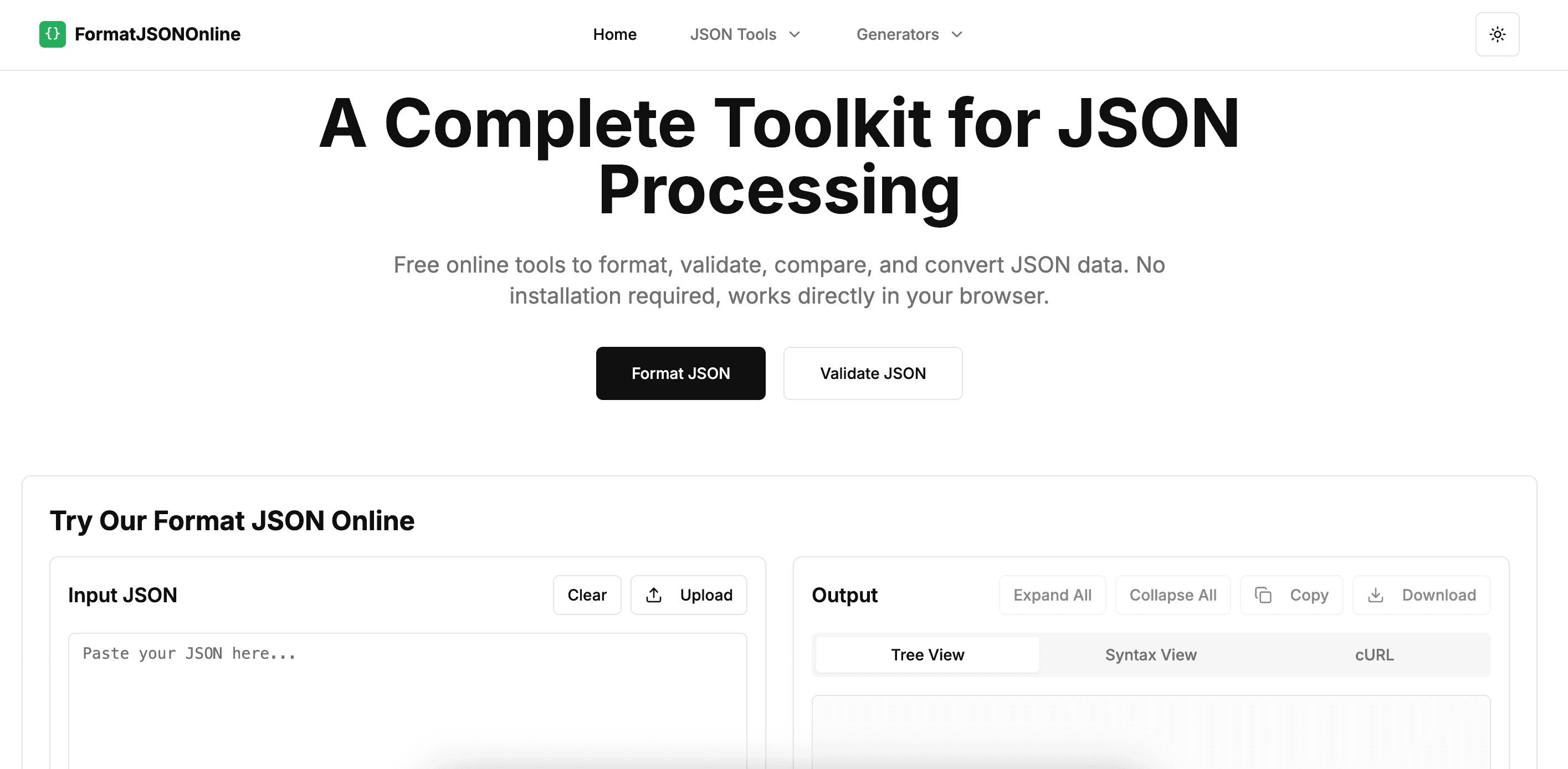
🛠️ What It Does
Format JSON Online is a free, fast, and privacy-friendly tool to:
Format messy JSON
Minify JSON
Validate JSON data
No ads, no tracking, no signup — just clean functionality.
💡 Why I Built It
As a developer, I was frustrated with cluttered tools full of ads, popups, or poor UX.
I needed something fast and secure to format large JSON files — so I built one myself.
🔍 Tech Stack
Built with:
Next.js
Tailwind CSS
Vercel Hosting
Cloudflare for security
🙏 Would Love Feedback
I’d appreciate it if you could try it out and share your thoughts. I'm planning to add features like:
Copy as cURL
JSON to CSV
Dark mode toggle (already live!)
Thanks for reading — and good luck with your own indie projects!
-
2
Love the clean, focused approach! So many “JSON tools” feel bloated—this is refreshingly simple.
Would be cool to see “copy as cURL” added—super handy for API testing. Congrats on the launch!
-
1
Hi! I’ve added "Copy as cURL" it to the page: https://www.formatjsononline.com/json-formatter . Please check if this is what you were looking for. Any feedback is appreciated!
-
1
Thank you so much! “Copy as cURL” is an excellent idea 🔥 — especially for developers working with APIs. We’ve added it to our feature roadmap and will explore adding it soon.
Really appreciate your support and feedback! 💬 Feel free to share any other ideas you'd love to see.
-
-
2
I feel that the functions are very powerful, especially powerful, and the UI looks very refreshing
-
1
Thank you! I’m glad you found the functions powerful and the UI refreshing — your feedback means a lot! Let me know if there's anything you'd like to see improved.
-
-
2
Neat tool! I also built a JSON formatter a while ago just for fun: https://json-formatter.co/, however yours seems more sophisticated :) I like the compare/diff feature! Any plans for marketing and potentially monetization?
-
2
Congratulations on this milestone
-
1
Thank You
-
-
2
Nice, looks very clean.
Lot of times, i have to filter fields in a json file and I use jq for it. That could also be a feature to think about.-
1
I added a JSON Filter tool right here: https://formatjsononline.com/json-filter — it lets you filter fields by key name or structure without writing complex
jqsyntax.Would love your feedback on it! 😊
-
1
Thanks a lot! I'm happy you find it clean.
Great idea — addingjq-like filtering would be a powerful feature for advanced users. Definitely something to consider for the next update!
-
-
2
Nice project and thank you for building it. I am pretty much frustrated with existing JSON formatter. I will use it
-
1
Thank you so much! I really appreciate the kind words. I'm glad this tool can be a better experience for you — that’s exactly why I built it. Let me know if you have any suggestions or features you'd love to see!
-
-
2
Nice project and thanks for building it. As a developer myself, I'm going to have plenty of use cases for this
-
1
Thank you! That means a lot, especially coming from a fellow developer. I'm glad it'll be useful for your work — feel free to share any ideas or feedback anytime!
-
-
1
For a food experience that's centered around bold, craveable menus and aesthetic-first recipe drops, having a design language that balances vibe and usability is huge. I’ve been exploring lightweight systems like this to shape content and presentation, especially for mobile-heavy audiences coming from social.
-
1
Thanks
-


Comment