
InvoiceTemple
Top Free Invoice Software for Small Businesses
A small business runs efficiently by following some specific processes, which give results like business development and enhanced profitability.
For more information Read our blog
https://www.invoicetemple.com/blog/small-business-success-starts-with-strong-processes/


Invoices are the documents that are issued by the sellers to the buyers, outlining the complete details about purchased products and the payment.
Every business in today’s world, from small businesses to large corporations, has started using invoices for billing their customers. It has become a day-to-day activity of the business, and without it, the business's reputation suffers, and its finances become unstable.

Even though the implementation of the invoicing process is reaching its peak, some business owners are unaware of the role of invoices in their business. This blog answers this question: What is the role of invoices in small businesses?
An Introduction to Invoices:
An invoice is an official document issued by a seller or vendor to a client, detailing the payment due for goods or services purchased. These invoices serve as a mode of communication between the clients and the seller or vendor. The key components included in the invoices are as follows. Invoice number, invoice date, due date, purchase order number, business details, client details, clear description about the products or services purchased, quantity, unit price, total amount including tax details, payment methods and terms, personalized notes to clients, and the digital signature of the client and the business owner.
Related Article: Essential Elements of an Invoice for Small Businesses
Complete Workflow of Invoicing Process:
Step 1: The invoicing process starts with the process of receiving the purchase order from the client. The purchase order is the document that is issued by the client to the business, which lists the items that the client wants.
Step 2: Next, the business owner or the seller will send the products requested by the client within the fixed time.
Step 3: This is the crucial step where the invoices are generated and sent to the clients. The invoice also includes the details about the services for which the client has been charged, the amount they must pay, the due date for payment, etc. Such invoices can be generated using the online invoicing software for small businesses.
Step 4: The clients receive the invoice, review it for assurance, and then make the payment for the invoice amount mentioned in the invoice.
Step 5: Once the payment is done, the invoices should be recorded accordingly and updated. When the invoicing process is done through online invoicing software, the status of the invoices will be updated automatically.
Step 6: Acknowledging the payment is the next process to be done, and it is done by forwarding receipts for the payment.
Step 7: As the last step, the financial data and the documents will be analyzed, and the business cash flow will be determined.
This outlines the role invoices play throughout every stage of a business transaction. The strategic goal of the invoices is to get instant payments from the clients. And when it is done professionally, it streamlines the whole invoicing process and the business flow.
Some other advantages of the invoicing process include,
Invoices play a major role as legally binding agreements. They ensure the safety of the business.
Invoices are very helpful in the bookkeeping process. With this, the financial history of the business can be easily analyzed.
With invoices, the inventory management of the business can be done smoothly. The invoicing software plays a vital role in inventory management.
As the invoices benefit the business in numerous ways, professionally creating them can enhance the visibility of the business. So, start generating professional invoices using online invoicing software and optimize the business operations.
Consider the situation: A client purchases a product from you. But even after delivering the product, they didn’t make the payment. What will be your thinking here after facing the non-payment situation? Also, you have planned a lot of things with this invoice amount. So, what will be your mindset? You’ll feel down, the smooth financial transactions get interrupted, and there is even a chance of business loss.

How to overcome this situation? This blog gives clarification about the effective tips to get prompt payments that ensures the profitability of the small business. So, continue to read and gain valuable insights.
What are Outstanding Payments?
When an invoice is issued to a client, they must make the payment within the deadline mentioned in the invoice. In case they failed to make the payment, that payment becomes an outstanding payment. It is the pending payment that must be paid by the clients. These outstanding payments create cash flow problems for the business, not instantly, but as a long-term process. So, it is a crucial factor that must be considered by all the sellers or the business owners to run a smooth business operation.
Common Reasons Clients Delay Making the Payments:
Not all the clients delay the payments purposefully. Some clients would have valid reasons for their delayed payment. Let’s see some of the common reasons for why the outstanding payments occur in a business deal.
1. Unavoidable Emergencies: The most crucial reason for the clients to make late payment is facing some emergency. The emergencies may be medical emergencies, sudden financial loss, etc. This makes the client not make the payment.
2. Unsatisfaction in the Product Status: When the product delivered to the client is defective or the wrong quantity of products is delivered, then the clients resist the process of making payments. Also, when they are not satisfied with work or the quality of the product delivered, then this also makes the client make non-payments.
3. Issues in Invoicing Process: When there are any errors in the invoice, then the clients can stop the payment from being done. Inaccurate calculations in the invoices, entering wrong details, wrong invoice numbers, not adding multiple payment methods, etc are the major issues that occur in the invoices which stop the client from making payments.
How Can Non-Payment Issues Be Prevented in Small Businesses?
1. Set Up Clear Deadlines: An effective step to avoid the non-payment issue in small businesses is setting up clear deadlines. Before fixing the deadlines, ask for clarification in priority with the clients and give clear deadlines. Don’t opt for a long period; try to fix the deadlines within a shorter period.
2. Create Professional Invoices: Most of the clients expect professional invoices from the business owners or the sellers. When it is not done professionally, the clients may feel worthless, which reflects a negative impression of the business. Performing accurate invoice calculations and forwarding a professional invoice with accurate details helps in avoiding the situation of non-payment.
Professional invoices can be generated using the online invoicing software for small businesses.
3. Including Multiple Payment Methods: When the business is done globally, the clients will be from different locations, and each will prefer different methods for payment. In this situation, when multiple payment methods are added, then the client will choose their preferred payment term and make the payment. So, non-payment issue can be avoided here.
4. Immediate Forwarding of Invoices: Immediate Forwarding of Invoices: The invoices must be shared immediately with the clients once they receive the product. The sooner the invoice is issued, the sooner the payment can be expected. So immediate forwarding of invoices can avoid the issue of non-payment.
By following these tricks, the non-payment issues can be avoided. So, implement it in the small business to avoid the non-payment issues. To create professional invoices, the invoicing software InvoiceTemple can be used. Start using it and enhance your small business.
Cashless payments are the trending payment method in the current world. So, start making payments using this.
https://www.invoicetemple.com/blog/how-cashless-operations-streamline-modern-businesses/
Do you know about the further process that takes place after the client receives the product or the service? It’s issuing the invoices. While issuing the invoices, clients will experience a sense of satisfaction because they will receive payments once they forward the invoices to the clients.
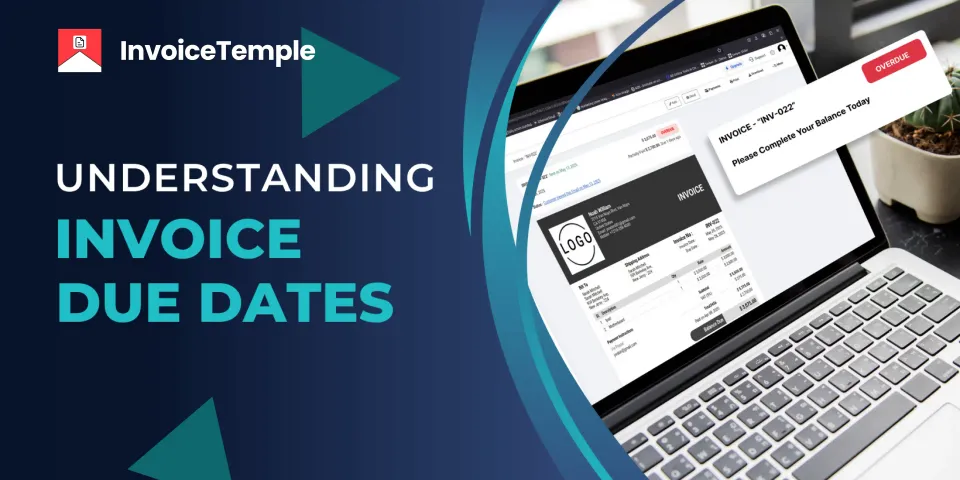
How can you get timely payments? The answer is simple — include the correct due date on your invoices. However, if the invoice due date is not specified, then how does the client know about the due date and make the payment?
So, mentioning the invoice due date in the invoice is crucial. There are some tips and tricks for setting this invoice due date and some best practices for setting it. This blog mentions all the details about the invoice due date. So, continue to read and gain valuable information from this for your business.
What Does an Invoice Due Date Mean?
The invoice due date is the date that is mentioned in the invoice to disclose to the clients about the date on which or before they must make the payment. When the clients don’t make the payment within the due date, then penalties can be charged against them.
An example of this situation is as follows. A client is purchasing a computer from you, and it is delivered to the client on May 1st. Once the client receives the product, you generate the invoice for the purchased item and mention the invoice amount as $470, apply the net 90 payment term, and enter the invoice due date as July 29th. This invoice indicates that your client must make the payment on July 29th. If payment is not made on the due date, then late penalties can be charged to the client.
While mentioning the invoice due date, some factors should be considered. The first factor to be considered is the size of the business. If the business is small scaled or medium, or a startup, then net 15 and 30 payment terms can be offered. For large enterprises, net 60 and 90 payment terms can be offered. The next factor to be considered is the payment history of the clients. By considering these factors, the invoice due date can be mentioned.
Significance of Invoice Due Date:
Mentioning the correct date in the invoice helps in getting prompt payments. As payments are the bloodstream of the business, they should be obtained properly. So, mentioning the invoice due date on the invoice makes the clients get updated about the date they must make the payment.
As the invoice due date assists in receiving quick payments, a smooth cash flow will be experienced by the business. This positive cash flow safeguards the business from a lack of funds. Also, it sets a clear view for the clients about making the payment.
Best Ways to Define Due Dates on Invoices:
Some of the best ways to mention due dates on the invoices are as follows.
1. Date Format: The invoice due date should follow a standard format of DD/MM/YYYY. This clear format gives the client a clear view of the due date.
2. Create Online Invoices: When you use online invoices generated through online invoicing software for small business, easy customization can be carried out and professionalism can be maintained. The manual invoicing process lacks these customization features.
3. Validate the Payment Terms: Reviewing the payment terms mentioned in the invoice results in avoiding payment and invoice disputes.
Overall, the invoice due date plays a major role in the payment collection and smooth business operations. So, mention it accurately in the invoice and get prompt payments.
Customer Relationship Management—A Complete Guide
Every business faces a common situation – it is managing its clients. For some, it may look uncomplicated, but for some, it is the most grueling process in the whole business operation. But carefully consider this situation in your business. If managing clients feels smooth and effortless, your customer relationship management is likely on the right track. However, if client management feels exhausting and difficult, it may be a sign that your CRM strategies need improvement.
This blog tells details about customer relationship management. Continue reading and get valuable details about how to implement better customer relationship management for business enhancement.
What is Customer Relationship Management?
CRM, or customer relationship management, is the strategy used to interact with and manage clients effectively. This essential business process is crucial for small and startup businesses, which have numerous competitors in the business market. CRM is not a basic process but is the crucial factor that impacts the growth, sustainability, and profitability of small businesses. For the customer relationship management process, effective interaction can be made with the clients, also tools, and technologies that identify the client’s needs, and a personalized experience with the business is needed.
Some Examples for Customer Relationship Management:
Some of the strategies used for customer relationship management are as follows.
Social Media Platforms: Valuable feedback can be collected from clients by interacting with them via social media platforms like Facebook, Twitter, Instagram, etc.
Contact Center: The contact center helps in contacting the clients using voice calls and assists them with needed support. It also gives updated data regarding the client's performance.
Business-to-Business: The extended sales dealings between businesses can be managed effectively here. This helps the business stay on track.
Effective Strategies for Customer Relationship Management for Small Businesses:
Maintain Consistency in Sales Process: Try to perform a consistent sales process. Because consistency increases the efficiency of client management.
Make Personalized Interactions with the Clients: Maintaining personalized interactions with the clients makes them feel valued and may create a choice for them to remain in your business.
Outline Your Targets: Before maintaining a customer relationship, the crucial factor is to identify the target clients. This allows you to make appropriate ideologies and strategies for attracting all sorts of clients.
Catch the Client’s Behavior: Knowing about the client’s behavior is crucial to better client relationship management. This results in improved clients’ understanding and retention.
Drive Workforce Efficiency with Data-Driven Insights: Gather accurate client data and make your business employees take effective decisions using it. This not only boosts the team's productivity but also the client's experience for a better outcome.
Making Continuous Tracking: Tracking performance is a must in customer relationship management. You should know whether the strategies implemented for better CRM work or not. So, always track the status of customer relationship management and implement the needed changes at the perfect timing.
Business Operations That Benefit from Customer Relationship Management:
Different sections of business operations can benefit from this customer relationship management, and some of them are mentioned below.
1. Sales Team: The sales team of the business can make use of customer relationship management to attract new clients and to increase sales.
2. Small Business: Small business owners can benefit from customer relationship management to stay competitive in the global business market and to attract new clients.
3. Services Team: The Customer Relationship Management (CRM) system assists in providing a consistent service for business owners.
For better customer relationship management, client management software can be used. So, enhance your business by adapting to customer relationship management.
In this technological world, the business-to-business online sales are reaching a peak. The B2B online sales have changed from in-person deals to the field of using online software, artificial intelligence tools, etc. Also, the revenue generated by the business-to-business online sales is higher when compared to older methods. But not all the B2B sales earn high revenue, and no assurance can be given that the business will run smoothly. But if it is managed well, it gives superior results.
If you are going to start a business-to-business online sales, then this blog is for you. Continue to read and uncover valuable insights.

Key Differences Between B2B E-commerce and B2C E-commerce:
B2B E-commerce: The sales that are carried out between businesses via digital means are referred to as B2B e-commerce. Here, the direct deal is with the business.
B2C E-commerce: The business-to-consumer electronic commerce is the sales that are done online between a business and the customer. Here, the direct deal is with the customers.
The major difference between these two types of businesses is the purchasing sources. The business and the customer. This difference sets a framework for the business planning and strategy, the purchasing experience, and the business model.
To master B2B online sales, some effective strategies can be used, and they are mentioned below.
1. Using Automated Software for a Smooth Invoicing Process: Every business must undergo the invoicing process to complete a business deal. When this invoicing process is done manually, it becomes a time-consuming process with maximum error occurrence. But using online invoicing software for this invoicing process makes the whole process easy and smooth. This professional invoicing process reflects your business to a professional standard, which attracts more business deals.
2. Offer Multiple Payment Methods: If the B2B online sales must obtain maximum profit, then the most crucial aspect you must follow is making the payment process easier. In every business deal, numerous transactions will be carried out. If the whole payment transaction method becomes easier, then numerous businesses will come to your business to tie up deals. As instant payments enhance business profitability, offering multiple payment methods could result in business enhancement.
3. Promote Your Business Website: A smooth shopping experience is the essential factor that every client expects. Especially on online sales, the shopping experience must be easy and simple. The website used for business shopping must be promoted to get a better reach. The promotion can be done via social media sources, technical SEO, etc. Doing SEO for the website gives better results for your business website. It increases the organic traffic and domain authority of the business, which makes the search engine rank your website at the top.
4. Be Alert Always: As this is a technological world, changes can take place at any time. Sudden economic changes can happen, many competitors can arise, the market demand can change, etc. Being alerted to face all these situations gives hope for the business and develops it.
5. Be Exact in Managing Distribution: Missing the product in the distribution process causes a negative impression for your business. When some products are missed in the shipping, it becomes a double expense. This can affect the day-to-day operations of the business and disrupt its smooth cash flow of the business.
6. Provide Regular Assistance: As the business is operated online, providing regular assistance and continuous support to the client side increases the business's sales.
As the business-to-business online sales are getting boom in these days, running it effectively lies in your capability to run the business. So, follow the strategies mentioned above, attract more clients, and take your business to the next level. Also, make use of InvoiceTemple for professional creation of invoices.

Businesses handle a wide range of goods and services daily. Client needs vary from one to another, making clear communication essential. One of the documents that plays a major role in communication between clients and businesses is the purchase order. Managing these purchase orders stay as the top priority for the business to get success in it. To ensure quality, accuracy, and liability in the business, an organized purchase order management system must be maintained.
If you are a business owner struggling to manage the purchase orders, then this blog is for you. This blog showcases the complete details about the purchaser order management, its complete process, and the best practices followed in it.
To begin with, let’s see what are purchase orders.
The purchase orders are the official documents that are forwarded by the clients to the seller which shows the list of items that are demanded from the business. These purchase orders include the following details. Unique purchase order number, PO issued date, client’s details, business details, description of the items needed, its quantity, amount, terms and conditions related to the purchase, any personalized notes, etc. In generation of such purchase orders, the online purchase order generators play a crucial role.
What is Purchase Order Management?
The purchase order management is the process of managing the purchase orders that are received by the business every day. This purchase order management process includes four main steps. Creation of purchase orders, approval from the concerned side, tracking the purchase orders, and concluding it. The overview of the complete purchase order management process is given below.
Purchase Order Creation: As the initial process, the purchase order will be created by including all the essential details.
Forwarding the Purchase Order: Once the purchase order is generated and reviewed by the creator, it should be shared with the supplier who is going to process the request outlined in the purchase order.
Supplier Confirmation: After receiving the purchase order, the supplier check for the stock availability and send the products mentioned in the order to the client.
Forwarding the Invoice: After the clients receives the products, the supplier forwards the invoice. This invoice includes all the essential information regarding the business deal, payment methods, and all the other details.
Receiving the Payment: Once the client receives the invoice, they make the payment within the due by the payment methods mentioned.
Issuing Receipts and Record Keeping: After the suppliers receive the payment, they forward the receipts for the payment and as the final process, they save all the records for future use.
Proven Strategies for Purchase Order Management
1. Promote a Standardized Process:
Many businesses fail to meet this need: performing a standardized process. Inconsistency in the work, inaccurate document creation, manual errors in calculations, etc., are the risks that occur due to a lack of a standardized process. This disrupts the normal functioning of the business, and professionalism will not be maintained here. So, for effective purchase order management, a standardized process must be maintained.
2. Using Purchase Order Management Software:
In this advanced world, for the management of purchase orders, online software has been developed to automate the workflow and to perform error-free and professional operations. This purchase order software provides a clear view of the supply chain and streamlines the workflow.
3. Tracking the Reports:
For effective purchase order management, the records, like purchase orders, invoices, etc., must be tracked properly. This tracking process leaves one staying updated about the current progress of the business.
Effective purchase order management assists in streamlining the procurement process and ensures transparency and quality in the work. As this purchase order management is crucial for every business, process it effectively and attain success in your business.
Starting a business is only the beginning; running and managing it effectively is key to its success. As days pass by, upgrades must be undergone in the business to take it to the next level. Consider a vendor selling fruits in a roadside shop. After some days, he develops the business and sells the fruits in a small store. After a few more days, he expands the business and starts a large fruit market. In each phase of business, optimization is taking place.
Understanding the business tactics helps in optimizing the business operations. So, throughout this blog, we are going to explore the business operations and some effective strategies for its improvement. So, continue to read and gain valuable insights about the business operations.

What are Business Operations?
Business operations are the daily activities held in a business for smooth running. The core processes carried out in the business operation are the purchasing of raw materials, the production process, the selling process, the shipping process, etc. Resourceful business operation enhances the business output and decrease the expenditure. It also helps in attaining maximum profitability and maintaining a long-term relationship with the clients. Usually, these business operations are administered by the business owners or the officials hired by the business owners.
Importance of Optimizing Business Operations:
Strong business operations give an output of greater profitability and business stability. The data-driven results are obtained by the smooth and effective business operations. As the size of the business increases, it gets more complex. The optimized business operations include a professional invoicing process, inventory management, client management, etc. Optimizing the business operations streamlines the business and minimizes the risks.
For a smooth business operation, some vital elements are crucial, and they are as follows:
1. Employer and Employee: The business relies on a team made up of both employers and employees. Without a business owner, the business wouldn’t have been generated, and without employees, the business wouldn’t function properly. In larger businesses, there is also human resource development to manage the employees and to track the business status.
2. Technology: As this is a modernised world, technology and artificial intelligence are governing all sections of life, and business is not an exception to it. For the production process, invoicing process, etc, technology can be used.
3. Location: The crucial factor that decides the success of the business is the location. The location factor may include warehouses, stores, manufacturing units, etc. Usually, it is preferable to have the warehouses near the dispatch centres and the stores in areas of high traffic.
As the small business operations can be optimized, some effective tips can be followed, and they are mentioned below.
Focus on Product Quality: Some of the business owners provide the best-quality products at the initial stage of the business. But as the business grows, the quality of the product shrinks due to massive production. This may lead to a business drop. As the business grows, focus on developing the quality of the product rather than before.
Monitor the Cash Flow: As cash flow is crucial for business operations, monitoring it regularly must be done on a regular basis. As cash flow determines the financial status of the business, continuous monitoring of it keeps the financial stability of the business in a standard position.
Make Use of Online Invoicing Software: Using the manual invoicing process doesn’t give better results. This method is not only slow and time-intensive but also lacks precision. But using online invoicing software for small business enhances the invoicing process.
Update the Audience Regularly: If there are any updates in the business, make sure to inform your audience and clients so that they’ll stay updated about the business.
Stay competitive in the business market, keep your business optimized, and shine in the business field.
In recent years, the iOS ecosystem – comprising iPhones and iPads – continues to grow. Users now expect most apps, including business tools, to be readily available on the iOS platform. So, to meet the needs of the business owners, freelancers, entrepreneurs, contractors, etc., who use iPhone and iPad, InvoiceTemple software has been successfully launched to use on the iOS platform. It’s true, the InvoiceTemple application is now accessible on the iOS platform. Explore the new updates about this launch in this blog. Continue to read.
InvoiceTemple in Android, Web Console, and iOS:
InvoiceTemple is a leading invoicing software that offers a seamless invoicing experience. Initially available on the Google Play Store and through a web console, we received consistent user feedback requesting an iOS version. We're excited to announce that InvoiceTemple is now officially available on the iOS platform, ready to use on both iPhones and iPads.

Who Can Use the InvoiceTemple Software?
Small business owners
Startup owners
Freelancers
Contractors
With the development of technology, every business field is entering into the automation environment and using the latest trends, from lifestyle to various gadgets. To meet the invoicing needs of business, the InvoiceTemple software is available on iPhones and iPads.
What Can be Done Through InvoiceTemple:
1. Professional invoices can be generated instantly.
2. The status of the invoice can be easily tracked.
3. Accurate calculations can be performed by including the tax amount.
4. Numerous templates for easy customizable options.
5. Option for including numerous payment methods.
6. Detailed creation of a business financial report for easy understanding.
7. Effective client management process.
8. Creation of other professional documents like estimates, purchase orders, receipts, etc.
Advantages of InvoiceTemple Usage in the iOS Platform:
Like web consoles and Android phones, the InvoiceTemple app has numerous advantages on the iOS platform also. Some of the advantages are mentioned below.
1. The InvoiceTemple app offers a user-friendly interface, which results in experiencing a seamless invoicing process.
2. Effortless syncing of invoice data is done across various devices. It ensures that the data is managed in real time and the business can stay updated and always organized.
3. The user can generate invoices from anywhere and at any time on devices like the iPhone and iPad. The invoices can be easily tracked, and the status of them can be easily known.
4. The invoices can also be generated in the offline mode, and the data will be automatically synced when the device comes to the online mode.
5. The invoicing data stored in InvoiceTemple software for iPhone and iPad will never get erased, and backup options are available.
Get the InvoiceTemple platform on the iOS Platform Today:
The steps to use the InvoiceTemple app on the iPhone and iPad are easy.
Step 1: Select the InvoiceTemple app from the app store.
Step 2: Download the app from the app store and install it on your iPhone or iPad.
Step 3: Sign in to the app and register a free account.
Access the first five free invoices and start your invoicing journey with InvoiceTemple.
Make use of the InvoiceTemple app accessible via web console, Android phones, and the iOS platform too. Gain numerous benefits for your business.
Comment