
Leafovers
Sticky Notes for Any Website – Annotate, Remind & Organize
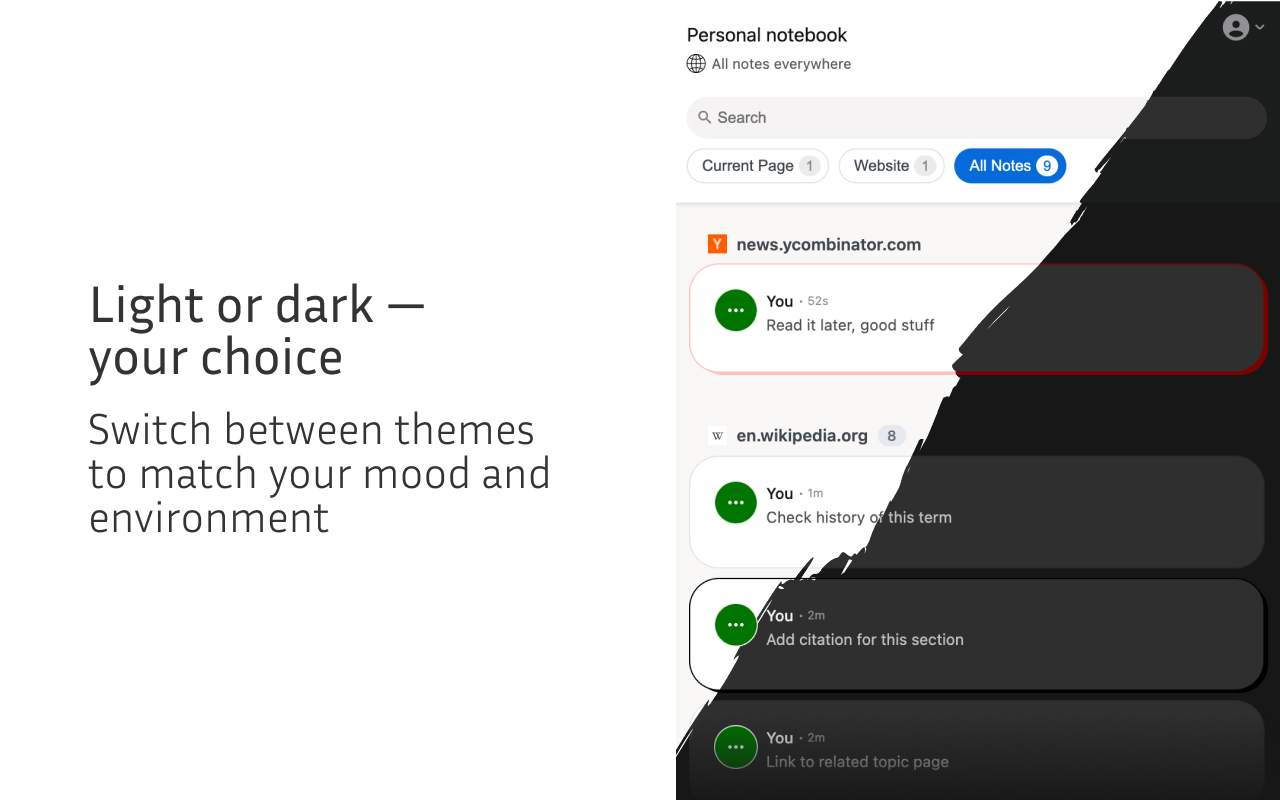
🌓 Light & dark theme switching
Choose between light and dark mode to match your environment, reduce eye strain, and personalize your note-taking experience.

Leafovers transforms the way you browse by allowing you to pin sticky notes directly onto any webpage. Whether you're researching, shopping, studying, planning, or gathering inspiration, Leafovers helps you save thoughts, reminders, and ideas exactly where you need them. Your notes stay on the page and reappear every time you visit.
🎯 WHY USE LEAFOVERS
Ever wanted to:
Leave a reminder on a site you visit often?
Highlight important details on a product page?
Annotate research articles or documentation?
Capture ideas while browsing inspiration galleries?
Add notes to recipes or guides you follow online?
Leafovers makes all of this effortless. Notes stay attached to the page and come back exactly when you need them.
✨ KEY FEATURES
📝 Sticky notes on any website
Create notes anywhere with a right-click. Notes persist across browser sessions and reappear when you revisit the page.
🎨 Color-coded organization
Choose from multiple colors to categorize notes, prioritize tasks, create visual cues, or match your personal style.
📌 Flexible positioning
Sticky Mode: Attach notes to specific elements so they scroll naturally with the page.
Fixed Mode: Keep notes in a fixed position for always-visible reminders.
👁️ Smart visibility options
Always Visible: Keep important notes on screen.
Hidden (Hover to Show): Hide notes until you hover over them to keep your browsing clean.
📂 Powerful note management
Current Page: View only the notes on your current webpage
Domain View: See notes across an entire website
All Notes: Browse your complete collection
Filters: Quickly find what you need
🚀 PERFECT FOR
📚 Students and Researchers
Annotate articles and study materials
Highlight important sections
Track sources, citations, and research notes
💼 Professionals and Developers
Add notes to documentation and API pages
Save code examples
Track tasks, reminders, and project ideas
🛒 Online Shoppers
Compare products across tabs
Track prices, specs, pros and cons
Leave reminders for future purchases
🎨 Content Creators
Save inspiration and references
Annotate resources and assets
Capture creative ideas while browsing
🌐 Everyday Browsing
Leave reminders on frequently visited sites
Add notes to recipes and tutorials
Capture ideas whenever inspiration strikes
📘 HOW TO USE
Right-click anywhere on a webpage to create a note
Customize color, visibility, and position
Use the notebook panel to manage all your notes
Browse normally — your notes stay exactly where you placed them
💡 TIPS AND TRICKS
Use different colors for tasks, ideas, and reminders
Set important notes to Always Visible
Use Hidden mode for a cleaner screen
Group notes by domain for project-specific organization
Sticky Mode = contextual notes
Fixed Mode = general reminders
🎉 START ORGANIZING YOUR WEB
Turn every webpage into your personal notebook. Stay organized, stay productive, and never lose important information again.


Comment