
Rails UI
Professionally designed UI components & templates for Rails
Hey!
At the end of my last update, I mentioned sharing the first alpha of Rails UI with the mailing list before the new year.
Unfortunately, if you're reading this, it's evident that I missed my mark. I'm sorry for the delay, and I promise I haven't wasted time!
What's in this issue?
- What I'm currently working on
- What work lies ahead
- When can you expect the alpha version
- Some open-ended ideas
What I'm currently working on
I'm pushing to wrap up the second of the two first themes that will ship with Rails UI. Those themes are Retriever (Bootstrap) and Hound (Tailwind CSS).
The Hound theme, I have to admit, has gotten more attention than the first theme (Retriever).
I added additional variations of standard web components due to the unconstrained nature of Tailwind CSS.
Those components include modals, dropdowns, alerts, authentication views (Devise), and breadcrumbs, to name a few.
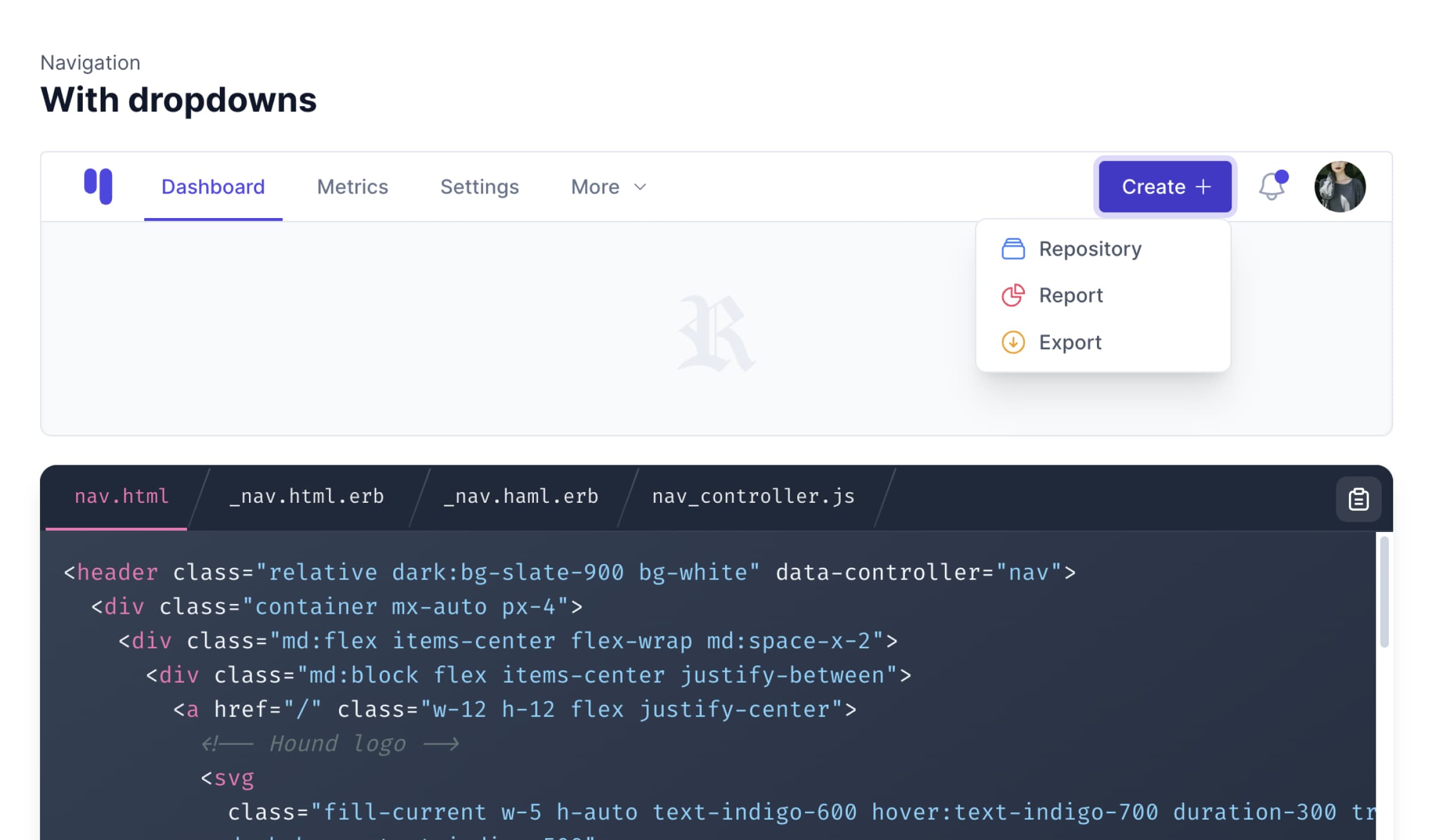
Dropdowns
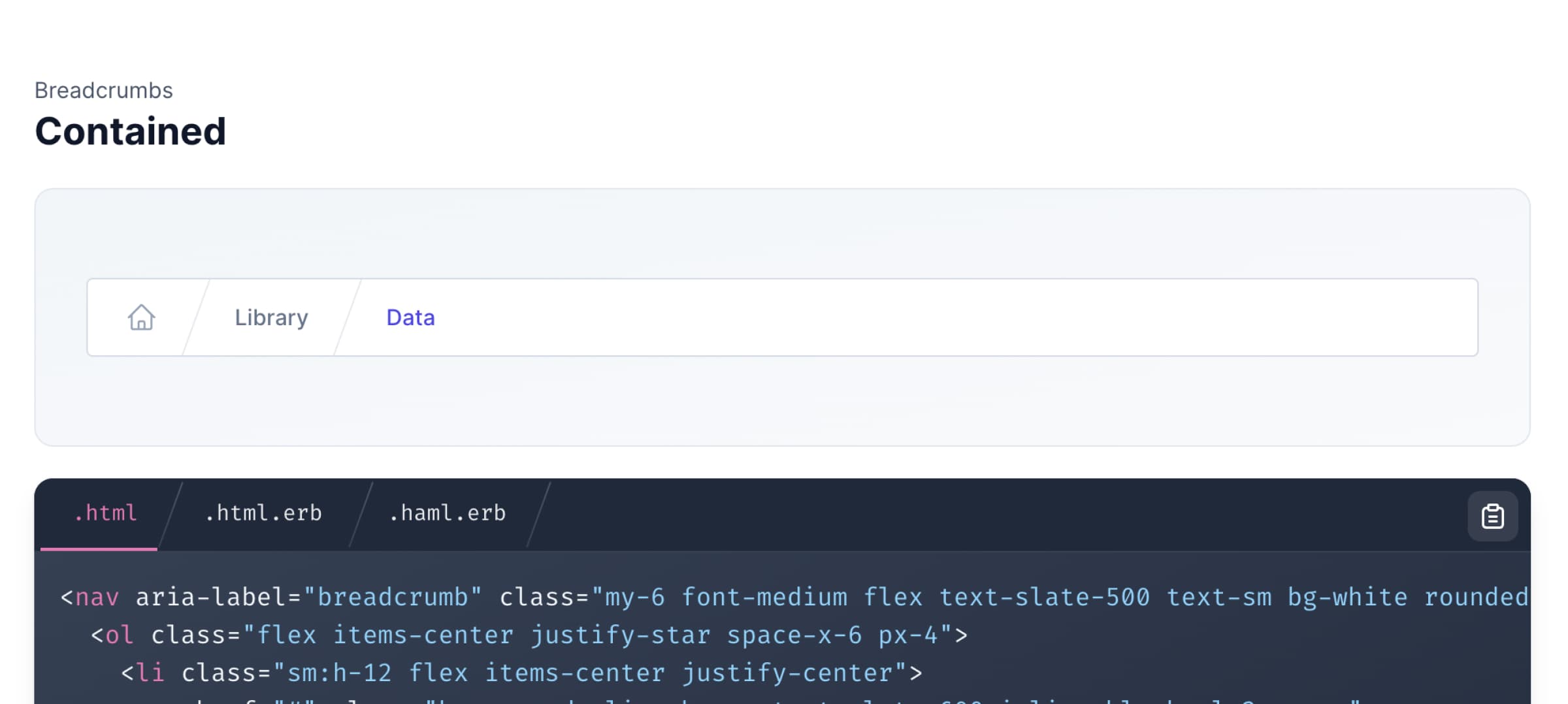
Breadcrumbs
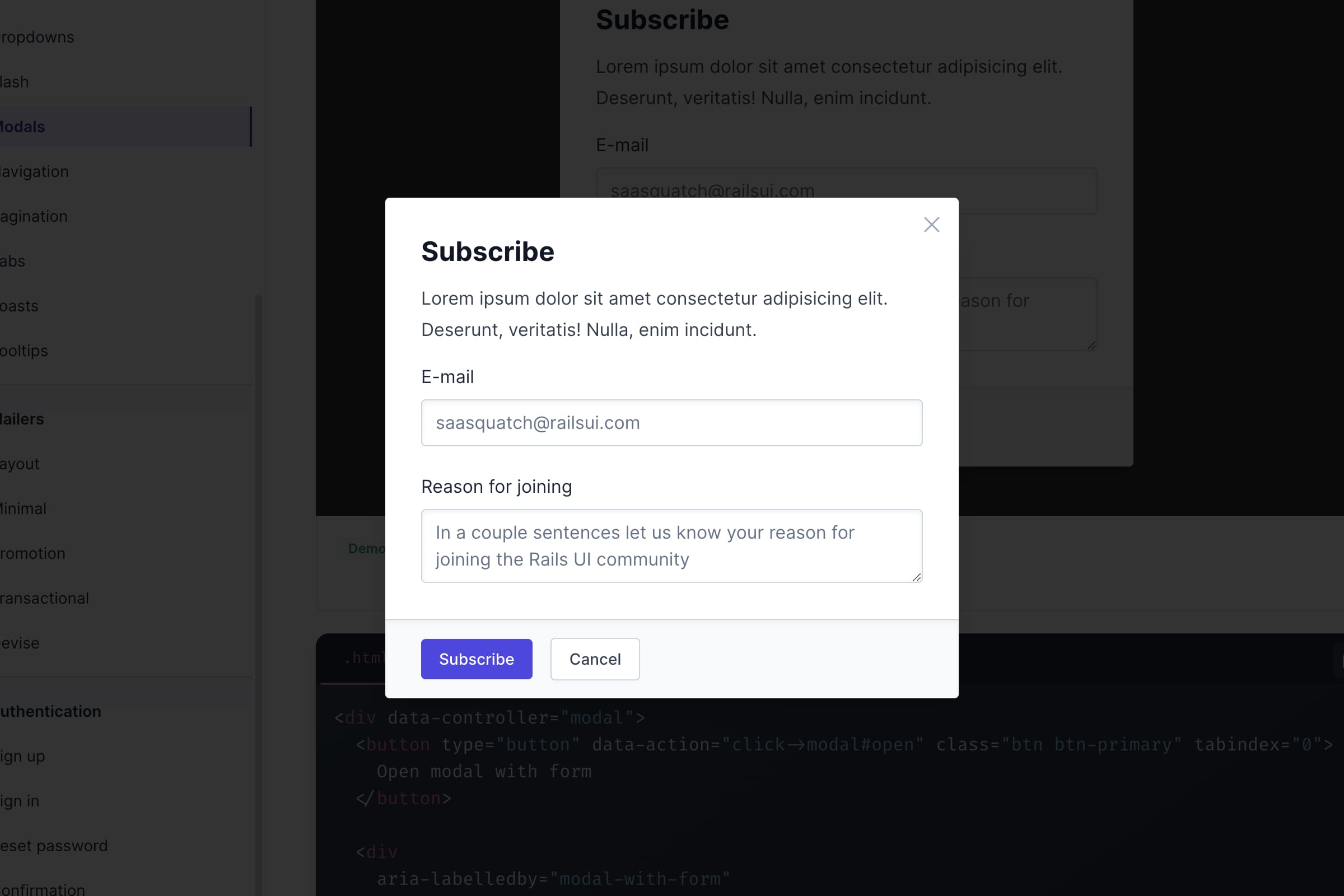
Modals
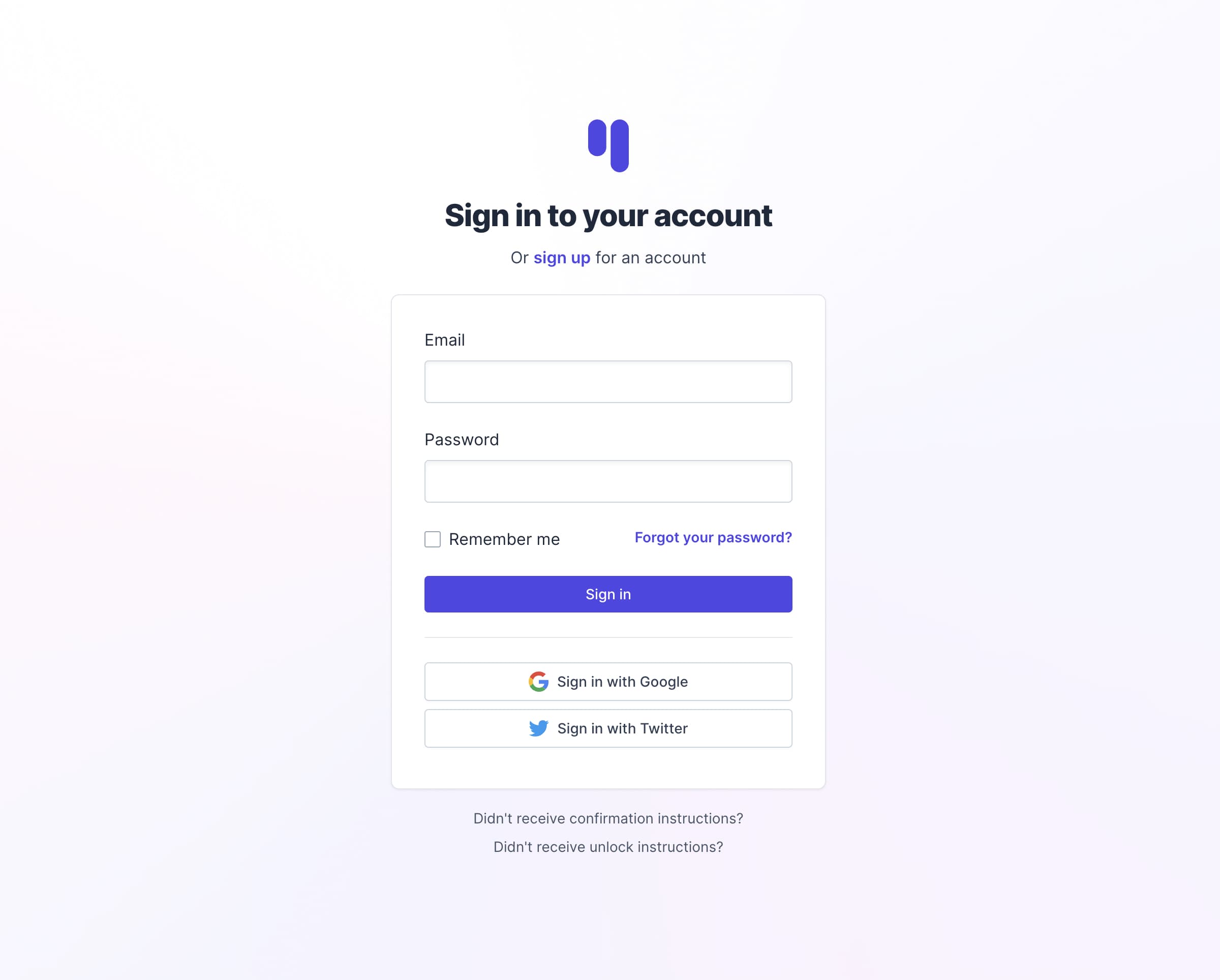
Authentication (Devise)
During this time Bootstrap also released an alpha version, I'd like to harness so I'll need to revisit the Retriever theme and ensure things are all square.
Overall, Rails UI will benefit from multiple CSS frameworks, but Tailwind CSS stands to reign supreme concerning additional options offered.
Versioning strategy and updates
I'm still wrapping my head around how updates to themes, frameworks, and underlying functionality of Rails UI will work.
The obvious path is to maintain Rails UI as a gem/engine you bolt on to a new app, then broadcast releases to the gem via git that you can later use with bundler to install or update. That works great for completely open-sourced projects.
I wonder if that strategy scales too well with future goals to offer a premium side of this project. The 'ole serial code authorization tactic seems fragile and tough to combat with folks who might share licenses.
I've got some thinking/considerations to do around this, but I wanted to throw my issue out there to see if anyone has had any history with such a challenge. Hit reply if so!
What work lies ahead
-
I'm getting super close to wrapping the Hound theme. As I write this issue, I'm finalizing all authentication views for the theme, which look great. Everything to do with the Hound theme supports dark mode out of the box, so I will be auditing my work so far to accommodate.
-
I'll revisit the Retriever theme after completing the Hound theme. Updates here might include updating Bootstrap to use the alpha version and hopefully tackle dark mode for that theme as well. I'm still deciding whether to wait until the official versions of Bootstrap drop, and I might hold off because I need to catch up to my ideal release schedule.
-
I must decide on a strategy for sharing the initial alpha. I'd ideally like to invite those interested to a git repo (maybe Gitlab?– Github would be too costly at my phase of this project, unfortunately) where discussions, ideas, and more can take place. Another idea is to publish a "free" version of the gem on rubygems.org. I'm still undecided here, but if you're on the mailing list you'll learn where I end up soon enough.
When can you expect the alpha version
I'm closer than ever before to getting this in your hands. I'm hoping for an end-of-March or early April alpha at this point.
Design is a hard thing to make "MVP" versions of, and there are libraries out in the wild that this needs to be at least comparable to in terms of quality, so I'm obsessing over the details as much as possible even though I realize the sooner I launch the alpha, the better.
Open-ended ideas
Concerning business
To wrap up this issue, I'm thinking long-term about how Rails UI could be a business or side project and provide free value. I want to help people out, and doing so has a way of paying you back over time.
There are different models I could take it.
Mike Perham's open-source model seems pretty neat, but I worry about maintaining two seperate gems as it appears he does with Sidekiq and Sidekiq Pro.
Additionally, the whole licensing model seems overly complex.
The team at Tailwind Labs has a one-time purchase model that makes a lot of sense at their scale.
As a solo maker, the non-SaaS model will not benefit me by being so niched to Rails.
The project's long-term goal is continuously to add themes and support for additional CSS frameworks. Adding more resources allows businesses and developers (my customer avatar) to hit the ground running with new apps and endeavors.
My contribution in an ongoing nature means I'll need continued funding to keep the lights on and hire help to move faster.
Pricing is also tricky to consider, but I'll cross that bridge when the time comes.
Concerning where the project can go
Rails UI is a project that could scale, but I have my rose-tinted glasses on imagining that :). When conceptualizing the idea, I dreamed as big as a marketplace model where others could buy and sell themes in addition to those Rails UI offers. Time will tell where it goes.
I want to focus more directly on this project than on things I've worked on in the past. Historically, I've had the classic shiny object syndrome, and this time, I need to focus longer and pay more attention to marketing.


What's new with Rails UI - Issue 2
Thanks for tuning into another Rails UI update. I've regrettably been busy with some personal matters outside my software life, but I do have some updates to share that I'm excited to share.
Below is a quick video of some of the latest Rails UI happenings. I apologize for some quick jumps in the video due to technical issues. I ran out of time, and rendering this sucker took forever 😅.
In the video, I walk you through how to install and configure Rails UI for the first time. You're good to go if you have ever installed a gem before. Nevertheless, a visual is always helpful!
The gem is an engine that mounts to your app. An entire configuration UI and design system UI gets bundled with the engine.
My idea is to be pretty opinionated up front (sort of like the Rails convention over configuration part of the doctrine) with what you can configure with the option to customize later as your application evolves.
The installation and configuration process goes like this:
- Install the gem
- Run the Rails UI installer generator
- Load your app locally and visit
localhost:3000/railsui. - Configure your Rails UI installation by setting your app's name, choosing a CSS framework (Bootstrap, Tailwind CSS), choosing an associated theme, and installing any additional pages with a given template.
That's it. Once installed, you will see more resources available as a design system at localhost:3000/railsui/systems. There is an entire design strategy provided as a source of truth for repeatable design elements. Additionally, as part of the theme, Rails UI includes static pages and templates ready for use. The number of pages and templates will go as time goes on, but to kick things off, I am providing one Bootstrap, and one Tailwind CSS theme to get the foundation built and all the kinks worked out.
Documentation
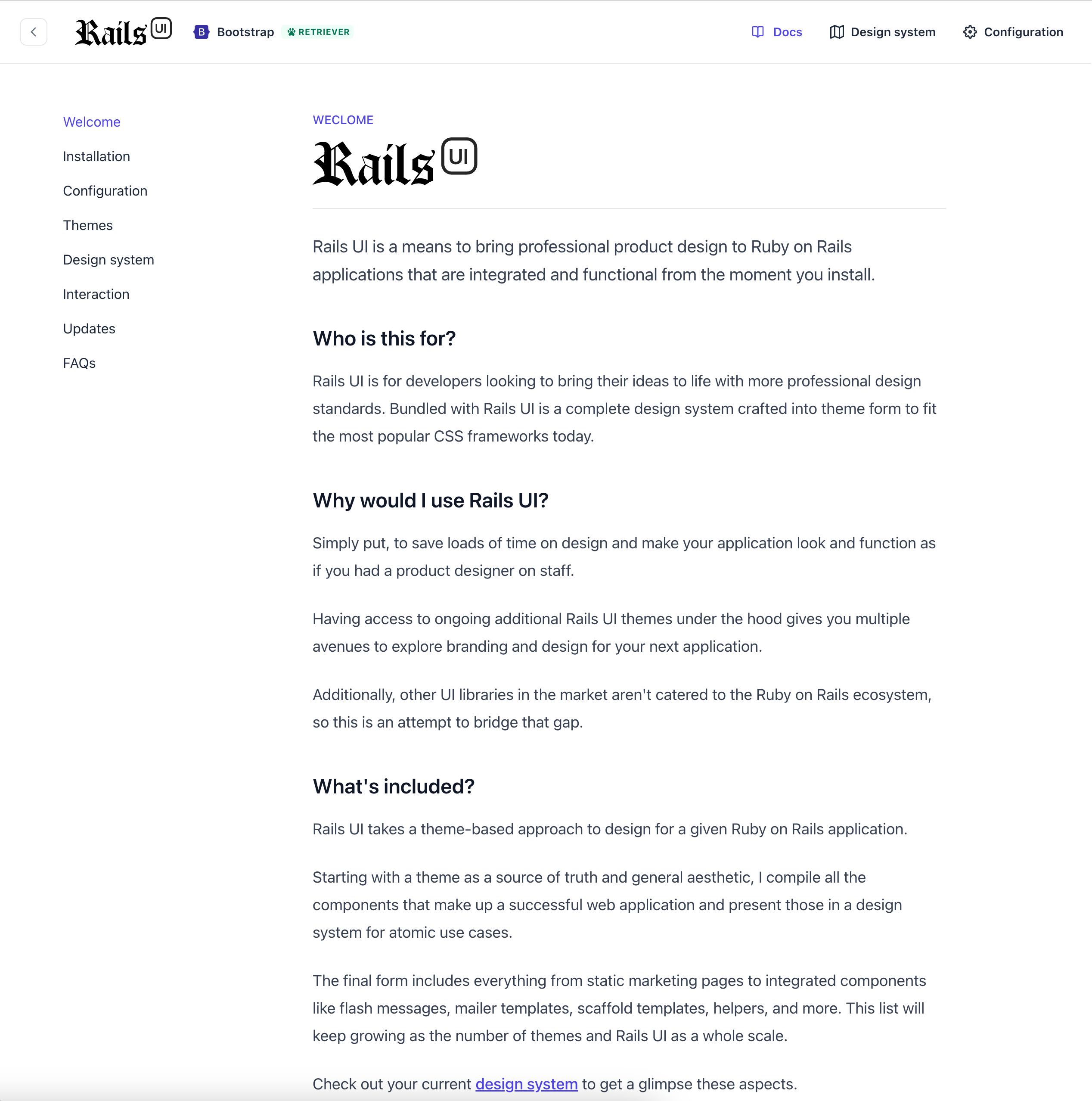
Rails UI now has integrated documentation. I plan to host this on railsui.com eventually, but having it local seems more efficient too! There are a few more FAQs I plan on adding and planning around how updates, future themes, and more will work, but I'm getting closer to finishing the alpha version.
Now, with dark mode
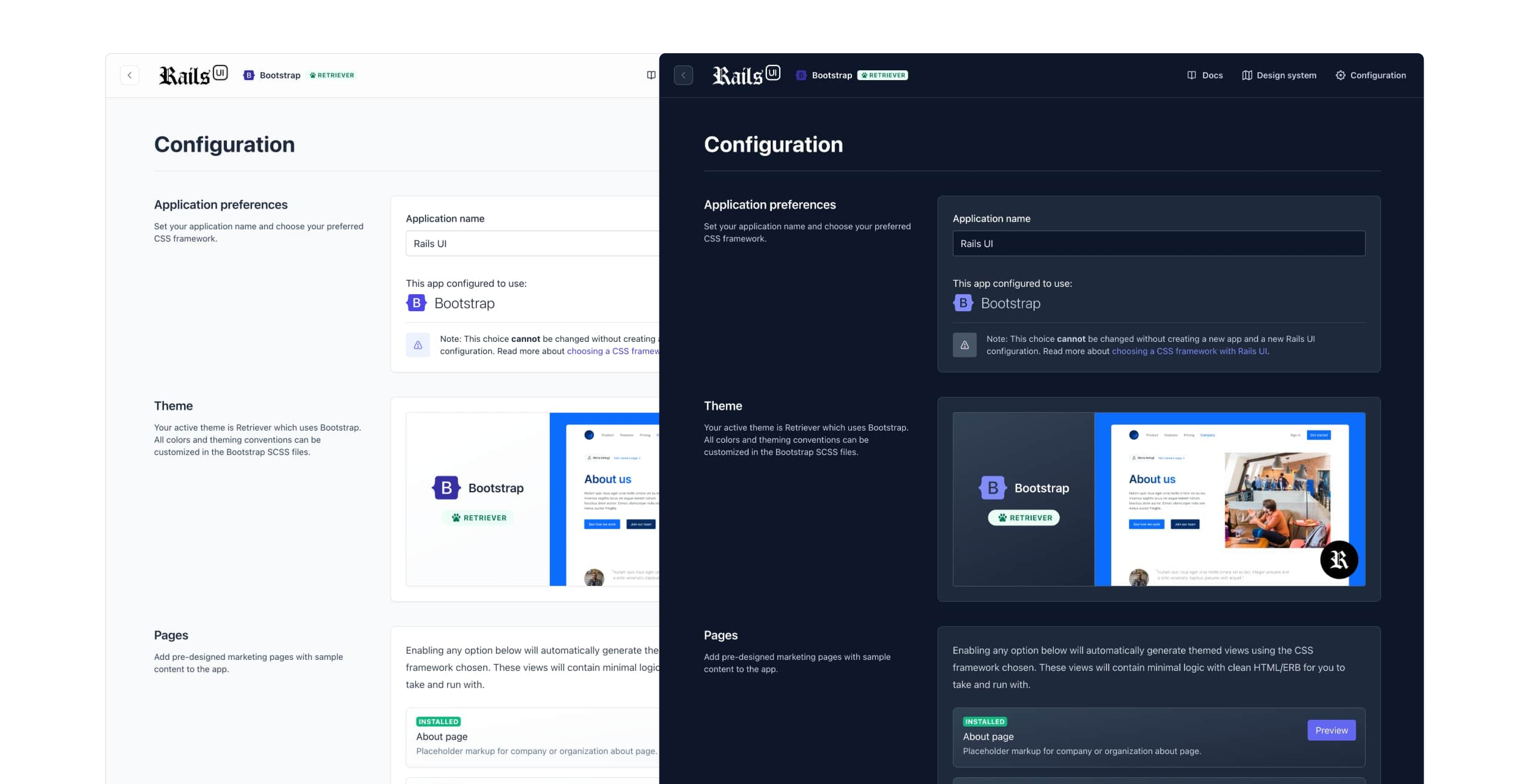
It is silly to add dark mode support to a v1, but Tailwind makes it easy, so why not? Dark mode support is automatically enabled depending on your operating system's settings, and I'll eventually add a switch to toggle this in real time.
Will themes have dark mode support?
For now, only Tailwind CSS themes support dark mode by default. Bootstrap could have better support for this out of the box, but I wanted to add it when more substantial progress gets made elsewhere.
Email template support
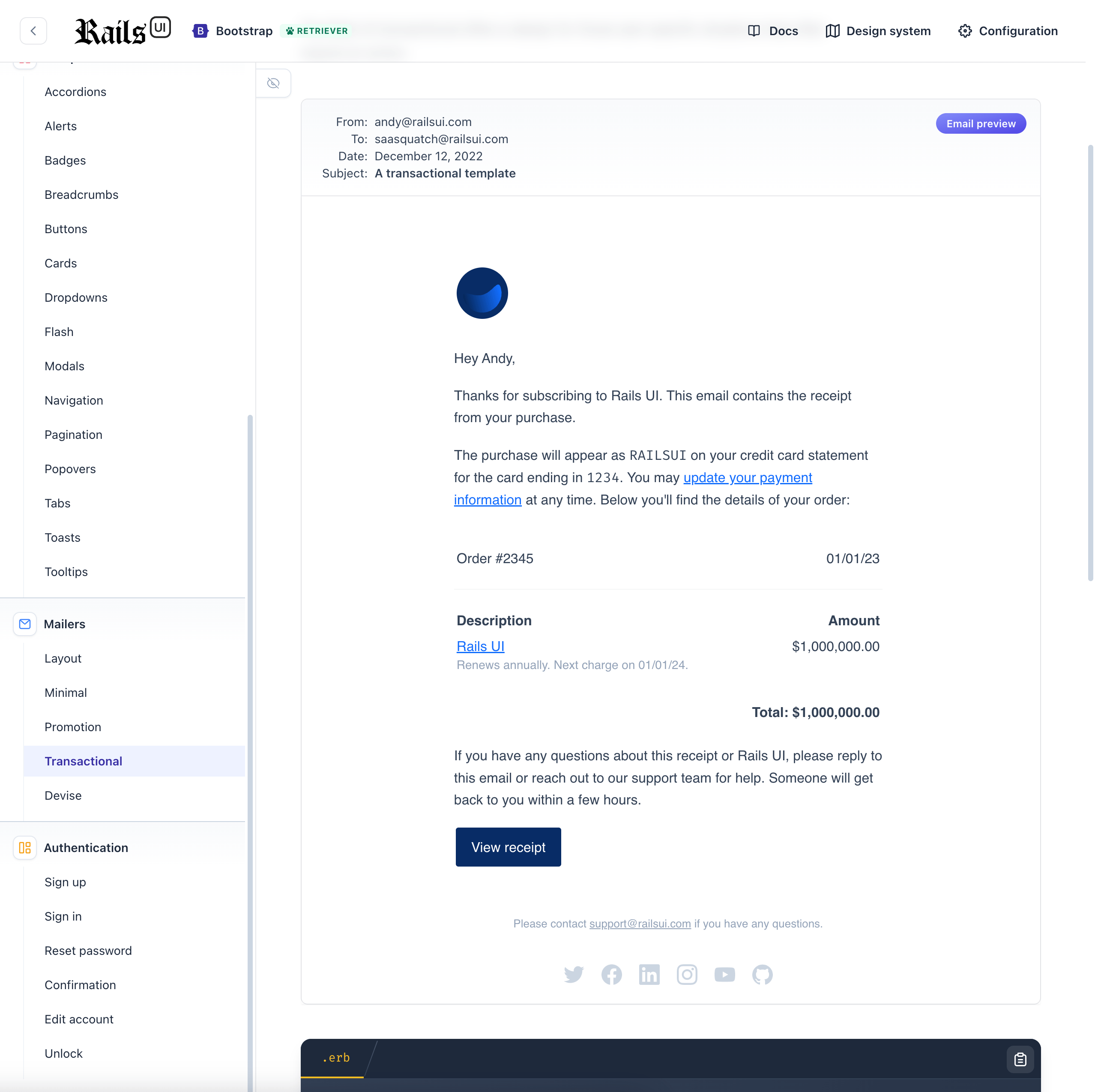
Because Rails comes with the ActionMailer framework, I decided to provide some sensible templates for emails of a few varieties. This list will undoubtedly grow, but I included a general customized responsive layout with email templates for transactional, minimal, marketing, promotional, and Devise related templates.
A refreshed responsive design
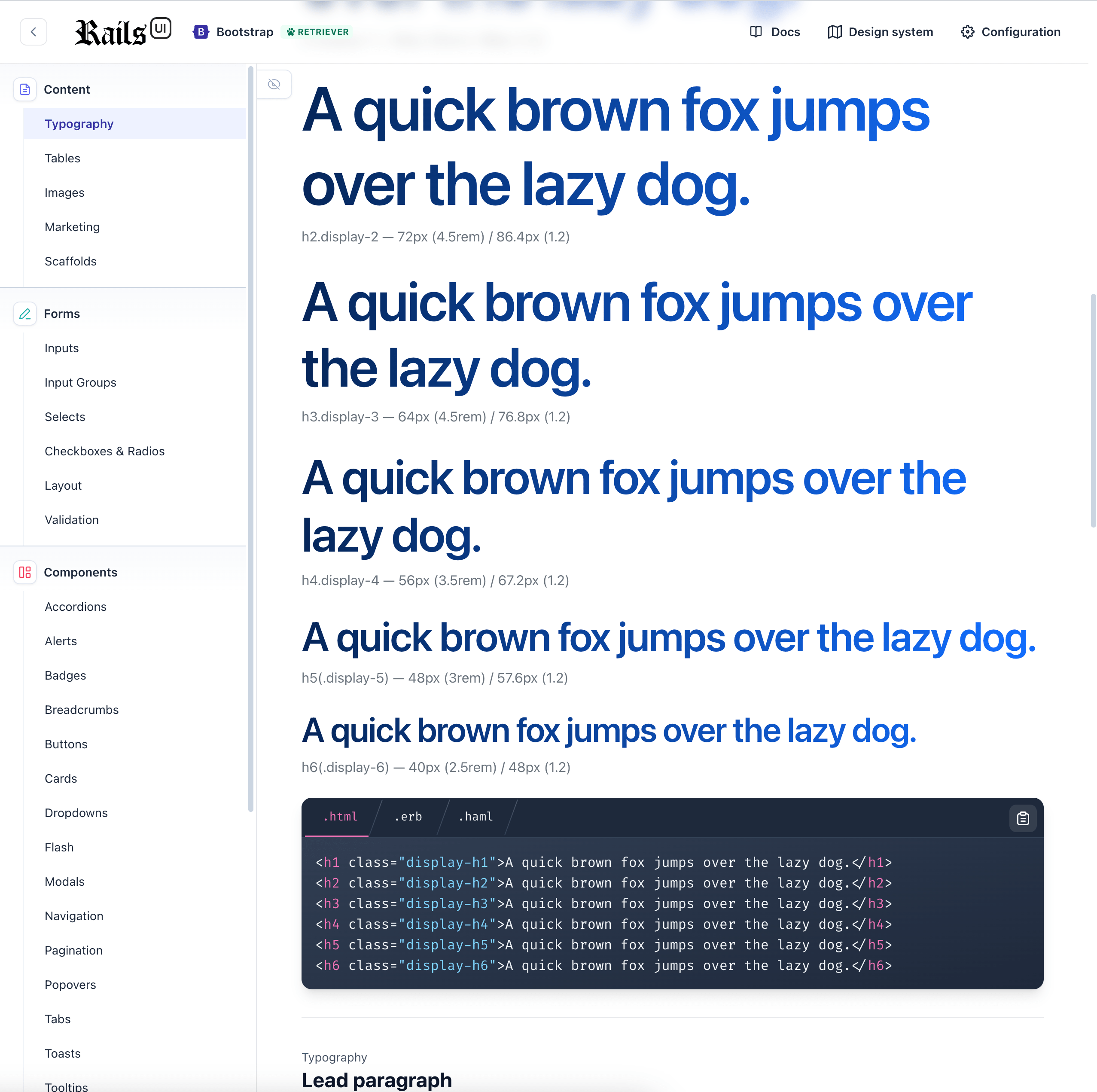
Since the first update, I still need to finalize the design of the Rails UI engine views. I finally landed on a look and feel that gets the job done and added some responsive styles for those who want to view their design system specifications via mobile device.
Rails UI will evolve, and additional themes get added to the mix.
Upcoming themes
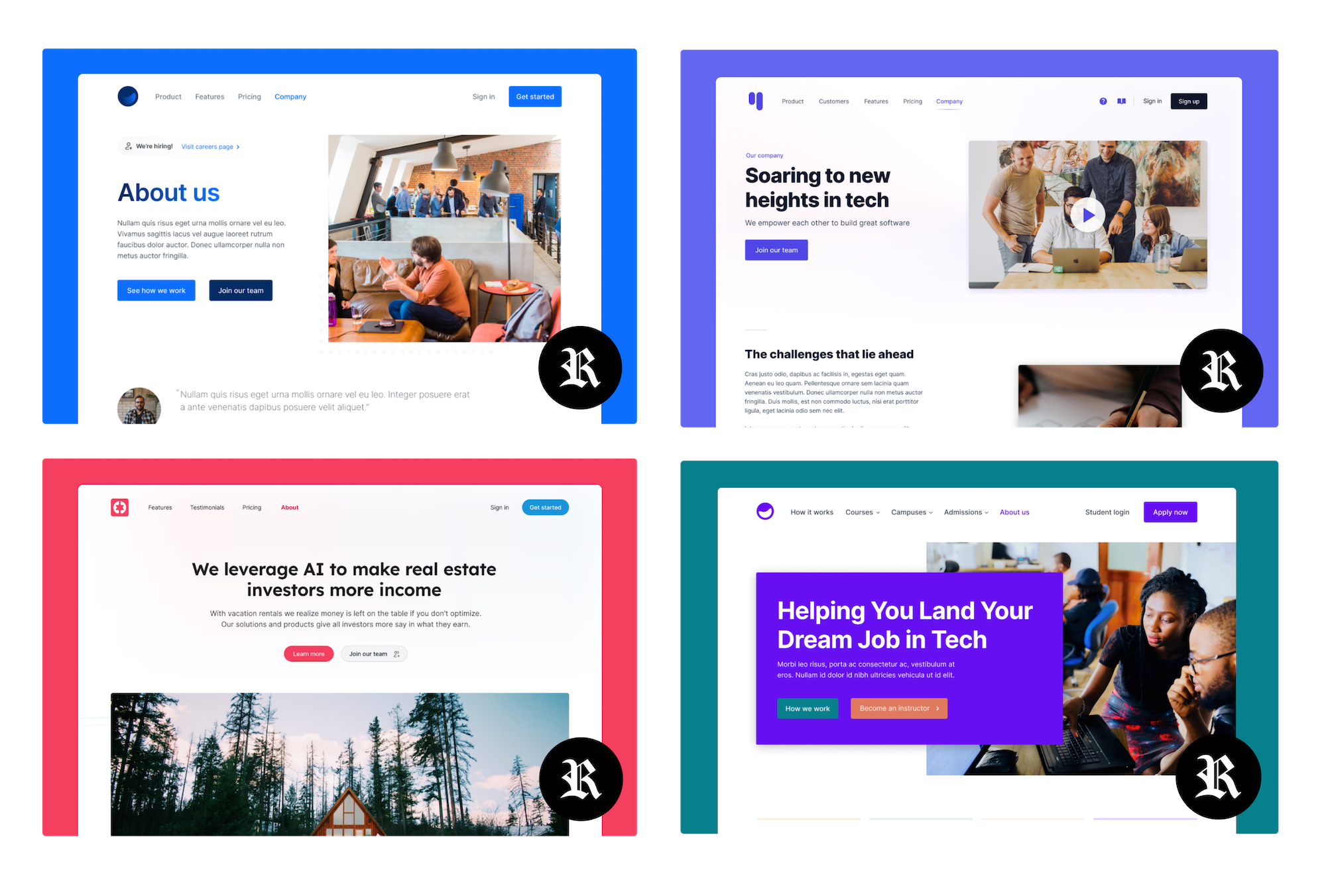
Here's a quick glimpse at some upcoming themes I'll be adding. These all originate in Figma and then translate into code. I am still deciding if I will include Figma files in the final project when I eventually charge for additional themes, but it could be cool to do so!
That's all for this update. I plan to complete the second theme by the end of the year and start the new year strong by sending out a preview for download you can all put through the paces. Look for more details about this coming soon.
Have an excellent year-end!
Hey!
If you're reading this, you might have seen my introduction video, which tells the story behind the Rails UI project.
That video mentioned the new website, which is probably why you got this update in an email.
What's new?
This is my first update, so I'm excited to share what I've been up to.
Check out this blog post for a refresher on Rails UI and why I'm building it.
A quick TL;DR; of recent updates:
- I have redesigned the onboarding of the gem/engine and improved how you can refer to your Rails UI install in a given Ruby on Rails application.
- I completed the first theme and design system based on Bootstrap. Next up is the first Tailwind CSS theme.
- My goal is to complete two themes (one Bootstrap, one Tailwind) and open access to trial as an alpha version (If you're reading this and subscribed to the mailing list, you'll get first dibs 🍕).
You may wonder what a theme is and how it relates to Rails UI. I'll explain some more below and in upcoming issues.
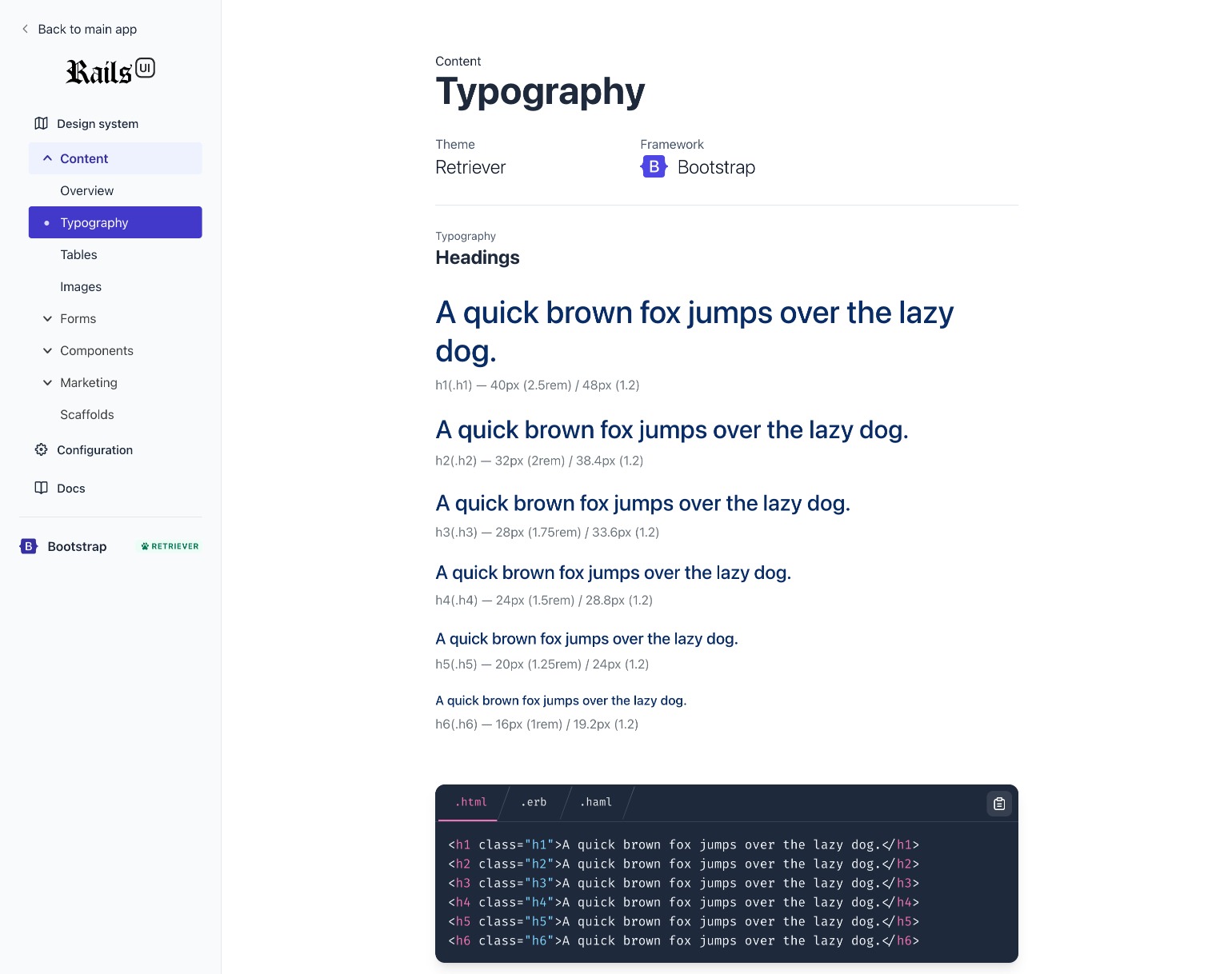
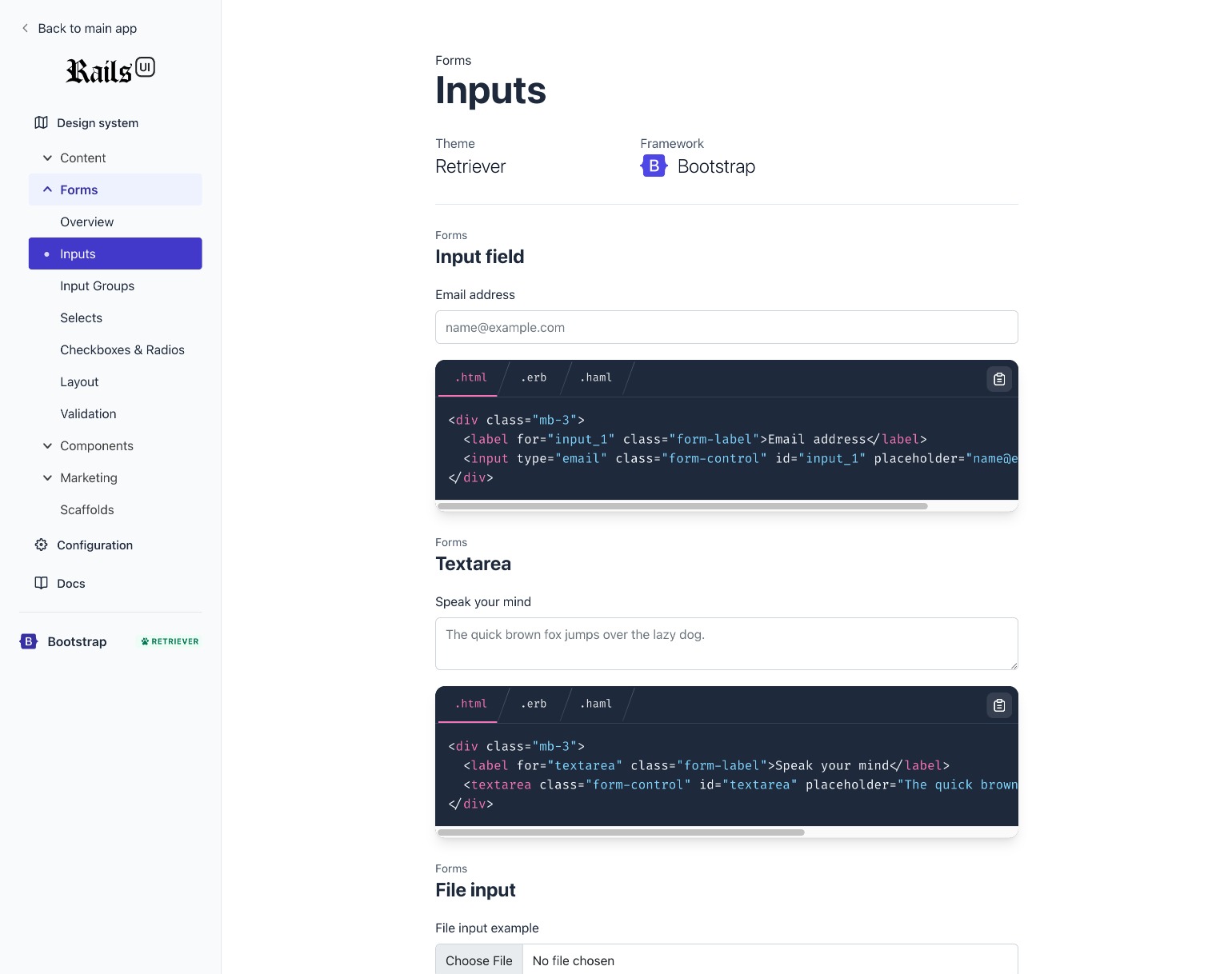
Here are screenshots of a fresh install of the Retriever theme, which leverages Bootstrap. This view is called the "Design System," which features all the components and patterns Rails UI serves for a theme and CSS framework.
Each theme and CSS framework will offer different components, styles, and content that will be expanded as time allows.
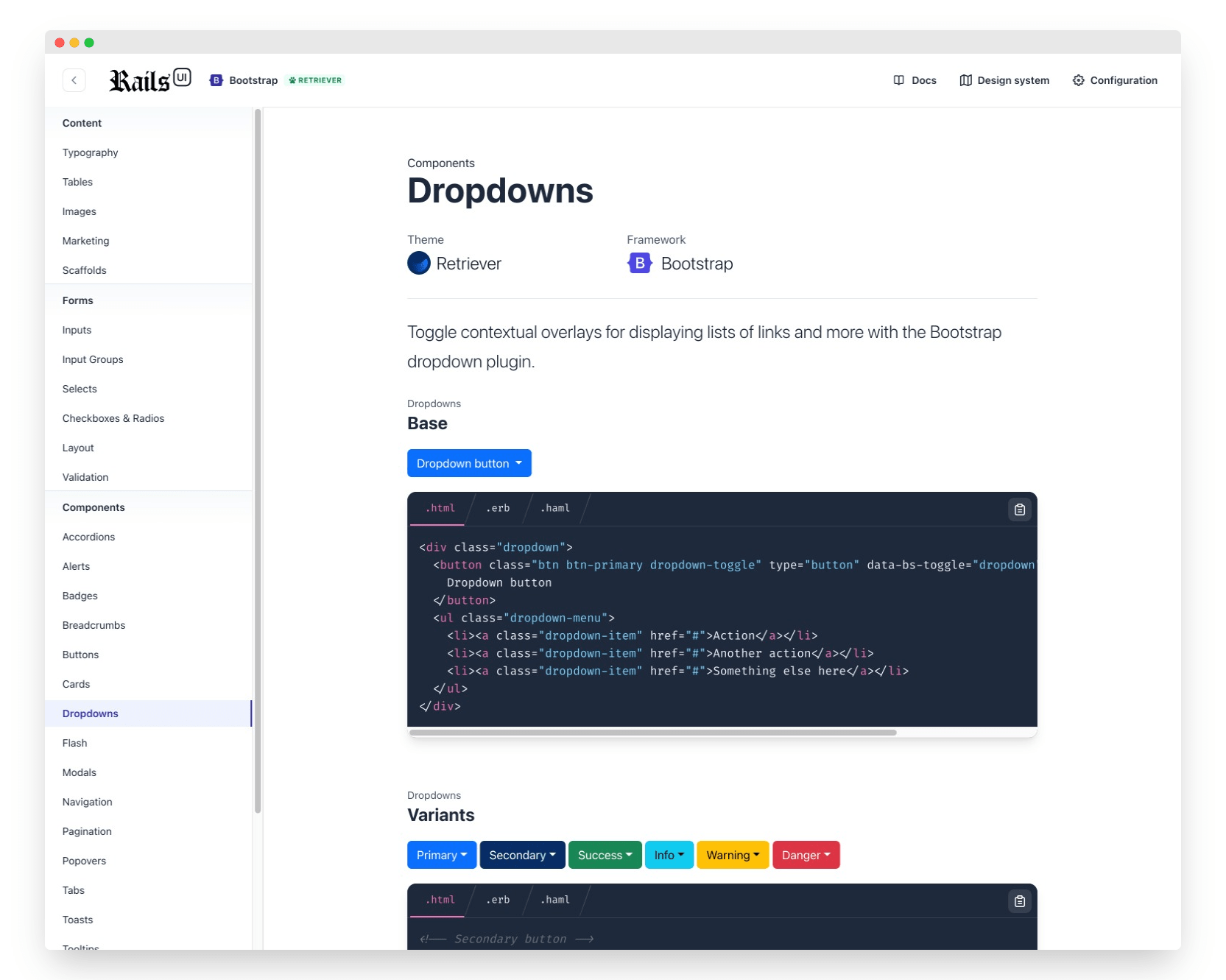
Fully integrated into Rails
The big difference with Rails UI as a design system is that it's integrated into a new application. Brand colors, content, components, path helpers, and more are all customizable without copying and pasting some JavaScript dependant code you might have to do elsewhere.
For now, we feature HTML, ERB, and HAML code snippets. Additionally, JavaScript snippets are available for more interactive components, which typically leverage Stimulus.js since that's a Rails default as of version 7.
I have considered adding ViewComponent and Phlex support in the future but will need to dive deeply into that stratosphere before adding it to the road map.
Additionally, each section of the design system is linkable, so you can share links with co-workers who might need a hand finding a specific component or design asset. Of course, this is assumed you are working locally in a Rails development environment.
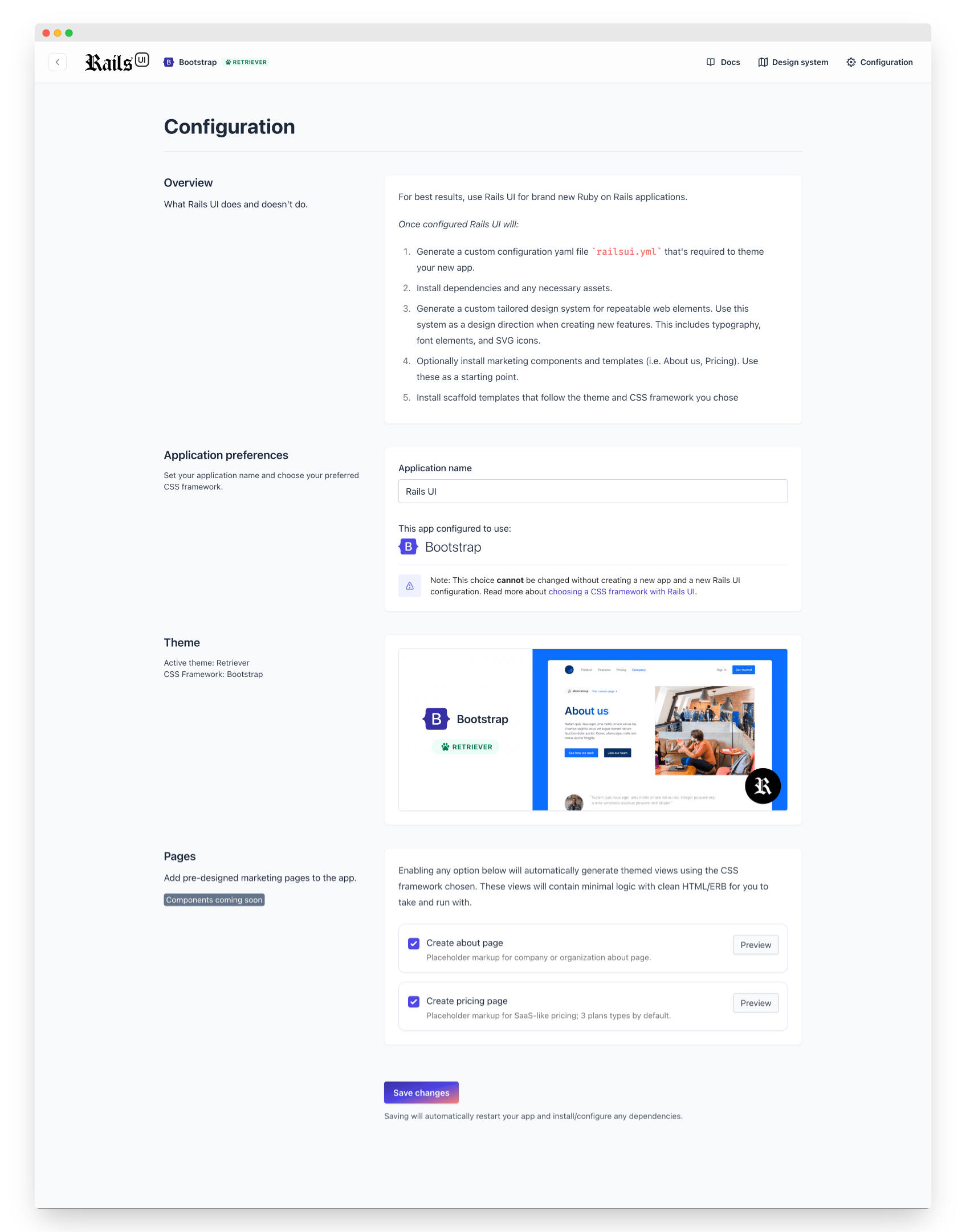
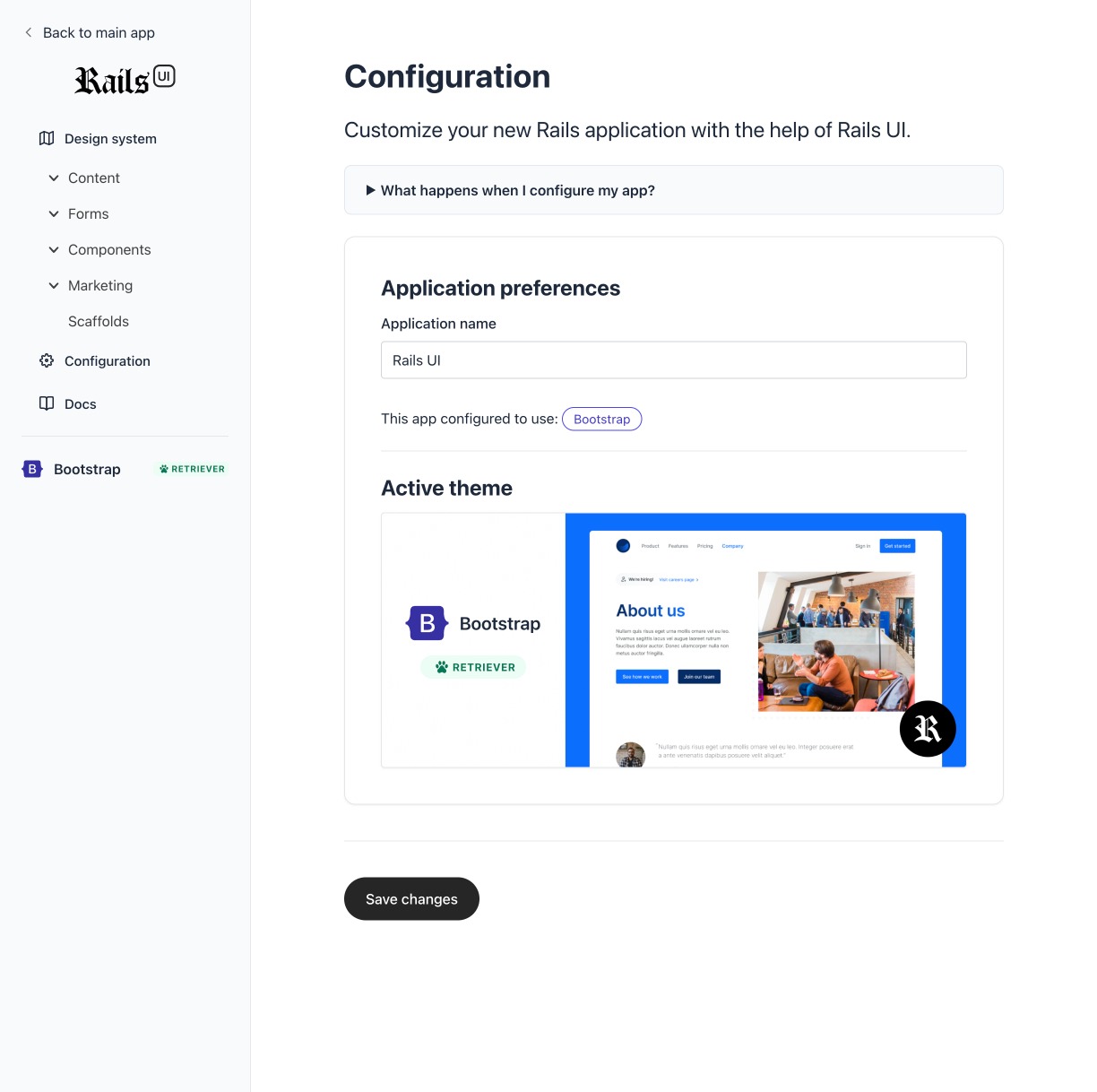
Configuration
The configuration form got a massive update. This view is the first place you will likely land after the successful installation of Rails UI.
The configuration in the screenshot features an active theme called "Retriever," so the view has fewer controls available.
An inactive theme would prompt you to choose both a CSS framework and a theme as a starting point for your design.
Themes are considered a starting point rather than a source of truth. The components combined with themes help pave your design in a direction that suits you best.
Over time the theme library will scale considerably. My goal is to make this part of the project offer as many themes as possible to avoid too much repetition out in the wild.
Of course, all components are customizable thanks to the underlying CSS frameworks and how easy it is to incorporate those into a Rails application.
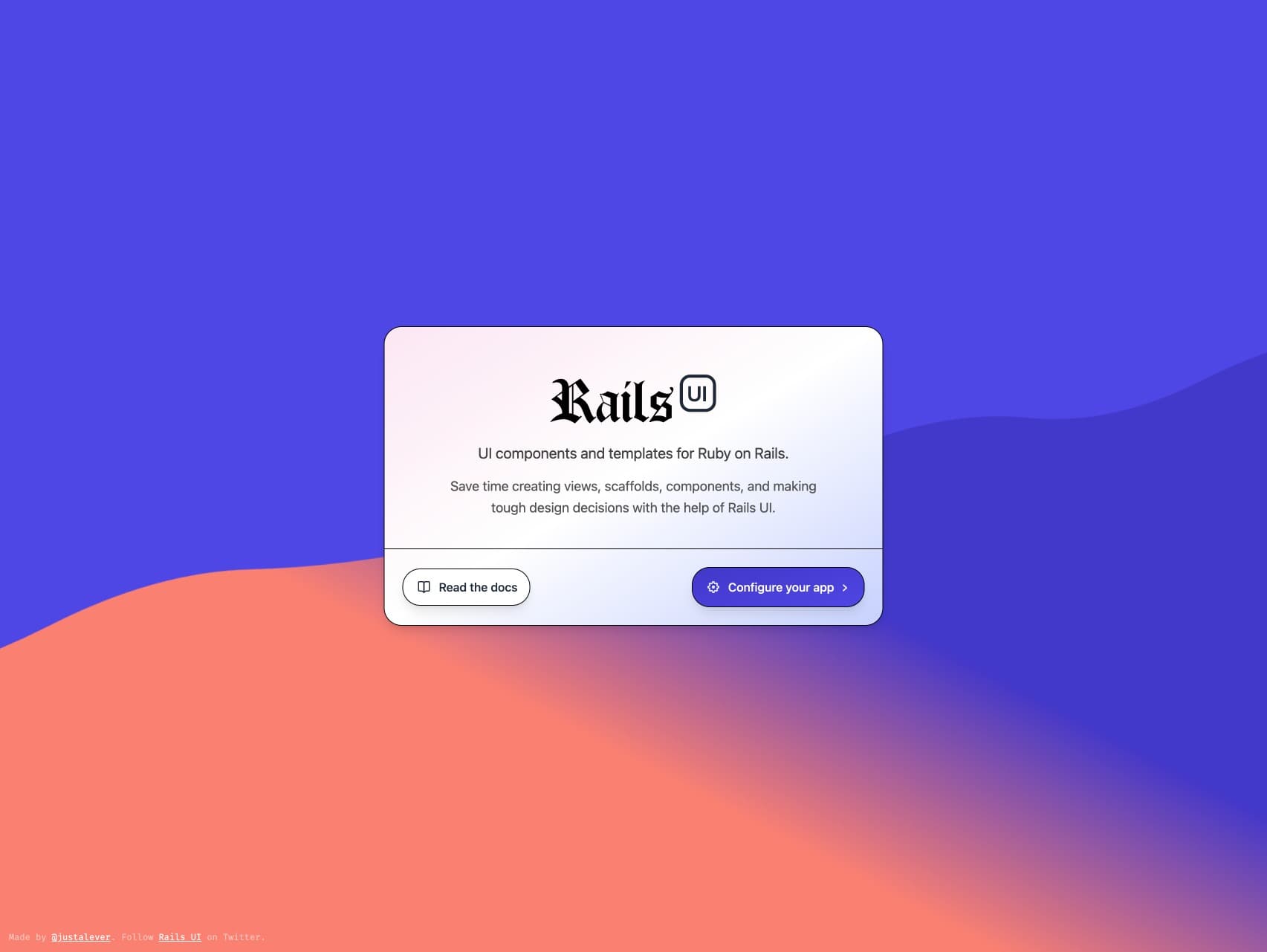
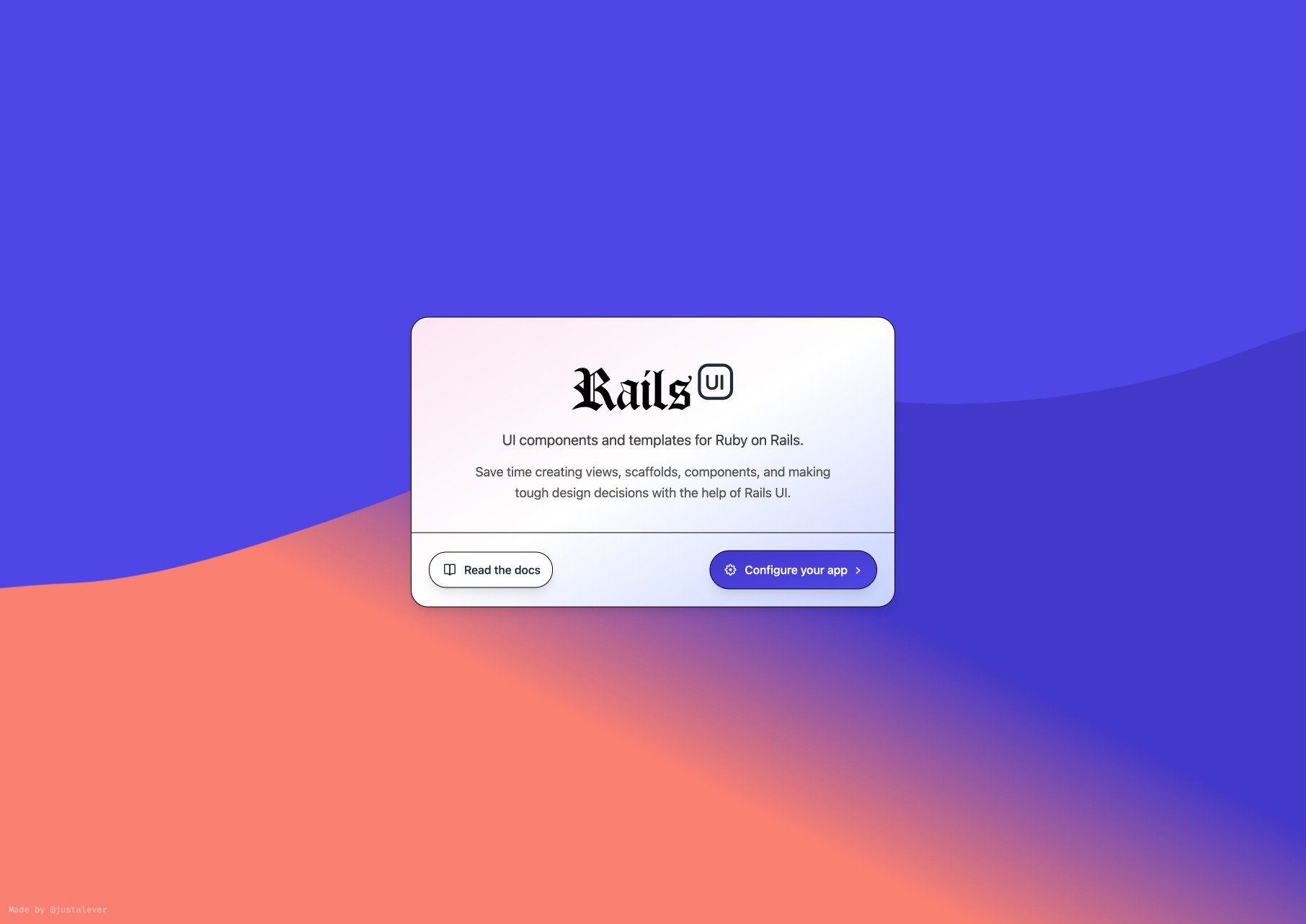
Finally, for bonus points, this is the first screen you see after installing Rails UI. I had some fun with HTML canvas.
For now, Rails UI requires all applications to be brand new. Integrating new design into old is super hard, and while I'd love to say that's on the horizon, I wonder if it would be a huge focus now.
I hope you'll stay tuned for the next update. I have a lot of documentation to write, and that should help me zero in on the gray areas of Rails UI. I want to make it as effortless as possible when installing, configuring, and using it in the application. That will likely be a learning phase requiring much finesse, but I'm excited to take it on 👏.
Cheers until next time,
– Andy
Over the past few months, I've been quietly hacking on a side project called Rails UI. It's a new Ruby on Rails engine that pairs professional design patterns with any new Rails application.
Why Rails UI?
If you've ever scaffolded a Rails resource or installed the default "views" of any UI-related gem, you know they lack natural design flare. This issue got old as the number of applications I created grew.
After repeating myself repeatedly, I decided to scratch my own itch.
There are solutions out in the wild like Tailwind UI, but nothing as integrated as a gem could be. That concept sparked me to dig in to see what I could do to provide value to others and myself.
Rails UI is a work in progress at the moment, but so far, it includes the following:
- An opt-in gem used to install, configure, and copy over design-related assets.
- A design system based on your favorite CSS framework of choice (Tailwind CSS & Bootstrap to start)
- Professionally designed marketing pages and content for your marketing.
- Pre-configured scaffold templates that don't suck.
- Good-looking and more accessible Devise view templates.
How it works
This concept is in flux, but the way you can leverage Rails UI is by following these steps:
- Install the gem
- Run the installer
- Configure your CSS Framework and choose a Rails UI template
- Visit
/railsuilocally to view your design system and other components - Go forth and build good-looking and more accessible Rails apps
When will it be available to try?
There's plenty to do before I have the v1 ready, but I'm getting close! I'm hoping by the holiday season of 2022, there could be an alpha version ready to try. If you join the waiting list, I'll reach out to do some early trials to get feedback.
Will it cost anything?
Not at first, but I think down the line, yes, it will.
I think there will be a free version with two templates to choose from between each CSS framework. Past that, you can pay a yearly fee for unlimited access to current and future templates I'll be progressively adding. This way, I can design for many developers, and you can reap the benefits of a real product designer's work for super cheap. I have cost ideas, but I'm not yet 100% of those figures.
Some visuals
Onward
I'm super excited to be introducing this officially. I hope to do some vlog-style updates to document the journey and share a day in my life. I hope you'll stay tuned and follow along.
Be sure to subscribe for updates at https://railsui.com.
Comment