
Ruttl
The fastest website feedback tool to review live websites.

We’ve introduced a new way for you to look at the webpages, images & PDFs inside your project.
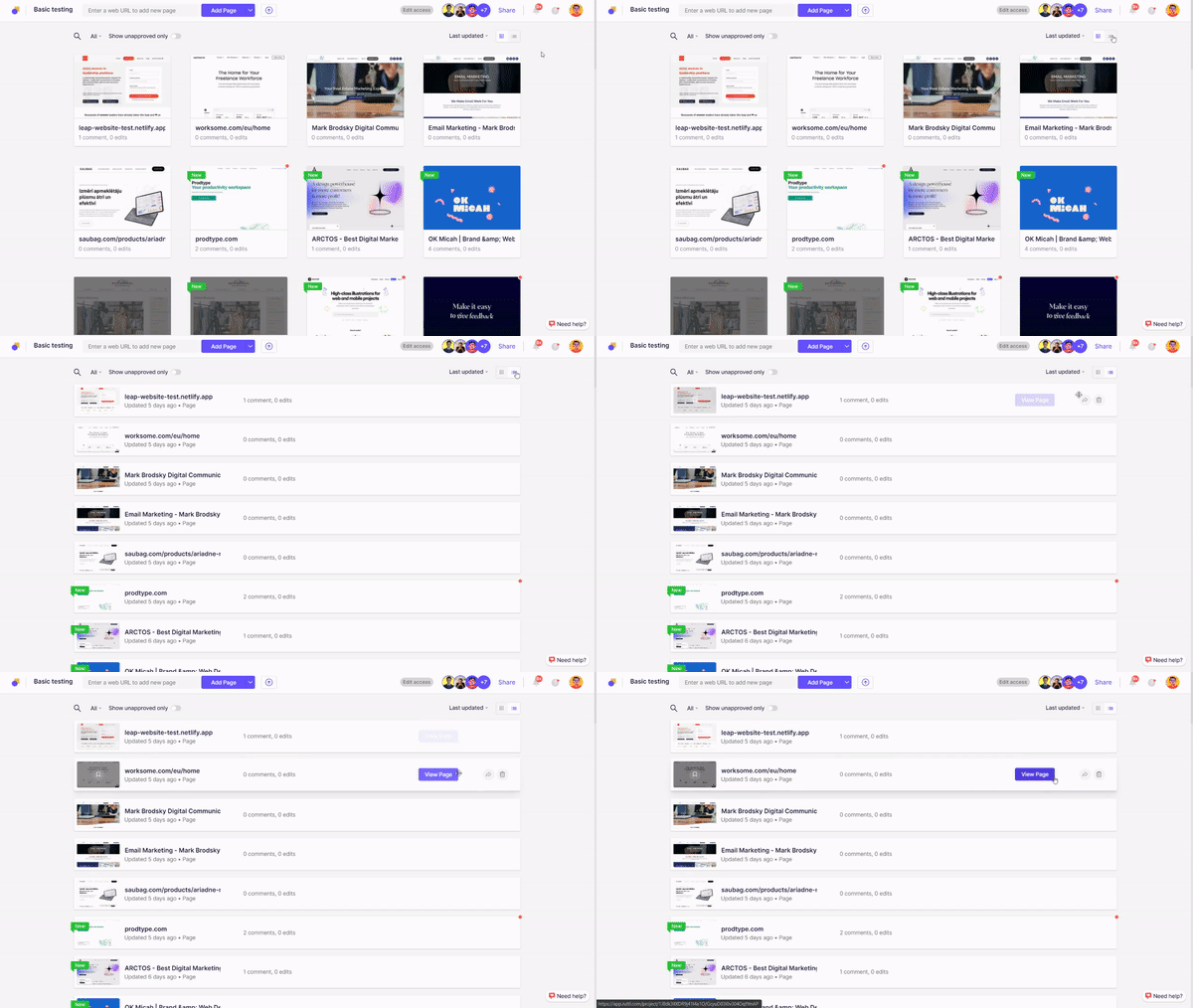
If you’re someone who’s used to seeing lists rather than grids, we’ve heard you. Simply go to the project & toggle between list and grid views from the top-right corner.
To learn more about this update, visit here

To make your experience smooth while updating page versions inside a project, you no longer have to update them one by one.
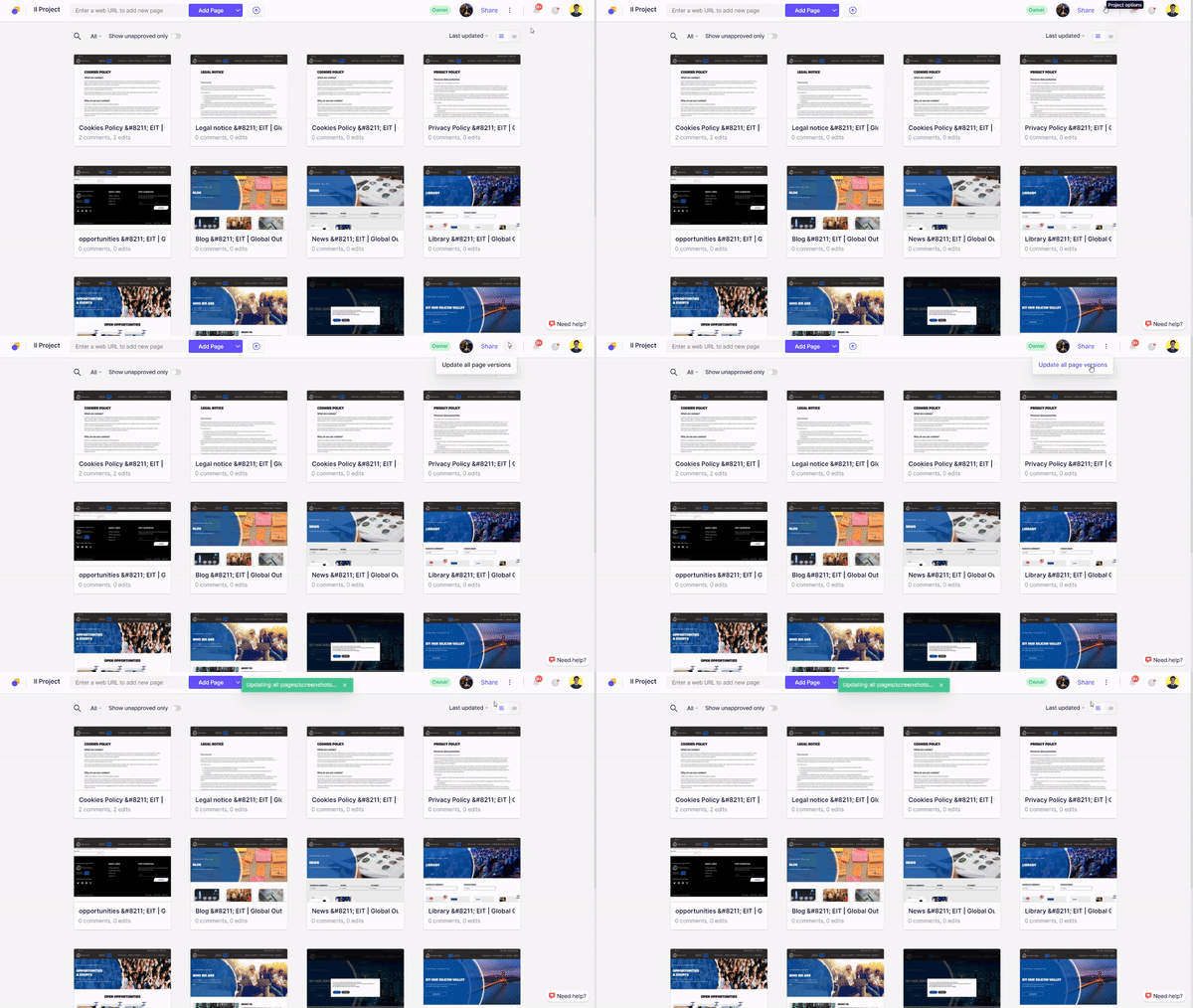
Simply go inside the project, open the three-dot menu on the top-right side (near Share button) and click on 'Update all page versions'. All your pages will be updated at the click of one button!
To learn more about this update, visit here.
Using Asana for your project management purposes! 🤔
In our latest Ruttl update, we've added the new integration support for this widely popular project management software- Asana! 🎉
After you integrate ruttl with your existing Asana account, you can send your feedback comments from ruttl to your preferred project on Asana. 🤝
Take a look at this tutorial video to understand how you can connect your ruttl account with Asana!
Our CNAME functionality has taken off pretty well!
So now, another one of our most requested updates is now rolled out - Different login screens for CNAME users! 💪
Users just need to visit their custom domain they will then no longer have to see the ruttl branding on their login screen.

Follow links and buttons, and close popups or cookie settings while reviewing your webpages on ruttl.

This way, when you review your webpages, you don't have your screen area being continuously covered with the cookie bar or popup.

The most requested feature on ruttl is here - CNAME! 🤩
And we're all going happy-crazy like:

Here's how you can activate it on your account:
- If you have the Team plan in your account, go to the Team section on the main dashboard.
- Under the field of Custom domain, please enter your preferred domain.
- Visit your domain registrar and create a CNAME DNS record pointing to cname.ruttl.com. This may take up to 15 minutes to be fully functional, depending on your TTL.
- Once your CNAME is activated, visit your custom domain.
To watch this feature in action, checkout the youtube video below!
We’ve updated our video comment feature. You can highlight with a marker while adding your video comment!

Highlight specific areas of your webpage or image while adding your video comment. Simply click on the marker icon while adding a video comment, and then highlight your preferred sections on the web page or image.
To see this feature live in action, check out the tutorial video below!
We’ve introduced one more keyboard shortcut - Switching between comment and edit mode.
To do so, you can simply press Ctrl / Cmd + ‘ to switch to Edit mode, and Ctrl / Cmd + ; to switch to Comment mode.
You can also check out other keyboard shortcuts to make your access around ruttl easier and quicker.
Just go to Need Help (question icon on top right) and click on ‘Keyboard Shortcuts’ in this dropdown to access all of them.
Your in-app notifications can now be turned off on ruttl! 🤫
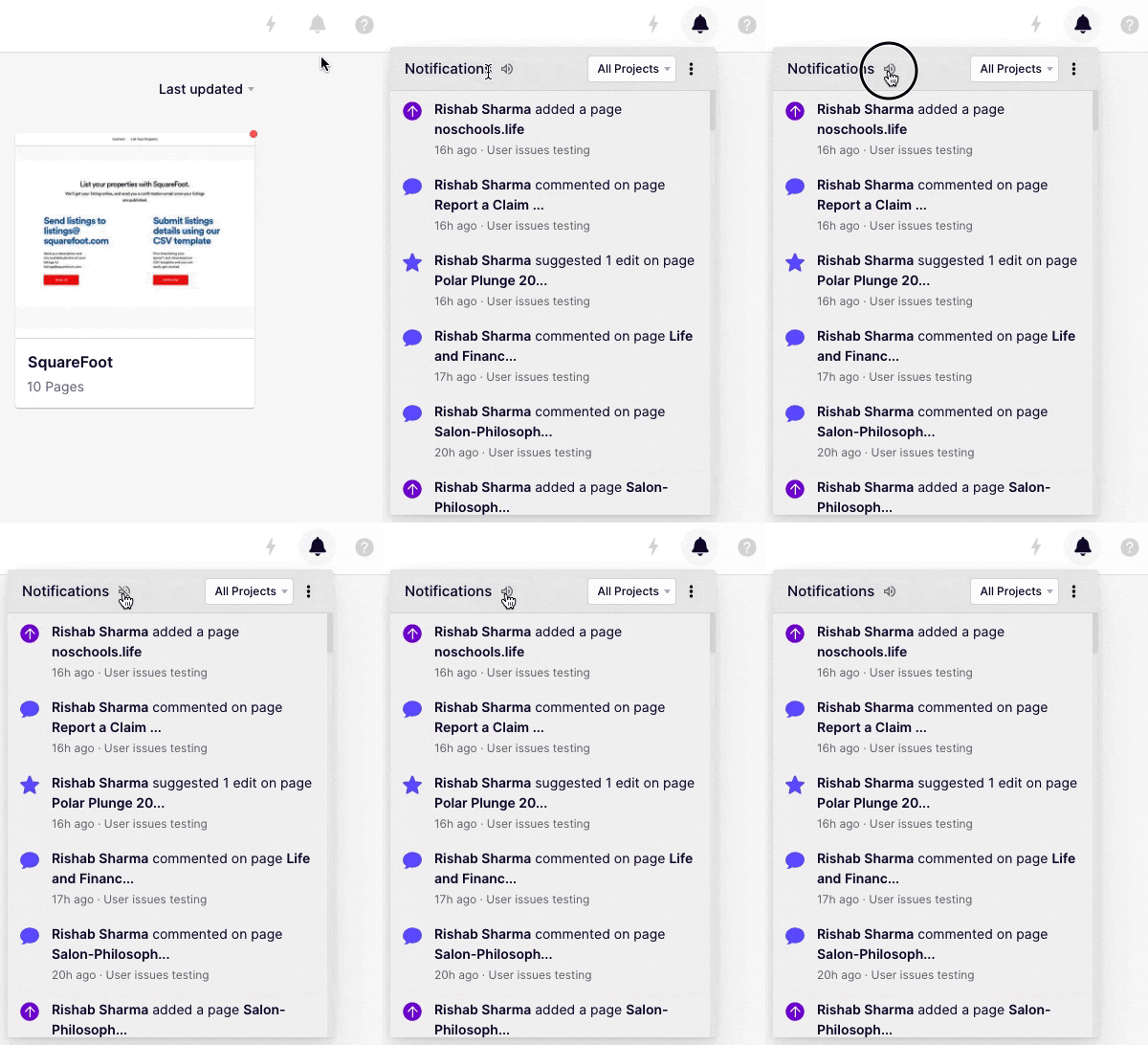
Simply head over to your Notifications Panel and click on the ‘Sound’ icon 🔊. Your in-app notification sound will now be muted.
You can now customize your email alerts on ruttl ✉️.

Go to Account Settings and click on Email Notifications. Customize which email you'd want to (or not want to) receive. Your settings will be directly saved and you will only receive the emails which you'll choose here.
Comment