
Spreadsheets Hub
Smart & Easy Excel & Google Sheets Templates
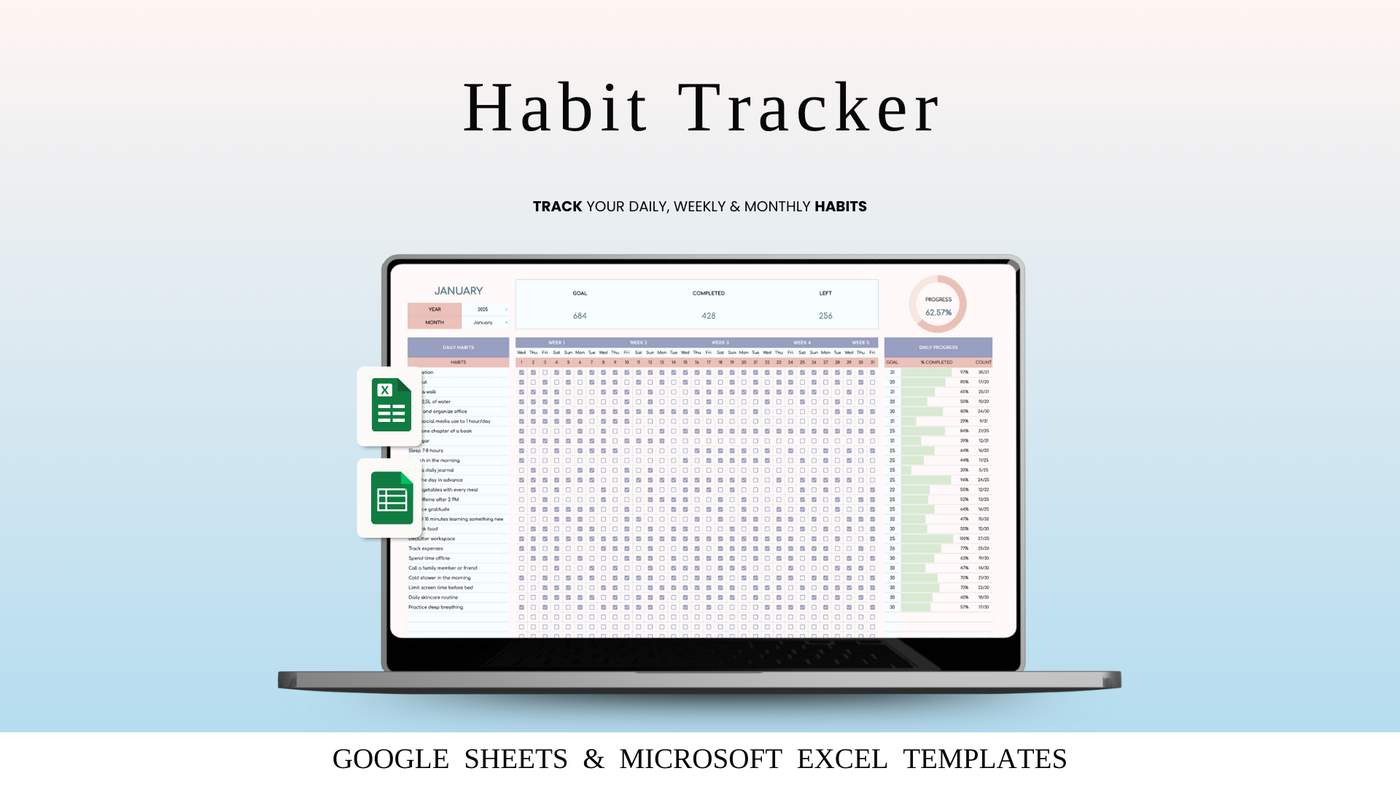
2026 is about better systems, not more motivation.
In this short tutorial, I show how to use a Habit Tracker that helps you stay consistent without stress or overthinking.
✔ Simple setup
✔ Clear daily tracking
✔ Real progress you can see
Watch the tutorial here 👉
Build habits that actually stick — and take them with you into 2026.
#HabitTracker #Habits2026 #ProductivityTools #GoalTracking #PersonalGrowth #DailyHabits #Spreadsheets #LifeSystems

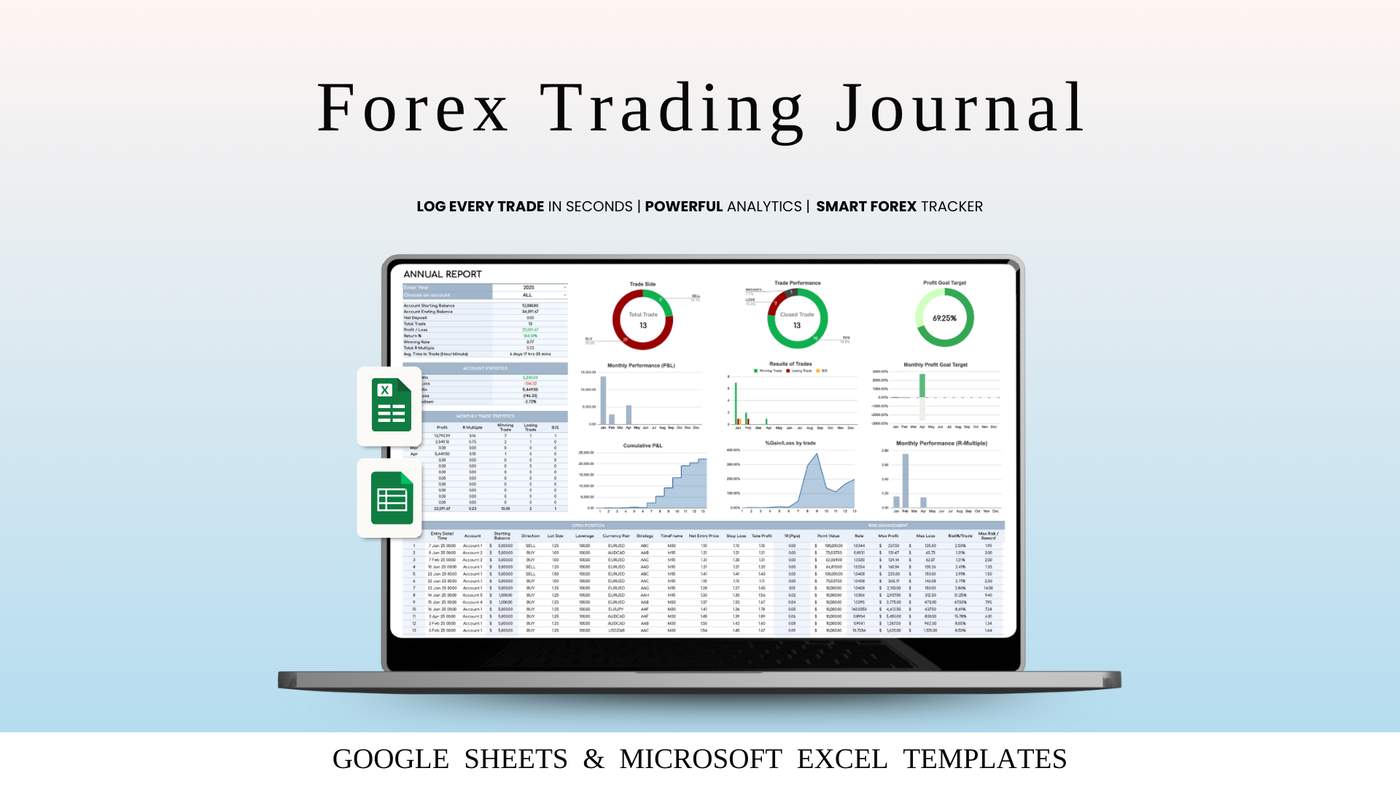
If you’re serious about improving your Forex results, a trading journal isn’t optional — it’s essential. The difference between guessing and growing lies in tracking, reviewing, and learning from every trade.
In our new step-by-step video guide, we show you exactly how to use the Forex Trading Journal to turn raw trade data into clear insights:
✅ log each trade correctly
✅ track profits, losses, and commissions
✅ identify your best setups and mistakes
✅ analyze daily, monthly, and yearly performance
✅ improve discipline and consistency
No complicated tools. No guesswork. Just a simple system that helps you see what truly works — and what doesn’t.
🎥 Watch the full tutorial here:
👉 https://youtu.be/uTkO9tLk5lY?si=HoktoSbk22ZZVqQD
Your results improve when your tracking improves.
Start journaling. Start growing. 📈
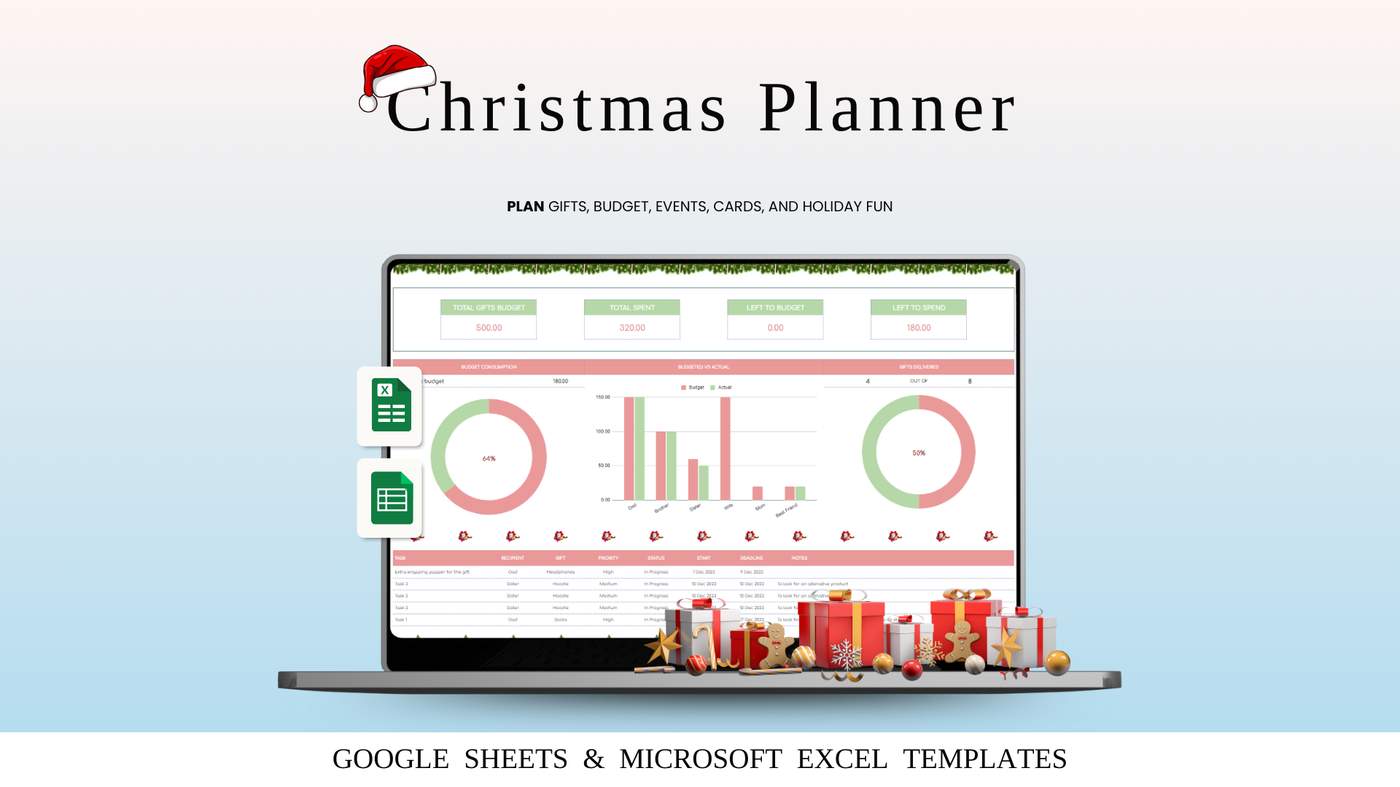
✨ Plan Your Perfect Christmas 2026 – Step by Step! 🎄
The most magical time of the year deserves calm, joy, and zero last-minute stress — and that’s exactly what our Christmas Planner helps you achieve.
In this short video guide, we walk you through how to use the planner step by step:
✅ organize gift lists
✅ plan your holiday budget
✅ track tasks & to-dos
✅ schedule events and preparations
✅ keep everything in one cozy place
No more scattered notes, forgotten gifts, or rushed shopping trips. Just a clear plan, peace of mind, and more time to enjoy the season with the people you love.
🎥 Watch the full tutorial here:
👉 https://youtu.be/rUmJ3b40MFg?si=cqLIi2QGamHyGe8t
Make this Christmas smoother, happier, and truly memorable — all starts with a simple plan. 🎁
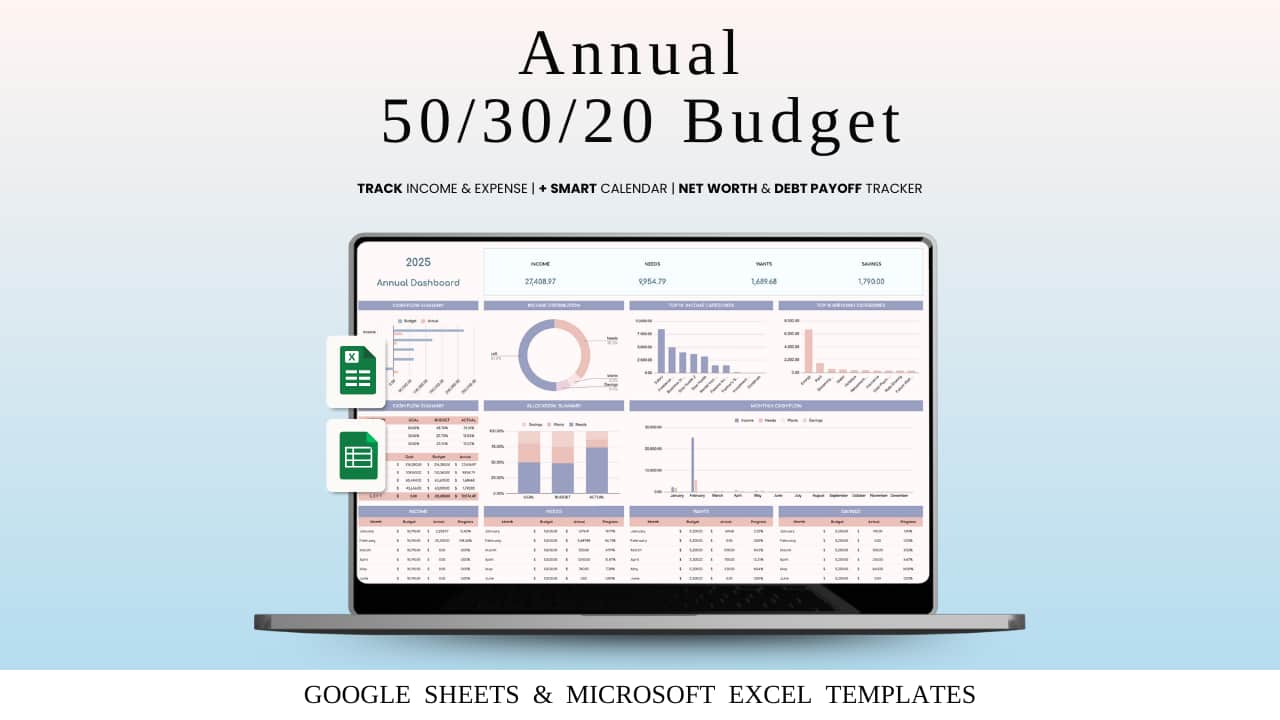
2026 is the perfect year to stop guessing and start managing your money with confidence.
If budgeting always felt confusing or hard to maintain — this is your chance to change that with a simple, proven system: the Annual 50/30/20 Budget Spreadsheet for 2026.
In my step-by-step video guide for 2026 planning, I show you how to:
✅ Build your full yearly budget in minutes
✅ Organize expenses using the 50/30/20 method
✅ Track Needs, Wants, and Savings automatically
✅ See your financial progress month by month
✅ Stay consistent without stress or complicated apps
No more messy notes. No more constant recalculations.
This spreadsheet keeps everything clear, structured, and under control — all year long.
🎯 2026 can be the year you finally feel relaxed about money — because you have a real plan.
🎥 Watch the full tutorial:
https://youtu.be/E3KjgY7fgao?si=UnT4Qa_wCqzelvEg
Let’s make 2026 your most organized and confident financial year yet 💙
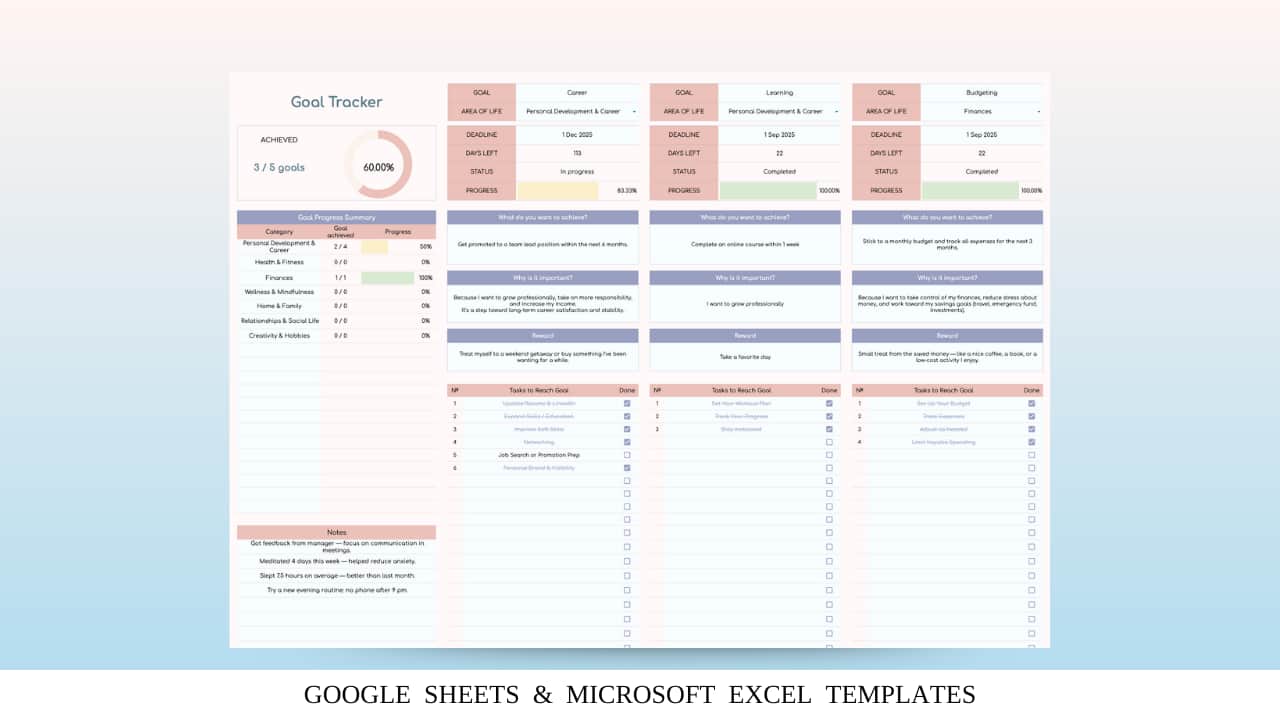
If you've ever set goals… and then watched them magically disappear by February, this tool will change everything.
Our Goal Tracker Spreadsheet is designed to keep you consistent, motivated, and fully in control of your progress — whether you're building habits, saving money, working out, or growing your business.
In this step-by-step video, I show exactly how to use it:
✔️ Set clear, realistic goals
✔️ Track progress without stress
✔️ Stay accountable with clean, automated visuals
✔️ Build momentum week after week
Watch the full guide here 👇
📺 https://youtu.be/QYjmxivts1M?si=wzZh5KMYVnvdu1Jb
Start 2026 with structure, not chaos.
You've got this. 🚀
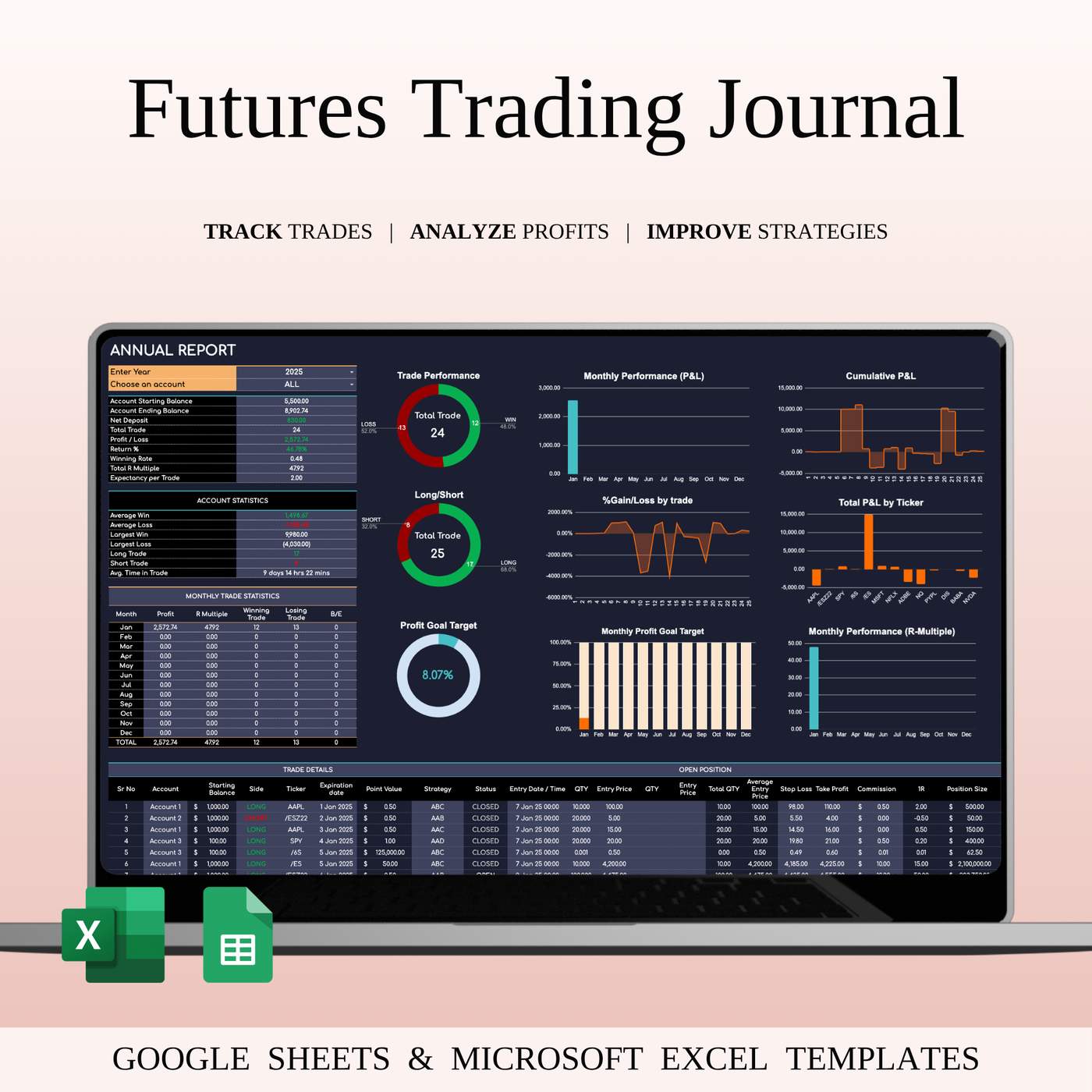
Your edge starts with clarity.
Trading futures isn’t just about entries and exits — it’s about knowing why your trades work.
This journal gives you the full picture in one clean, powerful workspace:
📌 Track every contract — ES, NQ, CL, GC, Forex futures & more
📌 Auto-calculated P&L with win rate, average R/R, drawdowns
📌 Session analytics — Asia, London, New York
📌 Strategy insights — see which setups make you money
📌 Risk dashboard with position sizing & exposure
📌 Performance heatmaps for trends you’d never notice manually
📌 Dark Mode UI for focus, speed & long trading days
If you’re serious about consistency, this tool becomes your daily trading command center — no subscriptions, no overcomplication, just pure performance tracking.
👉 Get your Futures Trading Journal today:
https://spreadsheetshub.com/products/futures-trading-journal-dark-mode
WHAT’S INCLUDED?
- Step-by-step instructions
- 4 Templates of Spreadsheets
- Sample Google Sheet with Mock Data
- Blank Google Sheet
- Sample Excel with Mock Data
- Blank Excel
- Editable in Google Sheets and Microsoft Excel
- Compatible with MAC, PC, Phones, or Tablets
HOW IT WORKS & REQUIREMENTS
YOU WILL NEED:
- A device to access Google Sheets or Microsoft Excel
- A Google Account (if using Google Sheets)
- Microsoft Excel software (if using Excel)
- Basic computer skills
HOW IT WORKS:
1. Purchase and download instantly.
2. Open the PDF file to access the Google Sheet link.
3. Download the Excel template.
4. Open the spreadsheet and start planning!
IMPORTANT TO KNOW:
- This is a digital download; no physical items will be shipped.
- Due to the nature of digital products, all sales are final, and refunds are not available.
COLOR DISCLAIMER:
Please note that colors in the spreadsheet may vary slightly due to screen display differences on your device. This can include variations in color on phones, tablets, and computers.
Note: For the best experience, we recommend using a desktop or laptop for full editing capabilities.
NEED HELP? If you have any questions, feel free to reach out to us at spreadsheetshub.office@gmail.com or info@spreadsheetshub.com. You can also contact us on WhatsApp for assistance.
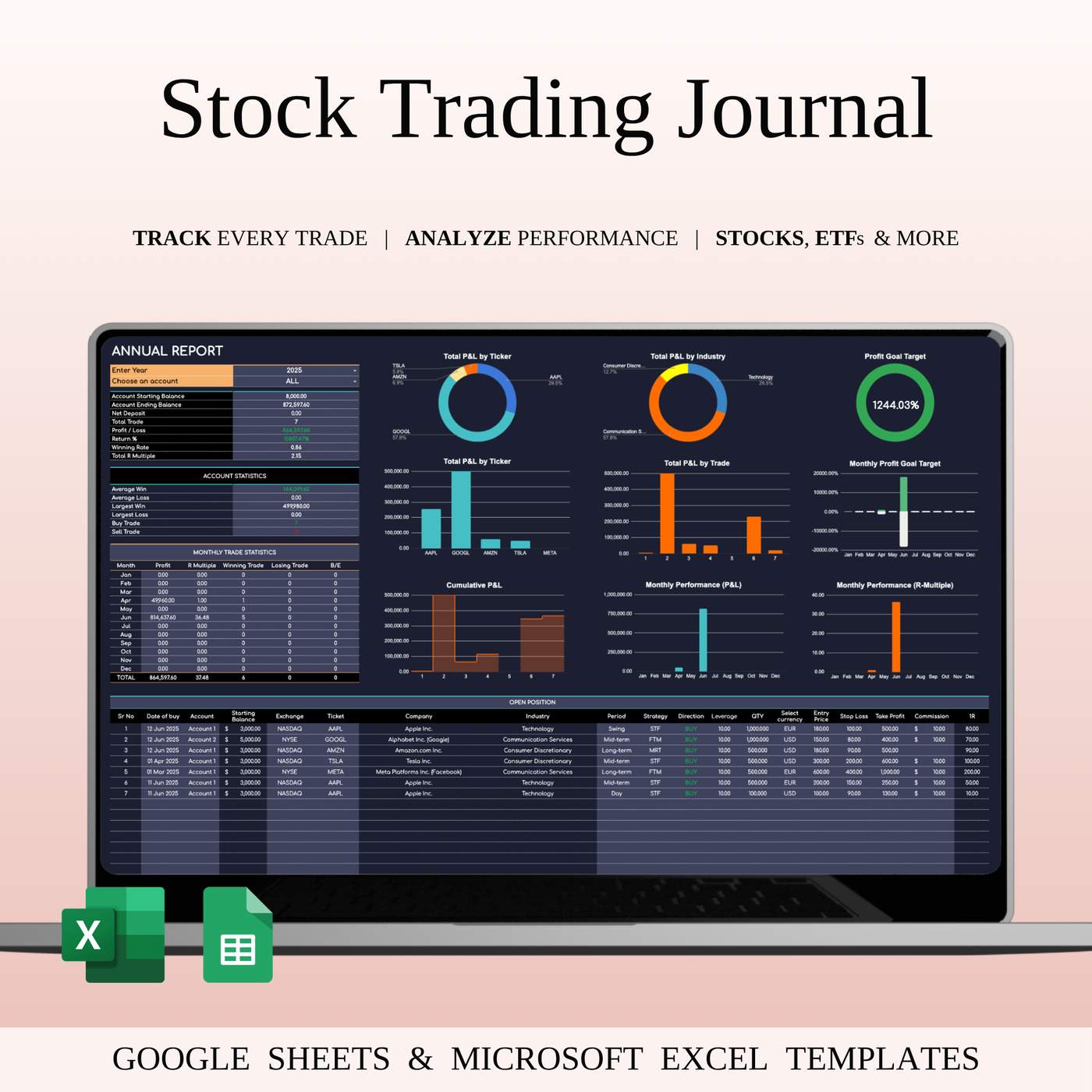
Upgrade your trading workflow with a clean, powerful Dark Mode journal that helps you stay consistent and profitable.
⭐ Key Features
- Trade log with auto P/L & win rate
- Strategy performance tracking
- Ticker breakdown & risk management
- Monthly/weekly insights
- Notes for psychology & mistakes
- Works in Excel + Google Sheets
- Stay focused. Spot patterns. Improve faster.
👉 Get the Dark Mode Trading Journal and level up your trading today.
https://spreadsheetshub.com/products/stock-trading-journal-dark-mode
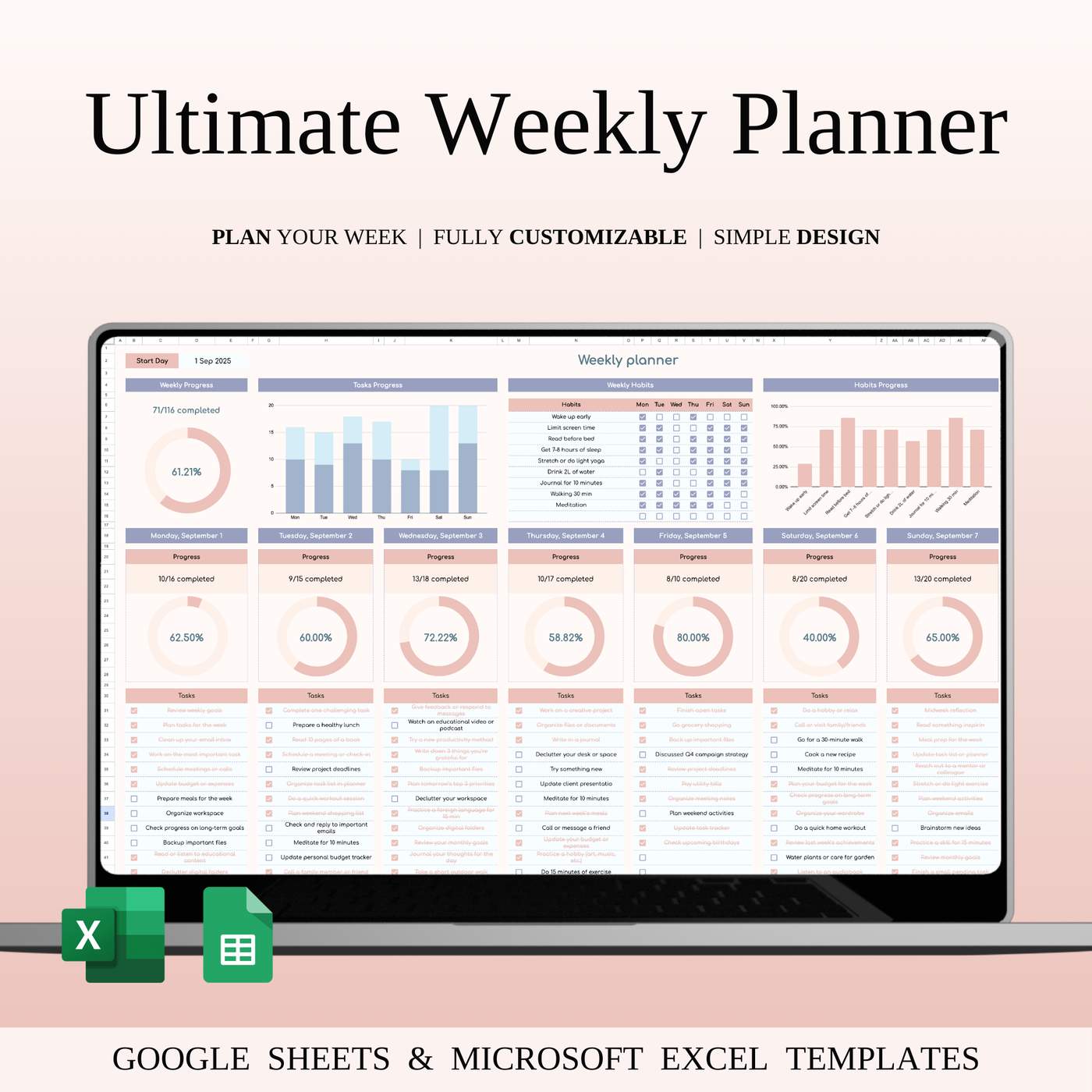
Managing tasks, habits, and goals doesn’t have to be complicated. That’s why we created the Weekly Planner Template for Google Sheets & Excel — your simple, customizable tool to organize every day of the week.
✅ Add tasks for each day and check them off as you go.
✅ Track your weekly habits like reading, exercise, or sleep.
✅ See your daily and weekly progress at a glance with clear charts.
✅ Write quick notes or reminders to keep everything in one place.
Whether you’re a busy professional, a student, or someone who just wants more structure in their life, this planner helps you focus on what matters most — and actually get things done.
📅 Plan smarter. Stay consistent. Achieve more.
👉 Try the Weekly Planner Template today and make your week truly productive!
👉 https://spreadsheetshub.com/products/weekly-planner

https://youtu.be/eSi3Gk85xOs?si=ZukLcbFhymGRSrhB
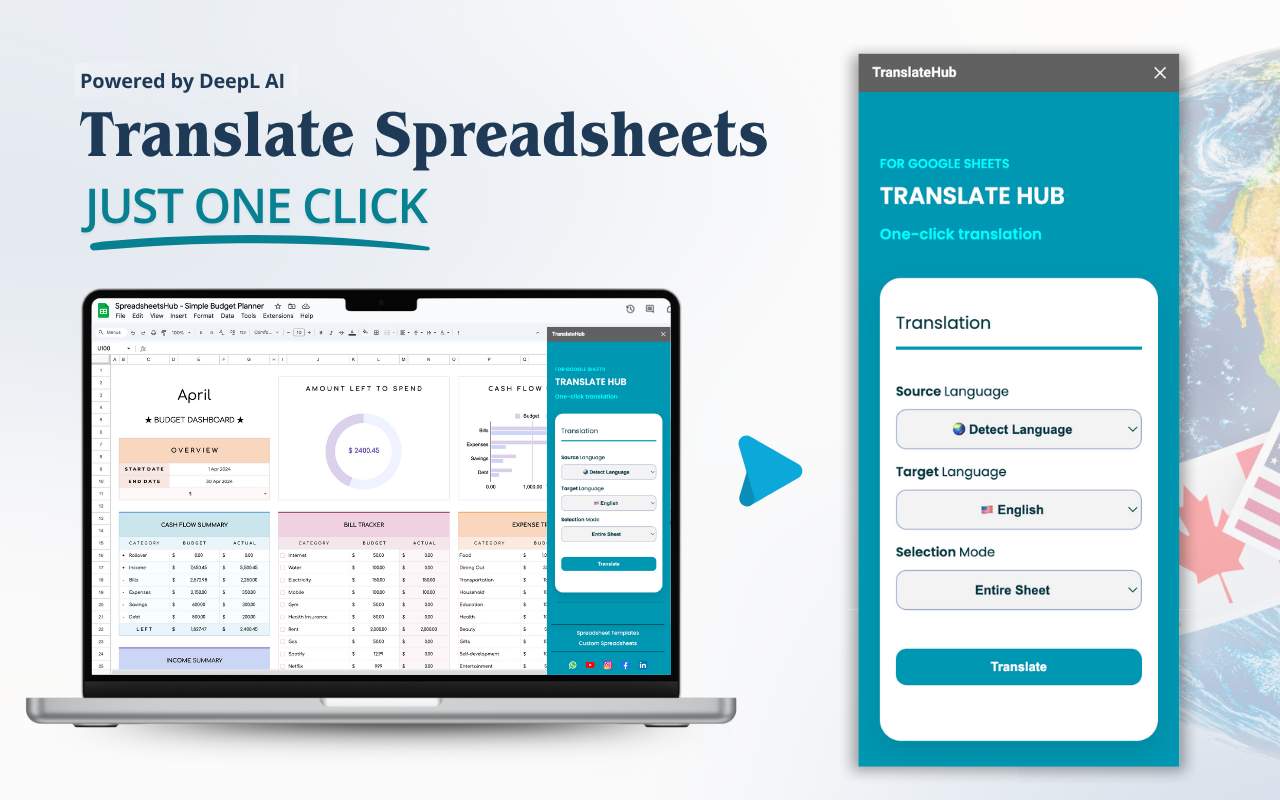
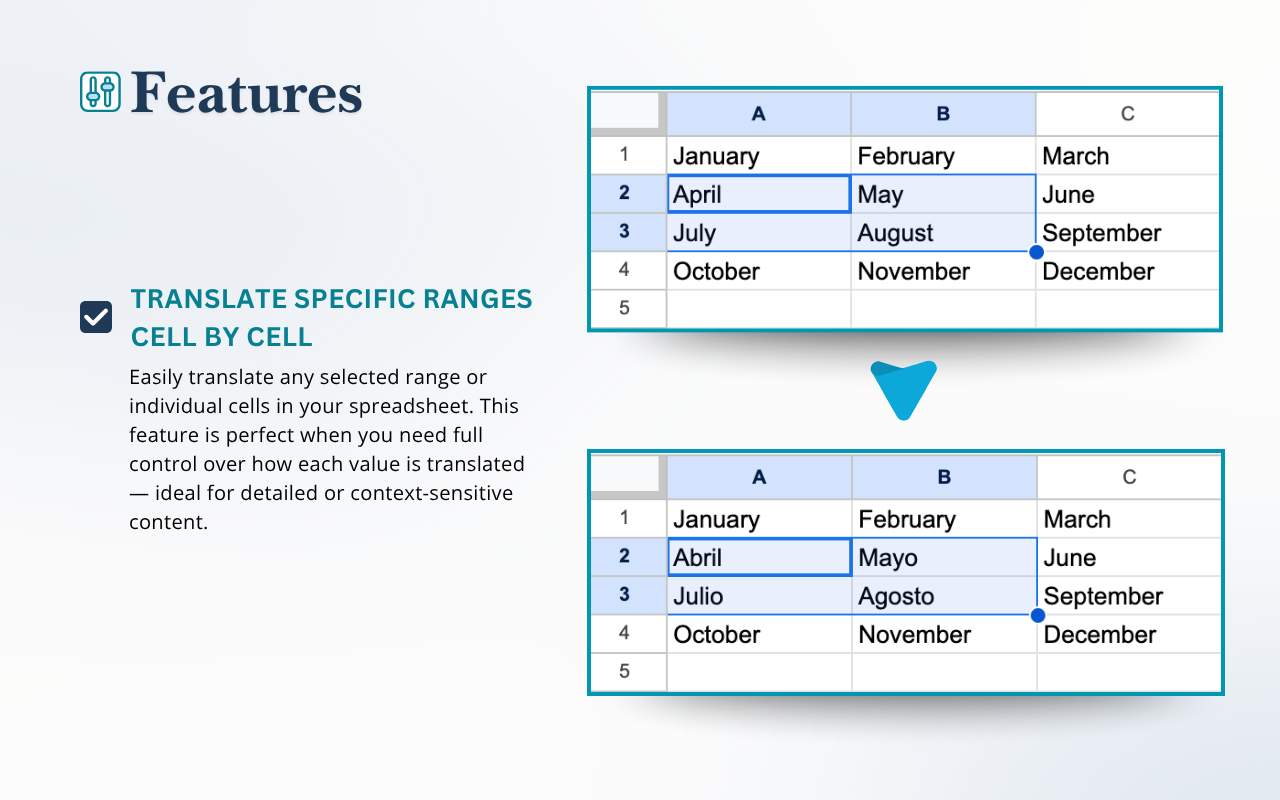


🔹 Translate Google Sheets in One Click — Fast, Accurate, and Secure with TranslateHub
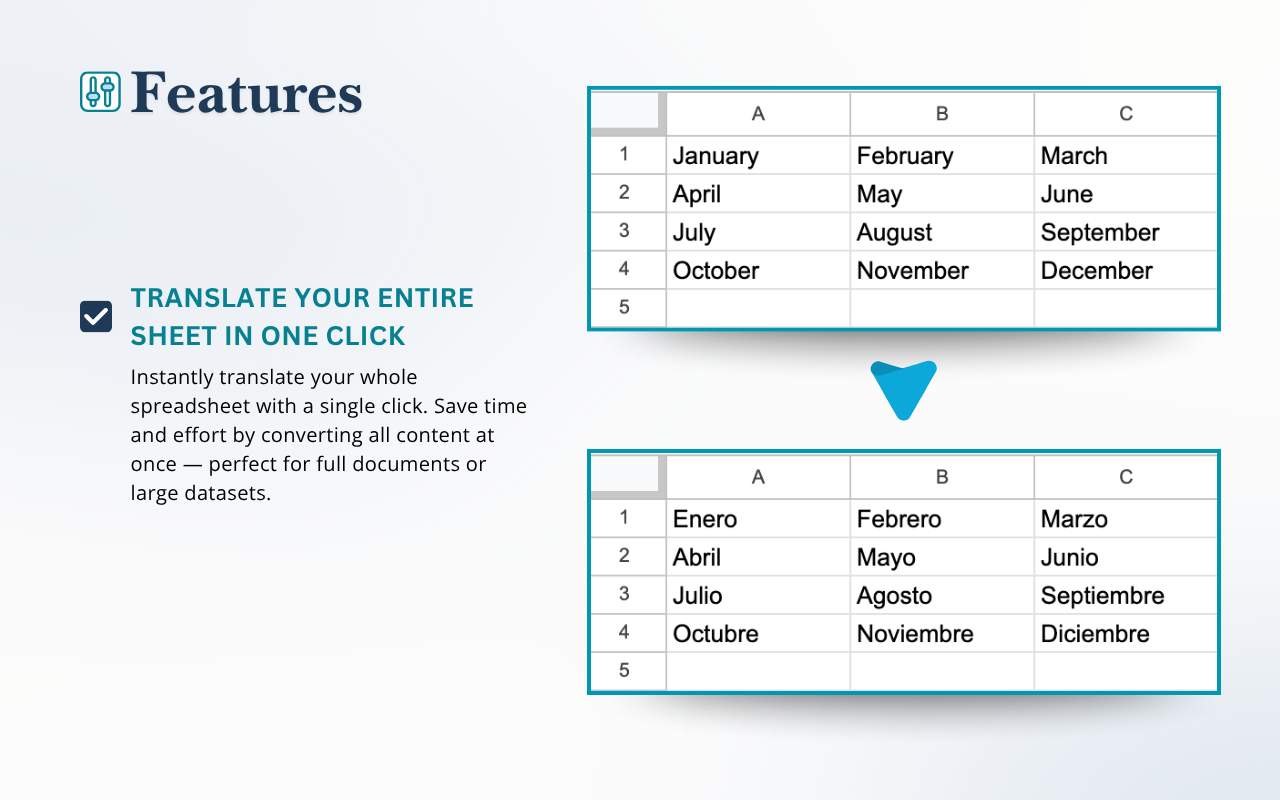
TranslateHub is a powerful AI-powered add-on for Google Sheets that lets you translate entire spreadsheets or selected ranges in seconds.
Whether you're working with financial reports, marketing materials, project trackers, or educational content — TranslateHub instantly adapts your data into any language.
Ideal for professionals, educators, and global teams, this tool bridges language gaps and simplifies multilingual spreadsheet workflows.
✨ Powered by DeepL AI
One of the most accurate and natural machine translation engines — built right into your spreadsheet.
TranslateHub uses the DeepL API to deliver fast, high-quality, and context-aware translations that outperform standard tools.
🛡 Privacy Comes First
TranslateHub does not store or transmit your sheet content
Translations are processed securely via the DeepL API
No data is stored in Google Cloud or external servers
Your data stays safely inside your Google™ account
🎯 Features You’ll Love
Translate full sheets or selected ranges
Auto-detect source language
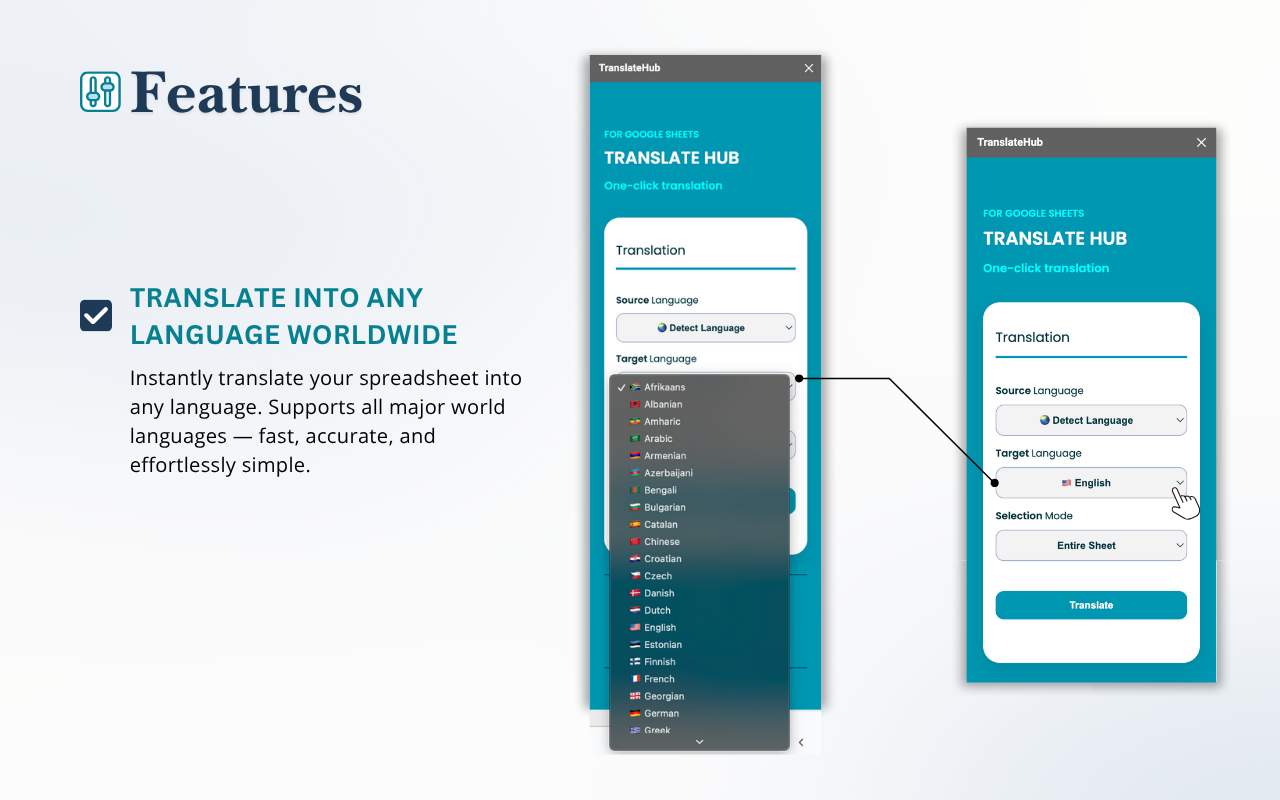
Supports all major world languages
AI-enhanced contextual accuracy
Clean and simple interface
Friendly support
Affordable pricing
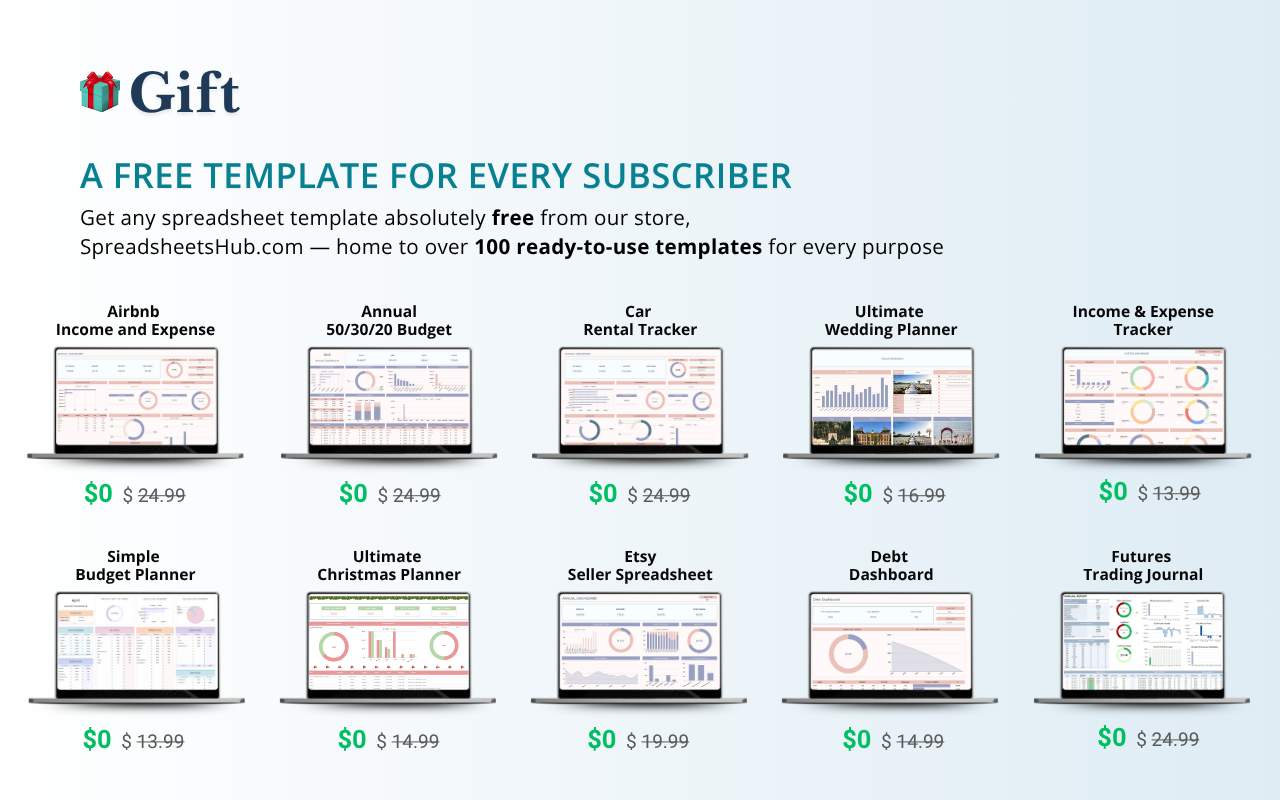
🎁 Bonus for Subscribers
Every paid subscriber gets any one spreadsheet template from SpreadsheetsHub.com for free.
Just contact us after subscribing and claim your gift.
💸 Try It for Free
Every new user gets 500 translation characters at no cost.
No credit card required. No commitment. Upgrade to a paid plan for unlimited translations.
💡 Who Is It For?
Perfect for:
Global teams and companies
Freelancers working with international clients
Educators and online learning platforms
Analysts, marketers, and spreadsheet creators
Anyone working with multilingual spreadsheets
Developed by the SpreadsheetsHub team — experts in creating and automating spreadsheets for Excel and Google Sheets.
👉 Install TranslateHub now and see how easy professional translation can be — without ever leaving Google Sheets.
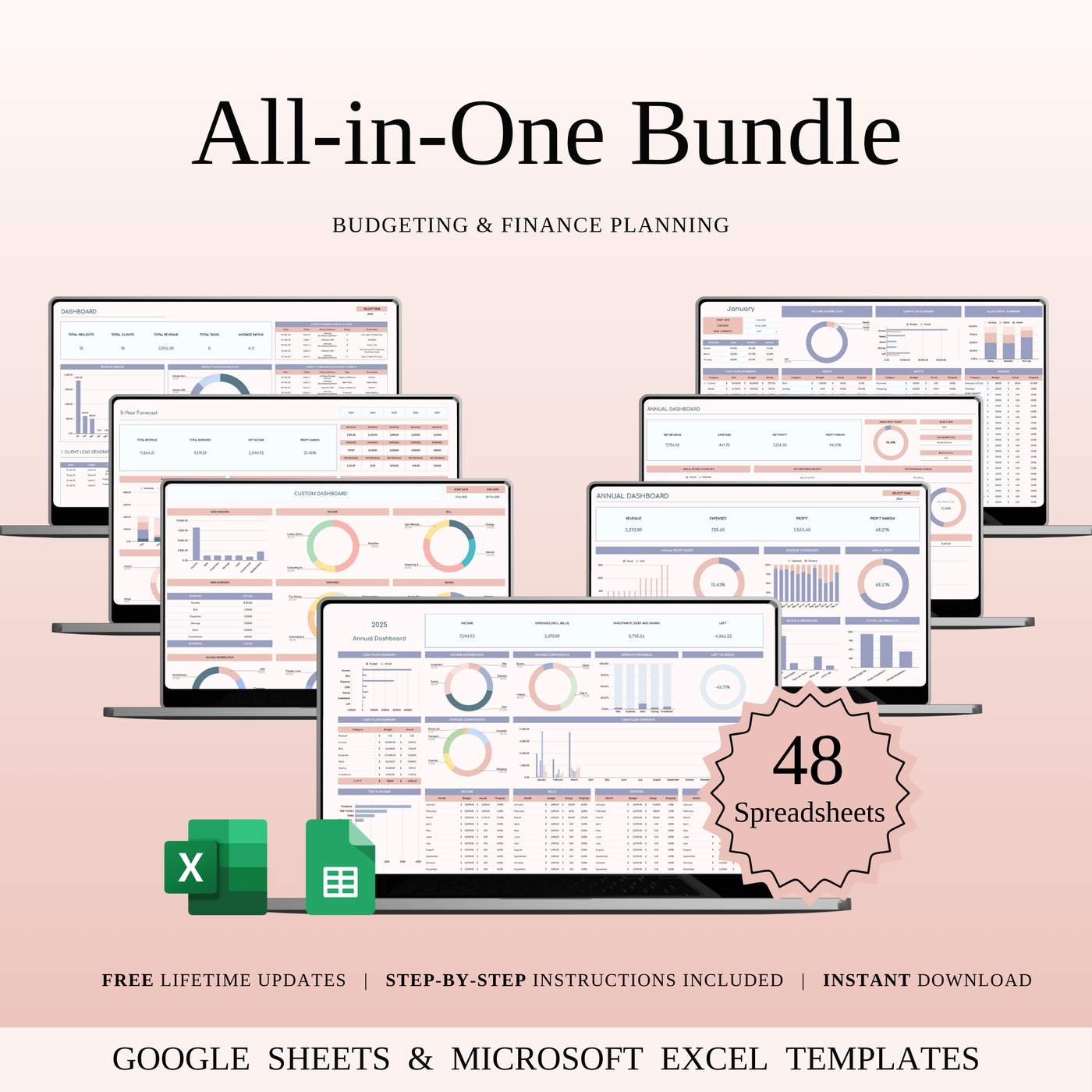
📊 One bundle. Countless ways to simplify your finances.
The All-in-One Budgeting & Finance Bundle includes 192 ready-to-use templates built for real life and real goals.
💸 Track your spending
🏡 Plan your savings
🧾 Stay tax-ready
📈 Monitor your small business cash flow
Compatible with Google Sheets + Excel — no subscriptions, no apps, just clear and powerful tools to help you manage your money like a pro 💼
Comment