stackbrief
Visual codebase intelligence for Claude Code and Cursor
Hey IndieHackers,
I just shipped stackbrief and wanted to share it here.
The problem I kept running into: every time I started a new
Claude Code or Cursor session, I had to re-explain my entire
project. Architecture, conventions, module structure, all of
it. The AI starts completely fresh every single time.
So I built stackbrief to fix that.
What it does:
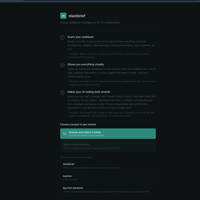
- Scans your codebase and opens a local visual dashboard
showing architecture, modules, dependencies, and conventions
- Runs a local MCP server so Claude Code and Cursor start
every session already knowing your project
- Multi-provider AI chat built in, works with Ollama, Claude,
OpenAI, or any OpenAI-compatible provider
- No config files, no API keys in terminal, everything through
the UI
Install with: npx stackbrief scan
It is fully open source. GitHub: github.com/ragavtech/stackbrief
Would love feedback from anyone using Claude Code or Cursor
heavily. Happy to answer questions.

1 Comment
This is useful because the pain is very real: Claude Code and Cursor are powerful, but every fresh session starts with context debt.
I’d be careful not to position stackbrief too broadly as a codebase dashboard though. The sharper angle is probably:
“Give every AI coding session the project context it normally loses.”
That makes the value easier to understand immediately.
The strongest users are probably not casual Cursor users. I’d target people working on larger solo projects, messy legacy repos, or multi-module apps where re-explaining architecture wastes real time.
The interesting test is simple: can stackbrief save enough repeated context setup that a developer keeps it in their default workflow?
Happy to put a tighter version in writing if useful. The main thing I’d map is the positioning, first developer segment, and how to test whether this becomes a daily AI-coding workflow rather than a one-time repo scan.