
SVGX
A desktop SVG icon manager for Mac and PC

Today I launched SVGX v1.1.0 on Product Hunt!
It's been too long in the making, but somehow it never feels good enough to announce to the world. Not the indie hacker ethos either - "launch early, launch often". But then again, there's less pressure when there's no money at stake.
Please support it by voting here: https://www.producthunt.com/posts/svgx


I said I'd freeze feature development. Hah! I couldn't help adding a few quality of life improvements, and fixing some bugs in the process, so I tagged v1.1.0.
Here are the new enhancements:
- Added button to clear the search
- Click the zoom level to reset to 1x
- Zoom out all the way to 0.1x
- Edit > Revert Changes menu option
SVGX will launch "officially" on Product Hunt Tuesday, February 16th.
As always, you can download it for free here: https://svgx.app/#download
-
1
Are you preparing any special marketing to prepare for the product hunt launch? I'm planning on launching on product hunt in a month or so and I'm curious how other people are trying to maximize the exposure.
-
2
PH has this guide on launching a product:
https://help.producthunt.com/en/articles/479557-how-to-post-a-product
Personally I'm not going to do more than I did for this other little project I launched a while back:
https://www.producthunt.com/posts/craftnautica
In the end it's just a free product, and going deep into marketing stuff gives me too much anxiety.
-
1
Very fair and thanks that's a helpful guide!
-
-


I'm finally within spitting distance of the finish line with SVGX.
Today I'm making v0.18.4 available for download, for Mac and Windows. The price? FREE!
Get it here: https://svgx.app/#download
SVGX will remain free to download and use, yet it is not open-source. A reminder that the app is made in Svelte and Electron.
You can, however, buy access to the source code on GitHub here: https://gumroad.com/l/svgx-source
The coupon code "PRELAUNCH2021" will give you a 30% discount at checkout.
Enjoy and see you at the v1.0 launch!

SVGX has reached the stage where I can confidently freeze feature development, in preparation for tagging it for release.
I'm not quite ready to tag v1.0.0 yet, as I'm focusing on pre-release clean-ups, minor bug fixes, polishing up the UI, adjusting the native menus, and so many more tiny things that are not as fun as building features, but are almost as important.
I'm taking the last few days of 2020 off of work, but I've been bombed out by this year so I'm not sure if I want to push hard to release SVGX, though I'd like to. I'm very tempted to just enjoy myself with some games, movies, and books.

Isn't life funny sometimes? Literally 5 minutes after the previous update, I found a solution for the bug that had blocked any form of progress for the last 3 days.
To expand on that...
When an SVG file is loaded (either selected in the Browser, or opened from disk), I need to store 2 versions of the underlying SVG markup: one for previewing and editing, and another to act as the original version, against which I can compare to determine if the file was modified.
The issue arose from my initial implementation, whereby I wasn't storing the original copy properly. This caused weird behavior when performing a certain sequence of actions related to the editing process.
Now, there's a single outstanding bug remaining, related to editing, which is more of a small annoyance than anything. Have no fear, though, it too shall be fixed.

My initial plan for SVGX was for it to be a simple SVG browser, and not much else. As I'm reaching the end of the first major development stage, I began exploring the idea of being able to edit the SVG code, and save the modified version.
Scope creep or not, I worked a few late nights over the past couple weeks, and now have a working prototype of this feature.
You activate edit mode by clicking the Code area. Any changes you make (assuming the resulting markup is valid) will reflect in the Preview area, in real time.
A "modified" blob will appear if the markup is different from the original version of the SVG. You can then choose to save the file under the same name, export it as SVG (if you want a different name), or discard the changes.
I've got all that working, except for one tricky bug that has been troubling me for a while. It's just a matter of time, though.

I've been bouncing around between several small side projects while trying to get in the right mind space to work on SVGX again.
Meanwhile, I learned a few new things about Electron, so this time was definitely not wasted. This allowed me to expand an existing feature, and build some new functionality that I felt was needed.
I will talk about the new feature at another time, but for now, the improved feature is about a better way to export SVGs.
Now there are 3 ways to export the selected SVG:
- export as SVG - not very useful in itself, but it acts like Save As...
- export as optimized SVG - this option becomes available only in the Optimized tab, and it saves a version of the optimized markup
- export as PNG - saves a PNG image of what you see in the viewport for the selected image
Honestly I don't see exports as a critical feature, but they can come in handy if you want to make a copy of an SVG, or want an easier way to open it in a graphics program (that's where the PNG comes in).

A status update on SXGX is long overdue. I'll just post verbatim what I tweeted not long ago.
I feel it's time for an update on SVGX for those who still remember I'm building it.
The app is ready to be tagged 1.0, but I've been stuck on that final 10% for a very long time because, frankly, that's the most boring part.
So I need to do things like:
- making builds for Mac & Windows
- making a demo version
- generating icons for each platform
- implementing licensing
- marketing
- various tedious admin tasks
I'm guilty of letting the summer air get to my head. I've been riding bicycles a lot this year and I've become quite addicted. Between the day job and riding, there's been less time for side projects like SVGX. But I'm in a better mental and physical state thanks to this.
I've also been distracted by another side project which, surprise, is cycling related. Some devs might sympathize - it's fun making an app but we balk at shipping it - then we get another exciting idea and want to work on it. So this is the part where I need to push through.
Moving forward, I won't deny that I'll be riding a lot more for the remainder of this year, but I will also chip away at getting SVGX released. I've already solved a couple thorny issues that were giving me grief. This gives me a boost in confidence for the remaining issues.
I wanted to release SVGX before mid-year but now I'm pushing it back towards the end of 2020, and I will do my best to make that happen.

I have been silent for too long. Truth is, SVGX is getting more complex, and I finally ran into some issues that, left untreated, would cause significant pain down the road.
One of these problems reared its head while implementing the latest (unannounced) feature. I got stuck with my wheels spinning for 3 weeks.
So I decided that a first round of code refactoring is in order. The initial outlook is good. In the process I simplified how data flows in a couple key areas and also eliminated some unnecessary processing, which should translate into a marginally smoother experience. More importantly, it lays the groundwork for future additions.
SVGX has long since passed the MVP stage, at least where my own workflow is concerned. Classic beginner mistake to keep tacking on features instead of launching ASAP, right? Sure, but I'd rather release something that I'm proud of. I'm not just looking to make a quick buck. At the same time, I'm strongly considering launching before all the features are built, just to get the pressure off my mind. We'll see - stay tuned.

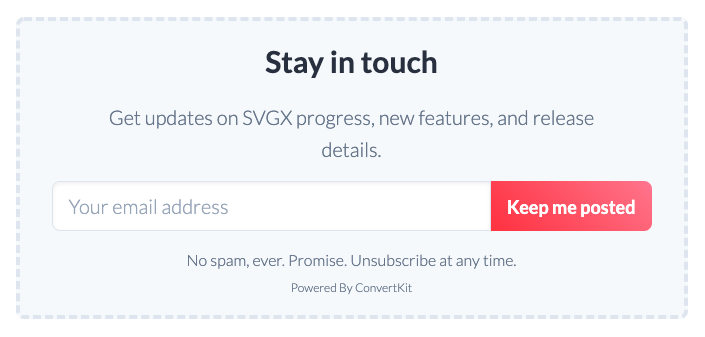
The SVGX landing page finally has an email signup form! It should have had it from day 1, but I'm one of those makers who dislikes self-promotion (to their own detriment!), so I neglected that.
I did have an earlier attempt at integrating MailChimp, but after a very frustrating experience with that service (I can't believe how bad it is!), I gave up, deleted my account, and procrastinated for a while.
Eventually I turned my attention back to Convertkit (which I wanted to use initially) and the integration was a lot smoother.
By the way, if you gotta choose between MailChimp and Convertkit for a simple email form, the latter is the way to go in my opinion. By far. The UI, onboarding, and ease of use are much superior compared to the other. The only benefit that MailChimp offers is more users on the free tier, a feature that helped dupe me into trying it. But now I figure that if, by some miracle, I surpass the 1000 email subscribers on the free tier, then it's definitely worth paying for more. I'm not "worried" though - based on my marketing skills it's very likely going to be crickets all the way :)
In the off-chance that you come across this post, decide SVGX is something you might use, and take the time to sign up (thank you!), just know that I will not spam you, ever. My plan is to fire off the rare, occasional email around major milestones, such as new features, a launch date, and... not much else.
Comment