
TreeMap
Disk Space Visualizer — See Exactly What's Eating Your Drive
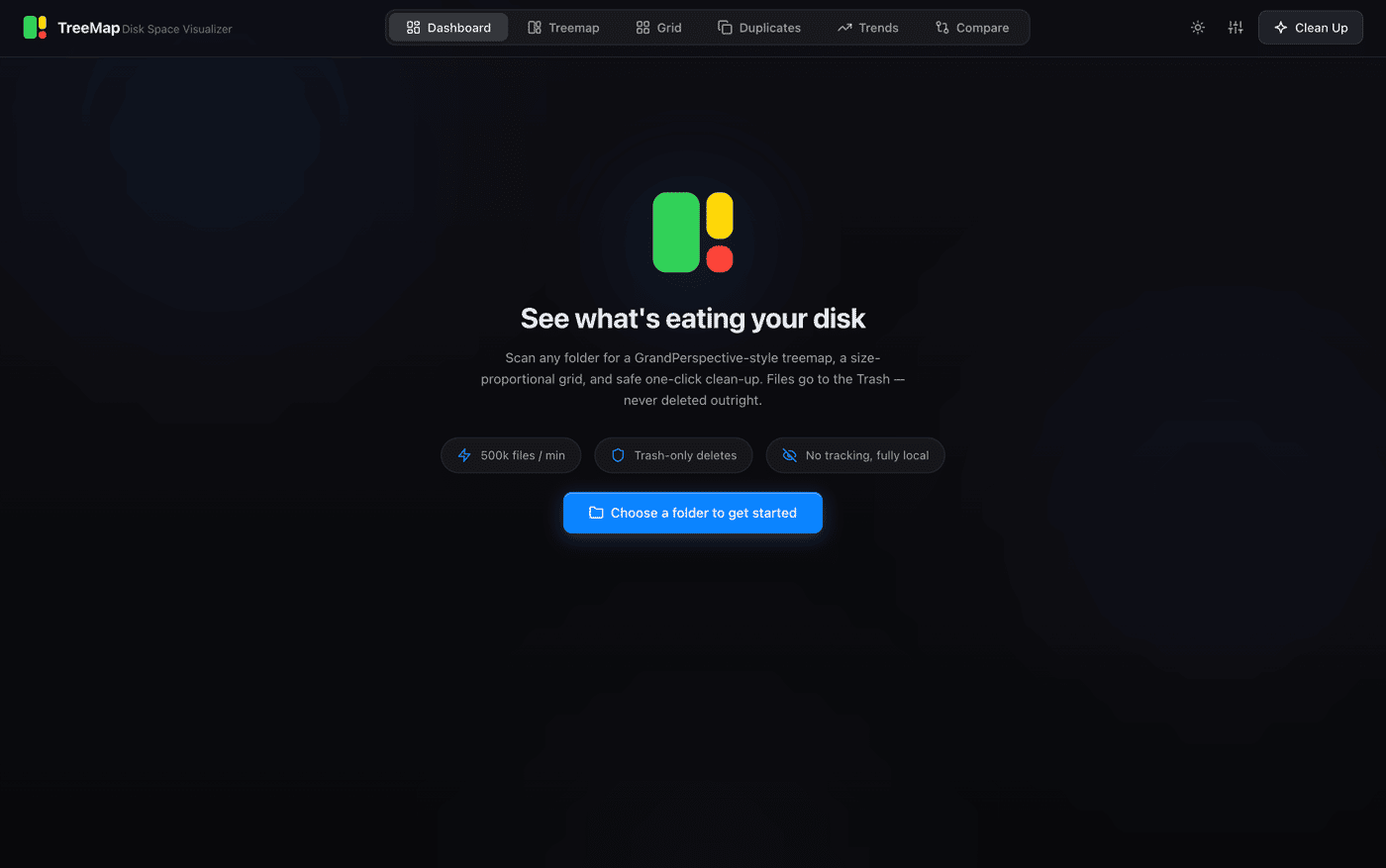
My MacBook notification said "Your startup disk is almost full."
I'd seen it a hundred times. And every time, my options were the same: pay $40/year for CleanMyMac, open Finder and manually drill through folders hoping to find the culprit, or just shrug and delete my Downloads folder without really understanding what I was deleting.
I was done with all three.
So I built TreeMap — a free, fully open-source disk space visualizer for macOS, Windows, and Linux. No subscriptions. No telemetry. No cloud. Just answers. What it does
TreeMap scans any folder and gives you six views of your disk:
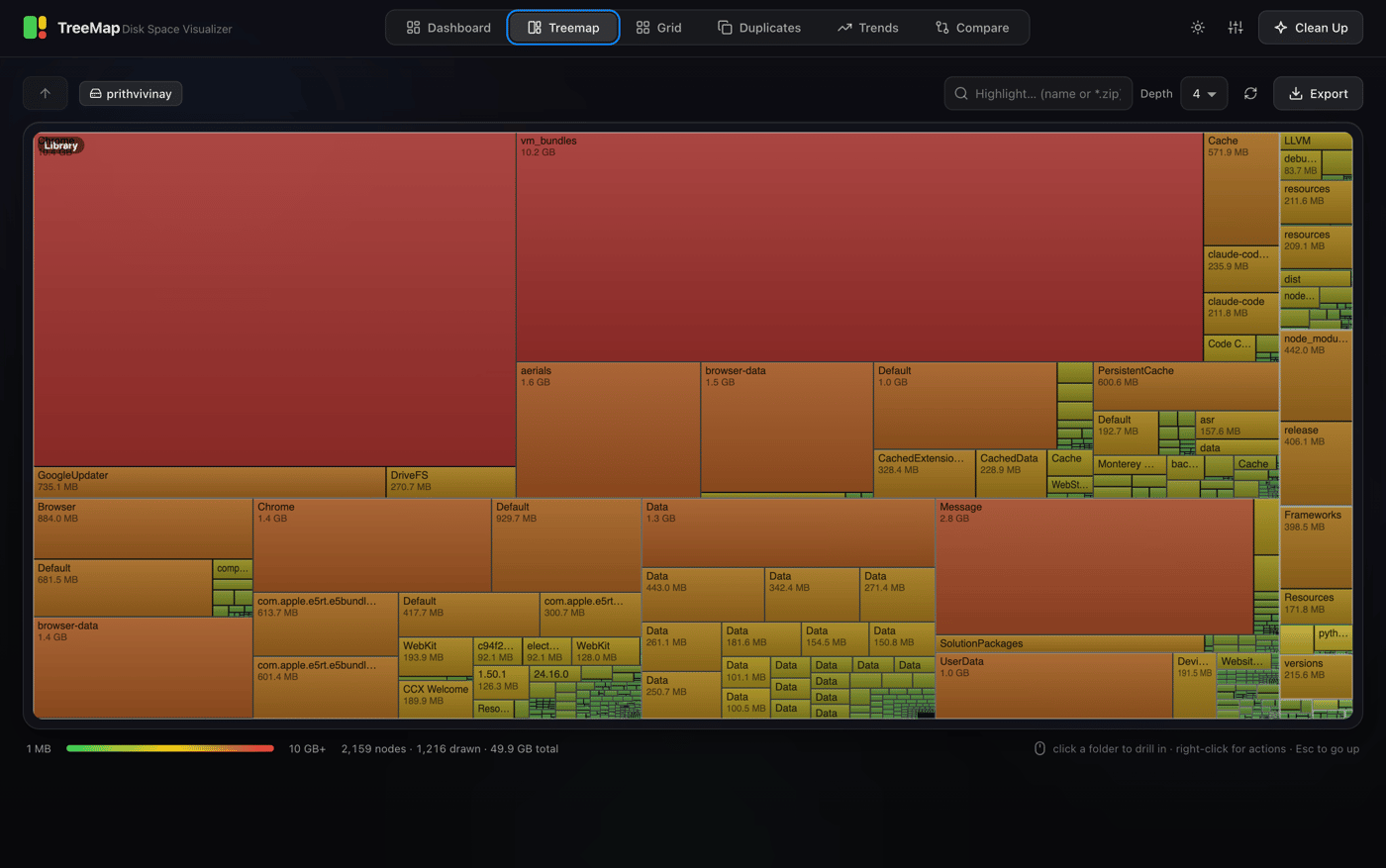
Treemap — A GrandPerspective-style squarified treemap where every file is a rectangle sized proportionally to its bytes, colored teal → amber → red by size. Click a folder to drill in. Use breadcrumbs to climb back out. Search with glob patterns like *.zip or node_modules. Export the whole thing as PNG or SVG.
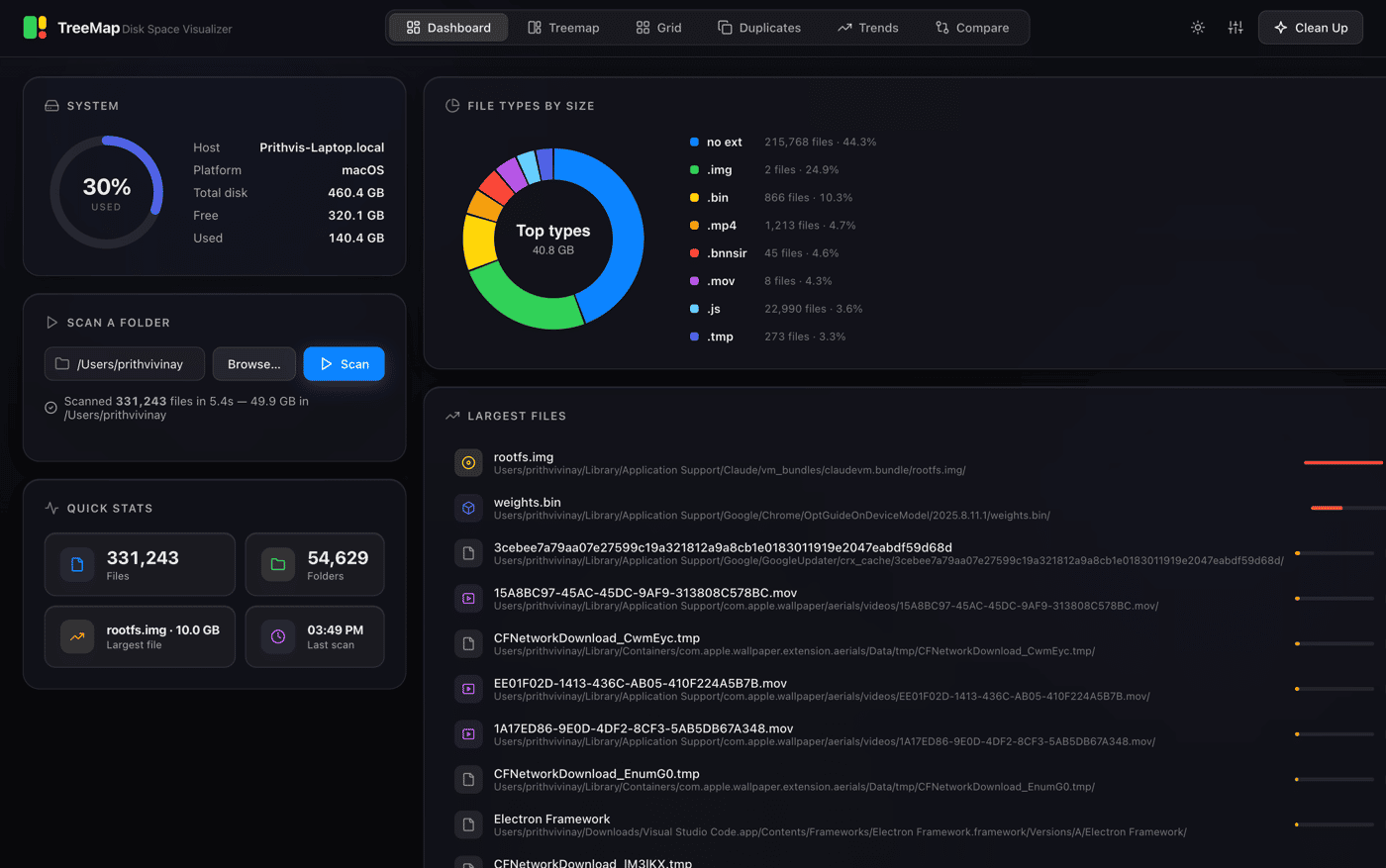
Dashboard — A disk usage ring, file-type donut chart, and your top-10 largest files and folders all in one shot. Clicking a folder jumps straight to the treemap.
Grid — A size-proportional icon grid with multi-select, sorting, and virtual scrolling so it handles directories with hundreds of thousands of files without choking.
Duplicates — Finds true duplicate files using a staged approach: first by size, then a 64KB header hash, then full SHA-256 content hash. Only actual duplicates surface. Groups are sorted by reclaimable space. Auto-select keeps the newest copy of each group.
Trends — Every scan automatically saves a lightweight snapshot. Chart them over time. See exactly which folders are growing and by how much since your last scan.
Compare — Pick any two scans of the same folder for a file-level diff: what was added, removed, grew, or shrank. Collapsed subtrees, so you get a folder row instead of ten thousand file rows.
Clean Up — Three modes: custom rules (old files, huge files, by extension, duplicates), Smart Suggestions (it knows about node_modules, Xcode derived data, browser caches, __pycache__, old Downloads, OS junk — with macOS/Windows/Linux-specific paths), and Empty Folders. Everything goes to the system Trash. Nothing is ever hard-deleted.
Why I built it the way I did
A few things I'm genuinely proud of:
The entire frontend is a single HTML file with zero dependencies. No React. No D3. No Chart.js. Hand-coded Canvas 2D for the treemap, hand-coded SVG for the charts. The squarified treemap layout algorithm is implemented from scratch in about 80 lines of TypeScript. I wanted to understand exactly what was rendering on screen, and I didn't want a $400 bundle to do what geometry math can.
It scans at 500k files/min using an 8-way concurrent directory walker. On a modern SSD, your home folder scans in seconds.
The duplicate finder is staged, so it doesn't hash everything. It first groups by size (cheap), then hashes the first 64KB (fast), then does a full SHA-256 only on groups that survive both filters. Most false positives die before you ever wait on disk I/O.
It ships as a desktop app (Electron) for macOS and Windows, with a menu bar tray icon, drag-and-drop, scheduled scans, and native growth-threshold notifications. But if you don't want the desktop app, you can also just run it locally in a browser — it's a standard Node.js/Express app:
npm install npm run build npm start
Then open http://127.0.0.1:4280. That's it.
Safety is baked in, not bolted on. Paths are sanitized. System directories (/proc, /sys, C:\Windows\System32) are blocked outright. The Trash/Open endpoints only accept paths inside a folder you explicitly scanned. The Duplicates view won't let you trash every copy in a group — at least one always stays. Rate-limiting (10 req/s), graceful shutdown, SSE stream draining. I want this to be something you could safely hand to a non-technical family member.
The honest numbers
Stars: 52 and 5 forks (it just launched, I'm not going to lie)
Releases: 4, latest is v1.2.1
Time to build: a few weeks of evenings and weekends
Revenue: $0, intentionally — it's free and always will be
Downloads: early, no solid count yet

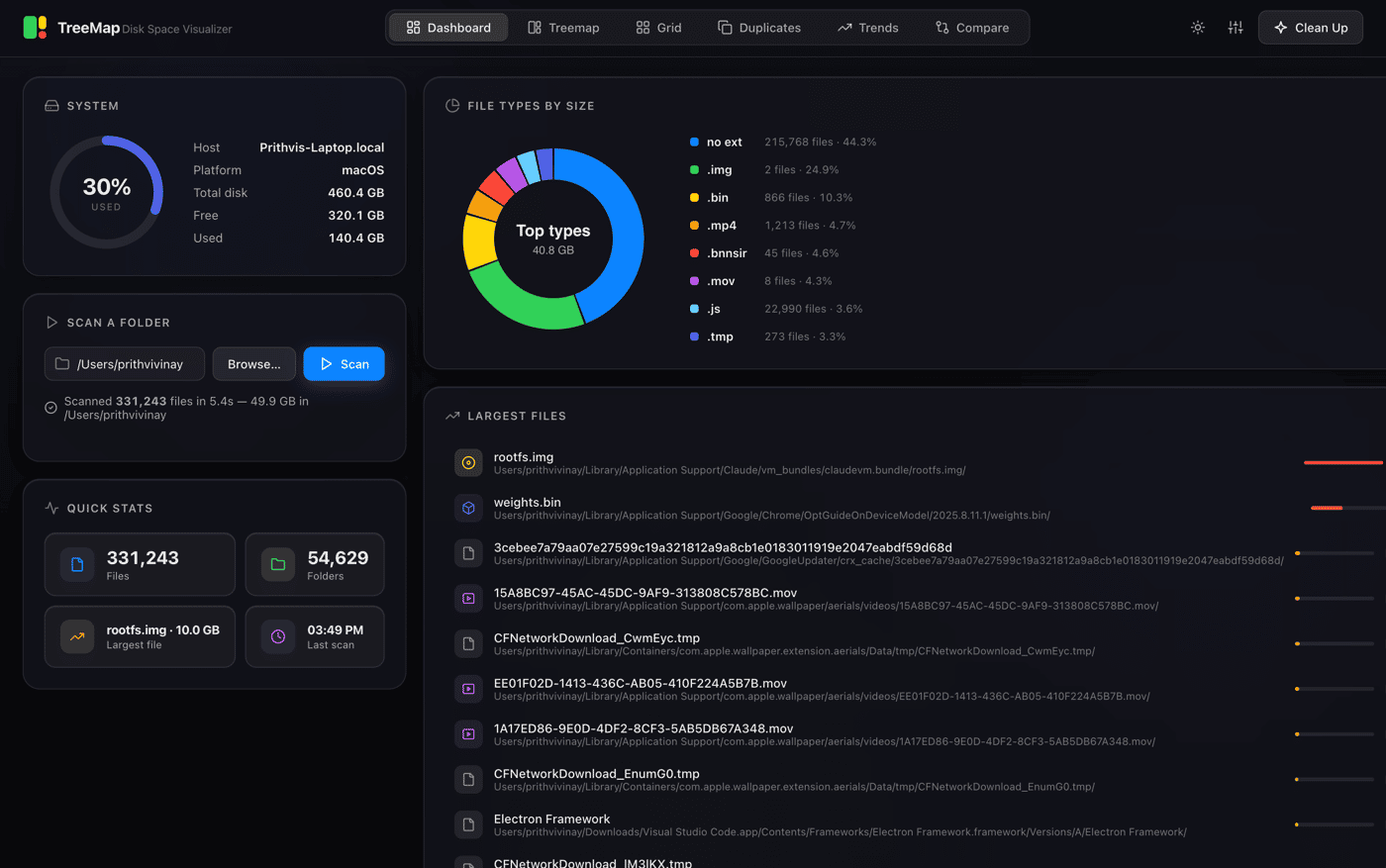
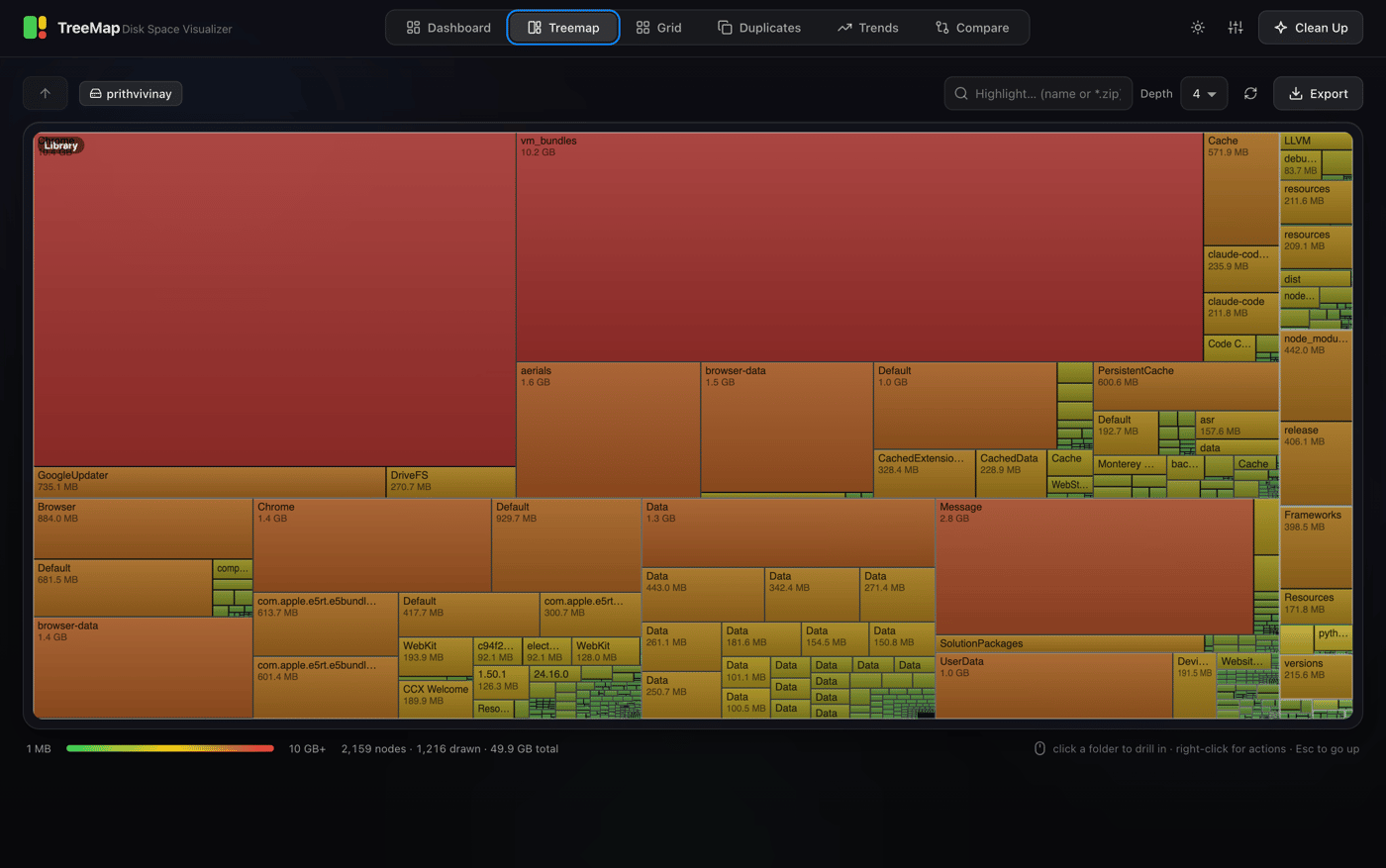
TreeMap — free, open-source disk space visualizer for Mac, Windows, and Linux.
The weird constraint I set myself: no React, no D3, no Chart.js. The squarified treemap, all the charts, the entire UI — hand-coded Canvas 2D in a single index.html. I wanted to understand exactly what was on screen.
Other stuff under the hood:
8-way concurrent directory walker → 500k files/min
Staged duplicate hashing: size → 64KB header → full SHA-256. Most files never get fully hashed.
Runs as an Electron desktop app and a local web app (same codebase)
Trash-only deletes, system-dir blocklist, rate limiting, graceful shutdown
It's free. It always will be.
→ github.com/Prithvi-Web/Treemap
What technical constraints have you set yourself that ended up being the right call?
My Mac said "startup disk almost full." I had no idea why.
Paying $40/year to find out felt wrong, so I built TreeMap — a free, open-source disk space visualizer for macOS, Windows, and Linux.
What it does:
Squarified treemap — click folders to drill in, search by glob (
*.zip,node_modules)Duplicate finder using staged SHA-256 hashing (fast — only hashes what it needs to)
Smart cleanup suggestions: knows about Xcode caches,
node_modules, build output, browser cachesTrends + Compare — see what's grown between scans
Everything goes to Trash. Nothing hard-deleted. Ever.
Scans at 500k files/min. Zero telemetry. Zero dependencies on the frontend — the whole UI is hand-coded Canvas 2D in a single HTML file.
Ships as a desktop app (Electron) for Mac and Windows, or run it locally in your browser in 3 commands.
→ github.com/Prithvi-Web/Treemap
Would love to know: what's the one folder on your machine you've always been afraid to look at? Mine was ~/Library — Xcode simulators were eating 47GB.
What you get:
— Treemap + Grid + Duplicates + Trends + Compare
— Smart cleanup with custom rules
— Scheduled scans with growth alerts
— Trash-only deletes, always recoverable
— 100% local, no tracking ever
— FULLY OPEN SOURCE & FREE
— Best tool for all users kinds of users
A ⭐ on GitHub means everything right now 🙏
My MacBook notification said "Your startup disk is almost full."
I'd seen it a hundred times. And every time, my options were the same: pay $40/year for CleanMyMac, open Finder and manually drill through folders hoping to find the culprit, or just shrug and delete my Downloads folder without really understanding what I was deleting.
I was done with all three.
So I built TreeMap — a free, fully open-source disk space visualizer for macOS, Windows, and Linux. No subscriptions. No telemetry. No cloud. Just answers. What it does
TreeMap scans any folder and gives you six views of your disk:
Treemap — A GrandPerspective-style squarified treemap where every file is a rectangle sized proportionally to its bytes, colored teal → amber → red by size. Click a folder to drill in. Use breadcrumbs to climb back out. Search with glob patterns like *.zip or node_modules. Export the whole thing as PNG or SVG.
Dashboard — A disk usage ring, file-type donut chart, and your top-10 largest files and folders all in one shot. Clicking a folder jumps straight to the treemap.
Grid — A size-proportional icon grid with multi-select, sorting, and virtual scrolling so it handles directories with hundreds of thousands of files without choking.
Duplicates — Finds true duplicate files using a staged approach: first by size, then a 64KB header hash, then full SHA-256 content hash. Only actual duplicates surface. Groups are sorted by reclaimable space. Auto-select keeps the newest copy of each group.
Trends — Every scan automatically saves a lightweight snapshot. Chart them over time. See exactly which folders are growing and by how much since your last scan.
Compare — Pick any two scans of the same folder for a file-level diff: what was added, removed, grew, or shrank. Collapsed subtrees, so you get a folder row instead of ten thousand file rows.
Clean Up — Three modes: custom rules (old files, huge files, by extension, duplicates), Smart Suggestions (it knows about node_modules, Xcode derived data, browser caches, __pycache__, old Downloads, OS junk — with macOS/Windows/Linux-specific paths), and Empty Folders. Everything goes to the system Trash. Nothing is ever hard-deleted.
Why I built it the way I did
A few things I'm genuinely proud of:
The entire frontend is a single HTML file with zero dependencies. No React. No D3. No Chart.js. Hand-coded Canvas 2D for the treemap, hand-coded SVG for the charts. The squarified treemap layout algorithm is implemented from scratch in about 80 lines of TypeScript. I wanted to understand exactly what was rendering on screen, and I didn't want a $400 bundle to do what geometry math can.
It scans at 500k files/min using an 8-way concurrent directory walker. On a modern SSD, your home folder scans in seconds.
The duplicate finder is staged, so it doesn't hash everything. It first groups by size (cheap), then hashes the first 64KB (fast), then does a full SHA-256 only on groups that survive both filters. Most false positives die before you ever wait on disk I/O.
It ships as a desktop app (Electron) for macOS and Windows, with a menu bar tray icon, drag-and-drop, scheduled scans, and native growth-threshold notifications. But if you don't want the desktop app, you can also just run it locally in a browser — it's a standard Node.js/Express app:
npm install npm run build npm start
Then open http://127.0.0.1:4280. That's it.
Safety is baked in, not bolted on. Paths are sanitized. System directories (/proc, /sys, C:\Windows\System32) are blocked outright. The Trash/Open endpoints only accept paths inside a folder you explicitly scanned. The Duplicates view won't let you trash every copy in a group — at least one always stays. Rate-limiting (10 req/s), graceful shutdown, SSE stream draining. I want this to be something you could safely hand to a non-technical family member.
The honest numbers
Stars: 52 and 5 forks (it just launched, I'm not going to lie)
Releases: 4, latest is v1.2.1
Time to build: a few weeks of evenings and weekends
Revenue: $0, intentionally — it's free and always will be
Downloads: early, no solid count yet
-
1
Founder here — happy to answer anything about how it's built. And if you try it, let me know what folder surprised you most.
Comment