
Volley
Fast track design review with quick, visual feedback that ge

We're super excited to announce that now you can send your notes directly to Trello or Jira from within the Volley extension
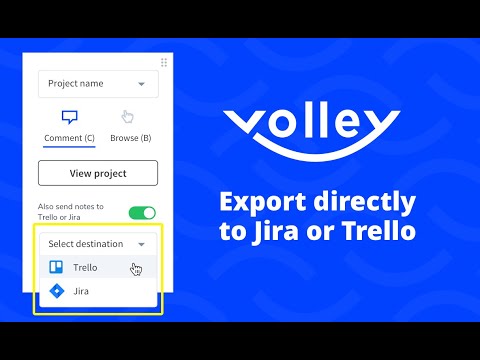
There are times where you want the notes you’re creating through Volley to go directly to the PM tool of your choice. Today, we’re excited to announce that you can now send your notes directly to Trello or Jira, right from the extension.

Simply click “Advanced options” from your extension panel, then select either Trello or Jira. Once you configure the integration with a few easy steps, you’ll be ready to “automagically” send any note you make directly to Trello or Jira.
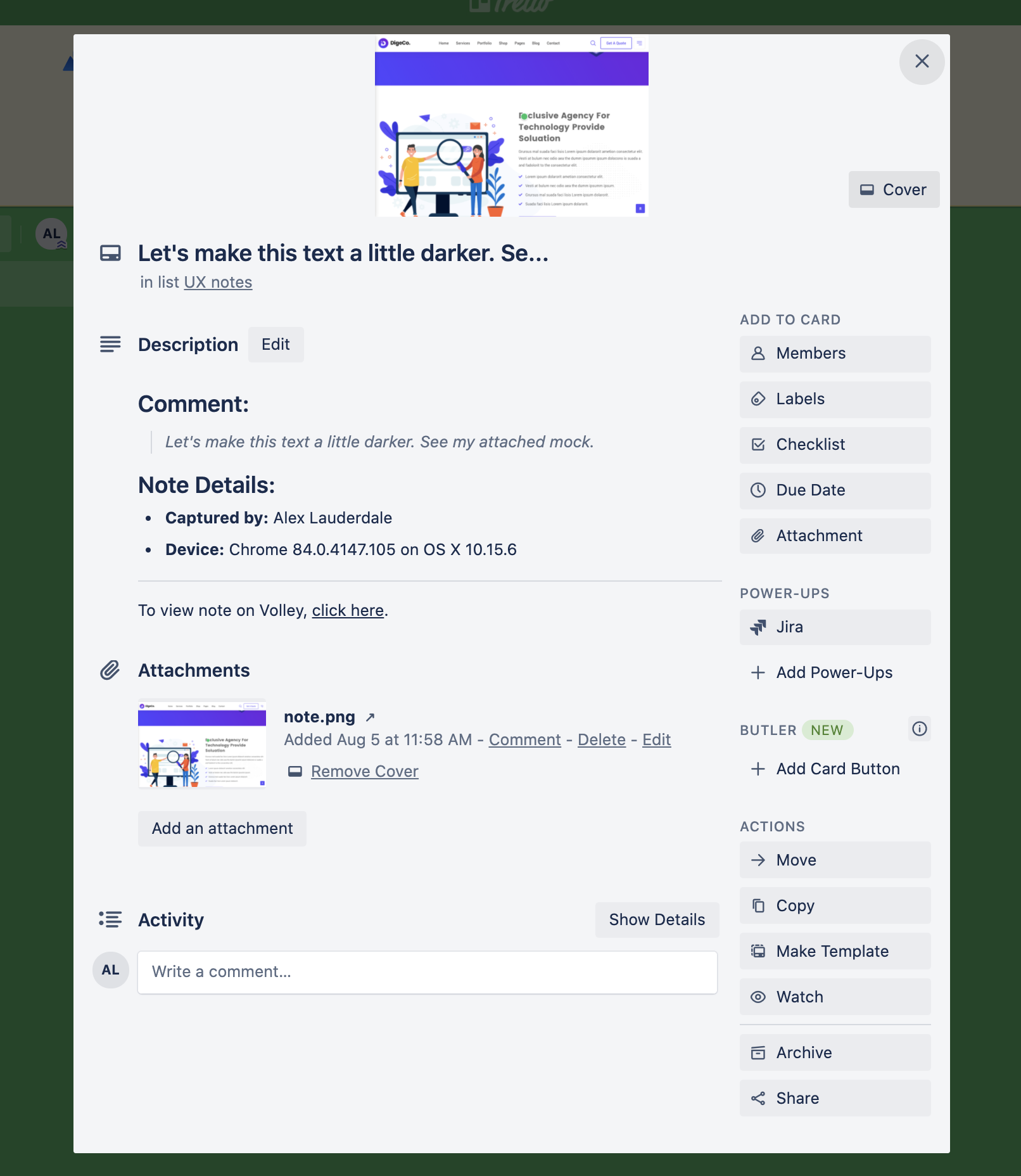
The note will be sent directly to Trello or Jira along with your original comment, the screenshot and helpful metadata.
Feature recap
Send your notes directly to Trello or Jira from the Volley extension
Notes are sent with original comment, screenshot and helpful metadata
Easily turn this feature on or off through the "Advanced options" link

1 Comment
In a stunning display of athleticism, the volleyball player leaped high and delivered a thunderous smash, sending the ball hurtling towards the opponent's court with unstoppable force and precision, igniting the crowd's excitement.