
YouPhoto AI
Turn photos into any style with AI
Hey IH fam,
Quick update on YouPhoto.ai – continuing our mission to make fun AI photo editing super simple.
🔥 Just Launched: AI Meme Generator!
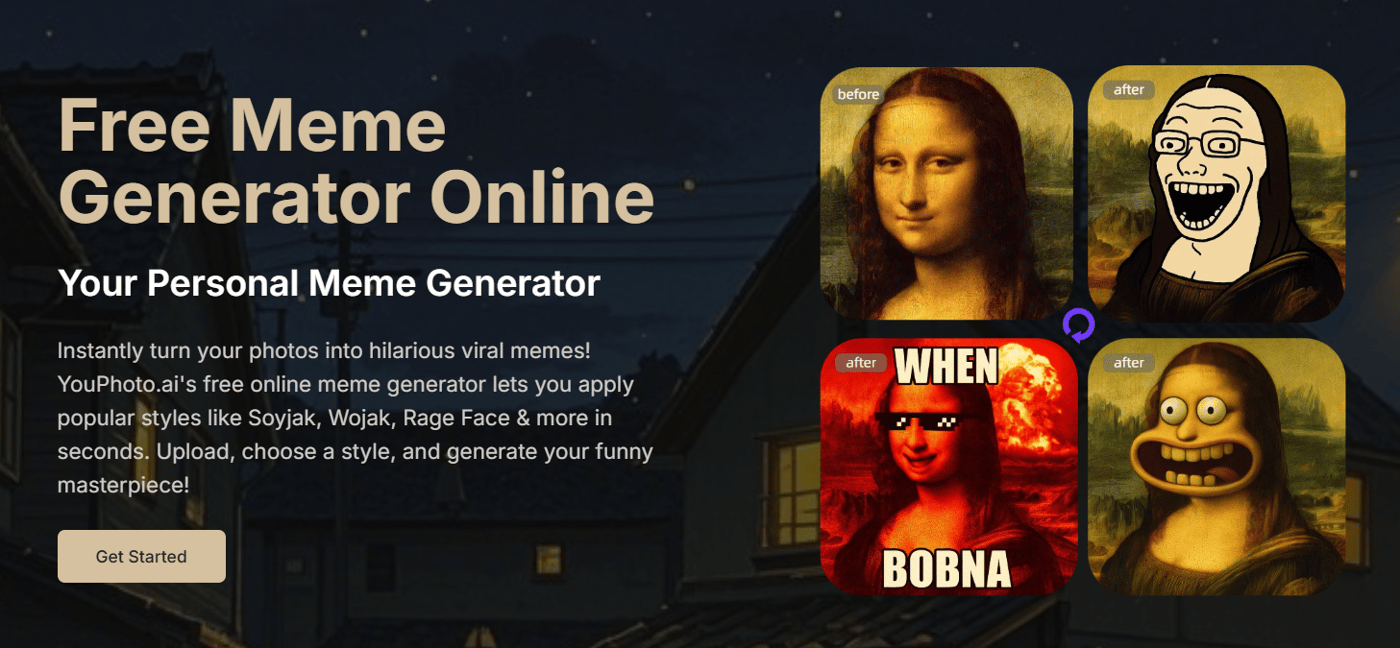
What it is: Instantly turn your photos into popular meme styles (Wojak, Soyjak, Troll Face, Cursed images & more).
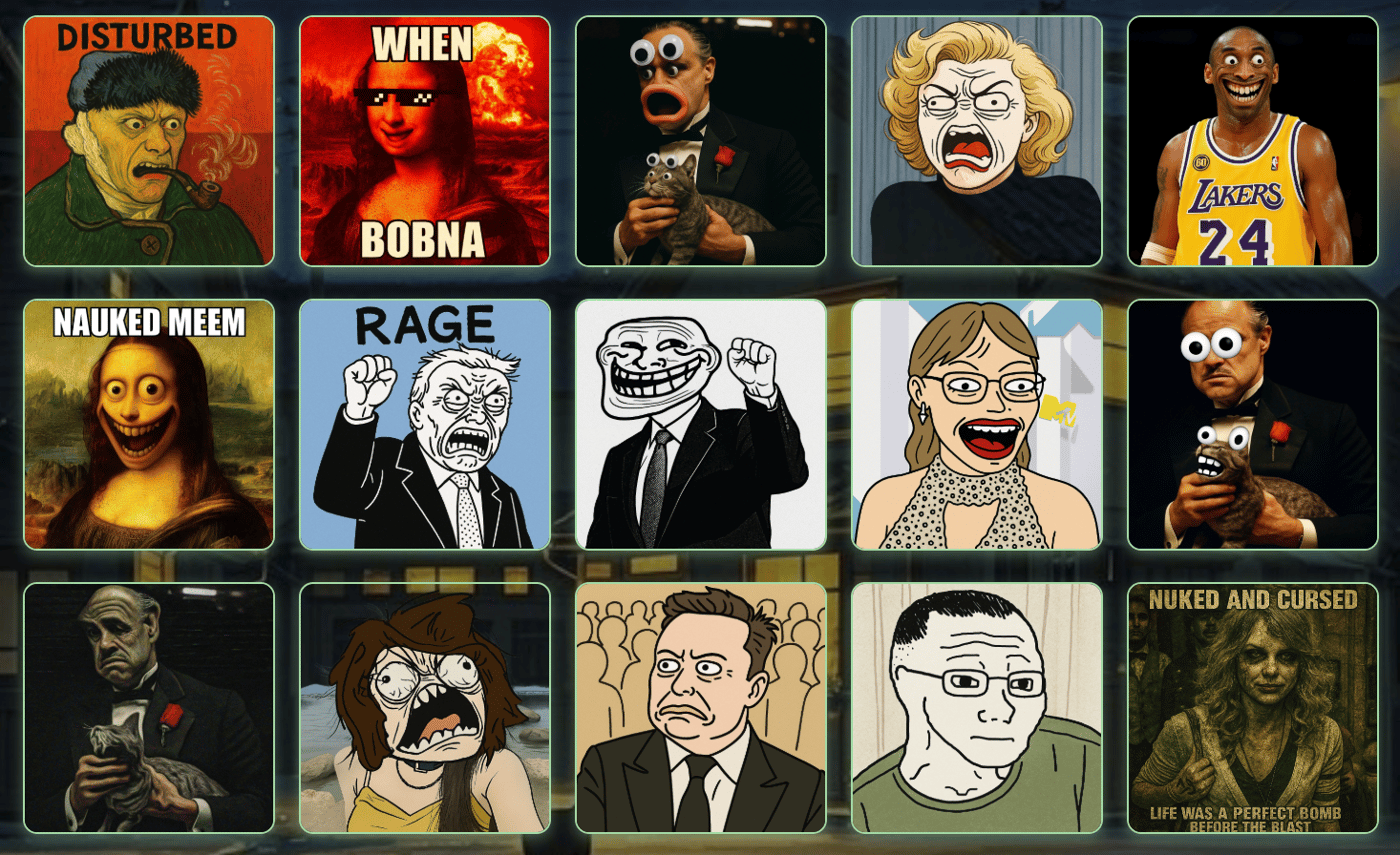
Why: You shouldn't need complex tools just to make a funny meme! We wanted a one-click way.
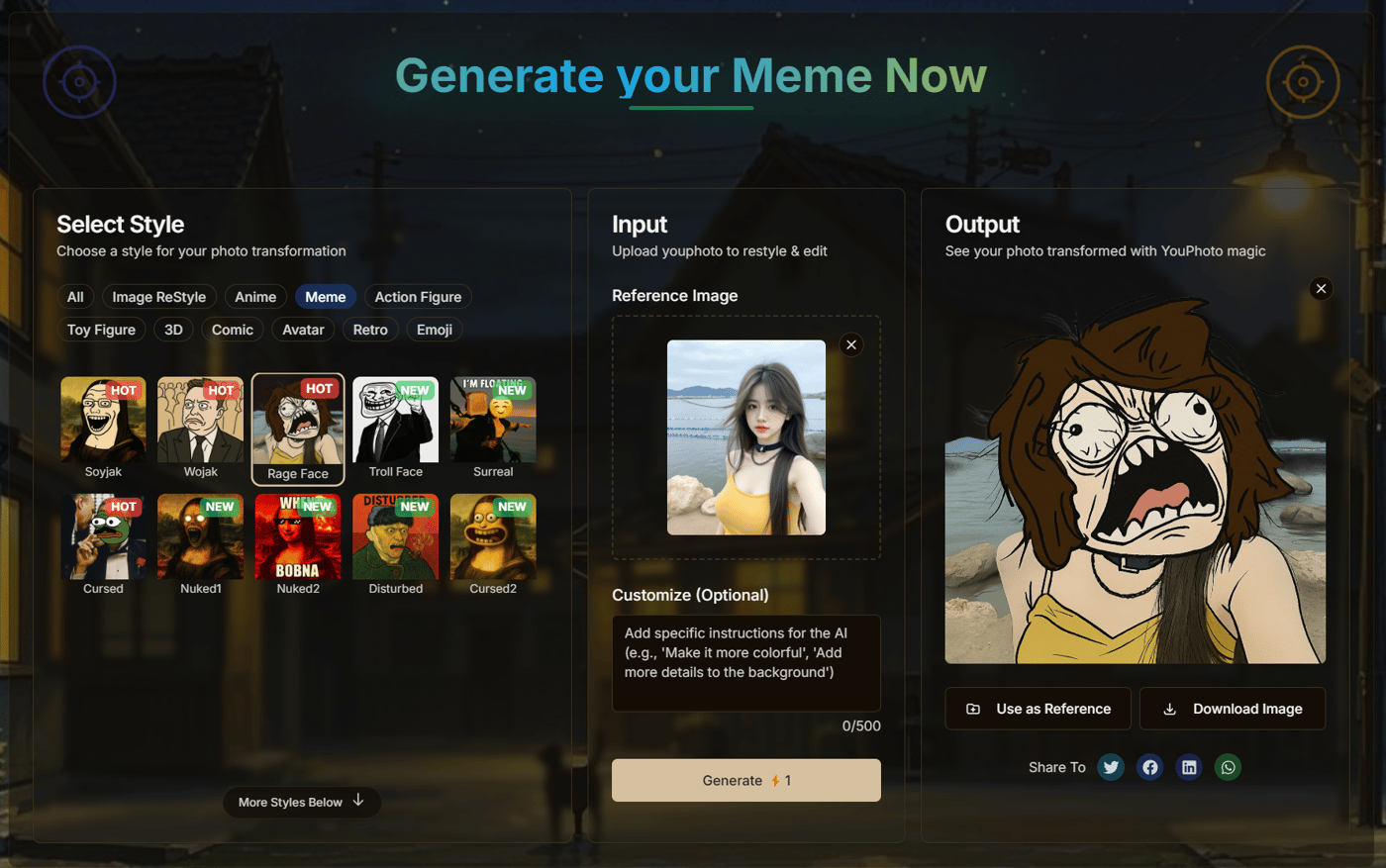
How: Upload photo -> Pick meme style -> Generate! Seriously easy.
Try Meme Generator Now
This joins our existing style transfers, avatar maker, etc., making YouPhoto AI a more complete, easy-to-use AI photo toolkit.
Feedback Welcome!
Give the Meme Generator a spin! Does it hit the mark?
What crucial meme styles are we missing?
Always appreciate the insights from this community. Let me know what you think!
Cheers,

Hey IH fam,
Quick update on YouPhoto.ai! Following our recent Action Figure generator launch, we're doubling down on easy, fun AI photo creation.
🔥 Just Launched: AI Avatar Maker!
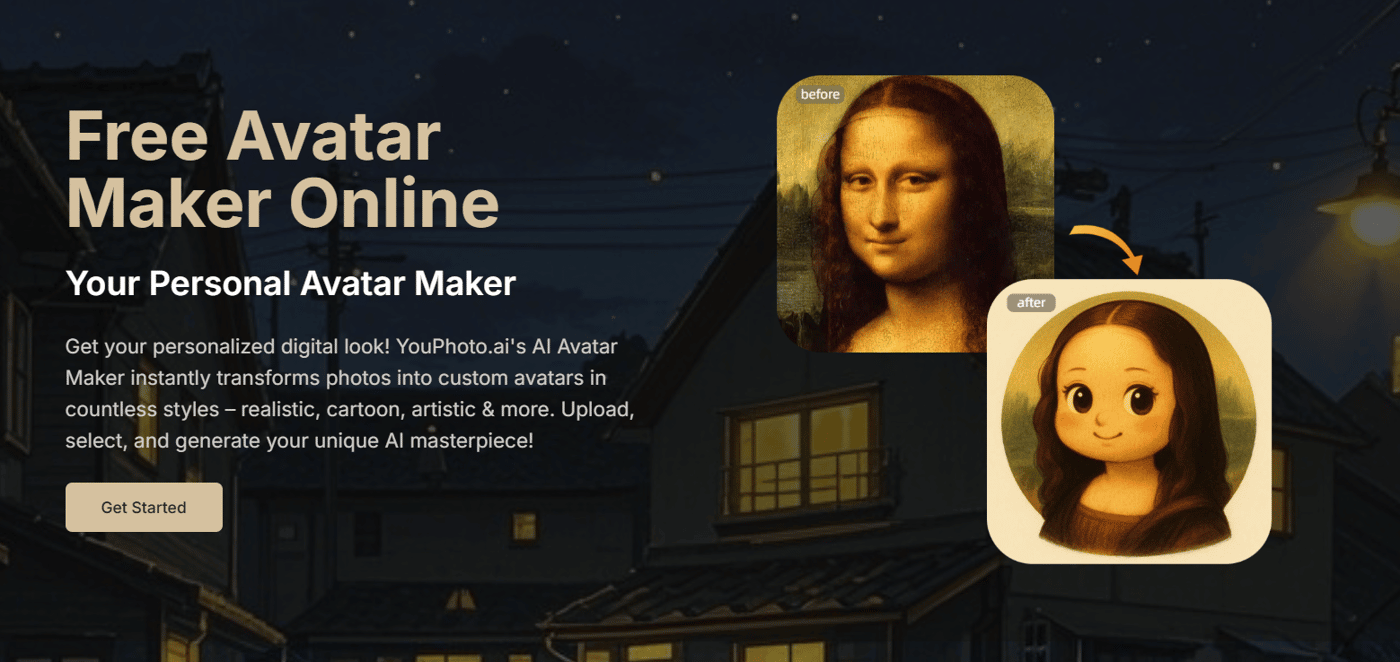
What it is: Turn your photos into awesome digital avatars in seconds.
How it works: Upload a photo, choose a style, click generate. Simple as that!
Try it here: https://youphoto.ai/avatar-maker
✨ Plus, NEW Avatar Styles Added!
We've expanded our avatar options beyond the basics. You can now generate styles like:
App Avatar
Caricature
Fatter
Q Avatar
Stickers
...and more!
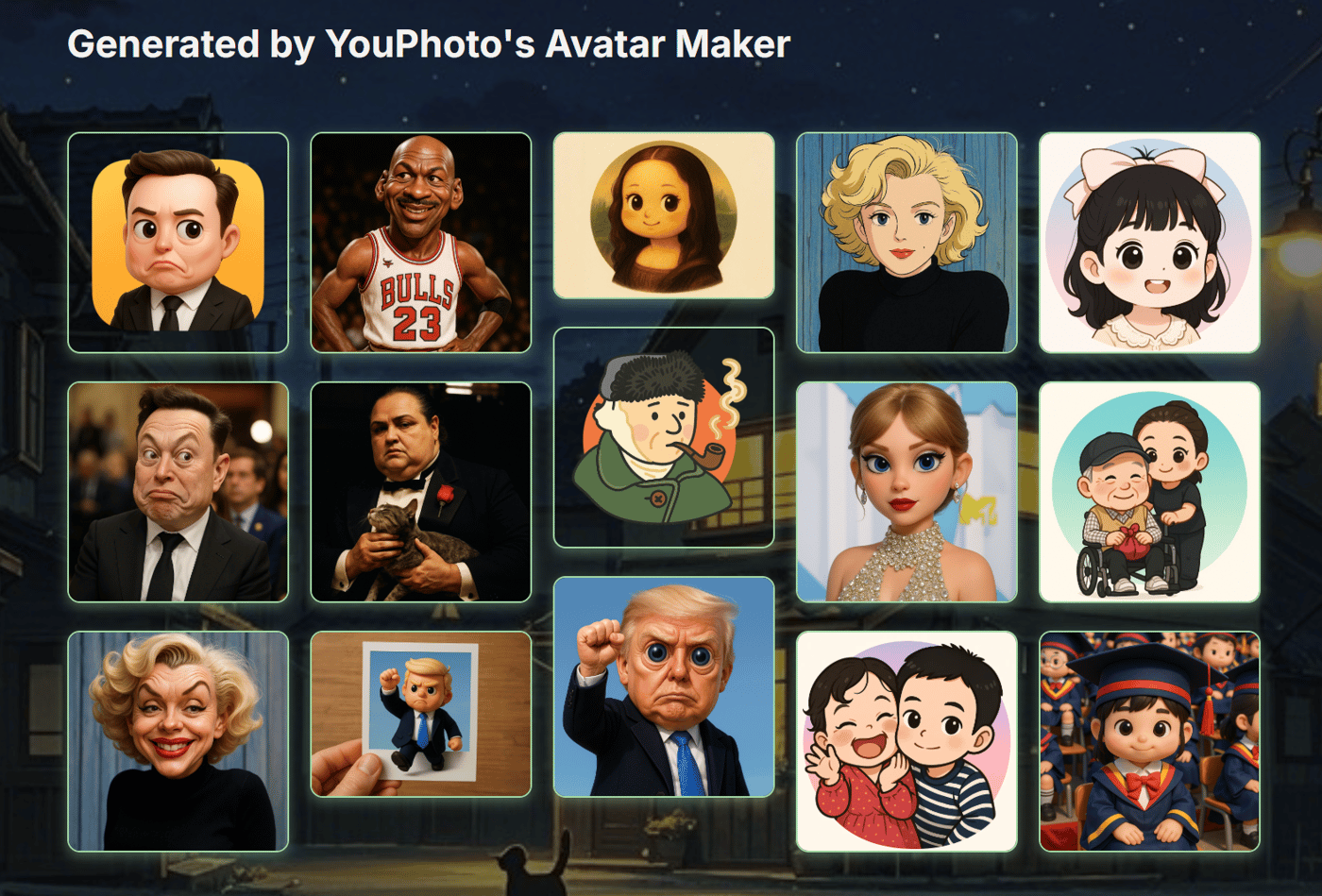
This fits our core mission: giving you cool AI photo results without needing complex prompts or technical skills. It's all part of building YouPhoto.ai into your go-to, easy-to-use AI photo editor.
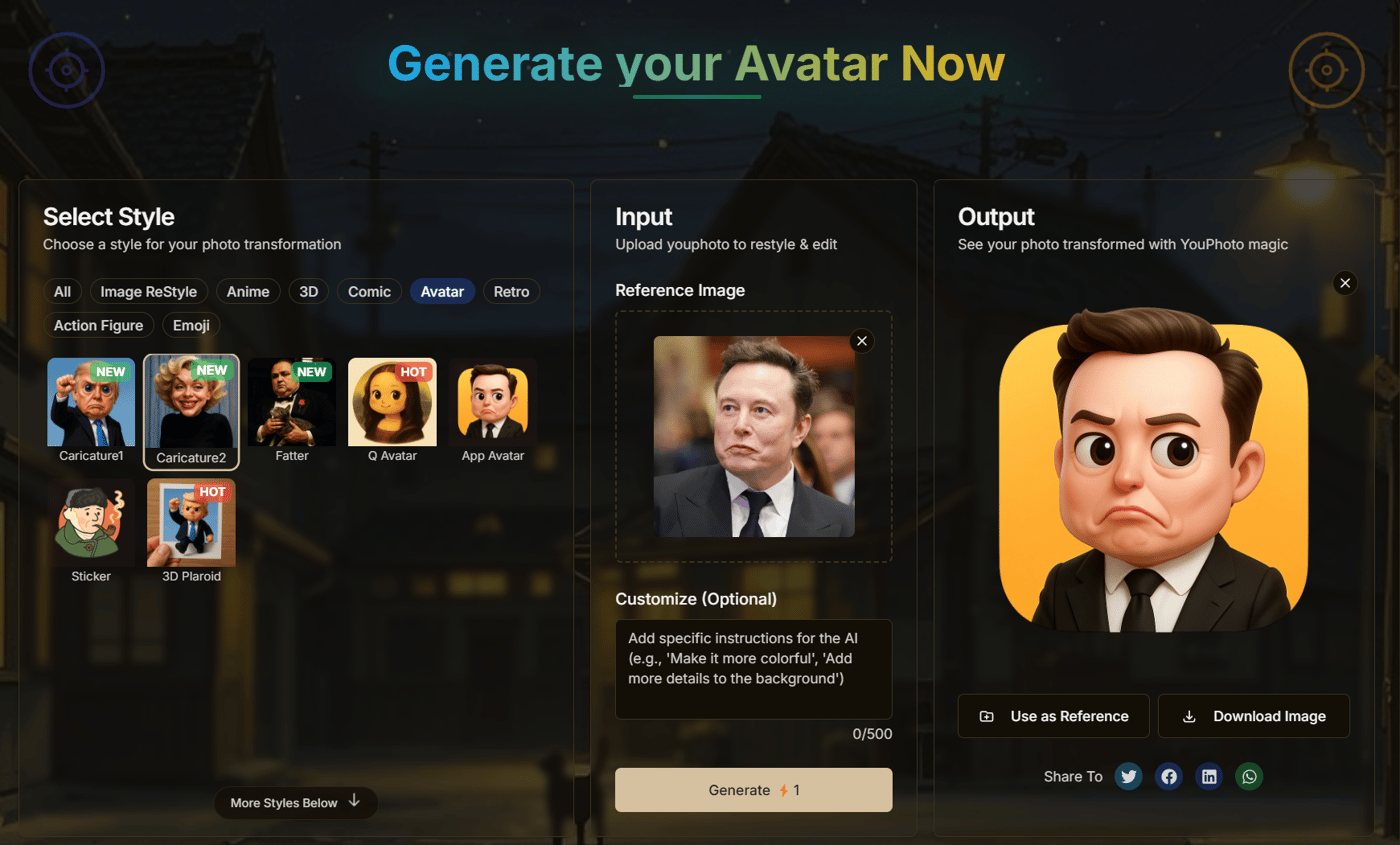
Feedback Wanted!
Give the AI Avatar Maker a try! What do you think of the new styles?
What other avatar or image styles would you love to see made easy?
Appreciate the support and insights from this community!
Cheers,
-
1
Love how low-friction the whole flow is.
The sticker style lmao
Have you thought about seasonal or meme-based avatar packs?
Could be a cool way to keep people coming back.-
2
Hey Fran! Awesome, thanks so much for the feedback! Thrilled you found the flow low-friction – that's exactly what we aim for. Haha, glad you got a kick out of the sticker style! 😂
And that's a fantastic idea about seasonal/meme-based avatar packs! Seriously great suggestion for keeping things fresh and engaging. Definitely something we'll think about. Appreciate you sharing your thoughts! 🙏
-
1
Awesome to hear! Looking forward to seeing what you come up with next
Feels like there’s so much fun potential here. If you ever add a “cursed meme” style, I’m 100% in 😂-
1
Haha, Fran, you asked, I listened ! 😉 Seriously though, guess what just went live? Our AI Meme Generator!
We definitely included some fun 'Cursed' styles in there, plus a bunch of other meme classics. Hope you find some fun potential realized! 😂
Check it out here: https://youphoto.ai/meme-generator
Thanks again for the great suggestions!
-
-
-
-
1
Great update! With visual tools like this, a standout logo and branding can really boost user trust. I’d love to design something that fits your style.
-
1
Ha! Made a photo of myself using your software, really cool!
I'd love to collab, or even just chat about your process thus far. I have not technically launched yet and am also looking for feedback. We can share feedbacks anytime, let me know :)
-Lou
-
1
Hey Lou! Awesome, so glad you tried it out and thought it was cool! you found it cool, thanks for checking it out! Totally down to chat about the build process and swap feedback anytime – love that idea.
-
-
1
Could you transform my photo into a black-and-white manga style like One Piece?
-
1
Awesome suggestion! Love that black-and-white manga style. It's definitely something we're looking into adding. Stay tuned! ✨
-


Hey IH fam,
Quick update on YouPhoto.ai – our mission to build the easiest all-in-one AI Photo Editor continues!
Following up on adding Avatars & Emojis, we've just launched two major improvements based on making AI photo fun even more accessible:
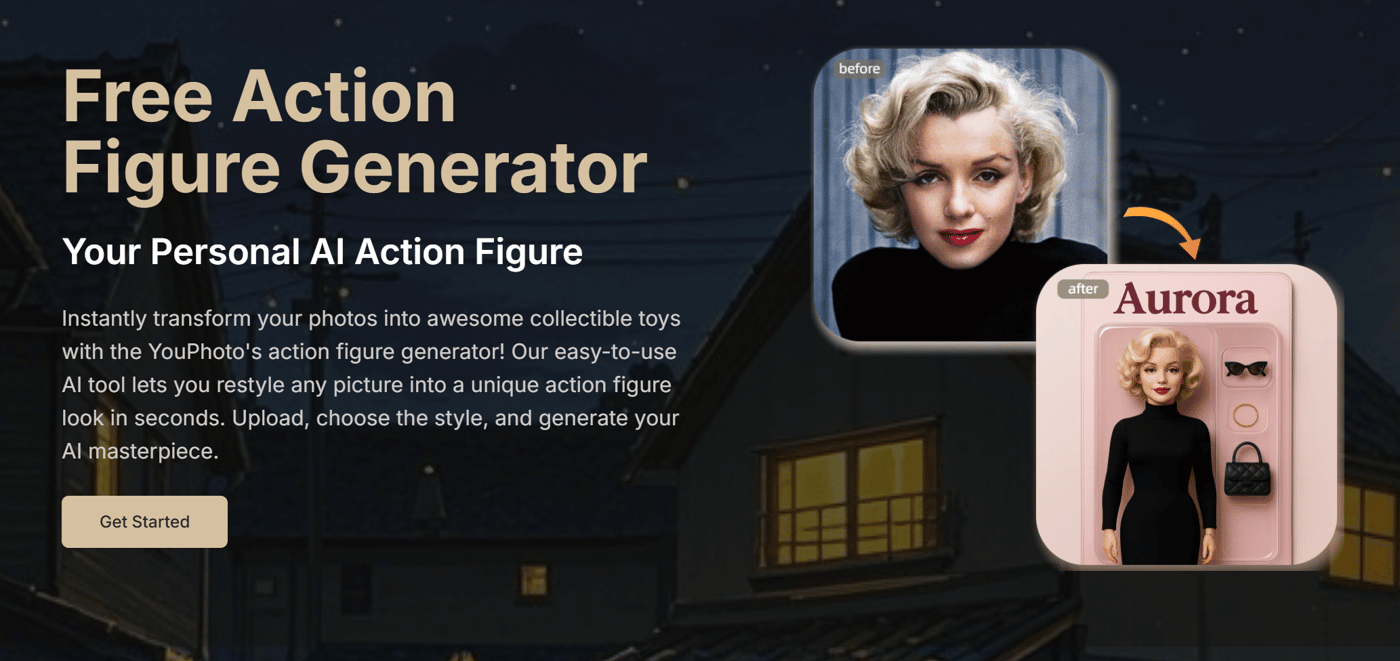
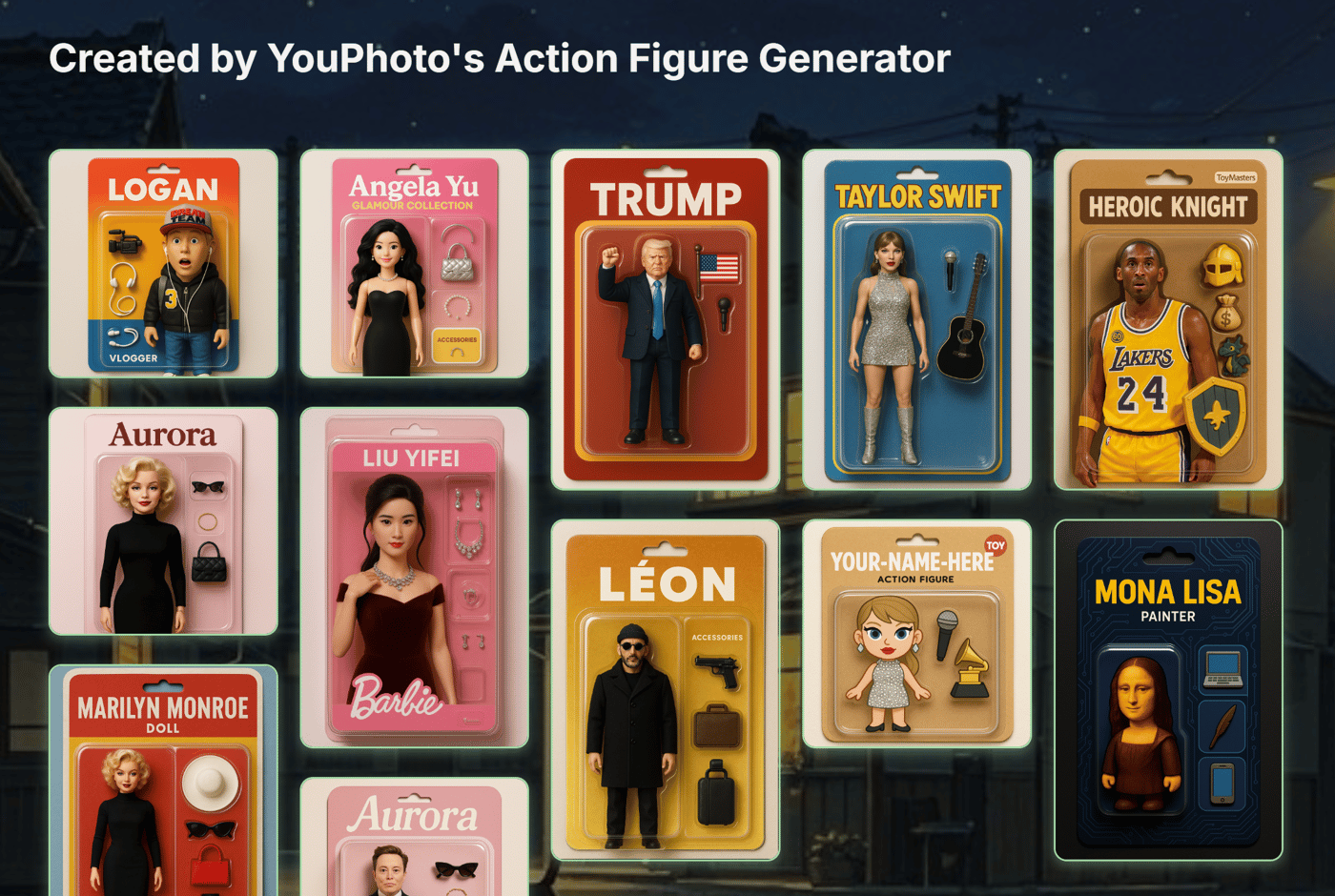
NEW! AI Action Figure Generator: Turn yourself (or anyone!) into a cool collectible toy! Upload a photo, pick a style, get instant results.
Improved UI/Browsing: With so many styles now (Ghibli, LEGO, Pixel, Avatars, Emojis, Action Figures!), we've revamped the main page (https://youphoto.ai/). Styles are now easier to see at a glance and better categorized so you can find what you need faster.
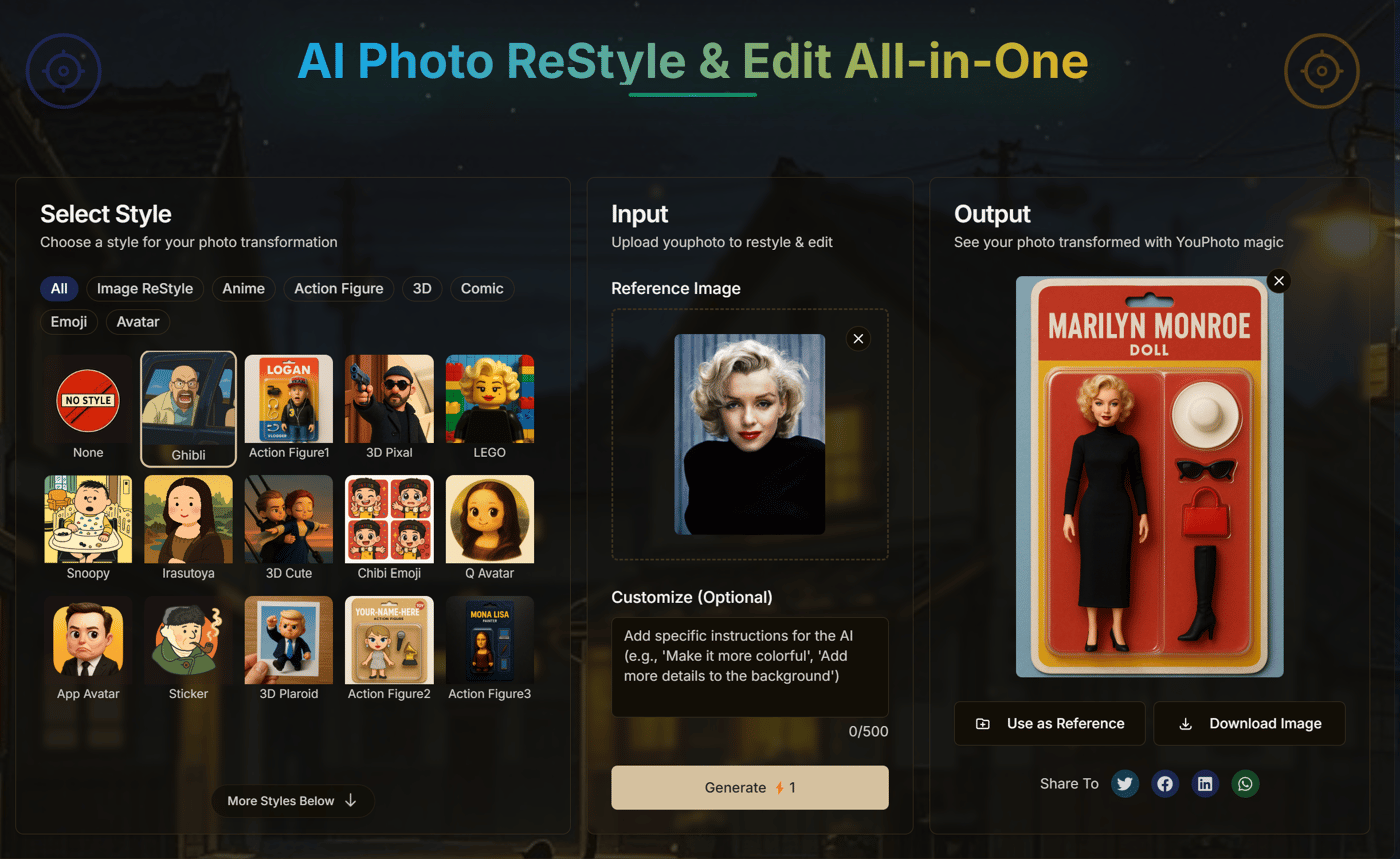
Our goal remains the same: deliver powerful AI photo results (styles, avatars, fun effects) without the complex prompts or steep learning curve.
Quick Feedback Request:
Have you tried the Action Figure Generator? Any thoughts?
Does the new layout on the AI Photo Editor make finding styles easier?
Appreciate your insights as always! Let me know what you think.
Cheers,
-
1
Hey there, just went on this site, and uploaded my photo, it was awesome. Congrats on making this awesome site.

Hey Indie Hackers! It’s been a wild ride since I last checked in with you all. If you’ve been following along, you might remember my first post about building a no-prompt Ghibli AI generator and my 10-day update on evolving YouPhoto.ai. What started as a passion project to bring Ghibli-style magic to your photos has morphed into something much bigger—and I’m beyond excited to share the latest chapter of this adventure with you.

For those who are new here, I’m the solo maker behind YouPhoto.ai, a tool I dreamed up to make AI-powered photo editing simple, fun, and accessible to everyone. No complicated prompts, no steep learning curve—just upload a photo and let the magic happen. But over the past few months, I’ve been listening to feedback, tinkering under the hood, and pushing the boundaries of what YouPhoto can do. Spoiler alert: it’s no longer just about Ghibli vibes (though that’s still a fan favorite!).
The Big Pivot: YouPhoto.ai as The AI Photo Editing Tool
When I kicked this off, my vision was narrow—Ghibli-style transformations, free and no login required. But as I dug deeper into what people actually want from a photo tool, I realized something: users don’t just want one style. They want options. They want to turn their selfies into avatars, their pet pics into emojis, and their vacation shots into trending styles—all without needing a PhD in AI prompting. That’s when it hit me: YouPhoto.ai isn’t just a style converter—it’s an all-in-one photo editing playground powered by AI.

So, here’s what’s new:
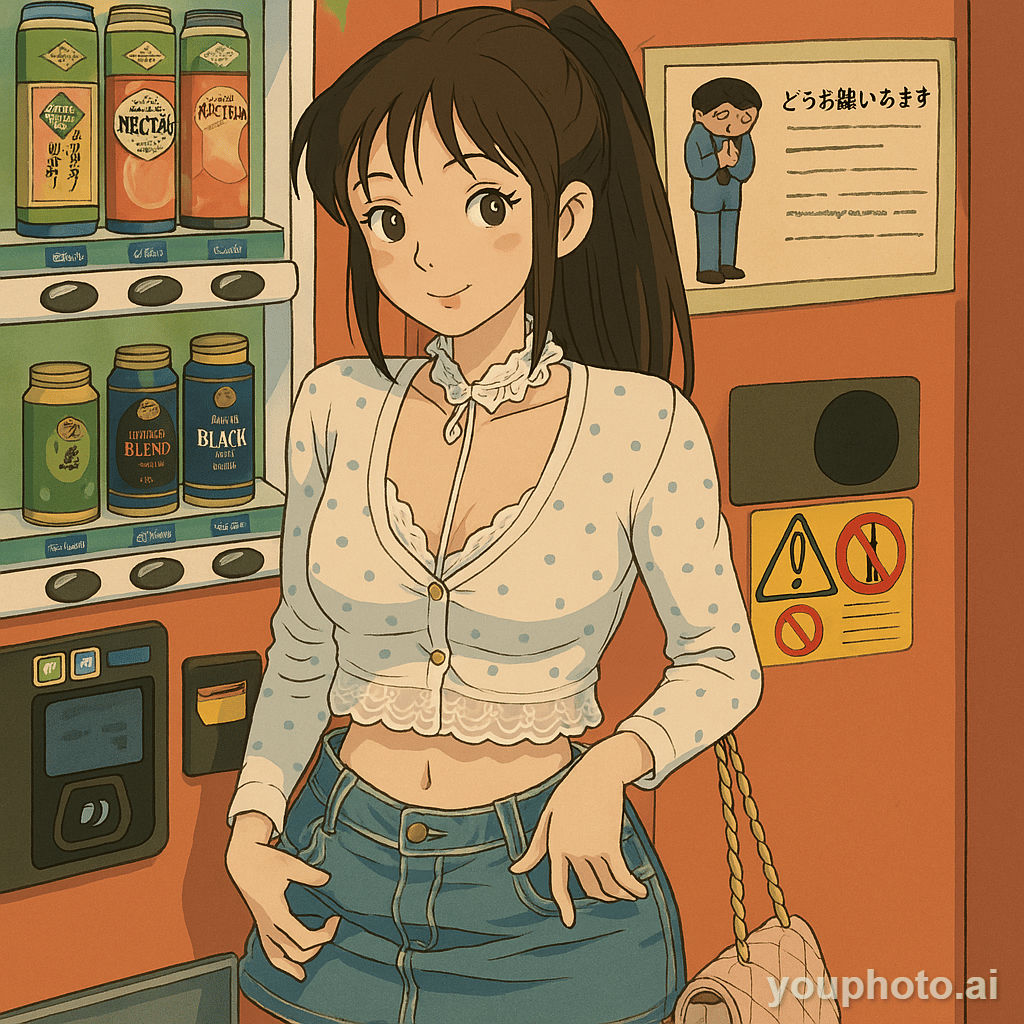
1.AI Avatar Generator & Emoji Maker
Upload a photo of yourself (or your dog, no judgment), and bam—you’ve got a stunning AI-generated avatar or a quirky emoji ready to spice up your chats. These are hands-down my favorite additions because they’re so personal and fun.

2.One-Page, All-in-One Experience
The UI got a major glow-up. Now, everything—style transfers, avatar creation, emoji generation—lives on a single, sleek landing page. Pick a preset, tweak if you want, and you’re done. It’s like having a Swiss Army knife for photos.


3.A Bolder Brand Vision
YouPhoto.ai isn’t just about Ghibli anymore. It’s about empowering anyone to edit photos with AI, no matter their skill level. Whether you’re a designer, a marketer, or just someone who wants a cool pic to share, this tool’s got your back.
Why This Matters
I’ve always believed that AI shouldn’t feel like rocket science. Too many tools out there demand endless prompt tweaking or technical know-how, leaving most people frustrated. With YouPhoto.ai, my mission is to cut through that noise. You upload a photo, pick a style (or use a preset), and get results that look amazing—fast. The new avatar and emoji generators take that simplicity up a notch, while the all-in-one design means you don’t need five different apps to get the job done.
The updated brand positioning reflects this too: YouPhoto.ai is the AI photo editing tool for everyone. Whether you’re chasing the latest TikTok trend, crafting a standout avatar for your profile, or just messing around with your kid’s pics, it’s all here in one place.
What’s Cooking Next
This isn’t the finish line—it’s just the start of a bigger journey. I’m already working on rolling out more styles to keep up with what’s hot (any requests? Drop them below!). Performance is another big focus—faster load times, smoother renders, the works. I want YouPhoto to feel like a creative sidekick you can rely on, not a clunky tool that slows you down.

The Indie Hacker Hustle: My Takeaways
Building YouPhoto.ai solo has been equal parts thrilling and terrifying. Seeing people use it to create Ghibli-style art or quirky avatars keeps me going, but the real magic happens when I hear your feedback. Every comment on my last posts—whether it was a feature request or just a “this is cool!”—has shaped where we are today. Indie Hackers, you’re my co-conspirators in this, and I’d love to know: What do you think of the new direction? What styles or features would you kill for?
If you haven’t checked it out yet, swing by YouPhoto.ai and give it a spin. Upload a photo, play with the new avatar and emoji generators, or stick with the classics like Ghibli or Lego styles. No login, no fuss—just pure creative fun.
Thanks for riding along with me on this journey. Can’t wait to hear your thoughts—and maybe even see some of your creations!
Cheers,
Hey Indie Hackers,
It’s been 10 days since I launched YouPhoto.ai and shared my initial post about building a no-prompt Ghibli AI generator(https://www.indiehackers.com/post/i-built-a-no-prompt-ghibli-ai-generator-it-s-free-no-login-meet-youphoto-ai-GPFlyD0xNC28pd38tYiK).
The response from this community has been incredible—your feedback, ideas, and encouragement have fueled my drive to keep pushing this project forward. Today, I’m excited to share the latest updates on YouPhoto.ai, reflect on the journey so far, and give you a glimpse into where we’re headed next. Buckle up, because we’ve added some fun new features and made some big decisions to keep the platform sustainable and user-focused.
For those who missed my first post, YouPhoto.ai is all about making AI-powered creativity accessible, playful, and authentic. My goal was to create a tool that lets anyone transform their photos into stunning, stylized art without needing to be a prompt-engineering wizard. I started with a Ghibli-style generator because, let’s be real, who doesn’t love the dreamy, nostalgic vibe of Studio Ghibli? But I always knew this was just the beginning. My vision for YouPhoto.ai is to be a playground for creativity—a place where users can experiment with unique styles, express themselves, and share their creations with the world.
What’s New in YouPhoto.ai?
Over the past week, I’ve been heads-down working on updates based on user feedback and my own experiments. Here’s what’s fresh as of day 10:
More Styles to Spark Your Imagination
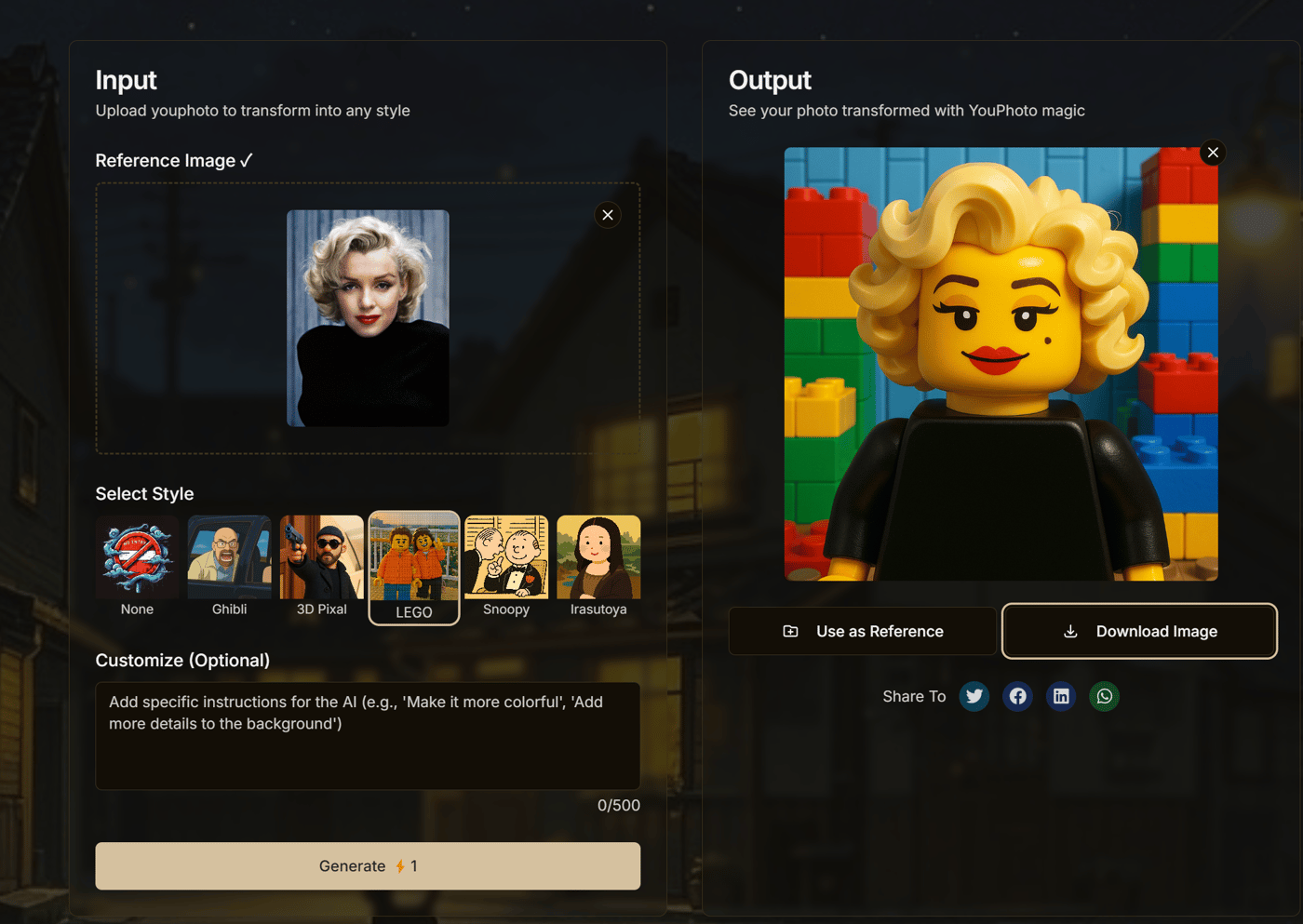
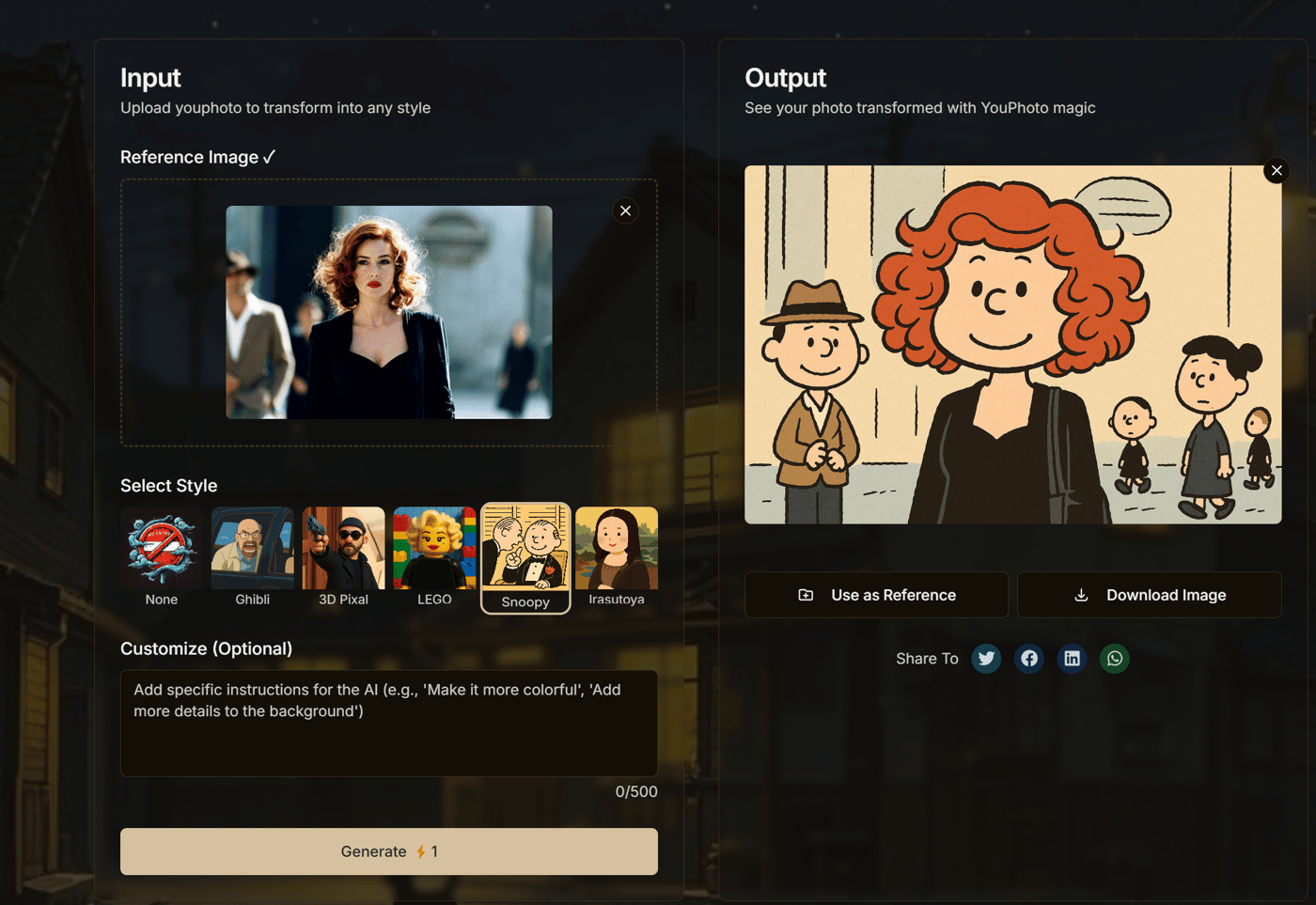
Ghibli style is still a fan favorite (and mine too!), but I’ve added a bunch of new styles that are trending across the web: LEGO, 3D Pixel, Snoopy, and Irasutoya. These are quirky, vibrant, and perfect for anyone looking to add a playful twist to their photos. Whether you want your selfie to look like a LEGO masterpiece or your pet to rock a Snoopy vibe, there’s something for everyone. I’m obsessed with how these styles bring out different emotions and aesthetics—try them out at YouPhoto.ai and let me know which one’s your favorite!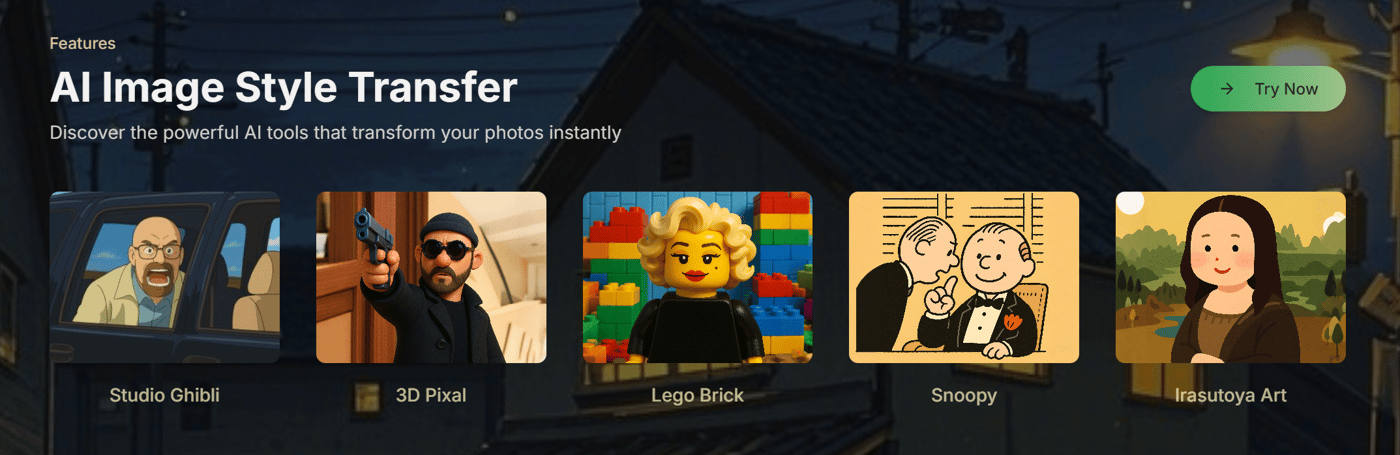
Optional Prompts for More Control
A lot of you loved the no-prompt simplicity, but some asked for more flexibility. Now, you can upload a photo and add a prompt if you want to fine-tune the output. It’s totally optional—keep it simple with a style choice, or get specific with a prompt to make the result uniquely yours. This balance of ease and customization is core to YouPhoto.ai’s brand: we’re here to make creativity effortless but never limiting.Prompt-Only Mode with “None” Style
Want to go full DIY? You can now select “None” as a style and rely entirely on your prompt to guide the AI. This is perfect for power users who want to experiment without any predefined filters. It’s like handing you the keys to the AI engine—go wild and see what you can create!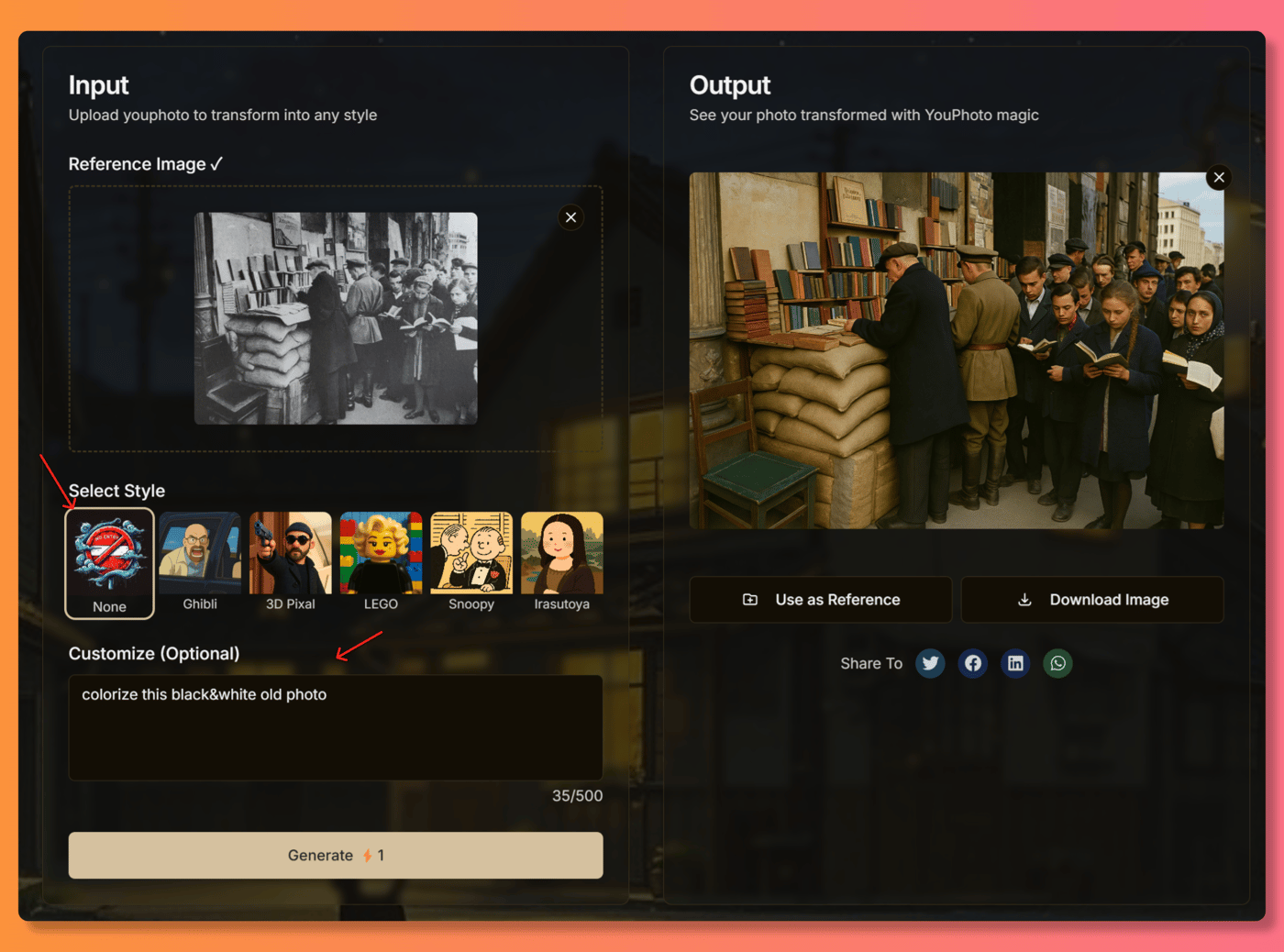
Share Your Creations with One Click
I’ve added a social sharing feature so you can easily show off your stylized photos on your favorite platforms. Whether it’s a LEGO-fied portrait or a Snoopy-style landscape, you can spread the joy with friends or followers in seconds. Seeing your creations pop up online has been one of the highlights of this journey for me—it’s like watching a little piece of YouPhoto.ai spark conversations around the world.User Authentication for a Better Experience
This one’s a biggie, and I want to be transparent about it. When I launched YouPhoto.ai, it was free and login-free to make it as accessible as possible. But as the site grew, I noticed a flood of web crawlers and bots from all corners of the globe hammering the servers 24/7. It was putting a huge strain on the system, causing slowdowns and even some outages. I tried adding Turnstile protections, but the bots kept coming. To keep the experience smooth for real users like you, I’ve introduced user authentication. You’ll need to log in to use the platform, and while there’s still a generous free tier, heavy users will need to pay once they hit the limit. This change ensures YouPhoto.ai stays fast, reliable, and sustainable for everyone. It wasn’t an easy call, but I’m committed to prioritizing your experience over bot traffic.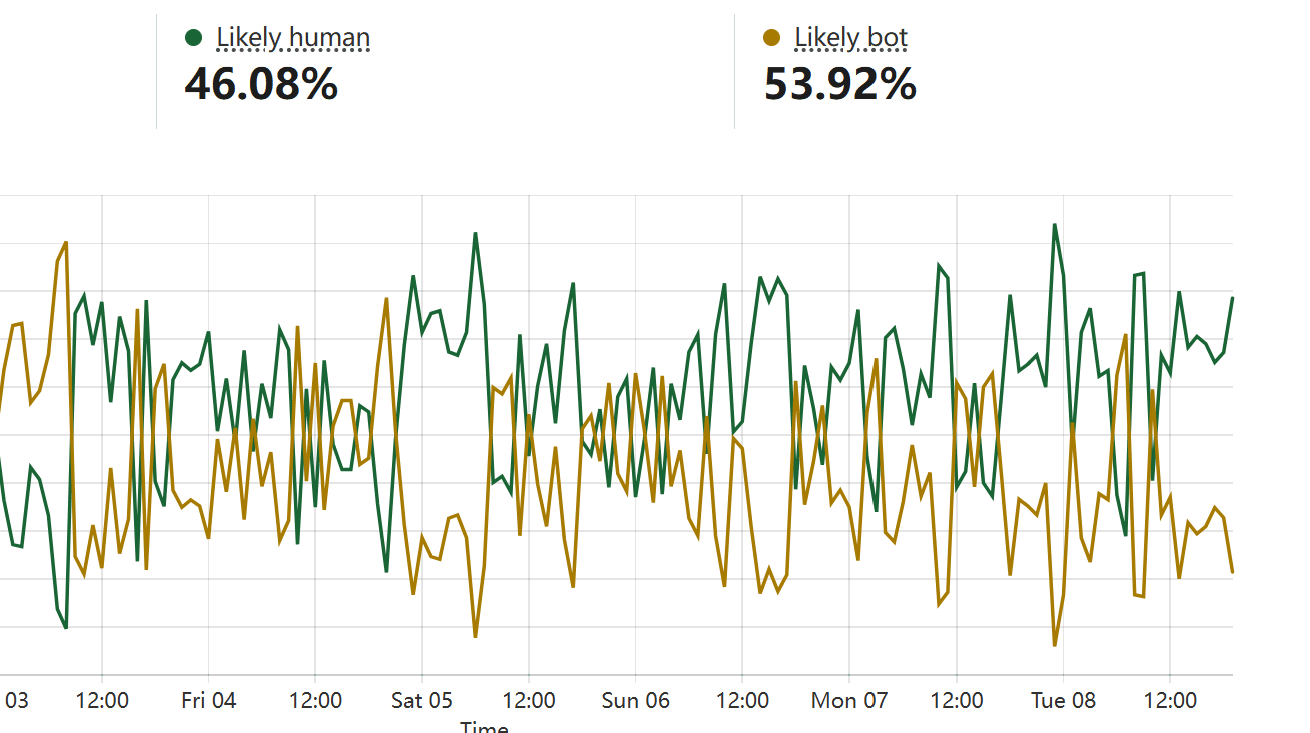
The Why Behind YouPhoto.ai
Building YouPhoto.ai has been a labor of love, born out of my own frustration with overly complex AI tools. I wanted a platform that felt like a creative buddy—something that’s easy to use but powerful enough to surprise you. Every new feature, from the Snoopy style to the sharing button, is designed to keep that spirit alive. My brand’s promise is simple: YouPhoto.ai is where your photos meet imagination, no barriers required. I’m not chasing trends or trying to be everything to everyone—I just want to make a tool that brings a smile to your face when you see your photo transformed.
The past 10 days have taught me a ton about balancing accessibility with sustainability. The bot issue was a wake-up call, but it’s also pushed me to think harder about how to deliver value while keeping the lights on. Hearing from users who’ve turned their family photos into Ghibli art or shared a 3D Pixel creation with friends keeps me motivated. You’re not just users—you’re co-creators in this journey, and I’m grateful for every comment and suggestion you share.
What’s Next?
I’m already working on the next batch of updates. More styles are in the pipeline (any requests? Drop them below!), and I’m tweaking the backend to make the site even faster. I’m also exploring ways to make the free tier as generous as possible while keeping the platform sustainable. My dream is to keep YouPhoto.ai a place where anyone can jump in, play with AI, and walk away with something they’re proud to share.
If you haven’t tried it yet, swing by YouPhoto.ai and give the new styles a spin. I’d love to hear what you think—good, bad, or totally out-of-left-field ideas. This community’s feedback has been a game-changer, and I’m all ears for what you’d like to see next. Let’s keep building something awesome together.
Cheers
-
1
really like it
Hey Indie Hackers! 👋
Excited (and a little nervous!) to share what I've been working on: YouPhoto.ai.
Like many of you, I've been playing around with AI image generation tools for a while now. The potential is absolutely mind-blowing. But I kept running into a specific frustration: getting AI to replicate a particular aesthetic consistently, especially on existing photos, often means diving deep into the rabbit hole of prompt engineering.
I saw tons of people online asking how to get that dreamy, painterly Ghibli style for their profile pics or photos. While powerful models can do it, crafting the perfect prompt like "ethereal landscape, Studio Ghibli style, pastel palette, volumetric lighting..." etc., is often a barrier for most people. They just want the look, applied to their picture, without the complex setup.
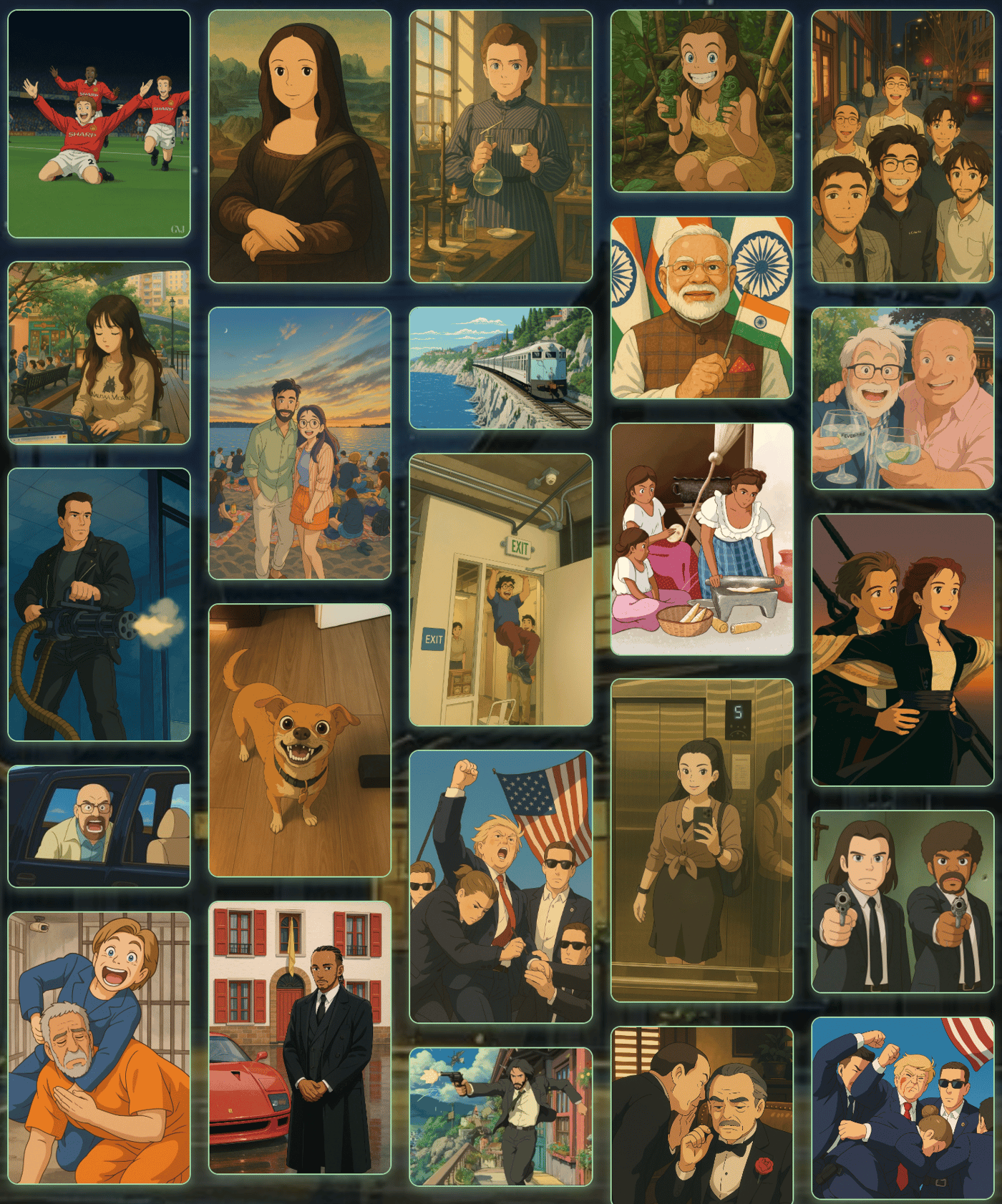
That's the core problem I wanted to solve with YouPhoto.ai. Why should powerful AI creativity be locked behind complex commands?
So, I built the Ghibli AI Generator as the first main feature. The goal was radical simplicity:
You upload your photo.
You click one button.
You get a Ghibli-style transformation back.
No prompts needed for the basic conversion.
To make it as easy as possible for people to try it out and see the value, I decided to launch it completely free and without requiring any login or signup. Just pure, simple photo transformation.
You can try it here: https://youphoto.ai/
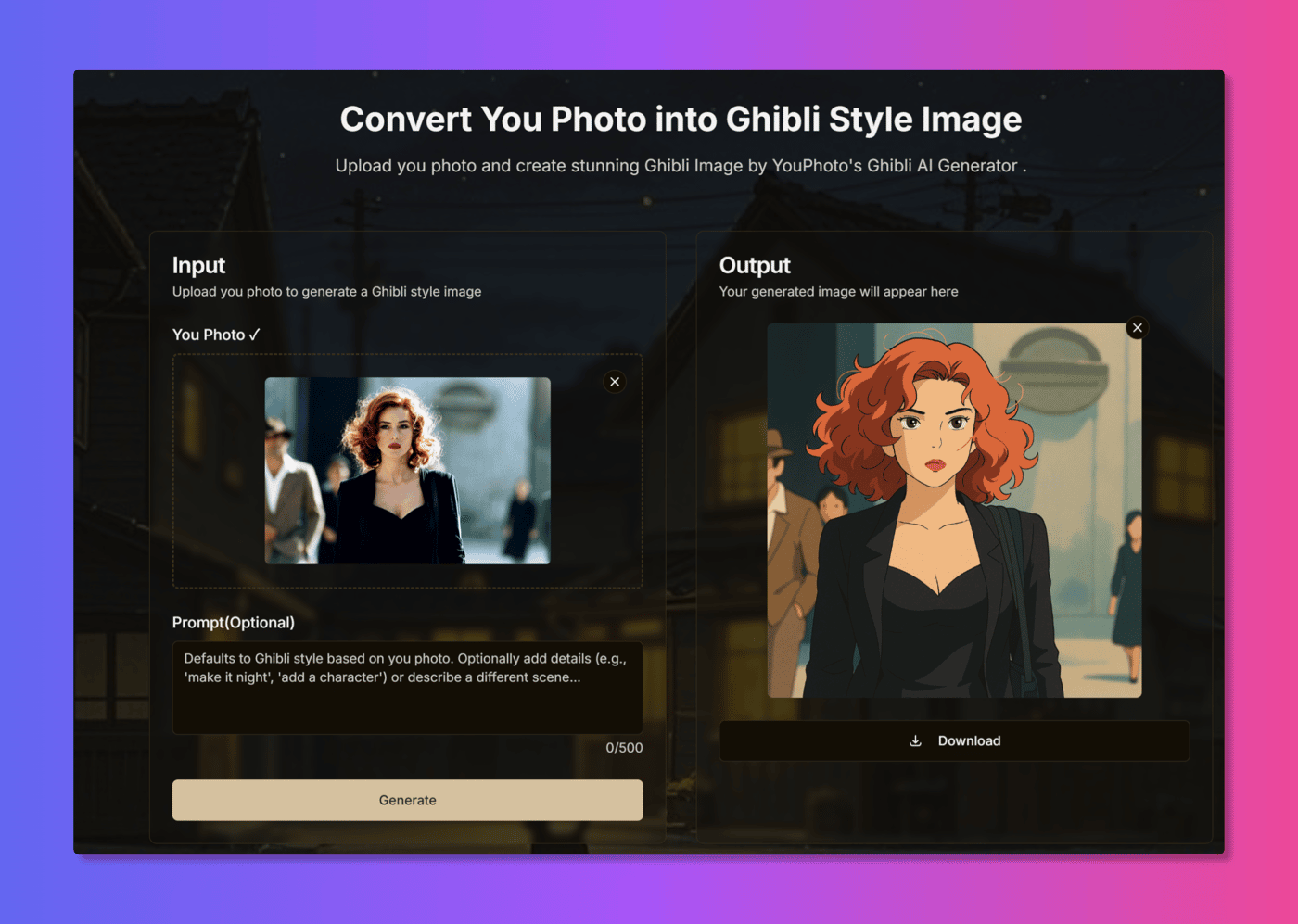
This is definitely version 1.0 (or maybe even 0.9!). The Ghibli style generator is the starting point, but the bigger vision for YouPhoto.ai is to become a go-to place for various easy-to-use, one-click AI photo processing tools.
I'm launching here on IH because I'd love to get feedback from fellow builders, designers, and creators.
Does this "no-prompt" approach for specific styles resonate?
How was your experience using the tool? Any bugs or friction points?
What other popular styles or simple AI photo functions would you love to see made this accessible?
Really appreciate you taking the time to check it out. Looking forward to hearing your thoughts!
Cheers!
-
1
Really love this
-
1
How can you offer this for free? Don't you have a lot of costs?
-
1
Tooooooooooooooooooooooooooooooooooooooo slow.
-
1
that's amazing, love to see it!!!
-
1
Thanks Sid! Really appreciate your enthusiasm! Any suggestions on how I could improve YouPhoto AI to reach more users? Your feedback would be super helpful!
-
-
1
refreshingly good. You should watermark them. These are being made to be shared a lot of the time so if you watermark the images people will know where to go. (even just int he bottom right, not an annoying getty images watermark.
-
2
Thanks for the excellent suggestion, Bryce! I've already implemented a subtle watermark in the bottom right corner of the generated images, just as you recommended. Really appreciate your feedback! Feel free to check it out and let me know what you think of the implementation.
By the way, I'm currently working on adding social media sharing functionality using the react-share library. So far, I can share links and text, but I'm having trouble with automatically including the user-generated images in the shares. Would you happen to have any suggestions on how to tackle this issue?
-
2
Thank you Bryce, that's a really great suggestion! I hadn't thought about adding watermarks, but you're absolutely right. I'll start implementing a subtle watermark in the bottom right corner of my images. YouPhoto AI hasn't gained widespread traction on social networks yet, but hopefully this approach will help with attribution as more people share the content. Really appreciate the feedback!
-
1
Nice stuff. I saw you started charging as well. How has that been working out for you?
-
-
-
1
YouPhoto.ai is an innovative, free, no-login AI generator that brings the magic of Ghibli-inspired art to life! Create stunning, personalized artwork effortlessly and let your imagination soar with just a few clicks.
-
1
Hi I am unable to open this. It blocked me why is it so??
-
1
It works now,try it again
-
1
Hi, can you tell me which API or model you are using, or if you're planning to release an API of your own or explore any partnerships?
-
1
Hi Nishant,
Thanks for your interest! We're currently in the process of gradually opening our API services to our business partners.
If you have any commercial needs or would like to explore potential collaboration opportunities, please feel free to contact us for detailed discussions at: business@youphoto.ai
We're looking forward to hearing about your specific requirements and how we might work together.
Best regards,
-
-
-
-
1
This is an excellent example of identifying a pain point and coming up with a solution. Most ppl can't quite articulate what they want in artistic term and this tool hides all of that complexity.
-
1
Thanks Kevia! Exactly - my goal is to make AI-powered art accessible even if you're not an art expert (or a prompt engineer!). I hope YouPhoto AI can help a lot of people create amazing things.
-
-
1
Does the photos the users upload gets saved to the server or they expire right after use ?
-
2
Hey Zaid, great question! Privacy is super important to us.
To answer directly: No, we do not save any images on our server – neither the original photos you upload nor the Ghibli-style images that are generated. They are processed and exist only for your current session.
This means it's crucial not to refresh the page while the generation is happening, as the image data will be lost. We designed it this way specifically to maximize user privacy, especially since there's no login required. Honestly, at this stage, we don't even have a database set up to store user data or images!
So please make sure to download your generated image right away! Let me know if you have any other questions.
-
1
That's great. Thanks
-
-
-
1
Doesn't work for me just shows a broken image as results and a bunch of error console logs.
-
2
Hey Dite, thanks so much for reporting this, and really sorry you ran into that issue! 🙏
We actually experienced a huge surge in traffic shortly after launch, likely fueled by the free access, which seems to have overloaded things temporarily and caused those errors.
I've deployed a fix and monitored the system, and things should be stable and working correctly now. Could you possibly give it another try when you have a moment?
Please let me know if it's working for you now. Also, since you're giving it a go early on, I'd be really grateful for any feedback or suggestions you might have for improving YouPhoto AI! Thanks again for the heads-up!
-
2
Hey, first of all, great Project! ;)
I've recently tried to generate some Ghibli Images with your Tool. The Output is a broken Imagefile.
I hope it helps.
-
2
Hey Edin, thanks for trying YouPhoto AI and for reporting this! 🙏 Really sorry you ran into a broken image - that's definitely not the experience I want anyone to have. It looks like we're experiencing some temporary server issues because of all the traffic from our free access. I've pushed a fix, so could you please try generating another Ghibli image and let me know if it's working for you now? Any further details or observations you have would be hugely helpful! Thanks again for your patience!
-
1
Hey, I tested it again. It crashes somehow when I generate the image in the web browser [DuckDuckgo] on a smartphone.
I also tested it with the Firefox browser on the desktop PC. It works here, but the download button doesn't seem to work properly. It is possible to download the image by moving the mouse pointer over the generated image, right-clicking and saving as a graphic.
Cheers.
-
2
Thanks so much for the detailed follow-up, Edin! This feedback is incredibly helpful.
I've investigated the download button issue and found it was indeed an intermittent bug related to some character formatting problems. Happy to report that this has now been fixed! If you get a chance to try it again in Firefox, the download button should work properly now.
Regarding the mobile experience in DuckDuckGo browser - you've highlighted an important area for improvement. We're actively working on optimizing the mobile experience across different browsers, and your specific feedback about the DuckDuckGo crash is particularly valuable for our testing.
I've prioritized these mobile optimizations and we should have improvements rolling out soon. Really appreciate you taking the time to test on multiple platforms and share such specific details - it makes a huge difference in helping us improve!
-
-
-
-
1
Works now, looks good
-
-


6 Comments
That's awesome—memes + AI is a perfect combo. Excited to give the generator a try! Curious to see how creative it can get 🔥
Love seeing how fast YouPhoto AI is evolving, this meme generator sounds like a total dopamine hit 😂 The one-click flow is super smart. Curious how you're deciding which meme formats to prioritize?
We're working on something in a totally different corner of AI: a smart chess coach that helps players learn patterns and strategy through interactive feedback (launching soon as part of Chessvia). Super early, but hoping to bring the same “effortless meets fun” vibe into a slower, more thoughtful space.
Keep it up, your updates are always a joy to read!
Nice work!
I see it is free, but do you ever plan to monetize it some how?
Hey en3r0, thanks! We wanted to make sure everyone could give it a good try, so there's a free usage tier. If you find it valuable and want to use it more extensively beyond that, we do have paid options available.
Great update on the AI Meme Generator😂 It’s super intuitive and fun. Any plans to let users upload their own templates or tap into trending formats automatically?
Hey Zazzy Awesome, thanks so much for checking out the Meme Generator and for the great feedback! Thrilled you found it intuitive and fun - that's exactly the goal! 😂
Those are really interesting ideas about uploading custom templates or auto-tapping into trending formats. Definitely valuable points, and I'll absolutely add them to the list of things to consider for future updates. Great suggestions! 👍
Speaking of formats, I'm actually gathering feedback right now on popular meme styles to potentially add next. Are there any specific meme formats or styles you personally find hilarious or use often? Any suggestions would be super helpful! ✨