Buy and Sell App Development: Complete Guide for Startups
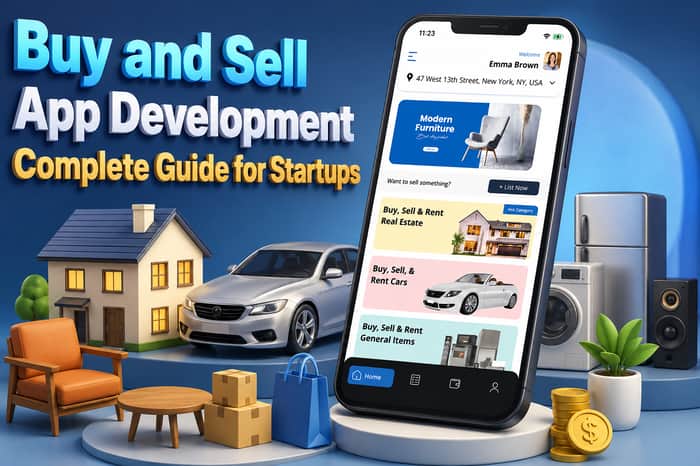
The rise of mobile commerce has changed the way people buy and sell products online. From used smartphones and furniture to cars, fashion, electronics, and collectibles, consumers increasingly prefer mobile apps for convenient peer-to-peer transactions.
For startups, launching a Buy and Sell App can be a promising business opportunity. A well-designed marketplace app can connect buyers and sellers, simplify product discovery, enable secure payments, and generate revenue through multiple monetization models.
This guide explains everything startups should know about Buy and Sell App Development, including essential features, business models, development costs, monetization strategies, and how V3Cube can help build a scalable marketplace platform.
What Is a Buy and Sell App?
A Buy and Sell App is a mobile marketplace platform that allows users to list products or services for sale and enables other users to discover, communicate about, and purchase those listings.
Popular marketplace platforms have demonstrated the demand for peer-to-peer commerce. A startup can create a specialized marketplace for a particular category or build a multi-category platform covering multiple product segments.
Examples of categories include:
- Electronics
- Cars and motorcycles
- Fashion and accessories
- Furniture
- Home appliances
- Real estate
- Books
- Sports equipment
- Collectibles
- Local services
A successful marketplace brings buyers and sellers together while providing tools that make transactions easier and more trustworthy.
Why Invest in Buy and Sell App Development?
The growing adoption of mobile commerce provides startups with opportunities to create specialized marketplace platforms. Unlike traditional eCommerce businesses, a peer-to-peer marketplace does not necessarily need to own or maintain inventory.
The platform can facilitate transactions between independent sellers and buyers while earning revenue from listings, commissions, advertisements, subscriptions, or premium services.
Key benefits include:
Low inventory requirements:
The marketplace can operate without directly purchasing and storing every product.
Multiple revenue opportunities:
Startups can combine commissions, featured listings, advertising, subscriptions, and other monetization methods.
Scalable business model:
Once the marketplace gains users, the platform can expand into additional categories and locations.
Direct buyer-seller interaction:
In-app messaging allows users to communicate before completing a transaction.
Local and global opportunities:
A marketplace can initially target one city or region and later expand into multiple markets.
How Does a Buy and Sell App Work?
A typical marketplace follows a simple process.
For Sellers
- Register or log in.
- Create a seller profile.
- Upload product images.
- Add product details and pricing.
- Select a category.
- Publish the listing.
- Receive buyer inquiries.
- Negotiate or confirm the sale.
- Complete the transaction.
For Buyers
- Create an account.
- Search for products.
- Apply filters.
- View product details.
- Contact the seller.
- Add the product to a preferred list or proceed with the purchase.
- Make payment when supported.
- Track the order or arrange pickup/delivery.
- Rate the seller.
The administrator manages users, listings, transactions, payments, categories, reports, commissions, promotions, and platform settings through an admin panel.
Essential Features of a Buy and Sell App
Features play a major role in the usability and scalability of a marketplace platform.
1. User Registration
Users should be able to register quickly using email, phone numbers, or supported social login options.
2. User Profiles
Profiles can display seller information, ratings, reviews, active listings, and transaction history.
3. Product Listing
Sellers should be able to upload multiple images and provide information such as:
- Product name
- Description
- Price
- Condition
- Category
- Location
- Availability
4. Search and Filters
Advanced search helps buyers find relevant products quickly.
Useful filters can include:
- Category
- Price range
- Location
- Condition
- Brand
- Date listed
- Distance
5. Product Details
A dedicated product page should provide images, descriptions, pricing, seller information, location, reviews, and available purchasing options.
6. In-App Chat
Buyers and sellers can communicate directly through secure messaging. Chat can be particularly useful for negotiation, product questions, and pickup arrangements.
7. Wishlist and Favorites
Users can save products and return to them later.
8. Secure Payments
If the platform supports online transactions, payment gateway integration allows buyers to complete purchases through supported payment methods.
9. Order Management
Buyers and sellers should be able to view order details, transaction status, and relevant updates.
10. Ratings and Reviews
Reviews help establish marketplace trust and give users additional information before completing a transaction.
11. Push Notifications
Notifications can alert users about:
- New messages
- Offers
- Orders
- Payment updates
- Listing approvals
- Promotional campaigns
12. Report and Block
Users should be able to report suspicious listings, inappropriate content, or problematic accounts.
Admin Panel Features
A powerful admin panel is essential for controlling marketplace operations.
The administrator can manage:
- Users
- Sellers
- Product listings
- Categories
- Orders
- Payments
- Commissions
- Reviews
- Reports
- Promotional listings
- Advertisements
- Notifications
- Disputes
- Content
- Analytics
An admin dashboard can also provide business insights such as active users, total listings, completed transactions, revenue, commissions, and marketplace performance.
Advanced Features to Consider
Startups looking to differentiate their marketplace can add advanced functionality.
AI-Powered Recommendations
AI can analyze browsing and purchasing behavior to recommend relevant products.
Image-Based Search
Users can upload an image to discover visually similar products.
Location-Based Marketplace
Location-based discovery can help users find products available nearby.
Smart Notifications
Personalized notifications can inform buyers about price changes, new listings, and relevant products.
Seller Verification
Identity or seller verification can improve marketplace trust.
Escrow-Style Payment Support
For eligible marketplace models, payment workflows can be designed to hold funds until predefined transaction conditions are satisfied.
Delivery Integration
Startups can integrate logistics providers or their own delivery network to offer door-to-door delivery.
Buy and Sell App Monetization Models
A marketplace can generate revenue through multiple channels.
1. Commission
The platform can charge a percentage of successful transactions.
2. Featured Listings
Sellers can pay to promote their products and increase visibility.
3. Seller Subscription
Premium seller plans can provide additional listings, analytics, promotional tools, or other benefits.
4. Listing Fees
The platform can charge sellers for publishing certain types of listings.
5. Advertising
Businesses can pay to display advertisements to relevant marketplace users.
6. Premium Seller Services
Additional services such as verification, promotional packages, analytics, or enhanced storefronts can generate additional revenue.
A startup can combine several monetization models rather than depending on one revenue source.
Buy and Sell App Development Cost
The cost of developing a Buy and Sell App depends on the platform's features, technology, UI/UX requirements, integrations, development approach, and level of customization.
The major factors affecting development cost include:
- Number of platforms
- UI/UX design
- Buyer and seller functionality
- Admin panel
- Payment gateway integration
- Chat functionality
- Delivery integration
- Third-party APIs
- AI features
- Security requirements
- Cloud infrastructure
- Customization requirements
- Maintenance and support
A basic marketplace MVP will generally require fewer resources than a feature-rich marketplace with AI, logistics, advanced analytics, and sophisticated payment workflows.
For an accurate estimate, startups should first define the required features and target market.
Build a Buy and Sell App With V3Cube
V3Cube provides clone app development solutions for entrepreneurs and startups looking to launch marketplace and on-demand platforms.
A V3Cube Buy and Sell App can be customized according to the startup's target audience, business model, branding, location, and required functionality.
Depending on the business concept, the platform can include dedicated experiences for buyers, sellers, and administrators.
Buyer App
The buyer application can provide:
- Registration
- Product discovery
- Search
- Filters
- Product details
- Wishlist
- Seller profiles
- Chat
- Orders
- Payments
- Reviews
- Notifications
Seller App
The seller side can provide:
- Seller registration
- Profile management
- Product listing
- Image uploads
- Inventory/listing management
- Buyer communication
- Order management
- Earnings information
- Reviews
- Notifications
Admin Panel
The admin can control the entire marketplace through a centralized dashboard, including users, products, transactions, commissions, reports, promotions, and platform settings.
Why Choose a Clone App Solution?
Building a marketplace entirely from scratch can require considerable time and resources. A ready-made clone app solution provides a pre-built foundation that can be customized for a specific business model.
For startups, this approach can offer:
- Faster market entry
- Lower initial development effort
- Pre-built marketplace functionality
- Custom branding
- Scalable architecture
- Feature customization
- Multiple platform support
- Admin management tools
However, startups should carefully evaluate the technology stack, source-code ownership, customization capabilities, scalability, security, and ongoing support before selecting a development provider.
Steps to Launch a Buy and Sell Marketplace
Step 1: Choose Your Niche
Decide whether your marketplace will target a specific product category or support multiple categories.
Step 2: Define Your Target Audience
Identify who will use the platform as buyers and sellers.
Step 3: Select Your Business Model
Choose commission, subscriptions, listing fees, advertisements, featured listings, or a combination.
Step 4: Define Core Features
Prepare an MVP feature list before development begins.
Step 5: Select a Development Approach
Compare custom development and ready-made marketplace solutions according to your budget, timeline, and customization requirements.
Step 6: Customize the Platform
Add your brand identity, colors, logo, workflows, payment methods, and required features.
Step 7: Test the Application
Perform functional, usability, performance, security, and compatibility testing.
Step 8: Launch
Publish the applications and begin acquiring buyers and sellers.
Step 9: Market the Platform
Use SEO, social media, paid advertising, referral campaigns, partnerships, and promotional offers to attract users.
Step 10: Scale
Monitor marketplace performance and introduce new categories, locations, features, and monetization opportunities based on user behavior.
How to Make a Buy and Sell App Successful
Launching an app is only the first step. Marketplace success depends heavily on trust, liquidity, user experience, and consistent product availability.
Focus on:
Building trust: Verify sellers and provide reporting and review mechanisms.
Improving discovery: Make search, categories, filters, and recommendations easy to use.
Attracting sellers first: A marketplace needs sufficient inventory to attract buyers.
Encouraging repeat usage: Personalized recommendations, notifications, saved searches, and relevant offers can improve engagement.
Reducing transaction friction: Keep listing, communication, checkout, and order management simple.
Monitoring fraud: Use moderation tools and appropriate verification mechanisms to identify suspicious activity.
Final Thoughts
A Buy and Sell App can provide startups with a scalable digital marketplace business model by connecting buyers and sellers through a convenient mobile platform.
From product listings and search to chat, payments, reviews, promotions, and analytics, the right combination of features can create a strong marketplace experience.
For startups seeking a faster route to market, a customizable solution from V3Cube can provide a foundation for launching a branded Buy and Sell marketplace. The platform can be adapted to different categories, locations, monetization strategies, and business requirements.
The key is to start with a focused MVP, understand your target market, build marketplace trust, and continuously improve the platform based on real user feedback.
